Introduction
TL;DR Thousands of people visit your website each month. Most leave without a word. They read a page, scan your pricing, and vanish. You never learn their names. You never learn what they needed.
Website Visitor Insights change that story. They show who visits, what they view, and how they behave. They reveal which companies show interest. They point your sales team toward the people most likely to buy.
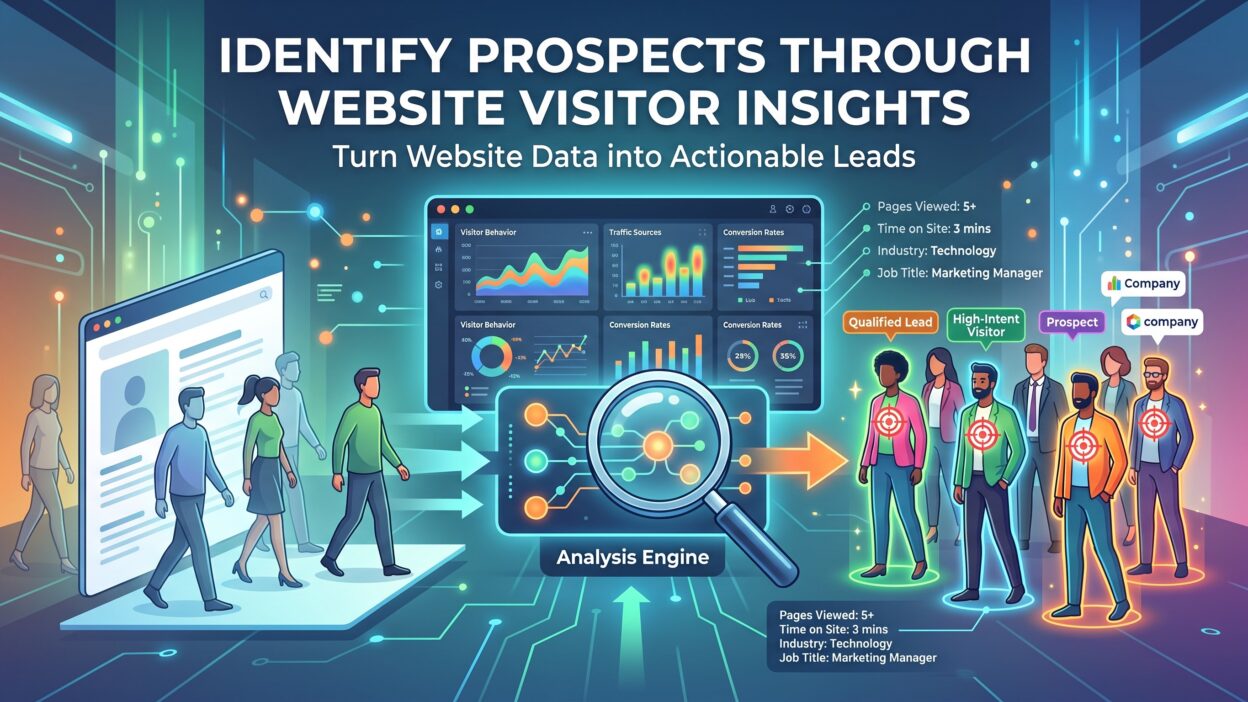
This guide shows you how to use that information. You will learn what the data includes and why it matters. You will see how to collect it without breaking privacy rules. You will learn how to spot real prospects in a crowd of casual visitors. You will also see how to hand those prospects to sales at the right moment.
You do not need a giant budget. You do not need a data science team. You need a website, a few tools, and a habit of checking the numbers.
Your site already works as a silent salesperson. It meets buyers every day. Learn to listen to what those buyers tell you through their clicks.
Table of Contents
What Are Website Visitor Insights?
Website Visitor Insights are facts about the people and companies that visit your site. They describe who arrives, where they come from, and what they do. They also describe how long they stay and when they return.
Think of a store owner who watches shoppers walk the aisles. The owner sees who lingers by the jewelry case. The owner sees who picks up a product and puts it back. Your website works the same way. The data replaces the owner’s eyes.
Basic Traffic Data
Traffic data forms the foundation. It shows total visits, unique visitors, and page views. It shows the source of each visit. A visitor may arrive from search, social media, email, an ad, or a direct link. Each source tells a different story about intent.
Behavior Data
Behavior data shows actions. It tracks pages viewed, time on page, scroll depth, clicks, downloads, and form starts. A visitor who reads your pricing page for three minutes acts differently from a visitor who leaves after ten seconds.
Identity Data
Identity data connects a visit to a person or company. It may come from a form fill, an email click, or a company lookup based on network data. This layer turns anonymous traffic into named prospects.
Why the Difference Matters
Traffic counts tell you how many people came. Insights tell you which of those people matter. That difference separates busy websites from profitable ones.
Why Prospect Identification Starts With Website Visitor Insights
Most visitors never fill out a form. Industry studies often show that only a small share of visitors convert on the first visit. The rest stay anonymous. If you rely on forms alone, you miss most of your audience.
Visitor data fills that gap. It shows which anonymous visitors behave like buyers. It reveals patterns that forms cannot capture.
Sales teams gain the most. Reps stop cold calling random names. They call companies that already viewed the pricing page. The conversation starts with context. The prospect feels understood.
Marketing teams gain focus. They see which pages attract strong prospects and which pages attract browsers. They see which channels deliver visitors who stay and explore. Budget moves toward the channels that work.
Timing improves. Buyers research in bursts. A company may visit your site five times in one week and then go quiet. Alerts let your team reach out during the burst. Speed matters. A prompt reply often beats a competitor.
Personalization becomes possible. You can show a manufacturing visitor a manufacturing case study. You can show a returning visitor a demo offer. Relevance lifts the conversion rate.
Costs drop. You learn which visitors deserve attention. You stop spending hours on leads that never had a chance.
Trust grows between teams. Marketing hands sales real evidence. Sales sees the visitor’s path. Both teams argue less about lead quality because the data speaks for itself.
Types of Data You Can Collect From Your Site
Different data types answer different questions. Combine them for the full picture.
Source and Channel Data
Source data shows how visitors find you. Track organic search terms, paid campaigns, referral sites, social links, and email clicks. A visitor who searches for a comparison of vendors shows stronger intent than a visitor who clicks a casual social post.
Page and Content Data
Page data shows what visitors care about. A high-intent visitor reads pricing, integration, and case study pages. A researcher reads blog posts. Track which pages appear in the paths of visitors who become customers. Those pages deserve extra attention.
Engagement Data
Engagement data measures depth. Watch scroll depth, video plays, and time on page. Watch how many pages a visitor views in one session. Deep engagement suggests real interest. Quick exits suggest a mismatch.
Heatmaps and Session Recordings
Heatmaps show where visitors click and scroll. Session recordings replay a visit step by step. You see where visitors hesitate and where they get stuck. These tools reveal problems that numbers hide. A broken button or a confusing form becomes obvious in seconds.
Firmographic Data
Firmographic data describes the company behind the visit. It includes industry, size, revenue, and location. B2B teams rely on it. A visit from a company that matches your target profile matters more than a visit from a poor fit.
Technographic and Intent Data
Technographic data shows the tools a company uses. Intent data shows research activity across the web. Together they help you judge whether a visitor fits your product and whether a need exists right now.
Return Visit Data
Return visits signal growing interest. A contact who comes back three times in a week likely evaluates options. Track frequency and recency for each visitor and company.
How to Collect Website Visitor Insights Step by Step
A clear process keeps your data clean and useful. Follow each stage in order.
Set Your Goals
Decide what you want to learn. You might want to find target accounts, improve landing pages, or shorten the sales cycle. Write your goals in plain language. Attach numbers when possible. A goal such as “identify fifty target companies each month” guides your setup.
Install a Web Analytics Tool
Start with a standard analytics platform. It records traffic, sources, and behavior. Install the tracking code on every page. Test that it fires correctly. Set up conversion goals for form fills, demo requests, and downloads.
Add Event Tracking
Basic analytics miss many actions. Add event tracking for button clicks, video plays, file downloads, and outbound links. Track scroll depth on key pages. These events reveal intent that page views alone cannot show.
Use Forms Smartly
Forms still matter. Keep them short. Ask for a work email, a name, and one qualifying question. Long forms scare people away. Use progressive profiling to ask new questions on return visits. Over time you build a full profile without pushing too hard.
Add Visitor Identification
Identification tools match visits to companies through network data. Many tools use IP address lookup to reveal the organization behind a visit. Some add contact-level matching where privacy laws allow. These tools convert anonymous traffic into named accounts.
Connect Everything to Your CRM
CRM integration makes the data useful. Sync visitor activity to contact and account records. Sales reps then see page views, downloads, and visit history in one place. Set up alerts for high-value actions.
Clean and Organize the Data
Remove internal traffic. Filter out bots and spam. Standardize campaign tags. Dirty data leads to wrong conclusions. Assign one person to own data quality.
Review on a Schedule
Check your dashboards weekly. Hold a monthly review with sales and marketing. Look for patterns. Adjust your tracking as your goals change.
How to Spot Prospects in Your Visitor Data
Data alone does not create leads. You need rules that separate serious buyers from casual browsers.
Look for High-Intent Pages
Some pages signal buying interest. Pricing pages top the list. Demo pages, integration guides, security pages, and comparison pages follow. A visitor who reads several of these pages in one session deserves attention.
Watch Visit Patterns
Frequency tells a story. A single visit to a blog post means little. Three visits in a week, each with a deeper page, means much more. Watch for multiple people from one company. Several contacts from the same account suggest a buying group at work.
Check Company Fit
Match each visiting company against your ideal customer profile. Look at industry, size, and region. A perfect fit that visits your pricing page twice deserves an immediate call. A poor fit that reads ten blog posts may only need a nurture email.
Use Lead Scoring
Lead scoring turns these signals into a number. Give points for high-intent pages, repeat visits, and strong fit. Subtract points for inactivity or poor fit. Set a threshold at which a lead becomes sales ready. Test the model against past deals. Adjust each quarter.
Add Intent Data
Intent data from outside your site adds context. A company that researches your topic across the web and visits your site shows a strong signal. Combine both sources for higher accuracy.
Watch for Job Titles
When you can see contact-level data, note titles. A director or vice president who visits your pricing page matters more than an intern. Decision makers and influencers both count. Reach out to the right level.
Separate Noise
Not every visit means interest. Competitors browse. Job seekers read your careers page. Students research topics. Recruiters scan company pages. Tag these visits so they do not distort your numbers.
Best Tools for Capturing Website Visitor Insights
The right toolkit depends on your size and goals. Start simple and grow.
General analytics platforms give you traffic, sources, and behavior data. Most teams begin here. They cost little and cover the basics.
Heatmap and session recording tools show how visitors use each page. They help you fix design problems and improve conversion rate. They also reveal which content grabs attention.
Visitor identification tools reveal companies behind anonymous visits. B2B teams use them to find target accounts. Many push alerts to sales when a key account visits. Check accuracy claims with a trial before you commit.
Marketing automation platforms track email clicks and site visits together. They score leads and trigger follow-up messages. They connect website activity to campaigns.
A CRM holds the final record. It stores contacts, accounts, and deals. It shows the full history from first visit to closed sale.
Live chat and chatbot tools capture intent in real time. A visitor asks a question. A rep replies. The chat transcript becomes a data source.
Survey and feedback widgets ask visitors why they came. A one-question pop-up can reveal purpose and satisfaction. These answers add human context to your numbers.
Choose tools that connect. A stack that shares data beats a pile of separate dashboards.
Turning Website Visitor Insights Into Sales Action
Data creates value only when someone acts on it. Build clear steps between insight and outreach.
Route Alerts to the Right Rep
Set rules that send alerts to account owners. A visit from a target account should reach the assigned rep within minutes. Include the pages viewed, the time on site, and the number of visits. Context helps the rep write a relevant message.
Craft Relevant Outreach
Use the data to guide your message. A prospect who read about integrations wants to hear about setup and compatibility. A prospect who studied pricing wants clarity on value. Avoid creepy phrases such as “I saw you visited our site at 2:14 pm.” Reference the topic instead. Say you help companies with the challenge the content covers.
Personalize the Website Itself
Change what visitors see based on what you know. Show industry-specific headlines. Offer a demo to returning visitors. Show case studies that match the visitor’s sector. Small changes lift engagement.
Trigger Automated Follow-Up
Not every visitor needs a rep. Send automated emails to mid-scoring leads. Offer a relevant guide or a short video. Keep the tone helpful. Watch replies and clicks. Promote strong responders to sales.
Run Retargeting Campaigns
Ad platforms let you reach past visitors. Show ads that match the pages they viewed. A visitor who read about a specific feature sees an ad about that feature. Keep frequency low. Too many ads annoy people.
Feed Insights Back Into Content
Study which pages attract prospects. Write more content on those topics. Improve pages that draw traffic but produce no action. Let the data guide your editorial plan.
Share Wins Across Teams
Tell the story when a visitor becomes a customer. Show the path from first visit to signed contract. Stories build support for the program and teach new reps how to use the data.
Privacy, Consent, and Ethics
Trust matters more than data. Collect information with care and respect.
Privacy laws set clear rules. GDPR in Europe, CCPA in California, and similar laws elsewhere require transparency and consent. Visitors must know what you collect and why. Many regions require opt-in consent for tracking cookies. Know the rules in every market you serve.
Add a cookie banner that offers real choices. Let visitors accept, reject, or customize. Honor those choices in your tools. Test that your scripts respect the settings.
Publish a privacy policy in plain language. Explain what data you collect, how you use it, and how visitors can opt out. Avoid legal jargon. Clear writing builds confidence.
Collect only what you need. Extra data creates risk without adding value. Set retention limits. Delete old records on schedule.
Choose vendors with strong security. Ask about certifications, data storage locations, and compliance practices. Sign data processing agreements where required.
Company-level identification carries lower risk than tracking individuals. It reveals business entities rather than private persons. Contact-level identification needs extra care. Confirm legal grounds before you use it.
Train your team. Reps should never share sensitive details from tracking data with prospects in a way that feels invasive. Use the data to help, not to unsettle.
Privacy-first practices protect your brand. They also prepare you for a future with fewer third-party cookies and stricter rules.
Metrics That Show Whether Your Program Works
Track a small set of numbers. Review them each month.
Start with the share of visitors you identify. A higher share means more prospects to work. Compare identified companies with your target account list. Coverage shows how well you reach the right audience.
Watch the conversion rate from identified visit to sales conversation. This number shows whether alerts turn into real talks. Low rates suggest weak scoring or slow follow-up.
Track response time. Measure the gap between a high-intent visit and the first outreach. Shorter gaps usually raise reply rates.
Measure pipeline created from visitor-driven alerts. Attach dollar values. Compare deal size and win rate against other sources.
Study page performance. See which pages lead to demos and which pages lose visitors. Improve the weak ones.
Track engagement quality. Look at pages per session, return visits, and time on high-intent pages. Rising numbers suggest better content and better targeting.
Watch data quality. Check the share of records with complete fields. Watch bounce rates on outreach emails. Poor quality lowers every other metric.
Report results in simple language. Show a few named accounts that moved from visit to deal. Stories make numbers memorable.
Common Mistakes to Avoid
Teams repeat a handful of errors. Learn them early.
Many teams collect data and never act on it. Dashboards fill with numbers while leads go cold. Assign owners and deadlines for every alert.
Some teams chase every visitor. Not every visit deserves a call. Use scoring and fit checks to protect sales time.
Others ignore mobile visitors. A large share of traffic arrives on phones. Test your tracking and your pages on small screens.
Poor tag setup breaks data. Missing pages, duplicate scripts, and wrong filters create false reports. Audit your setup every quarter.
Over-personalization backfires. A message that reveals too much about a visitor’s browsing feels intrusive. Keep outreach helpful and subtle.
Skipping consent creates legal risk. Fines and lost trust cost far more than the data gains. Build compliance into your setup from day one.
Teams also forget sales feedback. Reps know which alerts led to real conversations. Ask them weekly. Adjust scoring rules based on their answers.
Last, some teams expect instant results. Programs take a few months to mature. Give the data time to build patterns.
Frequently Asked Questions
What are Website Visitor Insights in simple terms?
They are facts about who visits your site and how they behave. They cover traffic sources, pages viewed, time spent, and company details. Teams use them to find prospects and improve marketing.
Can I identify anonymous visitors?
Yes, in many cases. Company-level tools match visits to organizations using network data. Contact-level tools match visitors to individuals when they share their details or consent. Accuracy varies by tool and region.
Is visitor identification legal?
It depends on your location and method. Company-level identification is generally lower risk. Tracking individuals often requires consent under laws such as GDPR. Consult a legal expert before you launch.
How much does visitor tracking cost?
Costs range from free to thousands per month. Basic analytics tools cost nothing. Identification and intent tools charge based on traffic or features. Start small and expand when value appears.
How long before I see results?
Data begins to flow on day one. Useful patterns often appear within four to eight weeks. Pipeline impact may take a full sales cycle to show.
Do small businesses need these tools?
Small businesses benefit too. A free analytics tool and a well-built contact form provide a strong start. Add heatmaps or identification tools as traffic grows.
How do I connect visitor data to my CRM?
Most platforms offer native integrations or connectors. Map fields carefully. Test that activity appears on the right contact and account records. Ask your vendor for setup help.
What is the difference between analytics and visitor insights?
Analytics report on groups of users. Visitor insights focus on who those users are and what they signal. Analytics tell you how many. Insights tell you which ones matter.
Read More:-CLI Contact Enrichment: How to Complete Your Contact Data From the Terminal
Conclusion

Your website meets prospects every day. Most of them leave quietly. Website Visitor Insights give you a way to hear what they say through their actions.
You now know the main data types. You know how to collect them with analytics, event tracking, and identification tools. You know how to spot high-intent visitors through page patterns, company fit, and lead scoring. You know how to send alerts to sales and personalize your site. You know how to respect privacy and measure success.
Start with one step this week. Check your analytics setup. Confirm that your pricing and demo pages track properly. Choose three high-intent signals. Write a simple alert rule for your sales team.
Grow from there. Add identification tools. Connect your CRM. Test new messages. Review results each month.
Every visit holds a clue. Learn to read those clues and you turn quiet traffic into real conversations. Your next customer may already sit in your data.