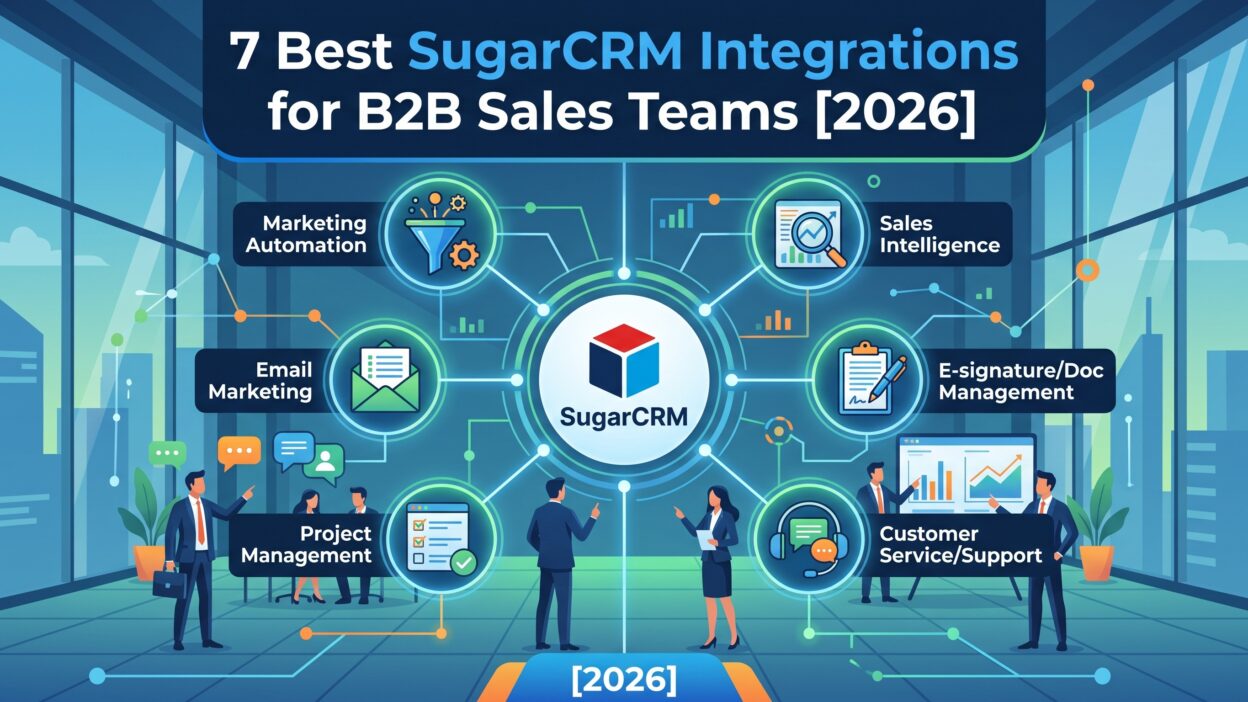
Introduction
TL;DR B2B sales runs on information. Reps need contact details, deal history, contracts, and invoices. Managers need reports they can trust. Leaders need a clear view of the pipeline. A CRM holds much of that data. It cannot hold all of it.
Smart connections close the gap. The right SugarCRM Integrations link your CRM to email, calendars, marketing tools, contracts, and accounting software. Data moves on its own. Reps stop copying details between screens. Managers stop chasing updates.
The guide suits sales leaders, revenue operations managers, and administrators. Small teams and large teams both find value here.
You do not need a coding background. Many connectors take a few clicks. A few need admin access and an API key. Your team can handle either one with a little planning.
Read on and build a sales stack that works as hard as your reps do.
What Are SugarCRM Integrations?
SugarCRM is a customer relationship management platform. It helps teams manage sales, marketing, and customer support. Companies value its flexibility. Admins can shape modules, fields, workflows, and dashboards to fit their process.
Connections extend that flexibility. SugarCRM Integrations link the platform to other software. A connector moves data between two systems. An email tool sends open and click data to a contact record. A contract tool saves signed files to a deal. An accounting tool shows invoices on an account page.
Native Connectors
Some links come from the vendor. Native connectors follow supported paths and usually need less upkeep. Admins often set them up from the Admin area. The process usually asks for keys or credentials. For a tool such as DocuSign, an admin enters an integration key and a client secret, then saves the settings.
The Sugar Marketplace
The Sugar Marketplace lists hundreds of add-ons. Partners build many of them. You browse, compare, and install tools that fit your needs. Read reviews and check version support before you buy.
APIs and No-Code Options
Custom needs call for other paths. SugarCRM offers APIs that developers use to build private links. Zapier offers a no-code route to thousands of apps. Admins create automated workflows called Zaps without writing code.
Pick the path that fits your skills, your budget, and your timeline.
Why SugarCRM Integrations Matter for B2B Sales Teams
B2B deals move slowly. Many people join each decision. Sales cycles run for months. Every delay and every error costs money.
Time savings come first. Reps often spend a large share of the day on admin. Automatic data sync cuts that burden. A rep who saves an hour a day gains weeks each year for selling.
Data quality improves. Manual entry breeds typos and gaps. Connected tools pass clean records. Reports become more reliable.
Visibility grows. A rep sees marketing activity, contract status, and invoice history in one record. That context shapes better conversations. A rep who knows a client has an overdue invoice avoids an awkward upsell pitch.
Alignment gets easier. Sales, marketing, finance, and support look at the same customer facts. Teams argue less about whose numbers are right.
Speed rises. Alerts arrive in chat tools the moment a contract signs. Sales managers react in minutes instead of days.
Customer experience improves. Buyers notice when a company knows their history. They notice quick contracts and clean invoices. Small touches build trust.
Costs fall over time. Fewer manual tasks reduce labor. Fewer errors reduce rework. A modest tool subscription often repays itself after a few closed deals.
Growth becomes smoother. A connected stack scales with the company. New reps learn one workflow, not six.
How We Picked the Best SugarCRM Integrations
Any list needs clear rules. Here are the standards behind this one.
Relevance to B2B sales work came first. Every tool solves a daily problem. Email, marketing, contracts, finance, social selling, alerts, and automation all touch the sales cycle.
Depth of sync mattered next. A shallow link that moves one field adds little. A deep link that syncs activities, statuses, and documents adds a lot. Two-way sync scores higher than one-way sync.
Ease of setup counted. Busy admins need tools that start fast. Native connectors and clear guides earned extra credit.
Value for money counted too. Free tiers and flexible plans help small teams. Enterprise buyers care about security and support.
Reputation carried weight. Buyers want vendors that answer when something breaks. Reviews, product age, and market presence helped here.
Coverage of the sales cycle mattered. The seven tools span prospecting, communication, marketing, closing, billing, collaboration, and automation.
Sources include vendor pages and recent third-party guides. Some details come from vendor claims. Test every tool with your own data. A trial reveals more than any article can.
The 7 Best Integrations for Sugar Users
Each profile explains what the tool does, why teams like it, and who should choose it.
1. Microsoft 365 and Google Workspace: Email, Calendar, and Files
Email and calendars hold the raw material of every deal. Reps write, meet, and follow up all day. Most of that activity never reaches the CRM.
SugarCRM works with Microsoft 365 and Gmail, according to a software directory. Google Workspace links can sync Gmail, Google Calendar, and Google Drive with Sugar records. Outlook users can connect mail and meetings the same way. Reps see emails on the contact record. Meetings appear on the account timeline.
Managers gain a full activity history. They see which deals get attention and which sit idle. New reps read past threads and catch up in hours.
This pair suits every B2B team. Start here before anything else. Email sync feeds all the other tools.
Set privacy rules early. Not every message belongs in the CRM. Let reps mark personal threads as private. Train the team on which emails to link.
Check the sync direction. Two-way calendar sync avoids double bookings. Test with a few users before you launch to everyone.
2. Mailchimp: Email Marketing Sync
Marketing and sales need the same list. Mailchimp links email campaigns to CRM records. One source describes the connection as a way to sync and manage email marketing campaigns directly from Sugar. Teams segment lists, track performance, and view campaign analytics inside the CRM.
Sales gains a window into marketing. A rep sees which prospects opened the last campaign. A click on a pricing link signals real interest. The rep calls at the right moment.
Marketing gains fresh data. Segments update from live CRM fields. A newly qualified lead joins the right nurture path. A closed customer leaves the prospect list.
This tool suits small and mid-size teams with modest campaign needs. Larger teams may prefer Sugar Market or platforms such as HubSpot and Marketo, which also offer CRM links.
Clean your lists before you sync. Duplicates and outdated addresses hurt deliverability. Agree on tags and field names between teams.
Watch consent rules. Only email people who agreed to hear from you. Follow GDPR and CAN-SPAM.
3. DocuSign: E-Signature Inside the Deal
Contracts slow deals. Files bounce between inboxes. Versions multiply. Signers forget.
DocuSign fixes the loop. According to one guide, users send documents for e-signature from Sugar, track status, and save signed files back to the CRM automatically. Reps stay in one window.
Speed improves. A buyer signs on a phone in minutes. The rep sees the status change and moves the deal forward. Finance gets the signed file without a chase.
Trust improves. Buyers recognize the brand. They feel safe with a familiar signing flow. Security standards satisfy legal and IT reviewers.
This tool suits any team that closes deals with contracts. Sales teams with time-sensitive quotes gain the most.
PandaDoc offers another path. It combines document creation, e-signature, engagement tracking, and payment at signing. Compare both tools if you build many custom proposals.
Set clear templates. Standard contracts and approval rules cut mistakes. Restrict who can send documents. Log every change.
4. QuickBooks: Finance Data for Account Managers
Sales and finance often live in different worlds. Reps guess about payment status. Finance answers the same questions all week.
QuickBooks changes that. The link connects customer records, invoices, payment information, and financial data for better visibility and reporting. Account managers see invoice history and payment status inside the account.
The benefits are clear. Renewal talks start with facts. A rep sees a client paid on time for three years. A rep sees an overdue invoice and holds the upsell. Finance spends less time on status requests.
Forecasts improve. Billing data links to closed deals. Leaders compare booked revenue with actual cash.
This tool suits teams that manage renewals, recurring services, or account-based sales. Sage users can find a similar connector for Sage accounting data.
Map fields with care. Customer names must match across systems. Decide which system owns the master record. Test with sample invoices.
Limit access. Not every rep needs to see every financial detail. Use role-based permissions.
5. LinkedIn Sales Navigator: Social Selling and Research
B2B buyers live on LinkedIn. Reps research contacts there. Sales Navigator adds search filters, lead lists, and alerts for job changes.
One guide notes that Sugar works with LinkedIn Sales Navigator and the wider LinkedIn ecosystem. Reps view profile insights next to CRM records. They spot mutual connections. They save leads without retyping names.
Context sharpens outreach. A rep sees a prospect just got promoted. The rep writes a note that mentions the news. Response rates rise when messages feel timely.
Prospecting speeds up. A rep builds a list in Sales Navigator and adds contacts to Sugar in a few clicks. Duplicate checks keep the database clean.
This tool suits outbound teams and account executives who chase named accounts. Enterprise sellers use it to map buying committees.
Respect platform rules. LinkedIn limits bulk scraping and automated actions. Stay within their terms to protect your accounts.
Train reps to write real messages. Automation cannot replace a thoughtful note.
6. Slack and Microsoft Teams: Real-Time Alerts
Speed wins deals. Alerts make speed easy.
Slack integration supports team collaboration by delivering real-time notifications and updates about customer activity and sales opportunities. Microsoft Teams offers a similar path. A third-party guide describes real-time CRM event notifications and meeting coordination in the platform your team already uses.
Set alerts for key events. A big deal moves to negotiation. A contract signs. A high-value lead requests a demo. A renewal date nears. The right people see the message at once.
Teamwork improves. Reps ask questions in a channel and get quick help. Managers cheer wins in public. Support staff share warnings about at-risk accounts.
This tool suits distributed teams and fast-moving sales floors. Managers who coach in real time love it.
Guard against noise. Too many alerts train people to ignore them. Choose a few high-value triggers. Use dedicated channels. Review settings each quarter.
7. Zapier: No-Code Automation for Everything Else
Native connectors cover the big names. Zapier covers the rest. One guide puts its reach at more than 8,000 apps where native Sugar connectors stop.
Zapier uses triggers and actions. A trigger starts a workflow. An action follows. A new form submission can create a lead record. A new Mailchimp subscriber can create a contact. A clicked campaign link can trigger a task for a rep.
Non-technical users build these workflows. No developer waits in the queue. Teams test ideas fast.
Lead routing gets easier. New leads from ad tools, forms, and emails flow into the CRM without manual work. Assign owners by region or product.
This tool suits small teams with unusual needs. Ops leaders use it to patch gaps.
Watch volume and cost. Heavy workflows can raise plan costs. Track task counts each month.
Document every Zap. Name owners. Staff changes break undocumented workflows. Review them twice a year.
Other Tools Worth Considering
The seven tools above do not cover every need. Explore a few more.
ZoomInfo adds verified B2B data and buyer intent to CRM records. One guide calls it the first tool to add when pipeline depends on data quality. Rich data improves routing, scoring, and outreach.
Jira shows engineering ticket status inside account records. Customer-facing teams learn about technical issues before a client complains.
VoIP tools add click-to-call and automatic call logs. A phone system that syncs with the CRM removes tedious entry and saves recordings on the record.
HubSpot and Marketo offer marketing automation with lead, account, and campaign sync. Enterprise marketing teams often prefer them over lighter tools.
ERP connectors link orders, inventory, and billing for firms with complex operations.
Browse the Sugar Marketplace before you build custom work. A ready-made add-on often beats a homemade fix. Ask vendors for references from firms of your size and industry.
How to Set Up SugarCRM Integrations Step by Step
A careful launch prevents headaches. Follow this path.
Audit Your Sales Workflow
Map how work moves today. Note every tool your reps use. Look for repeated copy-and-paste tasks. Ask reps where they lose time. Their answers reveal the best targets.
Set Clear Goals
Decide what you want to fix. You may want faster contracts, cleaner reports, or better lead follow-up. Write numbers next to each goal. A goal such as “cut contract turnaround from five days to two” guides the project.
Check Versions and Permissions
Confirm your SugarCRM edition supports the connector. Confirm the partner tool’s plan includes the features you need. Admin rights may be required in both systems. Read vendor documentation before you start.
Configure the Connector
Open the Admin area and find the connector settings. Enter the required keys or credentials. Save the settings. Follow the partner’s guide for any steps on their side.
Test in a Sandbox
Never test in production first. Use a sandbox or a small pilot group. Send a test contract. Sync a test invoice. Check that records land in the right place.
Set Data Rules
Decide which fields sync and which do not. Agree on naming rules. Decide which system owns each record type. Plan how to handle duplicates. Write the rules down.
Train Your Team
Show reps how the tool saves them time. Share a short guide. Record a demo video. Name a champion who answers questions.
Launch and Review
Roll out to the full team after the pilot succeeds. Review results after thirty days. Compare against your goals. Remove tools that do not earn their place.
Cost, Limits, and Risks to Consider
Every tool has a price. Every link has limits. Plan for both.
Subscription costs stack quickly. Five tools at modest prices become a large bill. Add them one at a time. Track the value of each.
Plan tiers matter. Some features sit behind higher tiers. Ask vendors what the base price includes. Confirm limits on users, records, and API calls.
Data quality matters. A bad sync can overwrite good records. Back up key data before you turn on two-way sync. Test with sample records.
Maintenance matters. Software updates can break connectors. Ask vendors how they handle new SugarCRM releases. Check compatibility before you upgrade your CRM.
Security matters. Every connection opens a path to your data. Review what each tool can read and write. Use least-privilege access. Ask about encryption and certifications.
Compliance matters. Customer data crosses tools. Follow GDPR, CCPA, and local rules. Document where data lives.
Support matters. A broken sync during quarter end hurts. Ask about response times and escalation paths.
Complexity matters. Too many SugarCRM Integrations at once overwhelm a team. Launch in stages. Prove value before you add the next tool.
Common Mistakes to Avoid
Teams repeat the same errors. You can skip them.
Some teams buy tools before they define problems. They chase features and ignore fit. Start with pain, not products.
Others connect everything at once. Chaos follows. Start with two or three high-value links.
Many teams skip training. A powerful tool used badly delivers little. Invest a few hours in onboarding.
Some teams ignore data rules. Duplicates, mismatched fields, and messy tags erode trust in the CRM. Set standards early.
Others skip testing. A silent sync failure can run for weeks. Check logs weekly during the first month.
Some teams forget permissions. Finance data and contract files need protection. Restrict access by role.
Teams often forget to review. Tools that once helped may lose value. Audit your stack twice a year. Cancel what nobody uses.
Some leaders ignore rep feedback. Reps know which steps still waste time. Ask them often. Share updates when you fix their complaints.
Last, many teams skip documentation. Staff turnover erases knowledge. Write down who owns each connector, how it works, and where to find keys.
Frequently Asked Questions
What are the most popular SugarCRM Integrations for sales teams?
Email and calendar sync, marketing platforms, e-signature tools, accounting software, social selling tools, chat alerts, and automation platforms top the list. Microsoft 365, Gmail, Mailchimp, DocuSign, QuickBooks, Slack, and Zapier come up often in vendor and review guides.
Do SugarCRM Integrations cost extra?
Some connectors come with your plan. Partner tools usually charge their own fees. Marketplace add-ons may carry one-time or subscription prices. Ask each vendor for a full quote.
Can I build a custom link?
Yes. Developers can use SugarCRM APIs to build private connections. Zapier offers a no-code route for many common workflows.
How long does setup take?
Simple native connectors take minutes to hours. Complex custom links may take weeks. Plan a pilot and a review period.
Does SugarCRM work with HubSpot or Marketo?
Yes. Guides list both as marketing automation options that sync lead, account, and campaign data with Sugar. Confirm the exact features and the sync direction with each vendor.
Which tool should I add first?
Start with email and calendar sync. It feeds all your other tools with activity data. Add contracts or marketing next, based on your biggest pain.
Are integrations safe for customer data?
Reputable vendors follow strong security practices. Ask about encryption, access controls, and compliance. Limit permissions. Review access every quarter.
Can Zapier replace native connectors?
Sometimes. Native connectors usually offer deeper sync and less maintenance. Zapier fills gaps and speeds up testing. Many teams use both.
Read More:-
Conclusion

B2B sales teams win with speed, context, and trust. A CRM alone cannot supply all three. Connected tools can.
This guide covered seven strong options. Microsoft 365 and Google Workspace capture email and meetings. Mailchimp aligns marketing and sales. DocuSign speeds contracts. QuickBooks shows finance data. LinkedIn Sales Navigator sharpens prospecting. Slack and Teams deliver real-time alerts. Zapier fills every remaining gap.
Start small. Pick the biggest time drain in your sales cycle. Choose one tool that fixes it. Test in a sandbox. Measure the result. Add the next tool when the first one proves its value.
Choose your SugarCRM Integrations with care. Match each tool to a real goal. Check depth, price, security, and support. Train your team and review results twice a year.
A connected stack pays off in speed, accuracy, and customer experience. Your competitors chase the same buyers. Better tools give your reps an edge. Build yours this quarter and let your team spend more time on the work that closes deals.