Introduction
TL;DR You send a great email. A reply lands within seconds. It says the person is away. Your heart sinks a little.
Most people stop right there. They wait. They forget. The lead slips away.
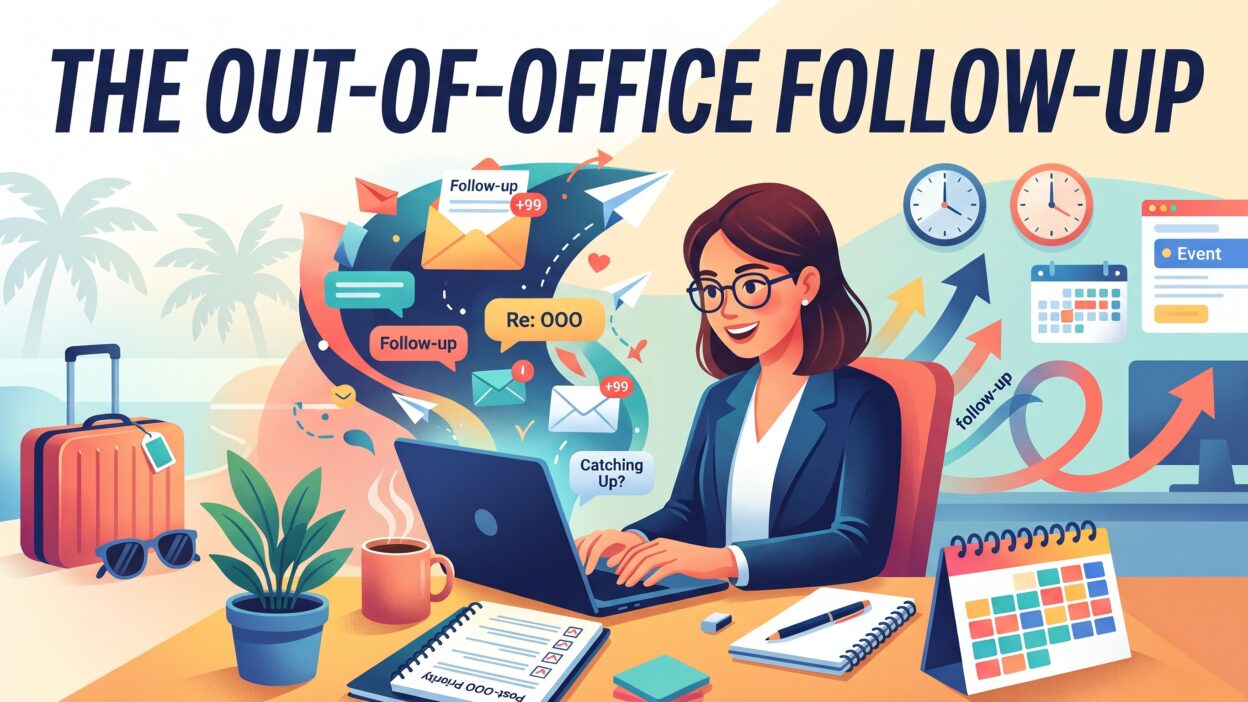
A smart Out-of-Office Follow-Up changes that story. An auto-reply is not a rejection. It is a clue. It tells you when the person returns. It often names a backup contact. It shows you the right moment to try again.
Table of Contents
What Is an Out-of-Office Follow-Up?
An Out-of-Office Follow-Up is a message you send after you receive an out-of-office reply. The goal is simple. You want to reconnect with the person at the right time. You respect their break. You keep your message fresh in their mind.
Out-of-office replies are automatic. People set them before vacation, travel, parental leave, conferences, or sick days. The email app sends the reply for them. Nobody reads your message during that time. The inbox piles up. The person returns to hundreds of unread emails.
That pile is the real problem. Your email sits near the bottom. It looks old. It gets skipped. A well-timed follow-up lifts your message back to the top.
The Difference Between a Reminder and a Follow-Up
A reminder repeats your first email. A follow-up adds value. It may share a new fact, a short story, or a helpful link. It gives the reader a reason to answer. Aim for the second kind.
Who Uses This Tactic
Sales teams use it every day. Recruiters use it to reach busy candidates. Marketers use it to reconnect with partners. Customer success managers use it to check in with clients. Job seekers use it after they send applications.
Each group faces the same hurdle. Each group wins by waiting for the right moment. Patience with a plan beats speed without one.
Why Out-of-Office Replies Are an Opportunity
Many people see an auto-reply as bad news. Smart senders see free data. The reply tells you more than a silent inbox ever could.
You Learn the Return Date
Most auto-replies state a return date. That date is gold. You know exactly when the inbox reopens. You can plan your message to arrive on the right day.
You Find a Backup Contact
Many replies list a colleague. That person handles urgent matters. You can reach out to them if your issue is time sensitive. You can ask them to pass your note along. Keep the tone polite. Respect the original contact.
You Understand the Context
A reply may mention a conference, a holiday, or leave. That context shapes your tone. A sales note sent to someone on parental leave needs warmth. A note sent to someone at a trade show may mention the event. Small details show that you pay attention.
You Stand Out
Most senders ignore auto-replies. They send a second email too early or never send one at all. A thoughtful Out-of-Office Follow-Up puts you in the top group. People remember senders who respect their time. Respect builds trust. Trust builds deals.
You Protect Your Pipeline
Every lead in your pipeline has value. A single missed reply can stall a deal for weeks. A planned follow-up keeps your pipeline moving. Your forecast stays honest. Your numbers stay healthy.
Types of Out-of-Office Replies
Not every auto-reply looks the same. Read the type before you act. Each type calls for a different move.
Short Vacation Replies
These replies cover a few days or a week. They state a clear return date. They are the easiest to handle. Wait until the person returns. Send your message on the second morning back.
Extended Leave Replies
These replies cover weeks or months. Parental leave, sabbaticals, and medical leave fall here. Do not push the person. Contact the backup if your matter is urgent. Set a reminder for a few weeks after the return date. Kindness matters most in this case.
Conference and Travel Replies
These replies say the person checks email now and then. The window is short. A brief message may work. A long pitch will not. Keep your note under five sentences.
Replies With No Return Date
Some replies say only that the person has limited access to email. You have no date to guide you. Wait five to seven business days. Send a short note after that time.
Replies From People Who Left the Company
Some auto-replies say the person no longer works there. Treat this as a different task. Find the new contact named in the reply. Update your records. Remove the old address from your list. Each type needs its own Out-of-Office Follow-Up approach. Match your message to the situation.
When to Send Your Out-of-Office Follow-Up
Timing decides whether your message gets read. Send too early and nobody sees it. Send too late and the moment fades.
Aim for the Second Morning Back
The first day back is chaos. People clear urgent items. They answer their boss. They scan hundreds of emails. Your note may get buried. The second morning is calmer. The inbox is smaller. The mind is clearer. Schedule your message for that window.
Pick the Best Time of Day
Many senders see good results in the mid-morning hours. People settle in after coffee. They read with more focus. Tuesday through Thursday often work well. Monday feels rushed. Friday feels checked out. Test these times with your own audience. Your data beats any general rule.
Handle Missing Dates
Some replies give no date. Wait about a week. Send one short message. Wait another week if no reply arrives. Two touches are usually enough.
Respect Time Zones
Check where your contact lives. A message sent at midnight local time looks careless. Schedule your email for their morning, not yours. Most email tools let you pick a send time for each recipient.
Watch for Holidays
Public holidays stretch many breaks. A person may return to a long weekend or a national festival. Check the calendar before you hit send. A precise schedule makes your Out-of-Office Follow-Up feel natural.
How to Write a Strong Out-of-Office Reply Follow-Up
Your message has one job. It must earn a reply. Keep it light, clear, and useful.
Open With a Warm Greeting
Start with the person’s name. Add a friendly line. Welcome them back if you know the break ended. Avoid long small talk. One short sentence is enough.
Reference Your First Email
Remind the reader of your earlier note. Do this in one line. Do not paste the whole message again. Mention the topic. Mention the date you sent it. The reader should recall the context in seconds.
Add One New Piece of Value
This step separates strong follow-ups from weak ones. Share a fresh insight. Link a short article. Mention a recent result from a client. Offer a quick tip that fits their role. Give them a reason to care today.
Ask One Clear Question
Do not ask three questions. Ask one. Make it easy to answer. A yes or no question works well. A request for a short call works too. Offer two time slots. Let the reader choose.
Keep the Tone Human
Write the way you speak. Use plain words. Skip jargon. Skip pressure. Phrases like “I hope your trip was great” feel real. Phrases like “I am circling back to touch base” feel stale.
Close Without Pressure
End with a friendly line. Thank the reader for their time. Sign with your name and role. A strong Out-of-Office Follow-Up feels like a helpful note from a colleague. It never feels like a demand.
Keep It Short
Aim for under 100 words. Busy readers scan. Short messages get read. Long messages get saved for later, and later rarely comes.
Out-of-Office Follow-Up Templates You Can Copy
Templates save time. Adapt each one to your voice. Never send a template without a personal touch.
Template for a Short Vacation
Try this message:
“Hi Priya, welcome back. I wrote last week about speeding up your onboarding. I know your inbox is busy, so I will keep this short. Our new setup guide cut onboarding time for a similar team by a third. Would a quick call on Thursday work? I can do 10 a.m. or 3 p.m.”
Template for Extended Leave
Try this message:
“Hi Daniel, I hope the past few weeks went well. I reached out earlier about your reporting process. No rush on a reply. I will check in again next month. If someone on your team handles this topic, please point me their way. Thank you.”
Template for a Backup Contact
Try this message:
“Hi Maria, Tom’s auto-reply named you as his backup. I wrote to him about renewal pricing. He returns on the 14th. Could you tell me who owns this topic while he is away? I will follow up with him after he returns.”
Template With No Return Date
Try this message:
“Hi Alex, I sent a note last week about your hiring plans. I saw you have limited email access. I will keep this brief. We help teams fill technical roles in half the time. May I send over a one-page overview?”
Template for a Former Employee
Try this message:
“Hi Sam, I received an auto-reply from Jordan. It says Jordan left the company and you now lead this area. I am reaching out about your analytics tools. Would you like a short summary of how we help? Happy to share it.”
Each template follows the same pattern. A warm opening. A reference. A small value point. A single ask. Use this pattern for every Out-of-Office Follow-Up you send.
Subject Lines for Your Out-of-Office Follow-Up
The subject line decides whether your email opens. Keep it short. Keep it clear. Make it feel personal.
Reply in the same thread when you can. A reply keeps the original subject. It shows context. The reader sees your earlier message right below. This approach feels natural and quiet.
A new thread needs a fresh subject. Short lines work best. “Welcome back, Priya” feels warm. “Quick question about onboarding” feels useful. “Following up on my note” feels honest. Avoid all caps. Avoid exclamation points. Avoid fake urgency such as “Last chance.”
Mention a benefit when you can. “A faster way to report” tells the reader what they gain. Mention a name or a company when you have one. Personal details lift open rates.
Test two or three versions. Track which one wins. Keep the winner. Retire the loser. Small tests add up over time.
Keep the preview text in mind. The first line of your email appears in many inboxes. Make it count. Open with something specific, not “I hope this email finds you well.”
How to Automate Your Out-of-Office Follow-Up
Manual tracking breaks down at scale. You send fifty emails a day. Ten come back with auto-replies. You cannot remember every return date. Email automation solves this problem.
Use Tools That Detect Auto-Replies
Many sales engagement platforms detect out-of-office replies. They pause your email sequence for that contact. They stop the next step from firing. This protects you from sending a follow-up during the break.
Capture the Return Date
Some tools read the return date from the reply. They set a new send date for you. Others need a manual entry. Check how your tool works. Test it with a sample reply.
Build a Dedicated Sequence
Create a short sequence for people who are away. Use two steps. Send the first message on the second morning after the return date. Send the second five days later. Stop the sequence when the person replies.
Keep a Human Touch
Automation should not sound robotic. Write each template as if you wrote it by hand. Add a custom opening line for high-value leads. Review each message before the tool sends it. A smart Out-of-Office Follow-Up blends software speed with human care.
Log Everything in Your CRM
Record the return date in your CRM. Add a task for the follow-up. Your whole team sees the plan. Nobody sends a duplicate message. Clean records save embarrassment.
Common Mistakes to Avoid
Even skilled senders slip. Learn these traps before you fall into them.
Sending Too Soon
Some reps send a second email the same day. The person is away. The message sits unread. It looks pushy when they return. Wait for the return date.
Ignoring the Backup Contact
A named backup exists for a reason. Skip them and you may lose weeks. Reach out when your matter is urgent. Skip them when it is not.
Writing Long Messages
A long note punishes a tired reader. Cut every sentence that does not help. Keep only what matters.
Repeating the Same Email
Copying and pasting your first message adds nothing. The reader has already ignored it once. Give them something new.
Guilt-Tripping the Reader
Lines like “I have not heard back from you” create tension. Nobody likes guilt. Lead with value. Lead with kindness.
Forgetting to Stop the Sequence
Automation can overshoot. A person replies, and the tool keeps sending. That looks careless. Set rules that stop the sequence when a reply arrives.
Skipping Personal Details
Generic messages feel cold. Add one detail per email. Mention their company news, their role, or their trip. A single detail changes the whole tone.
How to Measure Your Results
You cannot improve what you do not track. Choose a few simple numbers.
Track your reply rate. Compare the rate for follow-ups sent after the return date with the rate for early ones. Most teams see a gap. Use the data to adjust timing.
Track your open rate. A low rate points to a weak subject line. Test new versions.
Track meetings booked. This number matters most. Replies feel nice. Meetings move deals. Count how many follow-ups lead to a call.
Track the time between the return date and your message. A shorter gap often helps. A message sent on the second morning usually beats one sent a week later.
Track unsubscribe and spam complaints. A spike signals a problem with tone or targeting. Fix it fast.
Review these numbers each month. Share them with your team. Celebrate small wins. Adjust weak spots. Numbers turn guesses into a clear plan.
Out-of-Office Follow-Up for Different Roles
Every role uses this tactic in its own way. Adjust your approach to fit.
Sales Reps
Reps care about pipeline. Focus on a clear next step. Offer a short call. Share a proof point from a similar customer. Keep the message under 100 words.
Recruiters
Recruiters write to busy candidates. Lead with the role and the benefit. Respect the candidate’s current job. Offer a flexible time. Keep the tone friendly.
Marketers and Partnership Managers
These roles build long relationships. Share a useful resource. Invite the person to an event. Avoid hard asks. Warm contact beats a quick pitch.
Customer Success Managers
Managers check in with current clients. A client on leave still needs care. Contact the backup for urgent items. Send a warm note on the return date. Offer help with anything missed.
Job Seekers
Applicants write to hiring managers. A hiring manager may be away for a week. Wait until the return date. Send a polite note. Restate your interest in one sentence. Attach nothing new unless asked.
Frequently Asked Questions
Should I reply to an out-of-office message?
No. Do not respond to the auto-reply itself. It comes from a system. Nobody reads it. Note the details instead. Plan your next message around the return date.
How long should I wait before I follow up?
Wait until the person returns. Send your message on the second morning back. If no date appears, wait five to seven business days.
Is it rude to follow up while someone is on leave?
Yes, in most cases. A person on leave deserves peace. Contact the backup only for urgent matters. Keep that message brief and polite.
How many follow-ups should I send?
Send two or three. Space them five to seven days apart. Stop when the person replies. Stop when they ask you to stop. A well-planned Out-of-Office Follow-Up should never feel like pestering.
Should I use the same email thread?
Yes, when possible. A reply in the same thread keeps the context. The reader sees your earlier message at a glance. Start a new thread only when the old one feels stale.
Can I automate the process?
Yes. Many sales tools detect auto-replies and pause your sequence. Some read the return date and reschedule your next step. Test your setup before you rely on it. Even with software, your Out-of-Office Follow-Up should read like a human wrote it.
What if the auto-reply says the person left the company?
Update your records. Contact the person named in the reply. Introduce yourself briefly. Mention why you wrote to the former contact.
What if I get a second auto-reply?
Check the new return date. People extend leave often. Adjust your plan. Do not send another message during the break.
Read More:-Before You Buy Another Recruiting Tool, Audit the Data You Already Have
Conclusion

An out-of-office reply is not the end of a conversation. It is a pause. A smart sender uses that pause well.
You learned what an Out-of-Office Follow-Up is. You saw why auto-replies hold useful clues. You studied the different reply types and the best times to send. You read templates, subject line tips, and automation ideas. You also saw common mistakes and ways to track results.
The path forward is simple. Read every auto-reply with care. Note the return date. Plan your message for the second morning back. Add one piece of value. Ask one clear question. Keep every note short and warm.