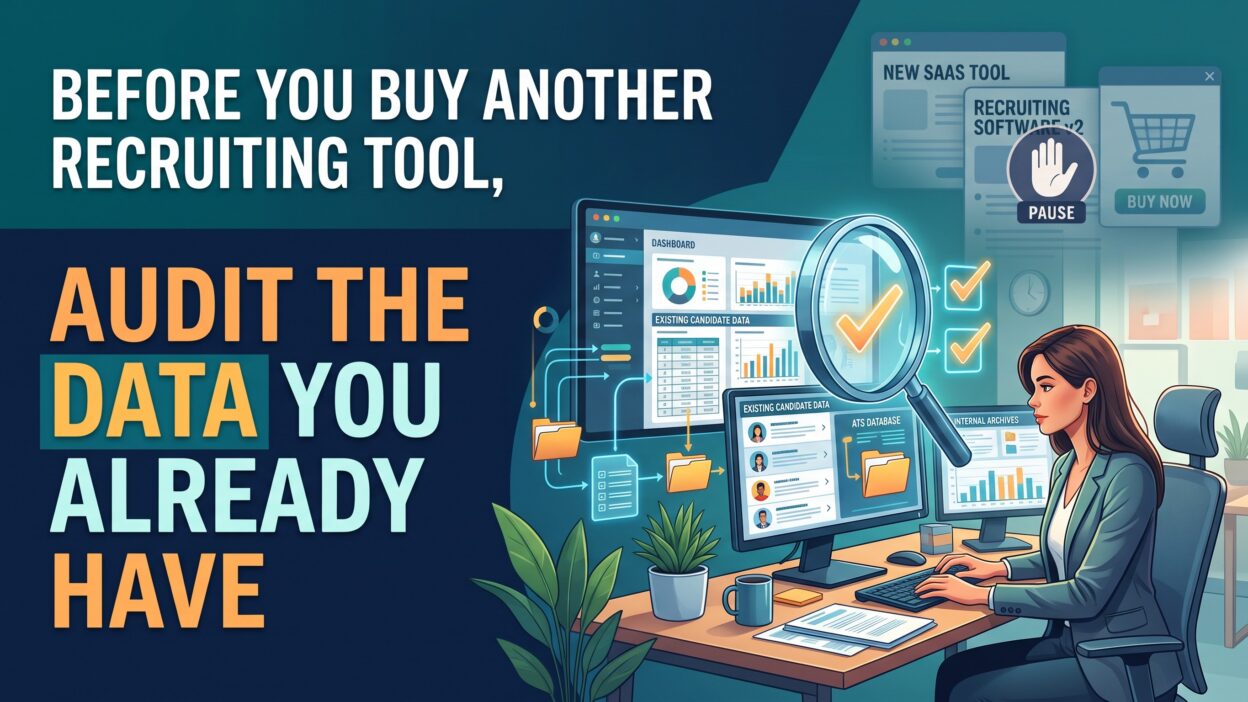
Introduction
TL;DR Your team wants a new recruiting platform. The demo looks great. The rep promises faster hires and happier recruiters. Your budget has room. Pause before you sign.
Most teams own more than they use. Your applicant tracking system holds years of candidate records. Your email platform tracks every reply. Your job boards report every click. That data can answer hard questions today. A Recruiting Tool Audit shows you what works, what sits idle, and what needs repair.
Many leaders skip this step. They feel pressure to fix slow hiring. A new tool feels like action. The old problems follow the team into the new system. Messy records move over. Weak habits move over. Bad reports move over. You pay more and gain little.
Table of Contents
What Is a Recruiting Tool Audit?
A Recruiting Tool Audit is a structured review of every system your hiring team uses. You look at the software, the data inside it, and the habits around it. You measure cost against results. You decide what to keep, fix, merge, or cancel.
Think of it as a home inspection. You would not buy a second house without checking the first. The same logic applies to your HR tech stack. Your current tools may work fine. They may need small repairs. A few may deserve retirement.
The review covers three areas. The first is the technology. Which platforms do you pay for? Which features do you use? The second is the data. How accurate, complete, and current are your candidate records? The third is the people. Do recruiters follow the process? Do hiring managers log feedback on time?
A Recruiting Tool Audit does not need outside consultants. A small team can finish it in two to four weeks. One recruiter, one operations lead, and one finance partner make a strong group. Each person brings a different view. Together they see the full picture.
Why Hiring Teams Overbuy
Hiring pain creates urgency. Open roles stay open. Managers complain. Executives ask for answers. A vendor arrives with a clean solution. The offer feels like relief.
Vendors sell features. They rarely sell discipline. Your problem may come from process gaps, not missing software. A new tool cannot fix a team that skips status updates. It cannot clean records that nobody maintains.
What Data You Already Own
You own more data than you think. Your applicant tracking system stores application dates, stage changes, and offer outcomes. Your career site shows traffic and drop-off points. Your email tool shows open rates and replies. Your payroll system shows new hire retention. Your finance team holds invoices for every vendor and job board.
Each source tells part of the story. Together they reveal where hiring slows down, where money leaks, and where talent slips away.
Signs Your Current Stack Is Failing
Not every problem needs new software. Some problems do point to a weak stack. Learn to tell the difference. Watch for these patterns in daily work.
Duplicate and Outdated Candidate Records
Search your system for a common name. Count the profiles that appear. Duplicates waste recruiter time. They also hide strong past applicants. A candidate who applied twice may show up as two weak profiles instead of one engaged person.
Old records cause trouble too. Phone numbers change. Job titles change. Candidates move cities. A database full of stale details makes outreach slow and frustrating.
Low Tool Adoption
Open your usage reports. Check how many recruiters log in each week. Check how many use the scheduling feature, the sourcing feature, and the reporting feature. Low numbers signal a training gap or a poor fit.
Ask recruiters what they do outside the system. Many keep private spreadsheets. Some track candidates in notebooks. Every workaround tells you the tool fails a real need.
Reports Nobody Trusts
Leaders lose faith when numbers shift from week to week. One report says time to hire is 38 days. Another says 45. Nobody knows which is right. Trust breaks down. Decisions slip back to gut feeling.
Bad reports usually trace back to bad inputs. Recruiters skip fields. Dates get entered late. Stage names vary across teams. A new platform will not solve these habits.
How to Run a Recruiting Tool Audit Step by Step
Now the work begins. This section gives you a clear method. Follow each stage in order. Keep notes in one shared file so the whole team sees the same facts.
Prepare Your Team for the Recruiting Tool Audit
Name an owner. One person must lead the project. Give that person time and authority. Invite recruiters, coordinators, hiring managers, and finance to share input early.
Set a clear goal. You might want to cut software spend by 15 percent. You might want to reduce time to hire. You might want to decide whether to replace your ATS. Write the goal in one sentence. Share it with everyone.
Pick a time window. Review the last 12 months of data. That period covers seasonal swings and gives enough volume for sound conclusions.
Map Every Tool in Your Stack
Build a full list of software. Include the obvious systems like your applicant tracking platform and your CRM. Add the small ones. Teams often forget interview schedulers, assessment tools, video platforms, text messaging apps, and background check portals.
Record the vendor name, the contract end date, the yearly cost, and the number of paid seats. Ask finance for invoices. Credit card statements often reveal tools that nobody remembers buying.
Note who owns each tool. Every platform needs a named person. Orphaned tools drift, and nobody checks whether they still earn their keep.
Check Your Data Quality
Pull a sample of 200 candidate records. Pick them at random. Score each one for completeness, accuracy, and freshness.
Completeness asks whether key fields hold values. Look for contact details, source of hire, stage dates, and rejection reasons. Accuracy asks whether the values make sense. Look for impossible dates, mismatched job titles, and wrong locations. Freshness asks when someone last touched the record.
Calculate a simple score for each area. A result below 80 percent signals trouble. Run an ATS data cleanup before you judge the tool itself. Poor data can make a good platform look weak.
Measure Real Usage
Export usage logs from every platform. Count active users, feature use, and login frequency. Compare those numbers to the seats you pay for.
Many teams find shocking gaps. A company may pay for 40 seats and see 22 active users. Another may pay for an advanced sourcing module that three people touched in a year. Those gaps point to quick savings.
Talk to the users. Short interviews work best. Ask what they love, what they avoid, and what they wish the tool did. Their answers add color to the numbers.
Compare Cost to Results
Link spend to outcomes. Take the yearly cost of each tool. Divide it by the number of hires that came through it. That figure shows your cost per hire for that channel.
A job board that costs $20,000 and delivers two hires is expensive. A free referral program that delivers ten hires is a bargain. Numbers like these guide smart choices.
Score each tool on a simple scale. Rate its cost, usage, data quality, and impact. Tools with high scores stay. Tools with low scores need a fix or an exit plan.
Key Metrics to Track During the Review
Metrics turn opinions into facts. Pick a short list and measure it the same way every time.
Time to Hire and Time to Fill
Time to hire counts the days from a candidate’s application to an accepted offer. Time to fill counts the days from job approval to acceptance. Track both. Break them down by role, team, and location. Long delays at one stage point to a clear bottleneck.
Source of Hire Quality
Do not stop at volume. A source may send 500 applicants and zero hires. Another may send 20 and deliver five. Track which channels produce people who pass interviews, accept offers, and stay past six months.
Candidate Drop-Off Rate
Measure how many people start an application and quit. A high drop-off rate often means a clunky form or a slow career site. Your recruitment software may hold the fix in a setting you never touched.
Recruiter Productivity
Count open roles per recruiter. Count interviews scheduled per week. Count hours spent on admin work. Tools should free recruiters to talk to people. If admin time keeps growing, something in the stack needs attention.
Offer Acceptance Rate
A low rate may reflect pay, speed, or candidate experience. Review the reasons candidates give when they decline. Your data likely holds clues.
Keep your dashboard simple. Five or six numbers beat thirty. Leaders read short reports.
Common Mistakes in a Recruiting Tool Audit
Even careful teams stumble. Avoid these traps.
Judging Tools Before Cleaning Data
Dirty data makes every tool look bad. Clean first. Test second. Teams that reverse this order blame the software for human habits.
Letting Vendors Run the Review
Vendors have a stake in the answer. A vendor will often suggest an upgrade. Use their reports as one input. Verify claims with your own exports.
Ignoring Recruiter Feedback
Numbers tell you what happened. People tell you why. Skip the interviews and you miss half the story. A recruiter may avoid a feature because the training was poor. A simple workshop could fix that at no cost.
Chasing Every Metric
Too many measures create noise. Choose a handful that connect to your goal. Drop the rest.
Treating the Review as a One-Time Event
Hiring changes fast. Your stack drifts out of shape within months. A Recruiting Tool Audit works best as a yearly habit. Many teams add a light quarterly check as well.
Forgetting Security and Compliance
Candidate records contain personal information. Review who has access. Check how long you keep data. Confirm that each vendor meets privacy rules in your regions. A strong audit protects your company as well as your budget.
When Buying a New Tool Makes Sense
Sometimes the answer is yes. A thorough review can confirm that you need new software. The difference is that you buy with evidence.
Buy when the data shows a real gap. Suppose your team spends 20 hours a week scheduling interviews by hand. No current tool offers automation. That gap is clear, measurable, and fixable.
Buy when a tool cannot meet your needs after you tune it. You cleaned the data. You trained the users. You tested every setting. Performance still falls short. The platform may lack a feature you need or may not scale with your growth.
Buy when the cost of staying exceeds the cost of switching. Add up the lost hours, the missed hires, and the workarounds. Compare that total to the price of a new system plus migration.
Write a requirements list from your findings. Rank each need from critical to nice to have. Share the list with vendors before demos. Ask each vendor to show how their product meets your top five needs. Avoid generic presentations.
Ask for references from companies your size. Ask about migration time, data loss, and support quality. Run a pilot with a small team before a full rollout. Your audit results give you a baseline. Compare pilot numbers to that baseline and judge the gain honestly.
Build a Habit of Data Discipline
Good data does not happen by chance. Your team must protect it every day.
Set clear rules for data entry. Define every pipeline stage. Decide which fields are required. Write the rules in a short guide that fits on one page. Share it during onboarding.
Assign data ownership. One person should watch quality across the system. That person runs monthly checks, flags errors, and coaches recruiters who miss fields.
Schedule regular cleanups. Merge duplicates each quarter. Archive records that are older than your retention policy allows. Update contact details when candidates reapply.
Train hiring managers too. Late feedback slows every process. Short reminders and simple forms make their part easy.
Celebrate wins. When time to hire drops, tell the team why. When data scores climb, share the news. People repeat behavior that earns recognition.
Strong habits make every tool in your stack work harder. They also make any future purchase smarter.
Frequently Asked Questions
What is a Recruiting Tool Audit?
It is a review of your hiring software, data, and processes. You measure cost, usage, and results. You use the findings to decide what to keep, repair, or remove.
How long does a recruiting tool audit take?
Most teams finish in two to four weeks. Small companies may need less time. Large firms with many systems may need more.
Who should lead the review?
Choose someone from talent acquisition operations or HR technology. Smaller teams can assign a senior recruiter. Add a finance partner to verify costs.
How often should I review my HR tech stack?
Run a full review once a year. Add a short check every quarter. Review sooner after a merger, a big hiring push, or a major vendor change.
Can an applicant tracking system audit save money?
Yes. Most teams find unused seats, overlapping tools, and unneeded modules. Savings of 10 to 25 percent are common.
What if my data is too messy to review?
Start with a small sample. Fix the worst problems first. Perfect data is not required. You need enough accuracy to see clear patterns.
Read More:-How to Hire for a Tech Role Using Talentflows
Conclusion

A new tool feels like progress. A better view of your current stack delivers more. Your systems already hold the answers. Your records show where hiring slows. Your invoices show where money leaks. Your recruiters know where the process breaks.
Run a Recruiting Tool Audit before you spend another dollar. Map your tools. Check your data. Measure usage. Compare cost to results. Talk to your team. Fix what you can. Buy only when the evidence demands it.