Introduction
TL;DR Cold outreach has changed. Inboxes fill up fast. Buyers ignore generic messages. Reps need tools that help them stand out and reach the inbox.
lemlist promises both. The platform started as a way to make cold email feel less cold. It has grown into a full outbound system. Teams use it to send email, reach prospects on LinkedIn, make calls, and manage replies from one screen.
This guide walks through lemlist Features in plain language. You will see what each tool does. You will learn where the platform shines and where it falls short. You will read about pricing, integrations, and setup tips. You will also learn which teams should buy it and which teams should look elsewhere.
The review draws on recent public sources, including vendor descriptions, pricing guides, and independent tests. Some numbers differ between sources. Treat them as a guide and confirm the current figures with the vendor.
You do not need to be a sales expert to follow along. You need a clear goal and a few minutes. Read on and decide if lemlist deserves a place in your stack.
Table of Contents
An Overview of lemlist Features and Core Product
lemlist is a cold outreach and sales engagement platform headquartered in Paris. One review describes it as a French tool that sends sequences by email, LinkedIn, calls, SMS, and WhatsApp from a single platform. You import or find leads, personalize messages, protect deliverability, and track replies in one place.
The company built its name on personalization. Custom images and videos in cold emails set it apart from early rivals. The product now covers much more ground. Lead data, enrichment, warmup, calling, and AI tools sit inside one dashboard.
Who Builds and Uses the Platform
Solo sellers use it. Small sales teams use it. Founders, agencies, and recruiters use it too. Reviewers often name teams of one to five senders as the best fit. Those teams run blended email and LinkedIn campaigns and value personalization over raw volume.
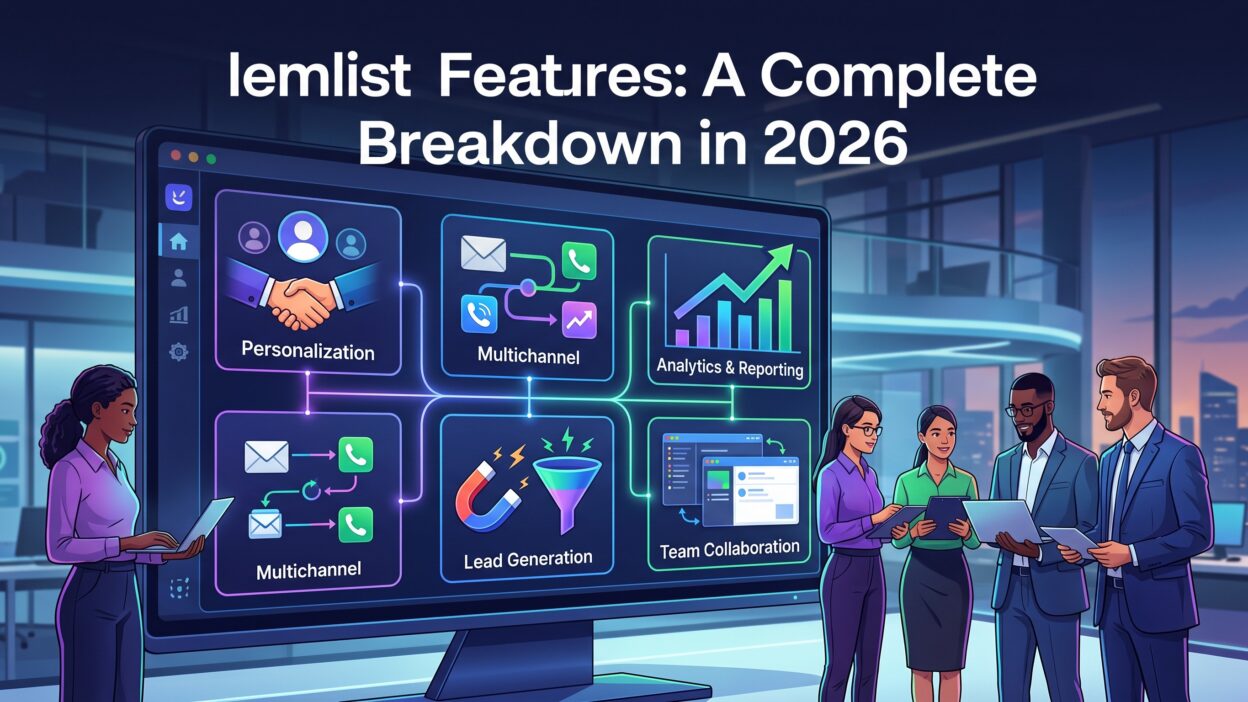
The Big Picture of lemlist Features
Think of the product in four layers. The first layer finds and enriches leads. The second layer builds sequences across channels. The third layer protects your sender reputation. The fourth layer manages replies and reports results.
Each layer connects to the others. Data flows from the lead database into a campaign. Warmup keeps your inbox healthy while the campaign runs. Replies land in a shared inbox. Analytics show what works.
The sections below break down each layer in detail.
Why lemlist Features Matter for Modern Outbound
Outbound sales faces three big problems. Deliverability is hard. Personalization takes time. Channels multiply.
Email providers punish spam. A weak sender reputation sends messages to junk folders. Good warmup and clean data protect you.
Buyers ignore templates. A message that feels written for one person gets replies. A message that feels blasted to a list gets deleted. Personalization at scale solves the tension between quality and volume.
Prospects live in many places. They read email at work. They scroll LinkedIn at lunch. They pick up the phone in the afternoon. A single channel misses most of them. Multichannel outreach reaches people where they are.
Tool sprawl adds cost and confusion. Many teams run one tool for leads, one for email, one for warmup, one for LinkedIn, and one for calls. Each one has a login and a bill. Data gets lost between them.
A unified platform cuts that clutter. Reps work in one place. Managers see one set of numbers. New hires learn one system.
lemlist targets these problems directly. It aims to combine sourcing, sequencing, warmup, and reply handling. The rest of this guide tests how well it delivers.
Core Multichannel Campaign Features
Campaigns sit at the heart of the product. This section covers the tools you use every day.
Multichannel Sequence Builder
The sequence builder lets you combine steps across channels. You might send an email, visit a LinkedIn profile, send a connection request, and place a call. You set delays between steps. You choose the order.
Reviewers praise the campaign builder for mixing email, LinkedIn, and calling steps. Conditions add power. If a prospect opens an email but never replies, the sequence can trigger a LinkedIn visit. If a prospect accepts a connection, the sequence can send a LinkedIn message instead of another email. One review calls this behavioral branching more sophisticated than what many competitors offer at similar prices.
LinkedIn Automation
LinkedIn steps include profile visits, connection invites, and messages. A Chrome extension helps you capture leads while you browse. Automation saves hours of manual work.
Plan tiers matter here. Reviews say LinkedIn automation sits on the higher Multichannel plan and not on the entry email plan. One tester also reported that the Chrome extension needed frequent reinstalling across users. Test it with your whole team before you commit.
Follow LinkedIn’s rules. Aggressive automation can trigger account limits. Keep daily volume modest.
Calling, SMS, and WhatsApp
The platform includes in-app cold calling on higher plans. It connects with Aircall for teams that already use it. SMS steps and WhatsApp add more reach. One source lists WhatsApp as an add-on.
These channels suit teams that sell to busy decision makers. A short text after a call can lift reply rates. Check local laws on consent before you send SMS or WhatsApp messages.
Unified Inbox
Replies from every channel land in one inbox. Reps answer without switching tabs. Managers can review threads. Labels and statuses help teams track deals.
Personalization and AI Features
Personalization built the brand. Recent AI tools extend it.
Custom Images and Videos
Dynamic image personalization lets you add a prospect’s name, logo, or website into an image. The email shows a picture made for one person. Video personalization works the same way with short clips. These touches catch attention in a crowded inbox.
Use them with care. A gimmick without value annoys people. Match the visual to a real point in your message. Test simple designs first.
Variables and Liquid Syntax
Variables insert data into subject lines and body copy. Liquid syntax adds logic. You can show different text based on industry or role. One message template can serve many segments without sounding generic.
Clean data matters. A wrong first name or company name kills trust. Check your lists before you send.
AI Writing and lemAgent
AI tools help draft copy and build campaigns. One review describes lemAgent as an AI assistant for campaign building. Another notes an MCP server that lets AI agents run parts of the workflow from a prompt. A HeyReach reviewer said the AI produced concise, personalized messages based on strong outreach patterns.
Treat AI as a first draft. Read every message. Edit for your voice and your offer. Remove claims you cannot back up.
Templates and Learning Content
The company publishes many tutorials, use cases, templates, and guides. Reviewers on G2 praise this library. New teams gain speed when they start from proven examples.
Personalization works best when it reflects real research. Spend a minute on each top prospect. One thoughtful line beats ten automated ones.
Deliverability and lemwarm
The best message fails if it lands in spam. Deliverability tools protect your reach.
How lemwarm Works
lemwarm is the built-in warmup engine. It generates email exchanges between participating inboxes. Those inboxes open and reply to each other. The activity signals to providers that your address is active and legitimate. Sender reputation grows over time.
Included in Every Plan
Several reviews stress the pricing angle. lemwarm comes free with every plan and every seat. Standalone warmup tools often charge around $29 to $49 per inbox each month. Bundling saves real money for teams with many mailboxes.
Limits to Know
No warmup tool guarantees inbox placement. Reviewers give lemwarm generally positive feedback. Some users still report deliverability complaints on Reddit and Capterra. Results depend on your domain, your list quality, and your sending habits.
Habits That Protect Your Reputation
Use a separate domain for cold outreach. Set up SPF, DKIM, and DMARC records. Verify emails before you send. Keep daily volume moderate. Watch bounce and spam rates. Stop sending to inactive contacts.
Warmup helps. Discipline helps more.
Lead Database, Enrichment, and Data Tools
Great campaigns start with the right list. The platform includes a built-in lead database.
The Lead Database
Sources cite different sizes. One pricing guide notes that the pricing page mentions more than 600 million leads while the help center mentions 450 million. Another review cites 650 million contacts. Ask the vendor for the current scope. Numbers matter less than accuracy in your target market.
Filters help you narrow by job title, industry, company size, and location. Save searches and export lists to campaigns.
Waterfall Enrichment
Enrichment fills gaps in your data. Waterfall enrichment checks several providers in sequence until it finds a verified email or phone number. That method raises match rates.
Credits and Costs
Data runs on credits. One review states that credits cost about one cent each. Verified emails cost around five credits. Phone numbers cost around twenty credits. Intent signals range from twenty credits up to more than four hundred. Credits reset each month with no rollover. Extra packs cost more. Budget for credits when you plan campaigns.
Intent Signals
Intent data shows which prospects show buying behavior. Signals can include website visits or LinkedIn engagement. Reps prioritize warm leads and reach out at the right time.
Verify every list. Even good databases carry errors. A quick check protects your reputation.
Integrations, Reporting, and Team Features
Outbound tools must play well with the rest of your stack.
CRM Integrations
The platform connects with major CRMs such as HubSpot, Salesforce, and Pipedrive. Contacts and activities can sync so reps do not enter data twice. Confirm sync direction and field mapping during a trial.
Other Connections
Aircall handles cloud phone needs. Zapier and webhooks help with custom workflows. Check the current integration list in the app. Some reviewers say the ecosystem is lighter than those of larger enterprise platforms.
Analytics and A/B Testing
Reports show sends, opens, clicks, replies, and meetings booked. A/B testing lets you compare subject lines and copy. Test one variable at a time. Give each test enough volume before you pick a winner.
One tester found reporting less reliable than expected at scale. Cross-check important numbers in your CRM.
Team Controls
Managers assign leads, share templates, and review performance. Seats and sending accounts follow plan limits. One source lists five sending accounts per user on the Multichannel plan. Another lists up to three on the entry plan. Check current limits before you buy.
lemlist Pricing in 2026
Pricing changes often, and sources disagree. Use these ranges as a guide only.
Several 2026 reviews describe entry plans between about $55 and $79 per month, depending on billing and plan name. Reviews of the Multichannel plan cite roughly $87 per user per month on annual billing and $109 per user per month on monthly billing. One guide lists an Outreach Scale tier with custom or higher pricing for larger teams. Sources also describe different plan names, such as Email, Email Pro, Multichannel, and Multichannel Expert. Confirm the current names and prices on the vendor’s site.
Seat structure matters. Some sources say the Email plan covers unlimited users on one workspace. Others describe per-user pricing for entry plans. Ask the vendor for a clear answer.
The cost of a five-person Multichannel team can reach $435 per month on annual billing or $545 on monthly billing, before credits. A ten-person team can pay between $870 and $1,090 per month.
Annual billing lowers the cost per seat and locks you in for twelve months. Take it only after you validate the tool.
A 14-day free trial with no credit card gives full access to the Multichannel plan, according to one review. Use it. Launch a small real campaign. Measure reply rates. Test warmup and LinkedIn steps with real accounts.
Compare the total cost of your stack. lemlist bundles warmup, data, and sequencing. Rival stacks often need three or four separate subscriptions
Which Teams Benefit Most From lemlist Features?
Fit decides value. Match the platform to your situation.
Best Fit
Small teams of one to five senders gain the most. Founders, solo sales reps, and small agencies run creative campaigns and value personalization. Teams that blend email and LinkedIn get strong returns. Teams that want built-in warmup and data save on tool costs.
Good Fit With Caution
Mid-size teams can succeed if they plan the budget. Per-seat pricing grows in step with headcount. Credits add extra cost. Test reporting and LinkedIn stability with your full team.
Weaker Fit
Large sales organizations that need deep forecasting and deal management may prefer enterprise platforms. Teams that want flat pricing and unlimited mailboxes may prefer alternatives such as Salesforge. Teams that need high-volume email at low cost may look at Instantly or Smartlead.
Questions to Ask Yourself
How many senders will you have? Which channels will you use? How much data will you buy? How important is reporting? How much time can you give to personalization?
Honest answers point to the right plan or a different tool.
Strengths and Limits at a Glance
Every tool has trade-offs.
Strengths stand out clearly. Personalization tools rank among the best in the category. Multichannel sequences with conditional branching feel flexible. lemwarm comes bundled at no extra fee. The built-in lead database saves a separate subscription. Learning content helps new users.
Limits deserve attention. LinkedIn automation sits on the higher plan. Per-seat pricing scales linearly, so large teams pay more. Credits add variable cost. Some users report deliverability complaints and occasional bugs. Trustpilot reviews mention slowdowns when many campaigns run at once. Reporting and reply timing across channels drew criticism from one tester.
Ratings help set expectations. One source reports an average of 4.6 out of 5 on G2 from more than 1,345 reviews and 4.5 out of 5 on Trustpilot from around 156 reviews. Smaller review pools often surface sharper complaints.
Weigh these points against your needs. A weakness that does not affect you costs nothing. A strength you never use adds no value.
Tips to Get the Most From the Platform
Good habits multiply results.
Start with a tight audience. Pick one segment and one offer. Write for that group.
Warm up new inboxes before you send. Let lemwarm run for a few weeks. Increase volume slowly.
Verify every list. Bad addresses hurt deliverability. Clean data protects your domain.
Write short messages. Lead with the prospect’s problem. Ask one clear question. Skip long pitches.
Mix channels with purpose. Send an email, view the profile, and follow up with a short message. Space steps over several days.
Use personalization that adds meaning. A relevant image or a specific line about their company beats a flashy effect.
Test one variable at a time. Change the subject line. Keep the body the same. Measure replies.
Review results weekly. Pause weak sequences. Scale winners. Share learnings with your team.
Reply fast. A quick answer to a positive reply lifts meeting rates. Set alerts.
Respect privacy and consent. Follow GDPR, CAN-SPAM, and local rules. Include clear opt-out options.
Frequently Asked Questions
What are the main lemlist Features?
The main tools include multichannel sequences, LinkedIn automation, cold calling, SMS and WhatsApp steps, image and video personalization, AI writing help, the lemwarm warmup engine, a lead database, enrichment, a unified inbox, and CRM integrations.
Does lemlist include email warmup?
Yes. lemwarm comes included on every plan, according to several reviews. It builds sender reputation through automatic exchanges between participating inboxes.
Is there a free trial?
Reviews report a 14-day free trial with no credit card required. Confirm current terms on the vendor’s site.
Does lemlist offer LinkedIn automation?
Yes, on the Multichannel plan and above, according to reviews. The entry email plan does not include it. Check the current plan chart.
How much does lemlist cost?
Entry plans run from roughly $55 to $79 per month. Multichannel plans run from roughly $87 to $109 per user per month. Sources differ, so confirm current prices. Credits for data cost extra.
Does lemlist integrate with my CRM?
It connects with HubSpot, Salesforce, and Pipedrive, according to reviews. Other tools connect through Zapier or webhooks. Confirm your CRM in a demo.
Is lemlist good for large teams?
It works best for small teams. Per-seat pricing and reporting limits can challenge larger organizations. Run a pilot with your full team first.
Will lemlist guarantee inbox placement?
No tool can. lemwarm helps. Your domain setup, list quality, and message content matter most..
Read More:-
Conclusion

Outbound sales rewards teams that combine relevance, reach, and discipline. lemlist offers tools for all three. It brings personalization, multichannel sequences, warmup, data, and reply management into one platform.
The strengths are clear. Personalization stands out. Branching sequences give you control. lemwarm saves money. The lead database removes a separate tool.
The limits are real. LinkedIn automation needs a higher plan. Per-seat pricing grows with your team. Credits add cost. Some users report bugs and deliverability problems.
Review lemlist Features against your own goals. Count your senders. List your channels. Estimate your data needs. Use the free trial to run a real campaign. Measure replies, meetings, and bounce rates.
Small teams with a personalization-first approach will likely see strong value. Large teams should test carefully and compare alternatives.
Pick the tool that fits your process today and your growth tomorrow. Send thoughtful messages. Protect your sender reputation. Follow up with care. The best platform still needs a smart sender behind it.