Introduction
TL; DRDevelopers live inside the terminal all day. Sales and ops teams live inside spreadsheets and CRMs. CLI Contact Enrichment bridges that gap directly. This guide explains how CLI Contact Enrichment works, why technical teams prefer it and how to complete contact records without ever opening a browser tab.
Table of Contents
What Is CLI Contact Enrichment
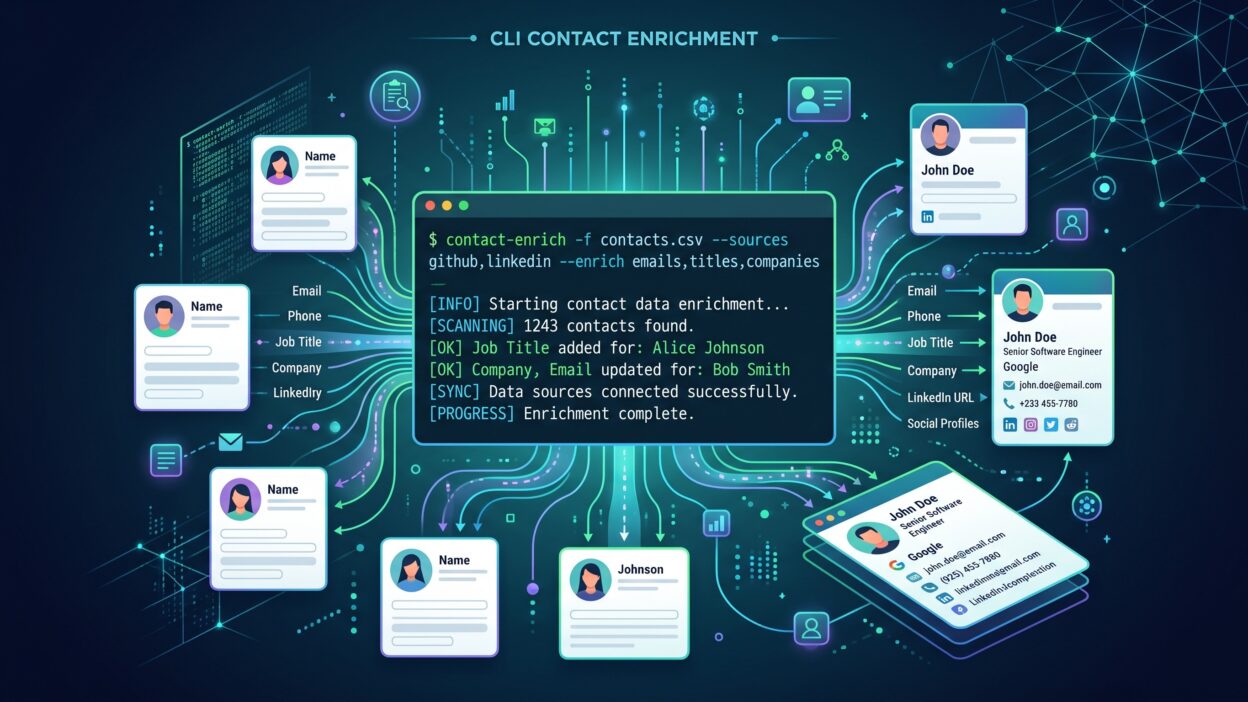
CLI Contact Enrichment means completing missing contact details straight from a command line interface. A developer types a simple command instead of clicking through a web dashboard. Missing job titles, emails and company details fill in automatically through this process.
Most enrichment tools live inside a browser. A user uploads a file, waits for processing and downloads results manually. CLI Contact Enrichment skips this entire flow. A single script pulls raw contact data, sends it through an enrichment API and writes clean results back to a file.
This approach fits technical teams perfectly. Developers already work inside scripts and pipelines every day. CLI Contact Enrichment slots into that existing workflow without forcing a switch to unfamiliar tools.
Why Developers Prefer Command Line Tools
Developers value speed and control above almost everything else. A command line tool runs exactly as written, every single time. CLI Contact Enrichment gives this same reliability to contact data tasks that once required manual browser work.
How CLI Tools Differ From Web-Based Enrichment
Web-based enrichment needs constant clicking and manual uploads. CLI Contact Enrichment runs through scripts instead, often as part of a larger automated pipeline. This difference saves serious time once a team enriches data regularly.
Why Teams Choose CLI Contact Enrichment Over Manual Methods
Manual enrichment wastes time and introduces errors at nearly every step. CLI Contact Enrichment removes both problems at once.
Speed Advantages of Command Line Enrichment
A script processes thousands of records in minutes. Manual enrichment through a browser interface takes hours for the same volume. CLI Contact Enrichment scales instantly, without extra clicks or waiting on page loads.
Reducing Human Error in Data Entry
Manual copy and paste creates mistakes constantly. A field gets pasted into the wrong column. CLI Contact Enrichment removes this risk entirely, since the script handles data placement with zero manual typing involved.
Fitting Into Existing Developer Workflows
Engineering teams already run scripts for deployments, testing and monitoring. CLI Contact Enrichment fits naturally into this same environment. No new dashboard login. No new interface to learn from scratch.
How CLI Contact Enrichment Works Step by Step
The process stays simple once a team sets up the initial script correctly.
Installing the CLI Tool
Most enrichment platforms offer a simple install command through npm or pip. A developer runs this command once, and the tool becomes available across the entire system. CLI Contact Enrichment starts with this quick setup step.
Authenticating Your API Access
Every enrichment platform needs an API key for security. A developer stores this key as an environment variable, keeping it safe from accidental exposure. CLI Contact Enrichment tools use this key to authorize every enrichment request sent through the terminal.
Running Your First Enrichment Command
A single command line, often something like enrich-contacts input.csv, kicks off the entire process. The tool reads raw contact data, checks each record against verified sources and writes results to a new file. CLI Contact Enrichment finishes this cycle in seconds for small files.
Reviewing and Exporting Enriched Results
Once the command finishes, a new file sits ready with completed contact fields. Teams review this output before importing it into a CRM or marketing platform. CLI Contact Enrichment keeps this final step simple, with clean, structured output every time.
Common Data Fields CLI Contact Enrichment Completes
Enrichment tools fill in several key fields that manual processes often miss.
Job Titles and Seniority Levels
Sales teams need accurate job titles to prioritize outreach correctly. CLI Contact Enrichment pulls current titles from verified sources, replacing outdated information sitting inside old records.
Verified Email Addresses
A bounced email wastes an entire outreach attempt. CLI Contact Enrichment checks email deliverability before adding it to a record, so teams avoid sending messages into dead inboxes.
Company Size and Industry Data
Marketing segments audiences based on company size and industry constantly. CLI Contact Enrichment fills these gaps automatically, giving marketing teams the details needed for accurate targeting.
Integrating CLI Contact Enrichment Into Your Data Pipeline
Enrichment works best as part of an automated system, not a one-time manual task.
Automating Enrichment with Scheduled Scripts
A scheduled script runs CLI Contact Enrichment every night without human involvement. New leads collected during the day get enriched automatically before the morning sales shift begins. This automation keeps data fresh without extra manual effort.
Connecting CLI Enrichment to Your CRM
Some teams write enriched data directly into a CRM through an API connection. CLI Contact Enrichment becomes one step inside a larger pipeline that moves data from a web form straight into a fully enriched CRM record.
Using CLI Enrichment in CI/CD Workflows
Technical teams sometimes bake CLI Contact Enrichment directly into their deployment pipelines. A new customer sign-up triggers an enrichment script automatically, and the result flows into internal systems without anyone touching a keyboard.
Best Practices for CLI Contact Enrichment
A few habits keep enrichment scripts running smoothly and producing clean results.
Testing on Small Data Batches First
Running a script on a full database immediately carries real risk. Teams should test CLI Contact Enrichment on a small sample first, checking output quality before scaling to thousands of records.
Handling Errors and Rate Limits Gracefully
APIs sometimes hit rate limits during large enrichment jobs. A well-written script pauses and retries automatically instead of failing completely. CLI Contact Enrichment tools that include this logic save teams from constant manual restarts.
Keeping Enrichment Scripts Version Controlled
Scripts change over time as needs evolve. Teams should store CLI Contact Enrichment scripts inside version control, just like any other piece of code. This practice makes it easy to track changes and roll back mistakes quickly.
CLI Contact Enrichment vs Traditional Web-Based Tools
Both approaches serve a purpose, but they fit different teams and different needs.
When to Use CLI Tools
Technical teams comfortable with scripts benefit most from CLI Contact Enrichment. This approach fits large-scale, repeated enrichment tasks that need automation and speed above visual dashboards.
When Web-Based Enrichment Still Makes Sense
Non-technical teams sometimes prefer a simple web dashboard instead. A sales rep without coding experience might still choose a browser tool for occasional, small enrichment tasks.
FAQs
What is CLI Contact Enrichment used for?
It completes missing contact details like job titles, emails and company data directly through a command line tool instead of a web dashboard.
Do I need coding experience for CLI Contact Enrichment?
Basic command line familiarity helps, but most tools use simple, documented commands that don’t require deep programming knowledge.
Is CLI Contact Enrichment faster than web-based tools?
Yes, especially for large datasets. A script processes thousands of records much faster than manual uploads through a browser interface.
Can CLI Contact Enrichment integrate with a CRM?
Yes. Many teams connect enrichment scripts directly to CRM APIs, so enriched data flows in automatically without manual imports.
What happens if an API rate limit gets hit during enrichment?
Well-built CLI Contact Enrichment tools include retry logic that pauses and resumes automatically, without requiring a manual restart from the user.
Is CLI Contact Enrichment secure for sensitive contact data?
Yes, when API keys stay stored properly as environment variables and data transfers happen through encrypted connections.
Read More:-RingLead-Snowflake Connector: No-Code Data Sync Across Your Tech Stack
Conclusion

Contact data shouldn’t require constant manual cleanup through a browser dashboard. CLI Contact Enrichment brings this process straight into the terminal, where technical teams already work every day. Scripts run faster, scale easier and fit naturally into existing pipelines without extra tools to learn. Sales and marketing teams get clean, complete records without waiting on manual updates. CLI Contact Enrichment turns a tedious task into a simple command, and that simplicity saves real time every single week.