Introduction
TL;DR You sit in a meeting for an hour. You take notes for half of it. You miss the other half. Sound familiar?
Millions of people hit this problem every week. Otter.ai promises a fix. This guide walks through all the Otter.ai features you can use in 2026. You will see what each tool does, who needs it, and what it costs.
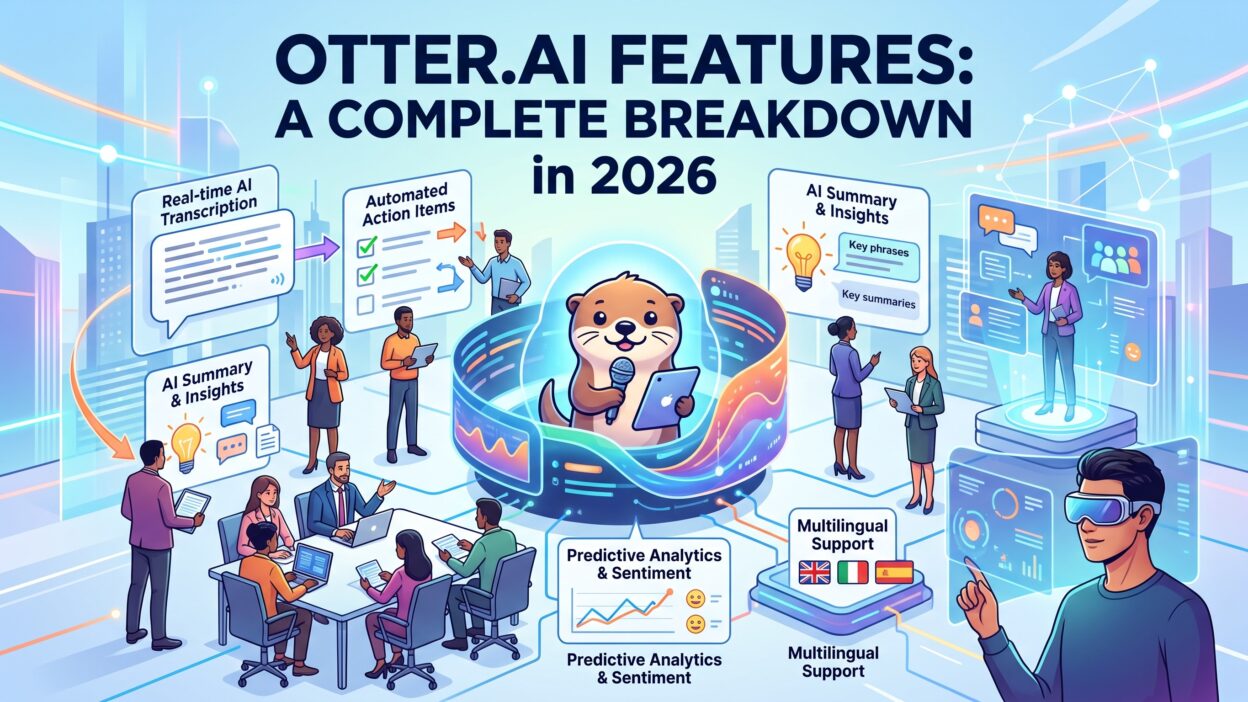
Otter.ai started as a simple transcription app. It now calls itself an AI meeting intelligence platform. The product records, transcribes, summarizes, and answers questions about your conversations. Teams use it for sales calls, classes, interviews, and daily standups.
Table of Contents
What Is Otter.ai and How Does It Work?
Otter.ai is an AI meeting assistant. It listens to audio, turns speech into text, and organizes the result. You get a searchable transcript within minutes. Live meetings show text as people talk.
The tool works on the web, on iOS, on Android, and in a Chrome extension. You sign in with Google, Microsoft, or an email address. You connect your calendar. Otter handles the rest.
The Basic Workflow
You schedule a meeting on Zoom, Microsoft Teams, or Google Meet. Otter sees the event on your calendar. A bot joins the call, records the audio, and builds the transcript. After the call ends, you receive a summary and a list of action items.
You can also record in person. Open the mobile app and tap record. Place the phone on the table. Otter captures every voice in the room.
Why People Choose It
Most users want one thing. They want to stop typing notes. Otter gives them that freedom. They stay present in the conversation. They trust the transcript to hold the details.
This overview shows why Otter.ai features keep growing in popularity. The product removes a boring task and adds useful context. The next sections cover each tool in depth.
Core Transcription Features
Transcription sits at the center of the product. Every other tool depends on it. Strong transcription makes strong summaries. Weak transcription ruins them.
Live Transcription
Otter writes words on screen while people speak. You can follow along without audio. You can fix a name in real time. Latecomers scroll up and catch up in seconds.
Live transcription helps people who read faster than they listen. It helps people who join in noisy places. It helps teams that include non-native English speakers.
Speaker Identification
Otter labels each speaker in the transcript. You teach the system a voice once. It remembers that voice in future meetings. Timestamps sit next to every line. You click a timestamp and the audio jumps to that moment.
Accuracy depends on audio quality. Clear microphones give clear results. Crosstalk creates mistakes. A quiet room helps the system most.
Custom Vocabulary
Every company uses special words. Product names, client names, and technical terms trip up speech tools. Custom vocabulary lets you add those terms. Otter then writes them correctly. Paid plans unlock this tool.
Language Support
Otter handles English well. It supports French and Spanish in several workflows too. Check the current language list before you buy. The company adds support over time. Non-English accuracy usually trails English accuracy.
Audio and Video Import
You can upload recordings from other sources. Drop in an MP3, an MP4, or a WAV file. Otter transcribes the file and adds summaries. Podcasters and researchers love this option. Plan limits apply to the number of imports each month.
OtterPilot: The Automatic Meeting Assistant
OtterPilot is the feature most people remember. It joins meetings on your behalf. You do not press a button. You do not remember to hit record.
How OtterPilot Joins Your Calls
OtterPilot reads your calendar. It finds every meeting with a video link. It joins at the start time. Participants see a bot named after you or Otter in the attendee list. Be honest with your guests. Tell them a recorder is on the call.
You control which meetings get a visit. Set rules for all events, for events you own, or for events with outside guests. Turn it off for private calls. Check the setting each time you travel or change roles.
Slide Capture
OtterPilot grabs screenshots when someone shares a presentation. The slides appear inside the transcript at the right moments. You see the words and the visuals side by side. Training sessions and webinars benefit most from this tool.
Sharing the Notes
After the meeting, OtterPilot sends a recap to attendees. The message includes a link to the transcript. People who skipped the call read the summary in two minutes. Managers love that. It cuts down on follow-up questions.
Privacy matters here. Some clients object to bots. Some countries require consent to record. Ask permission before you record. Add a line to your invitation. Good habits protect your reputation.
AI Summaries and Action Items
Transcripts run long. A one-hour call produces about nine thousand words. Nobody wants to read that. Summaries solve the problem.
Automated Meeting Summaries
Otter writes a short overview after each meeting. It lists the main topics, decisions, and open questions. The summary reads like notes from a careful assistant. You can edit any line. You can copy the text into email or a project tool.
Summary quality varies with meeting style. Structured meetings produce crisp results. Rambling conversations produce vague results. A clear agenda helps the model.
Action Item Extraction
Otter spots tasks inside the conversation. It assigns each task to the person who agreed to do it. You see a checklist at the end of the call. You can mark items done or send them to a task app.
Review the list before you trust it. The tool sometimes misses a task. It sometimes invents one. A quick scan takes thirty seconds.
Keywords and Topic Highlights
Otter pulls out repeated terms. These keywords form a quick map of the call. You see what mattered most before you read a single line. Highlighting and comments let you mark key moments for teammates.
The summary tools show how Otter.ai features save time after the meeting ends. Most users report that they stop writing recap emails by hand. That one change often pays for the subscription.
Otter AI Chat: Ask Questions About Your Meetings
Otter AI Chat turns your archive into a knowledge base. You type a question. The assistant answers using your transcripts.
Chat Inside a Single Meeting
Open a transcript and ask what the client said about budget. The assistant pulls the right lines and writes a short answer. You skip the scrolling. You skip the search box.
You can ask for a follow-up email. You can ask for a list of risks. You can ask for a one-paragraph recap for your boss. The assistant writes a draft in seconds.
Chat Across Many Meetings
Cross-meeting chat works across your full history. Ask what customers said about pricing last quarter. The assistant scans several calls and gives you a combined answer. Sales leaders and researchers get the most value here.
Treat answers as a starting point. Verify important claims against the transcript. AI assistants make mistakes. Quotes need a human check before they reach a client or a report.
Search and Filters
Classic search still matters. You type a word and see every match. You filter by speaker, date, folder, or meeting type. Together, chat and search give you fast recall of anything said in the past year.
Collaboration and Sharing Tools
Meeting notes help only when people read them. Otter makes sharing simple.
Shared Transcripts and Permissions
You send a link to a teammate. You decide if they can view, comment, or edit. Paid plans offer finer permission controls. Recipients may need an Otter account to comment.
Comments, Highlights, and Photos
Teammates add comments on specific lines. They highlight important passages. They insert photos from the mobile app. A whiteboard snapshot lands right inside the transcript. Everyone sees the same context.
Folders and Team Workspaces
Folders keep projects organized. Create one for each client or class. Team workspaces let you share folders with a group. New hires read past calls and learn the culture fast. Managers coach with real examples.
Channels and Group Conversations
Group spaces let teams follow topics together. People join a channel and see new transcripts as they arrive. This setup works well for customer success teams and research groups.
Collaboration tools make Otter.ai features useful beyond solo note-taking. A team that shares transcripts builds a living record of decisions. That record cuts down on repeated debates and lost context.
Integrations and Developer Options
A meeting tool should fit your stack. Otter connects with the apps most teams already use.
Video Conferencing
Otter works with Zoom, Microsoft Teams, and Google Meet. These three cover most business calls. Check whether your plan covers each platform. Some features differ by platform.
Calendars
Google Calendar and Microsoft Outlook calendars link in minutes. The calendar link powers OtterPilot. Without it, you must start recordings by hand.
CRM and Sales Tools
Pro and higher plans connect with Salesforce and HubSpot, according to current plan details. Sales teams log call notes straight into deal records. Reps save hours each week. Managers get cleaner data.
Productivity and Messaging Apps
Slack, Notion, and similar apps receive summaries and links. You post a recap in a channel with one click. Zapier extends the list further. Automation fans build custom flows with it.
Otter Connect API v2
In 2026, Otter released Otter Connect API v2. Developers use it to link meeting data with enterprise platforms. Large companies feed transcripts into internal search tools and analytics dashboards. Small teams rarely need it. Enterprise buyers should ask the sales team for documentation.
The integration list keeps growing, and Otter.ai features expand with it. Check the app directory before you buy. Confirm that your must-have tools appear.
Mobile App and Chrome Extension
Meetings happen everywhere. Otter follows you.
The Mobile App
The iOS and Android apps record in-person talks. They also let you review transcripts on the go. You tap a summary and read it in an elevator. You can search past meetings from your phone. Battery use stays moderate for short sessions. Long recordings drain more power. Plug in for all-day events.
The Chrome Extension
The extension helps with browser-based calls and with Google Meet. It records tabs and gives quick access to your notes. Install it if you work in the browser all day.
Offline Limits
Otter needs an internet connection for most tasks. You cannot transcribe a meeting without one. Plan ahead for flights and remote sites. Record audio with another app and upload it later.
Otter.ai Pricing and Plans in 2026
Suggested length: 450 words
Price shapes every buying decision. Otter offers four main tiers. Numbers below come from recent public reviews. Confirm each figure on the official pricing page.
Basic (Free)
The Basic plan costs nothing. You get a limited number of transcription minutes each month. Reviews list figures between 300 and 800 minutes, so check the current limit. Expect per-meeting time caps and few imports. This tier suits students and curious testers.
The Otter.ai free plan lets you try the core workflow. You see real transcripts from real meetings. Most people know within two weeks whether the tool fits.
Pro
Pro starts at $8.33 per user each month on annual billing. Monthly billing costs $16.99. You get about 1,200 transcription minutes and a limited number of file imports. Custom vocabulary and longer recordings arrive at this level. Freelancers and solo consultants choose Pro most often.
Business
Business costs $19.99 per user each month on annual billing. Monthly billing costs $30. You get unlimited live meeting transcription with a four-hour cap per meeting. Imports rise sharply. Salesforce integration, team management, and analytics join the package. Growing teams land here.
Enterprise
Enterprise pricing is custom. Large organizations get single sign-on, advanced admin controls, and longer data retention. Security teams review this tier carefully. Ask for a pilot before you sign a big contract.
Cost Tips
Annual billing saves roughly a third to nearly half, depending on the tier. Count your real monthly meeting hours before you pick a plan. Overbuying wastes money. Underbuying causes hard stops mid-month.
Match Otter.ai features by plan to your daily needs. A solo creator needs far less than a sales floor of fifty reps. Tier choice decides your satisfaction more than any single tool.
Security, Privacy, and Compliance
Meetings contain secrets. Pricing talks, hiring decisions, and legal advice all pass through calls. Treat security as a core feature.
Data Storage
Otter stores recordings and transcripts on its servers. Encryption protects data in transit and at rest, according to company materials. Read the current security page for details. Policies change.
Access Controls
Business and Enterprise plans add single sign-on and two-factor authentication. Admins manage users and sharing rules. They can limit who exports data. Strong controls reduce accidental leaks.
Consent and Legal Duties
Laws differ by region. Some places require every participant to agree to a recording. Others require only one. Ask your legal team for guidance. Tell guests when a bot joins. Transparent habits prevent awkward moments and legal trouble.
Security review matters before any rollout. Run a pilot with a small group. Ask your IT team to inspect settings. Document your retention rules. Delete old transcripts you no longer need.
Strengths and Limitations
No tool fits everyone. Honest evaluation protects your budget.
What Otter Does Well
Setup takes minutes. The interface feels clean. Search works fast. The summaries save real time. Collaboration tools suit teams of every size. Pricing sits below many rivals. Free access lets you test the product with no risk.
Where Otter Falls Short
Accuracy drops with heavy accents, crosstalk, and poor microphones. Non-English support trails English. Internet access is mandatory. Advanced tools carry a learning curve. Plan limits can surprise heavy users. Some clients dislike bots on calls.
Alternatives Worth a Look
Fireflies.ai, Fathom, Read.ai, and built-in tools from Zoom and Microsoft Teams compete in this space. Compare transcript accuracy, integrations, and price. Test two or three tools on the same meeting. Your own audio gives the best evidence.
Who Should Use Otter.ai?
Different users need different things. Match your role to the tool.
Sales and Customer Success Teams
Reps record calls and sync notes to the CRM. Managers coach from real conversations. Teams catch objections and track competitors. Business tier fits this group.
Students and Educators
Students capture lectures and search them later. Teachers share transcripts with absent learners. The free tier covers light use. Check for education discounts.
Journalists and Researchers
Reporters transcribe interviews in minutes. Researchers code themes across dozens of sessions. Accuracy checks remain essential. Never publish a quote without listening to the audio.
Remote Teams and Managers
Distributed teams gain a shared memory. Time zones matter less when everyone reads the recap. Managers spot blockers early.
Recruiters and HR
Interview notes become consistent. Legal rules around recording apply strictly here. Get consent in writing.
Many readers ask which Otter.ai features matter most for their role. Sales teams care about CRM sync. Students care about price and search. Researchers care about accuracy and export. Name your top two needs before you start a trial.
How to Get the Most From Otter
Good habits multiply the value of any tool.
Improve Audio Quality
Use a decent microphone. Sit in a quiet space. Ask guests to mute when they do not speak. Clean audio lifts accuracy more than any setting.
Set Up Vocabulary and Speakers
Add company terms on day one. Train speaker voices early. Small setup work pays off in every future transcript.
Build a Folder System
Create folders by client, project, or course. Name meetings clearly. A tidy archive makes chat and search more powerful.
Review Before You Share
Skim each summary. Fix names and numbers. Delete private asides. Careful review protects trust.
Frequently Asked Questions
Is Otter.ai free to use?
Yes. The Basic plan costs nothing. You get limited monthly minutes and core features. Paid plans raise limits and add tools.
How accurate is Otter.ai?
Accuracy depends on audio. Clear speech in English produces strong results. Accents, noise, and overlapping voices lower quality. Always proofread important transcripts.
Does Otter.ai join every meeting automatically?
Only if you allow it. You set rules in your calendar settings. You can limit it to meetings you own or turn it off.
Can Otter.ai work without internet?
No. Most tasks need a connection. Record elsewhere and upload the file later.
Does Otter.ai work with Zoom, Teams, and Google Meet?
Yes. All three work. Confirm platform details in the integration settings.
Is Otter.ai safe for confidential meetings?
Otter offers encryption and enterprise controls. Review the security page and run an internal check. Business and Enterprise plans add stronger admin tools.
Can I export my transcripts?
Yes. You can export text, audio, and subtitle files. Export formats vary by plan.
What is the difference between Pro and Business?
Pro suits individuals. Business adds team management, higher limits, CRM integration, and analytics.
Does Otter.ai support other languages?
Support exists for several languages. English performs best. Check the current list before you commit.
Can Otter.ai summarize old recordings?
Yes. Upload the file and Otter creates a transcript and summary. Plan import limits apply.
Read More:-Mintel vs. Tastewise: How Do They Compare in 2026?
Conclusion
Otter.ai gives busy people a simple gift. It turns spoken words into organized, searchable knowledge. You attend the meeting. Otter handles the notes.
The strongest tools include live transcription, OtterPilot, automatic summaries, and AI Chat. Collaboration features help teams share context. Integrations connect the product to your daily apps. Pricing starts at zero and scales with your needs.
Limits exist. Audio quality shapes accuracy. Privacy rules demand care. Plan caps require attention. Test the product on your own meetings before you commit. Use the free tier. Compare two rivals. Trust the results from your own calls.
Now you know what Otter.ai features can do for you in 2026. Pick one meeting this week. Let Otter record it.