Introduction
TL;DR Salesforce runs your customer data. But your business runs on many tools, not one. Your email lives in Outlook or Gmail. Your accounting sits in QuickBooks. Your marketing runs on HubSpot or Mailchimp. Salesforce Sync connects all these systems together. It keeps your data accurate everywhere, all the time.
This guide breaks down Salesforce Sync in plain language. You will learn what it means, why your team needs it, and how to set it up correctly. You will also find common mistakes teams make and simple fixes for each one.
Table of Contents
What Is Salesforce Sync?
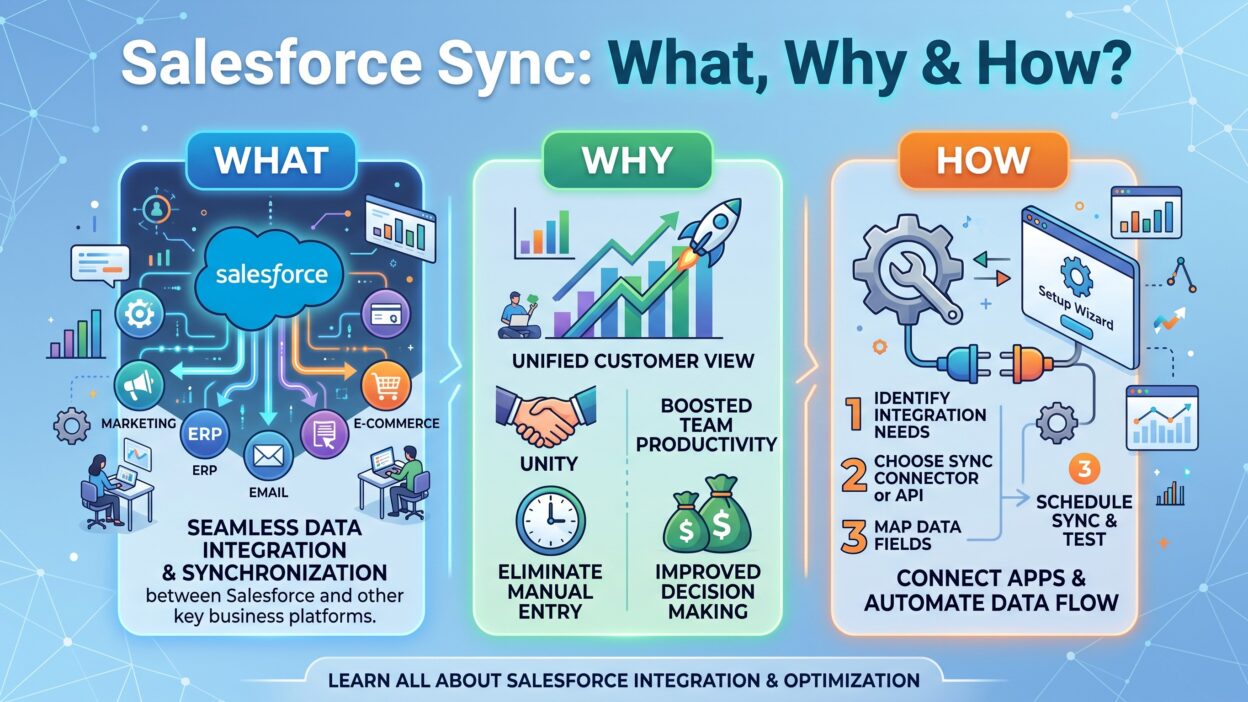
Salesforce Sync means the automatic exchange of data between Salesforce and another system. Two platforms talk to each other. They share records, update fields, and stay aligned without manual work.
Think about a sales rep who updates a contact’s phone number in Outlook. Without sync, that change stays trapped in Outlook. The Salesforce record still shows the old number. Someone has to copy it over by hand. Salesforce Sync removes this extra step. The moment the rep saves the change, Salesforce receives it too.
Sync works both ways in many setups. A change in Salesforce can push out to the connected app. A change in the connected app can push back into Salesforce. This two-way flow keeps every team looking at the same data.
Salesforce Sync is not the same as a one-time data import. An import moves data once and stops. Sync keeps running in the background. It checks for changes and moves them across systems continuously or on a set schedule.
Why the Word “Sync” Matters Here
The word sync comes from synchronize. It means bringing two things into the same state. Salesforce Sync brings your CRM and your other business tools into that same state. No app holds outdated information. No team works from a different version of the truth.
Why Businesses Need Salesforce Sync
Sales teams, marketing teams, and support teams all touch customer data daily. Without a proper sync setup, each team ends up with its own version of a customer record. That gap creates real problems.
Better Data Accuracy Across Teams
Manual data entry causes errors. A rep might mistype an email address. Someone might forget to update a deal stage. Salesforce Sync pulls information straight from the source system. It removes the manual step and removes the errors that come with it.
Accurate data changes how your team works. A support agent sees the real purchase history. A sales rep sees the real email thread. Nobody wastes time chasing the wrong contact details.
Real Time Savings for Your Team
Copying data between apps eats up hours every week. A rep might spend twenty minutes a day updating records across three different tools. Multiply that by a full sales team, and you lose dozens of hours weekly.
Salesforce Sync handles that copying work automatically. Your team gets those hours back. They spend that time on calls, deals, and customer conversations instead of data entry.
Improved Customer Experience
Customers notice when your team seems out of sync. A support rep who does not know about a recent purchase creates a bad impression. A sales rep who sends a follow-up about something already resolved looks careless.
Salesforce Sync keeps every department on the same page. Support sees sales history. Sales sees support tickets. Marketing sees deal status. The customer gets a smooth experience because your internal systems talk to each other properly.
Fewer Duplicate Records
Duplicate contacts and leads create a real mess in Salesforce. Reports become unreliable. Outreach gets doubled up. Customers get the same email twice from two different reps.
A well configured Salesforce Sync setup includes matching rules. These rules check for existing records before creating new ones. This single feature alone saves teams from months of cleanup work later.
Types of Salesforce Sync
Not every sync setup works the same way. The right type depends on your business needs, your data volume, and your budget.
Real Time Sync
Real time sync moves data the instant a change happens. A rep updates a field in Salesforce, and the connected app receives that update within seconds. This type suits fast moving sales teams where timing matters.
Real time Salesforce Sync usually relies on webhooks or streaming APIs. These technologies push updates immediately instead of waiting for a scheduled check. Real time sync costs more to set up and maintain compared to other methods.
Batch Sync
Batch sync collects changes over a set period and sends them together. A common setup runs every fifteen minutes, every hour, or once daily. This method works well for reporting tools or systems where instant updates are not critical.
Batch Salesforce Sync uses fewer server resources than real time sync. It also costs less for most businesses. Teams that do not need instant updates often choose this option first.
One Way Sync
One way sync moves data in a single direction only. Data flows from Salesforce out to another app, or the other way around, but never both. This setup fits situations where one system acts as the single source of truth.
A company might sync customer data from Salesforce to an accounting tool without sending anything back. This keeps the accounting system read only and protects Salesforce as the master record.
Two Way Sync
Two way sync moves data in both directions. A change in Salesforce updates the other app. A change in the other app updates Salesforce. This is the most common setup for email, calendar, and marketing tools.
Two way Salesforce Sync requires careful conflict rules. Without clear rules, two systems can overwrite each other’s changes and cause confusion.
How Salesforce Sync Works
Understanding the mechanics behind Salesforce Sync helps you make better decisions during setup. Three core pieces make sync function correctly.
APIs and Connectors
Salesforce offers a set of APIs that let outside systems read and write data. The REST API handles simple requests. The Bulk API handles large data volumes. The Streaming API pushes real time updates.
Most sync tools use these APIs behind the scenes. A connector app sits between Salesforce and your other software. It translates data from one format into another and moves it through the correct API.
You rarely build this connection from scratch unless you have a dedicated development team. Most businesses use a pre-built connector or a sync platform designed for this exact job.
Sync Rules and Field Mapping
Field mapping tells the sync tool which field in Salesforce matches which field in the other app. The “Email” field in Salesforce might map to the “Primary Email” field in your email tool. Get this mapping wrong, and data lands in the wrong place.
Sync rules go a step further. They decide when a sync should happen, what records qualify, and what happens during conflicts. A well built Salesforce Sync setup includes clear rules for every scenario your team might face.
Conflict Resolution
Conflicts happen when two systems change the same record at the same time. Salesforce Sync tools handle this through timestamp checks. The tool looks at which change happened last and usually keeps that version.
Some setups let you choose a master system instead. Salesforce always wins during a conflict, or the connected app always wins. This removes guesswork and keeps your data predictable.
Common Salesforce Sync Use Cases
Different teams use Salesforce Sync for different reasons. Here are the setups businesses rely on most often.
Email and Calendar Sync
Sales reps live in their inbox. Salesforce Sync connects Outlook or Gmail directly to Salesforce. Every email a rep sends gets logged automatically against the right contact record. Calendar events sync too, so meetings show up without manual entry.
This use case saves reps the most time. They stop switching between apps just to log an email or schedule a follow-up.
Marketing Automation Sync
Marketing tools like HubSpot, Marketo, and Mailchimp need clean contact data to run campaigns properly. Salesforce Sync feeds these tools with updated lead and contact information. Campaign results flow back into Salesforce, giving sales visibility into what marketing sent and how leads responded.
Without this sync, marketing and sales work from separate lists. Leads slip through the cracks between the two.
ERP and Accounting Sync
Finance teams track invoices, payments, and orders in tools like QuickBooks, NetSuite, or SAP. Salesforce Sync connects this financial data to customer records. A sales rep can see payment status without leaving Salesforce. Finance can see deal details without asking sales for updates.
Customer Support Sync
Support platforms like Zendesk or ServiceNow benefit from Salesforce Sync too. Ticket history syncs into Salesforce, giving sales and account management full visibility. This helps prevent awkward moments where a rep pitches an upsell to a customer with an open complaint.
How to Set Up Salesforce Sync
Setting up Salesforce Sync does not need to be complicated. Follow these steps in order for a smooth rollout.
Choose Your Sync Tool
Start by picking the right tool for your setup. Native Salesforce connectors work well for popular apps like Outlook, Gmail, and major marketing platforms. Third party integration platforms like MuleSoft, Zapier, or Workato offer more flexibility for custom connections.
Match the tool to your technical skill level. Simple businesses often do fine with native connectors. Larger organizations with complex data needs usually need a dedicated integration platform.
Map Your Fields Carefully
Sit down with both systems open side by side. List every field you need to sync. Match each Salesforce field to its counterpart in the other app. Pay close attention to field types. A text field in one system should not map to a date field in another.
Skipping this step causes the most common sync problems teams face later. Take your time here, even if it feels slow at first.
Set Your Sync Rules
Decide how often sync should run. Decide which system wins during a conflict. Decide which records qualify for sync and which ones stay out. Write these rules down clearly so your whole team understands the setup.
Test With a Small Data Set
Never launch Salesforce Sync across your entire database on day one. Test with a small group of records first. Check that data lands in the correct fields. Check that duplicates do not appear. Fix any issues before you scale up.
Monitor and Adjust
Sync tools usually include a dashboard or log file. Check this regularly during the first few weeks. Watch for failed syncs, mismatched fields, or unexpected duplicates. Adjust your rules as you learn how your data behaves in the real world.
Common Challenges in Salesforce Sync
Every business runs into a few bumps during setup. Knowing these challenges ahead of time helps you avoid them.
Duplicate Records
Duplicates happen when the sync tool cannot match an existing record correctly. A small typo in an email address creates a brand new contact instead of updating the old one. Set strong matching rules based on multiple fields, not just one, to reduce this risk.
Sync Delays
Batch sync setups introduce a natural delay between when a change happens and when it appears in the other system. This delay confuses teams who expect instant updates. Set clear expectations with your team about how often sync runs.
Data Security Risks
Connecting Salesforce to outside systems opens new access points to your data. Review permission settings carefully. Limit which fields sync and which stay private. Use secure connections and rotate API credentials on a regular schedule.
Field Mismatch Errors
A dropdown field in Salesforce might not match the exact options in the connected app. This mismatch causes sync failures or blank fields. Review your field types and picklist values before you go live.
Overwritten Data
Two way sync without clear conflict rules can overwrite good data with bad data. A rep might update a field in Salesforce, only to see it revert because the other system pushed an older value. Strong conflict resolution rules prevent this problem.
Best Practices for Salesforce Sync
A few simple habits keep your sync setup healthy long term.
Review your field mapping every few months. Business needs change, and new fields get added over time. An outdated mapping causes gaps in your data.
Clean your Salesforce data before you connect a new sync tool. Sync spreads bad data just as fast as it spreads good data. Remove duplicates and fix broken fields first.
Train your team on how sync works. Reps who understand the sync schedule make fewer mistakes and file fewer confused support tickets.
Set up alerts for failed sync jobs. A silent failure can run for weeks before anyone notices. An alert catches the problem the same day it happens.
Document your sync rules somewhere your whole team can access. New hires need this reference just as much as long-time employees.
Salesforce Sync vs Salesforce Integration
People often use these two terms as if they mean the same thing. They do not. Salesforce Sync is one piece inside the larger idea of Salesforce integration.
Integration covers the whole relationship between Salesforce and another system. It includes sync, but it also includes things like single sign on, custom workflows, and shared automation triggers. Salesforce Sync focuses only on the data movement part. It keeps records aligned between two platforms.
A business can build a deep Salesforce integration without heavy sync needs. A business can also run strong Salesforce Sync without any other integration work. Knowing this difference helps you scope your project correctly. It also helps you talk to vendors without confusion, since some tools handle only sync while others offer full integration suites.
Salesforce Sync Across Different Industries
Salesforce Sync looks different depending on the industry. The core idea stays the same, but the connected systems change based on business needs.
Real Estate
Real estate teams sync Salesforce with property listing platforms and document signing tools. An agent updates a listing status once, and Salesforce Sync pushes that update everywhere the team looks. Lead sources like Zillow or property portals feed new contacts straight into Salesforce without manual entry.
Healthcare
Healthcare organizations connect Salesforce Health Cloud with scheduling systems and patient record platforms. Salesforce Sync here needs extra care around privacy rules. Only approved fields sync, and access stays tightly controlled through permission sets.
E-commerce
Online stores sync Salesforce with platforms like Shopify or Magento. Order history, cart activity, and customer purchase data flow into Salesforce automatically. Support and sales teams see the full customer journey without checking a separate store dashboard.
Financial Services
Banks and financial firms sync Salesforce with core banking systems and compliance tools. Salesforce Sync here often runs on strict schedules and includes heavy audit logging, since financial data carries extra regulatory weight.
Manufacturing and Distribution
Manufacturers connect Salesforce with inventory and order management systems. Sales reps see live stock levels before promising delivery dates to customers. This use of Salesforce Sync cuts down on overpromising and reduces order cancellations.
Popular Tools for Salesforce Sync
Several platforms handle Salesforce Sync well, and each one suits a different type of business.
MuleSoft comes from Salesforce itself and handles complex, large scale integrations. Large enterprises with multiple systems often choose this option, though it requires technical skill to set up properly.
Zapier offers a simple, no-code way to connect Salesforce with hundreds of other apps. Small and mid-size businesses like this option because setup takes minutes, not weeks.
Workato sits between MuleSoft and Zapier in terms of complexity. It offers strong automation features along with straightforward sync capabilities, making it a solid pick for growing companies.
Jitterbit focuses heavily on data integration and works well for businesses that move large data volumes between Salesforce and ERP systems.
Native Salesforce connectors, like the Outlook and Gmail integrations, come built into many Salesforce editions already. These handle common use cases without any extra software cost.
Choosing the right tool depends on your data volume, your budget, and how much technical support your team has on hand.
Measuring the Success of Your Salesforce Sync Setup
A sync setup needs regular checkups, just like any other business system. Track a few key numbers to know if your Salesforce Sync setup performs well.
Watch your duplicate record count over time. A rising number signals a problem with your matching rules. Watch your sync failure rate too. Frequent failures point to a field mapping issue or an API limit you have hit.
Ask your team how much time they save each week. This number matters more than any technical metric. If reps still copy data by hand, something in your Salesforce Sync setup needs a fix.
Check data freshness periodically. Pick a random sample of records and compare the Salesforce version against the source system. A large gap between the two means your sync frequency needs adjustment.
Frequently Asked Questions
What does Salesforce Sync actually mean?
Salesforce Sync means the automatic exchange of data between Salesforce and another software system. It keeps records updated in both places without manual data entry.
Is Salesforce Sync free?
Native connectors for common apps often come included with certain Salesforce editions. Third party sync tools usually charge a separate fee based on data volume or user count.
How often does Salesforce Sync run?
This depends on your setup. Real time sync updates within seconds. Batch sync runs on a schedule, often every fifteen minutes to once a day, based on your configuration.
Can Salesforce Sync work with any app?
Most popular business apps have a native connector or a supported integration path. Less common or custom-built apps may need a custom API connection through a platform like MuleSoft.
What happens if Salesforce Sync fails?
Most sync tools log failed attempts and retry automatically. Check your sync dashboard regularly to catch failures early and fix the root cause before it affects more records.
Does Salesforce Sync create duplicate records?
It can, if your matching rules are weak. Strong matching rules based on email address, name, and company reduce duplicate creation significantly.
Is real time sync better than batch sync?
Neither option wins in every situation. Real time sync suits fast moving sales teams. Batch sync suits reporting tools or lower priority data where instant updates do not matter as much.
Read More:-Data-Driven Sales Forecasting Using Facts, Not Feelings
Conclusion

Salesforce Sync solves a real problem every growing business faces. Data lives in too many places. Teams work from different versions of the truth. Salesforce Sync brings everything back into one accurate picture.
Start small. Pick one connection that causes your team the most pain today. Set clean field mappings. Test with a small group of records. Watch the results closely during the first few weeks.
Once that first connection runs smoothly, expand to your next system. A thoughtful Salesforce Sync setup saves your team hours every week. It reduces errors. It gives every department the same accurate view of your customers.
Get the fundamentals right, and Salesforce Sync becomes one of the most valuable pieces of your entire tech stack.