Introduction
TL;DR Growth teams scrape data from LinkedIn, Twitter, and dozens of other sites daily. This PhantomBuster API Review looks past the marketing page and asks a harder question: can you actually build a stable data pipeline on this tool, or does it stay a scraping toy for small one-off tasks? We tested real workflows, not just the demo campaigns, to answer that honestly.
Table of Contents
What Is PhantomBuster API
PhantomBuster automates browser-based tasks and web scraping through pre-built bots called Phantoms. The API layer lets developers trigger these Phantoms programmatically, pull results, and chain actions together without touching the dashboard manually.
The platform started as a simple automation tool for marketers. It grew into a broader data extraction service, with hundreds of Phantoms covering LinkedIn, Sales Navigator, Instagram, and general web scraping. This PhantomBuster API Review focuses on the developer side, since that’s where the pipeline question actually gets tested.
Growth hackers use the dashboard directly for quick, manual campaigns. Developers building recurring workflows use the API instead, scheduling runs and pulling results into their own systems automatically.
A real data pipeline needs reliability, predictable output, and a way to handle failures gracefully. This review checks whether PhantomBuster API delivers on all three, or whether it works better as a supplementary tool alongside a more robust scraping stack.
This breakdown covers setup, rate limits, output structure, integration options, and honest limitations. Each section answers a question a technical buyer actually asks before building critical infrastructure around a third-party scraping service.
How PhantomBuster API Works
The API triggers a Phantom launch through a simple HTTP request. You pass a Phantom ID, set arguments like a target profile URL, and the system queues the job. A cloud-based browser session runs the automation in the background.
Results land in a JSON output once the Phantom finishes. You pull this data through another API call, or you configure a webhook to push results automatically once a run completes. This flexibility matters for building an actual pipeline instead of a manual export process.
Scheduling happens through the dashboard or the API itself. A Phantom can run every hour, daily, or on a custom interval. This scheduling layer turns a one-time scrape into a recurring data source your system can rely on.
Authentication and API Keys
Authentication uses a simple API key tied to your account. You pass this key in the request header for every call. No complex OAuth flow slows down setup, which helps small teams get a working integration running quickly.
Rate limits apply based on your subscription tier. Higher tiers unlock more concurrent Phantom runs, which matters directly for anyone trying to scale a pipeline beyond a handful of daily jobs.
Output Format and Data Structure
Results come back as structured JSON, with fields matching the specific Phantom you ran. A LinkedIn profile scraper returns name, title, and company fields. A general web scraper returns whatever selectors you configured. This structure stays fairly consistent, though it varies across the different Phantom types available.
Key PhantomBuster API Features
The Phantom Store holds hundreds of pre-built automations covering LinkedIn, Sales Navigator, Twitter, Instagram, and general web scraping. Each Phantom targets a specific task, like extracting profile data or sending connection requests automatically.
Chaining lets one Phantom’s output feed directly into another Phantom’s input. A LinkedIn search scraper can feed results into a connection request Phantom, building a full outreach sequence without manual data handoff between steps.
Cloud-based execution means Phantoms run on PhantomBuster’s servers, not your own machine. This matters for reliability, since a scraping job keeps running even if your laptop closes or your local script crashes unexpectedly.
Proxy rotation reduces the chance of getting blocked during heavy scraping sessions. This feature matters most for LinkedIn and Sales Navigator automation, where aggressive scraping triggers account restrictions quickly without proper safeguards.
Custom Phantoms and Flexibility
Beyond pre-built options, PhantomBuster supports custom scripts using Puppeteer for advanced users. This opens the door to scraping sites without an existing pre-built Phantom, though it requires real coding skill compared to the no-code dashboard options.
This flexibility separates PhantomBuster API from simpler scraping tools that only offer a fixed menu of options. Developers get a real escape hatch when a pre-built Phantom doesn’t cover their exact use case.
Session Cookie Management
LinkedIn and similar platforms require a logged-in session to scrape effectively. PhantomBuster stores session cookies securely and reuses them across runs, so you don’t manually log in before every single scheduled job.
Rate Limits and Reliability
Rate limits sit at the center of any honest PhantomBuster API Review, since they directly determine whether a pipeline scales past a small hobby project. Concurrent execution slots depend on your plan tier, and lower tiers cap you at just one or two Phantoms running at once.
LinkedIn scraping specifically carries platform-side risk beyond PhantomBuster’s own limits. LinkedIn actively fights automation, and aggressive scraping can trigger account warnings or restrictions regardless of which tool runs the automation behind the scenes.
Failed runs happen occasionally, usually tied to a target site changing its layout or blocking automated traffic. A resilient pipeline needs error handling on your end, since PhantomBuster won’t always recover gracefully from every failure automatically.
Handling Failures in Production
Building a real pipeline means planning for failure, not just success. Log every run’s status through the API. Set up alerts for failed jobs, so a silent failure doesn’t leave you with a stale dataset for days before anyone notices.
Retry logic on your end helps recover from temporary failures. A single blocked request doesn’t always mean the target site permanently blocked you, so a simple retry after a delay often resolves transient issues without manual intervention.
Uptime and Platform Stability
PhantomBuster’s core infrastructure stays reliable for most users, based on public status reports and community feedback. Individual Phantom failures happen more often than platform-wide outages, since target site changes affect specific automations rather than the whole system.
Building a Real Data Pipeline
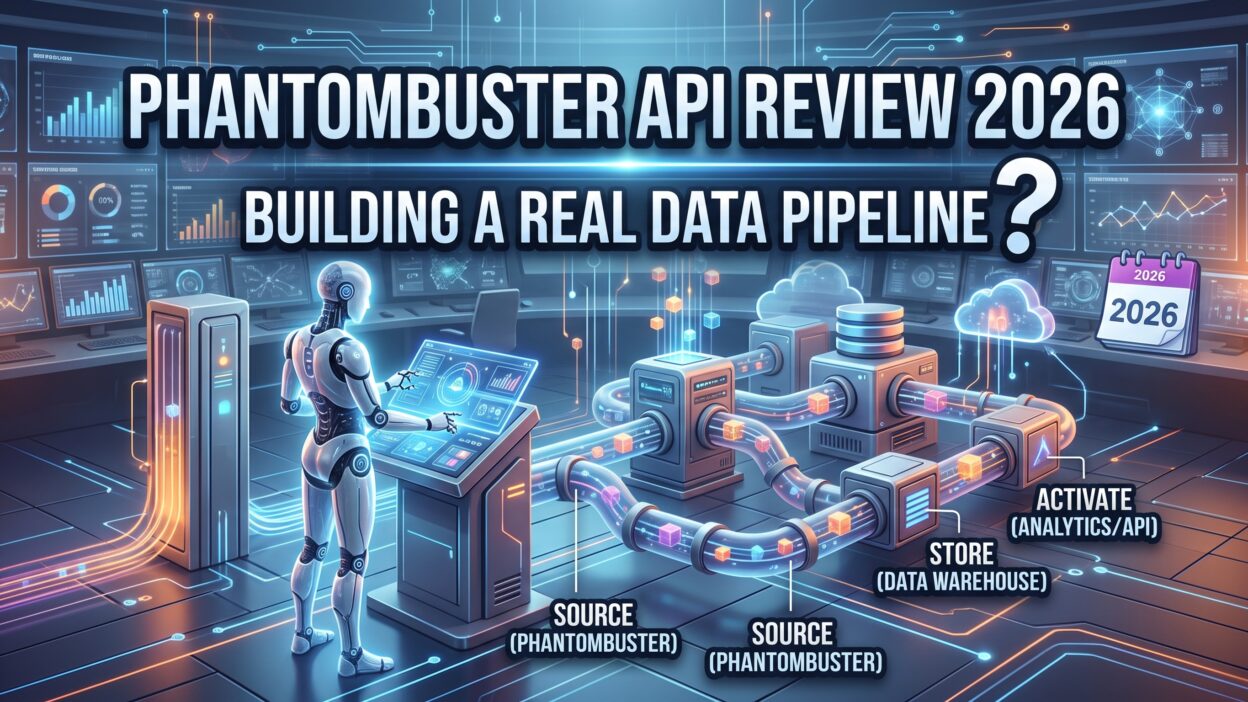
A genuine data pipeline needs more than a single API call. It needs scheduling, error handling, storage, and a way to move data into your actual systems, like a CRM or a data warehouse.
PhantomBuster API handles the scraping and scheduling layer reasonably well. The gap shows up in storage and long-term data management, since PhantomBuster doesn’t function as a database. You still need your own system to store, deduplicate, and query historical results.
Webhooks bridge this gap effectively. Configure a webhook endpoint, and PhantomBuster pushes fresh results the moment a run completes. Your own server receives this data and writes it into a proper database, keeping the pipeline flowing without manual polling.
Combining Multiple Phantoms Into a Workflow
Real pipelines often need several Phantoms working together. A search scraper finds target profiles. A data extraction Phantom pulls detailed information from each profile. A final Phantom sends outreach messages based on the collected data.
Sequencing these steps requires careful timing on your end, since PhantomBuster’s chaining works best for simple two-step flows. Complex multi-stage pipelines often need custom orchestration code running outside the platform to manage timing and error handling properly.
Storage and Data Warehouse Integration
PhantomBuster results need a permanent home beyond the platform’s own storage. Piping data into a proper database or data warehouse through the API keeps your pipeline durable, searchable, and independent of PhantomBuster’s own retention policies.
PhantomBuster API vs Competitors
Apify and Bright Data stand as the closest competitors for developers building serious scraping pipelines. Each tool takes a different approach to structure, pricing, and flexibility.
Apify offers a more developer-first platform, with a full actor marketplace and stronger custom code support. Teams building complex, non-social-media scraping pipelines often find Apify’s infrastructure more flexible for general-purpose data extraction.
Bright Data focuses heavily on proxy infrastructure and raw scraping power, without the social media automation angle PhantomBuster emphasizes. Teams needing massive scale for general web scraping sometimes prefer Bright Data’s proxy network strength.
PhantomBuster API stands out specifically for social media automation, especially LinkedIn and Sales Navigator workflows. Few competitors match its pre-built Phantom library for these specific, high-demand use cases.
When PhantomBuster Fits Better Than Alternatives
Growth and sales teams focused on LinkedIn outreach benefit most from PhantomBuster’s specific Phantom library. Building this same automation from scratch on a general-purpose platform takes significantly more development time.
Teams wanting a no-code starting point benefit from the dashboard, while still keeping the API option open for scaling into a real pipeline later without switching tools entirely.
Developers building purely custom scraping infrastructure with heavy data volume might find Apify or Bright Data a better long-term fit, since those platforms lean more toward raw scraping flexibility than social automation.
Pricing Overview
PhantomBuster runs on tiered monthly plans, priced around execution time rather than a simple per-scrape credit system. Each plan includes a monthly allotment of automation minutes, and heavier usage requires a higher tier.
Lower tiers suit small teams running occasional campaigns. Higher tiers unlock more concurrent Phantom runs and more monthly execution minutes, which matters directly for anyone building a real recurring pipeline instead of occasional manual runs.
A free trial lets new users test specific Phantoms before committing to a paid plan. This trial period gives enough time to confirm a Phantom actually extracts the data you need before spending real money.
Cost Considerations for Pipeline Builders
Execution-time pricing means a slow, complex Phantom costs more than a fast, simple one. Teams building heavy pipelines should test actual run times before estimating monthly costs, since real usage often runs higher than initial expectations suggest.
Pros and Cons of PhantomBuster API
PhantomBuster API brings a strong pre-built library for social media automation, especially LinkedIn and Sales Navigator. Cloud-based execution keeps jobs running without relying on your own local machine. Webhooks support real pipeline integration with your own storage systems. Custom scripting through Puppeteer opens flexibility beyond the pre-built Phantom menu. Setup stays fast thanks to simple API key authentication.
Rate limits on lower tiers restrict how far a pipeline can scale without upgrading. LinkedIn’s own anti-automation measures create risk regardless of which tool handles the scraping. Complex multi-stage pipelines often need custom orchestration code outside the platform itself, since chaining works best for simpler workflows.
None of these drawbacks feel unusual for a scraping automation tool. Every platform in this space faces target-site restrictions, and PhantomBuster API handles the core automation layer about as well as its closest competitors.
Who Should Use PhantomBuster API
Sales and growth teams running LinkedIn outreach campaigns benefit heavily from the pre-built Phantom library. This removes months of custom development work needed to build similar automation from scratch.
Developers building a lightweight recurring data pipeline benefit from the API and webhook combination, especially for social media data that changes structure less often than general websites.
Agencies managing multiple client campaigns benefit from running several Phantoms in parallel, scheduling different automations for different clients without building separate infrastructure for each one.
Teams needing massive scale or highly custom scraping targets outside social media might find a more developer-focused platform, like Apify, a better fit for their specific pipeline needs.
Solo founders and small teams benefit from the free trial and lower-tier plans, getting real automation running without a large upfront development investment.
Security and Data Handling
Any pipeline pulling personal data, especially LinkedIn profiles, needs to think about security and compliance from the start. PhantomBuster stores session cookies and scraped data on its own servers, so understanding retention and access controls matters before building anything at scale.
API keys control access to your account and stored data. A leaked key exposes both your scraping capacity and any cached results sitting inside your account, so treating that key like a password matters for any serious pipeline.
Data privacy regulations like GDPR apply to scraped personal data just as they apply to data collected through other means. Teams operating in the EU need a lawful basis for processing LinkedIn profile data, regardless of which automation tool performs the actual scrape.
Session Security Best Practices
Rotating session cookies periodically reduces the risk of a compromised login carrying over into future automation runs. Teams running high-volume LinkedIn automation should also avoid sharing one account’s session across too many concurrent Phantoms, since this pattern often triggers platform-side suspicion faster than expected.
Real-World Use Cases and Case Studies
A B2B sales team used PhantomBuster API to scrape Sales Navigator search results daily, feeding fresh leads directly into their CRM through a webhook. Manual lead sourcing time dropped sharply, and the sales team focused more on actual outreach instead of list building.
A recruiting agency chained a LinkedIn search Phantom with a profile detail Phantom to build candidate shortlists automatically. This two-step workflow cut sourcing time for each open role significantly compared to manual searching.
A market research firm used general web scraping Phantoms to track competitor pricing pages weekly. Changes flowed into a spreadsheet automatically, replacing a manual check that previously ate up several hours every week.
A growth marketing agency built a full pipeline combining three chained Phantoms, pushing results into a data warehouse through a webhook. This setup let the agency run the same workflow across a dozen different clients without rebuilding logic for each one.
These examples share a pattern. Teams that pair PhantomBuster API with their own storage and webhook logic get the most reliable long-term results. This PhantomBuster API Review found this pattern holding true across very different industries and use cases.
Setup and Integration Guide
Setup starts with creating an account and browsing the Phantom Store for a bot matching your use case. Most common tasks, like LinkedIn profile scraping, already have a pre-built option ready to configure.
Configure the Phantom with your target parameters, like a search URL or a list of profile links. Test a manual run first inside the dashboard, confirming the output matches what you expect before automating anything.
Generate an API key from your account settings once the manual test looks correct. This key authenticates every programmatic request you send going forward.
Set up a webhook endpoint on your own server to receive results automatically. This step turns a manual, dashboard-based tool into a real automated pipeline feeding your own systems.
Schedule recurring runs through the API, setting an interval that matches your data freshness needs. Daily runs suit most outreach use cases, while some monitoring tasks need more frequent checks.
Monitor run logs weekly, especially during the first month. This habit catches broken Phantoms early, before a silent failure leaves your pipeline running on stale or missing data.
Frequently Asked Questions
Can PhantomBuster API build a real data pipeline?
Yes, with some limitations. PhantomBuster API handles scraping and scheduling well, though you need your own storage system and error handling for a truly reliable, production-grade pipeline.
Is PhantomBuster API good for LinkedIn scraping?
Yes. LinkedIn and Sales Navigator automation rank among PhantomBuster’s strongest use cases, with a deep library of pre-built Phantoms covering common outreach and data extraction tasks.
How much does PhantomBuster API cost?
Pricing runs on tiered monthly plans based on execution minutes rather than per-scrape credits. Higher tiers unlock more concurrent runs and more monthly automation time for larger pipelines.
Does PhantomBuster API support webhooks?
Yes. Webhooks push fresh results to your own server the moment a Phantom run finishes, which supports building a real automated pipeline instead of manual data exports.
Is PhantomBuster API better than Apify?
Each tool serves different needs. PhantomBuster API excels at social media automation, especially LinkedIn, while Apify offers stronger flexibility for general-purpose, custom web scraping projects.
What happens if LinkedIn blocks my Phantom?
Proxy rotation reduces this risk, though it never eliminates it fully. Aggressive scraping still carries account risk on LinkedIn’s side, regardless of which automation tool runs the task.
Can I write custom scraping logic with PhantomBuster?
Yes. Advanced users write custom Phantoms using Puppeteer, which opens scraping options beyond the pre-built library for sites without an existing ready-made automation.
Read More:-Amperity Salesforce Integration: Complete Setup Guide [2026]
Conclusion

This PhantomBuster API Review set out to answer one core question: can you build a real data pipeline on this tool. The honest answer lands somewhere in the middle. PhantomBuster API handles scraping and scheduling reliably, especially for social media automation like LinkedIn.
The gap shows up around storage and complex multi-stage orchestration. You still need your own database and error handling to build something truly production-grade, rather than relying on PhantomBuster alone for the entire pipeline.
Teams focused on LinkedIn and social media outreach get strong value from the pre-built Phantom library. Teams needing broader, general-purpose scraping at massive scale might find a developer-first platform a better long-term fit.
Based on this full PhantomBuster API Review, the tool works well as the automation layer inside a larger pipeline, not as the entire pipeline by itself. Test the free trial, build a webhook connection to your own storage, then judge whether the reliability matches your specific data needs.