Introduction
TL;DR Recruiting teams pick Lever for its CRM-style pipeline. But this Lever API review asks a sharper question. Can you actually build a full recruiting integration on top of it, or does the API stop short somewhere important? This Lever API review walks through the authentication model, the endpoints, the rate limits, the pricing, and the one gap that trips up teams planning a sourcing workflow.
This Lever API review draws on Lever’s own developer documentation and current 2026 technical guides. Every number here comes from a real source, not a guess.
Engineering leads searching for a Lever API review usually arrive with a specific project already in mind. Maybe a custom career site needs to pull live job postings. Maybe an internal tool needs to sync candidates with an HRIS. Whatever the trigger, the answer depends on scope, and this Lever API review breaks that scope down piece by piece.
Table of Contents
What Is the Lever API?
Lever exposes a REST API that serves JSON responses over HTTPS. Anyone starting a Lever API review from scratch should know this upfront: there is no GraphQL option here. Every call goes through standard REST endpoints, and a separate lightweight surface handles public job listings.
REST Architecture and Base URLs
The main API sits at api.lever.co/v1, and Lever also runs a sandbox environment at a parallel URL for partner testing. A second surface, the Postings API, runs at version zero and handles a narrower job: showing public job listings and accepting job applications without requiring a login. Developers building a custom career page usually touch this second surface directly, since it needs no private credentials to read open roles.
Version numbering here matters for planning. Lever commits to not renaming or removing existing fields without bumping the version number first. New fields can still appear in responses at any time though, so a production integration should parse defensively and never assume a fixed response shape forever.
Who Actually Needs This API
Three groups show up most often in a typical Lever API review search. Internal engineering teams want to sync Lever with an HRIS or a data warehouse. Product teams at HR tech vendors want to build a listed integration for the Lever marketplace. Agencies and staffing platforms want to pull candidate data into their own tools. Each group hits a different door, and picking the right one saves real setup time.
Lever API Authentication Explained
Authentication splits into two clear paths, and choosing the wrong one early costs weeks later.
Basic Auth With an API Key
The simpler path uses Basic Auth. You generate an API key inside Lever’s own settings panel, then pass that key as a username with a blank password on every request. No approval process stands in the way. This path suits internal jobs where one company connects its own Lever account to its own backend systems. It does not work for a product meant to serve multiple Lever customers at once, since one key ties to one account only.
OAuth 2.0 for Partner Integrations
Any integration meant for multiple Lever customers must run through OAuth 2.0 instead. The flow follows the standard Authorization Code pattern. A user gets redirected to Lever’s authorization page, grants access, and your app exchanges the returned code for an access token. That token expires after one hour, so your integration needs a working refresh cycle from day one. Refresh tokens last up to a year, or 90 days past the last use, whichever comes first.
Getting OAuth credentials takes more than filling out a form. You register through Lever’s partner program, complete a sandbox registration, and sit through a QA review meeting with Lever’s own team before receiving your client ID and secret. Scopes are granular, covering individual resources like opportunities or webhooks, with a hard cap of twenty scopes per integration. Most real integrations use somewhere between five and eight.
Lever API Core Endpoints and Data Model
Every serious Lever API review needs to map the actual objects developers work with, since Lever’s data model has a few quirks worth knowing before you write your first line of code.
Opportunities, Applications, and Candidates
Opportunities sit at the center of everything. An Opportunity tracks one candidate’s journey through one specific role, carrying the pipeline stage and the full history behind it. You can read, list, create, update, and delete Opportunities, plus move a candidate’s stage directly through a dedicated endpoint. That stage-update call is the backbone of any automation that advances candidates programmatically instead of relying on a recruiter clicking through the UI. You can also filter Opportunities by stage, posting, and creation date range, which makes it possible to build a reporting layer that tracks how long candidates sit at each stage without pulling every record every time.
Applications link a candidate to a specific posting, and Candidates hold the person-level profile data like name, email, and resume links, separate from any single role. This separation trips up developers coming from other ATS platforms, since Lever treats the person and the pipeline stage as distinct objects rather than one flat record. A candidate who applies to three different roles at the same company shows up as one Candidate record with three separate Opportunities attached, which keeps duplicate profile data from piling up across your integration.
Two query parameters shape almost every response across the API. One expands referenced object IDs into full nested objects inline, saving a second round trip when your integration needs related data immediately. The other restricts which fields come back, trimming payload size for high-volume syncs. Pagination runs on offset-style cursors rather than simple page numbers, with a hard cap of one hundred results per request.
Postings and Career Site Data
The Postings API handles job listings, and this is where the two API versions genuinely diverge. Version one manages postings for internal use. Version zero, the public surface, returns listing data formatted for direct use on a career site, including an iframe-ready HTML option alongside plain JSON. A custom-built career page can pull live postings and accept applications directly through this surface, with no Lever branding visible to candidates unless you choose to show it.
Interviews and Feedback
Interview records attach to a specific Opportunity and carry the panel, timing, and connected feedback. Feedback itself runs through reusable templates supporting scores, ratings, yes-or-no fields, and free text, and those templates work across multiple postings and teams. A dashboard aggregating interviewer scores across a hiring committee draws directly from this endpoint pair.
Admin, Compliance, and Files
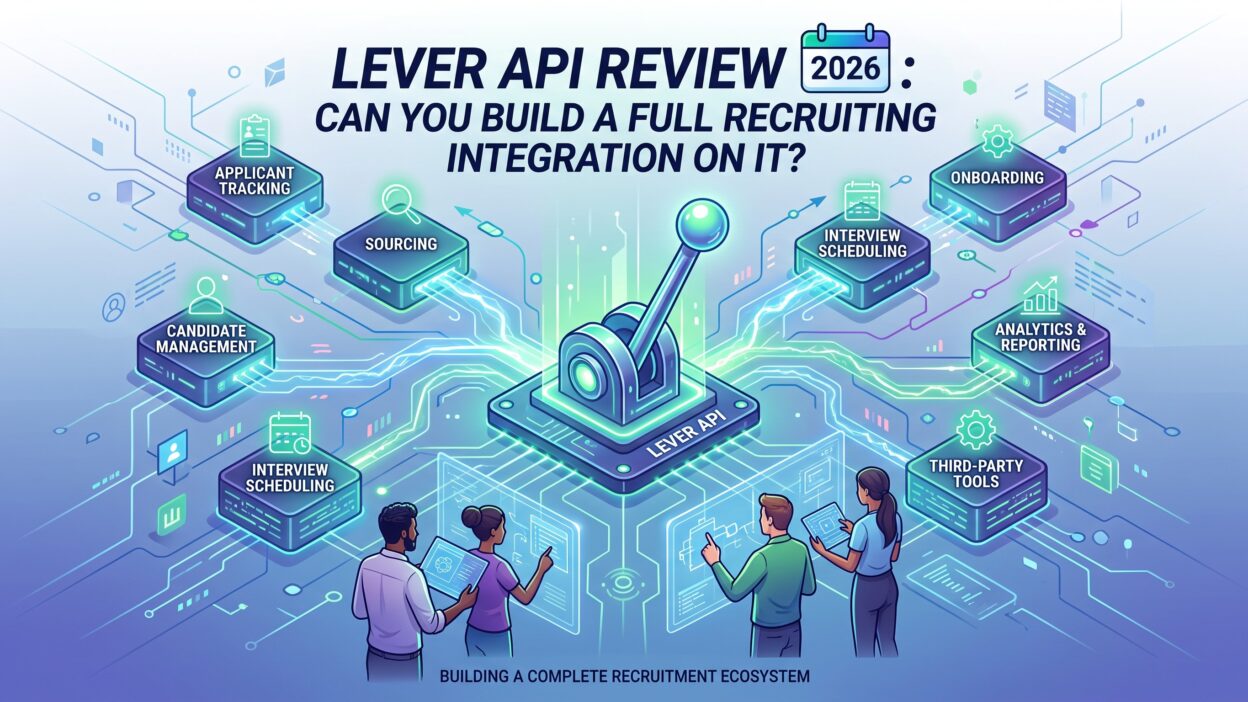
Rounding out the surface, Lever exposes Users for role-based routing, Audit Events for compliance logging, Archive Reasons for decline tracking, EEO Questions for reporting, Notes for recruiter collaboration, and Files for resumes and attachments. Requisitions exist too, though that endpoint only unlocks on Lever’s higher-tier enterprise packages. Together these cover almost every administrative task a recruiting operations team handles day to day.
Audit Events deserve particular attention for any team in a regulated industry. Every change to an Opportunity, a Posting, or a user permission gets logged automatically, and pulling that log through the API gives compliance teams a queryable record without asking engineering for a manual export each quarter. EEO Questions serve a similar purpose for diversity reporting, returning anonymized or PII-included responses depending on how your organization configured the fields during setup. Files handles resumes and supporting documents in common formats, and a well-built integration usually pulls this endpoint alongside Candidates so a downstream system never shows a profile with a missing attachment.
Lever API Webhooks and Event Types
Real-time automation depends on webhooks, and this Lever API review found a solid but incomplete event catalog.
Supported Events
Webhooks fire as signed HTTP POST requests, secured with HMAC-SHA256 so your receiving endpoint can confirm the payload actually came from Lever and was not tampered with in transit. Covered events include new applications, candidates getting hired, stage changes, archive changes, deleted candidates, and interview lifecycle events like creation and cancellation. A failed delivery gets retried automatically up to five times before Lever gives up.
Where the Event Catalog Falls Short
Gaps show up fast once you plan a broader integration. There is no webhook for a new job posting going live, no event for feedback submission, and no trigger for offer creation. Any workflow depending on those moments has to poll the API on a schedule instead of reacting instantly. Build your receiving endpoint to handle duplicate deliveries safely too, since signed payloads confirm authenticity but do not guarantee exactly-once delivery on their own.
Webhook management itself runs through the API as well, not just the dashboard. A dedicated write scope lets your integration create and manage webhook subscriptions programmatically, which matters for a product installing itself across many Lever customer accounts at once. Setting up webhooks by hand inside each customer’s dashboard does not scale past a handful of installs, so any serious partner integration automates this step from the start.
Lever API Rate Limits Explained
Rate limits shape what kind of integration you can realistically run, and this section of any Lever API review deserves close attention before you commit engineering time.
The 10 Requests Per Second Ceiling
The main REST API allows ten requests per second per API key, with a short burst window that permits up to twenty requests per second using a token bucket approach. Cross that ceiling, and you get a standard 429 response. Lever recommends exponential backoff on retries rather than hammering the endpoint again immediately. The Postings API runs a separate and much tighter limit, capping application submissions at two requests per second, a number worth remembering if you build a high-traffic custom career page.
Lever notes this lower Postings limit can change without advance warning, since it exists mainly to protect platform stability during traffic spikes rather than to serve as a fixed contract. A career site expecting a surge of applicants around a product launch or a hiring event should route overflow requests through a queue rather than assume every submission lands instantly.
Why Bulk Syncs Take Planning
Ten requests per second sounds workable until you factor in the lack of bulk endpoints. Every operation runs on a single record, and pagination caps out at one hundred results per page. Syncing a database of several thousand candidates means thousands of individual calls, which takes real time even at full throttle. Plan your sync windows around this constraint rather than assuming a large batch job finishes in seconds.
No published documentation describes higher rate tiers for enterprise customers, which means teams running data-heavy integrations cannot simply pay for more throughput the way they might with other platforms. If your workload genuinely needs faster sync speeds, the practical fix is architectural: batch your reads during off-peak hours, cache aggressively on your side, and avoid re-fetching records that have not changed since your last sync.
Lever API Pricing and Access
Cost questions come up constantly, and the answer here differs from most SaaS APIs.
No Free Tier, No Self-Serve Trial
Lever bundles API access into its platform subscription rather than charging separately for it. There is no standalone API pricing page, no free tier, and no way to test the sandbox without going through the partner program first. A developer curious about the API cannot simply sign up and start building. Evaluating Lever means engaging its sales team and requesting a demo before anything else happens.
What You Actually Pay For
Once your company already runs on Lever, creating an API key costs nothing extra and requires no additional approval. The real cost sits inside your platform subscription, and Lever prices that subscription based on company size, hiring volume, and feature needs rather than publishing fixed tiers. Contracts run annually, billed upfront, and typically auto-renew unless you give written notice ahead of the renewal date. For budgeting purposes, treat the API itself as free and the platform subscription as the actual line item to negotiate.
This pricing structure creates a real discovery problem for anyone evaluating the platform purely for its API. A developer at a company not yet using Lever cannot spin up a trial account, poke at the sandbox, and decide whether the endpoints fit their project. Every serious evaluation starts with a sales call, and that call happens before anyone sees a line of documentation beyond the public developer portal. Budget extra lead time for this step if your roadmap depends on a firm answer soon.
Can You Build a Full Recruiting Integration on the Lever API?
This is the core question behind every Lever API review, and the honest answer has two parts.
What the API Covers End to End
For anything happening inside an active recruiting pipeline, the answer is yes. Candidate records, application tracking, interview scheduling, structured feedback, offer-adjacent workflows, and compliance logging all run through documented, stable endpoints. A team building an HRIS sync, a custom career site, or an interview intelligence dashboard has everything needed inside this one surface. The API handles the full lifecycle from application to hire with no missing piece in that chain.
The Sourcing and Intelligence Gap
Where the API stops is earlier in the funnel, before a candidate ever applies. Lever’s API knows nothing about who might be a good candidate before that person shows up in the system. It holds no company database, no technographic profile, no org chart, and no way to surface passive candidates who have not yet applied anywhere. Ask the Lever API which engineers at a target company might be open to a move, and it returns nothing, because that question sits entirely outside its scope.
This is not a flaw. It reflects exactly what Lever’s platform is built to do: manage a pipeline once candidates enter it. Recruiting teams running active sourcing campaigns run into this boundary the moment they try to combine pipeline management with candidate discovery inside one system. A recruiter working an outbound campaign against a specific competitor’s engineering team gets zero help from Lever’s API on the research side. Every name, every verified email, and every signal about whether that company is hiring or shrinking has to come from somewhere else entirely.
Closing the Gap With a Second Data Source
Teams solve this by pairing Lever with a dedicated sourcing or B2B intelligence API. A separate data provider searches for candidates matching a target profile, returns verified contact details, and your integration pushes qualified prospects into Lever as new Opportunities once a recruiter decides to pursue them. Lever manages what happens after that decision. The second data source handles everything that happens before it. This two-layer approach answers the full “full recruiting integration” question honestly: yes, if you pair pipeline management with a sourcing layer, and only partially if you expect one API to do both jobs alone.
Cost planning should account for both layers from the start. Lever’s cost sits inside a platform subscription, while a sourcing or enrichment vendor typically bills separately, often per verified contact or per API call. Teams that skip this second layer usually end up with recruiters running manual searches on outside tools anyway, just without the API automating any part of that step. Building the sourcing connection once, even as a small pilot integration, tends to pay back the engineering time within a single hiring quarter for teams doing meaningful outbound recruiting volume.
Lever API Pros and Cons
A balanced scorecard matters more than marketing copy in any real Lever API review.
Lever’s documentation stays public and requires no login to browse, which saves real evaluation time before you commit to a partnership. Both authentication paths cover distinct real use cases well, webhook payloads carry cryptographic signing, and the sandbox environment gives partner developers a genuine safe space to test before going live. The changelog stays active, and a dedicated deprecation tracker means endpoints rarely disappear without warning.
Weaknesses cluster around access friction and raw throughput. No official SDK exists in any language, so every integration handles authentication, pagination, and retry logic by hand. The ten-requests-per-second ceiling feels tight for data-heavy syncs, and the complete absence of published pricing forces every evaluation through a sales conversation before a single line of code gets written. As this Lever API review already covered, the sourcing and intelligence layer simply does not exist inside this API at all.
Lever API Alternatives Worth Considering
Any fair Lever API review should mention where else recruiting teams look for API access.
Greenhouse runs a comparable REST API with strong structured data around candidates and job stages, popular with sourcing tool vendors building recruiting analytics. Workable serves the SMB and mid-market segment with a simpler API surface covering applications and interview scheduling. iCIMS targets large enterprise recruiting operations and generally requires a heavier enterprise sales process to unlock API access. SmartRecruiters offers a modern REST surface aimed at mid-market and enterprise teams alike.
Unified API platforms deserve a mention too. Services built specifically to abstract multiple ATS platforms behind one interface let a product team support Lever, Greenhouse, and Workable simultaneously without maintaining three separate integration codebases. That tradeoff costs a subscription fee but saves significant engineering time for vendors selling into recruiting teams across different ATS platforms.
Who Should Build on the Lever API in 2026
Internal engineering teams at companies already running Lever get the most straightforward path, since API key access requires no approval process at all. HR tech vendors building a listed marketplace integration should budget real time for the partner program and OAuth approval before their launch date. Sourcing and recruiting analytics platforms need to plan for a second data provider from the start, since Lever alone cannot answer questions about candidates who have not applied yet. Teams building a custom career site should lean on the public Postings API rather than the authenticated v1 surface, since it needs no credentials and was purpose-built for exactly that job. Companies evaluating Lever purely to test the API before buying the platform should expect to talk to sales first, since no self-serve trial exists anywhere in the process.
FAQs About the Lever API
Is the Lever API free to use? Not on its own. API access ships bundled with a Lever platform subscription, and that subscription runs on custom, quote-based pricing. Once you already hold a Lever account, generating an API key costs nothing extra.
What is the Lever API rate limit? The main REST API allows ten requests per second per key, with short bursts up to twenty requests per second. The public Postings API caps application submissions at two requests per second, a much tighter ceiling worth planning around.
Does the Lever API have official SDKs? No. Lever publishes no maintained SDK in any language. Partner developers get a Postman collection and example code through a GitHub repository, but production integrations build directly against raw HTTP calls.
Can I build a full recruiting integration using only the Lever API? You can build a full pipeline-management integration, covering everything from application through hire. You cannot source new candidates or enrich company data through this API alone, since that intelligence layer sits outside its documented scope entirely.
Does the Lever API support GraphQL? No. Lever runs a REST API exclusively, returning JSON responses. Teams wanting a GraphQL layer need to build their own wrapper on top of the existing REST endpoints.
How do I get OAuth access to the Lever API? You apply through Lever’s partner program, complete a sandbox registration, and attend a QA review meeting with Lever’s team before receiving OAuth credentials. This process typically adds real lead time to a launch timeline, so plan accordingly.
What happens if my integration exceeds the rate limit? Lever returns a 429 status code once you cross the limit. Lever recommends exponential backoff for your retry logic rather than immediately resending the same request, since repeated fast retries only extend the delay.
Read More:-Verint Features: A Complete Breakdown in 2026
Conclusion

This Lever API review answered the core question directly: yes, you can build a full recruiting integration on the Lever API, as long as “full” means everything that happens once a candidate enters your pipeline. Authentication runs through two clear paths, endpoints cover the complete hiring lifecycle, and webhooks handle most real-time automation needs with solid security behind them.
The rate limit sits at a modest ten requests per second, and pricing stays hidden behind a sales conversation rather than a public page. The one true gap this Lever API review keeps circling back to is sourcing. Lever tells you where a candidate stands in your process. It says nothing about who deserves to enter that process in the first place. Pair the Lever API with a dedicated sourcing or enrichment data source, and that gap closes cleanly. Build without that second layer, and your pipeline stays well managed while your sourcing stays exactly where it started: manual.