Introduction
TL;DR Zapier connects thousands of apps without code. But this Zapier API review looks past the drag-and-drop builder. It looks at the actual API layer that developers and partners touch. This guide breaks down the features, the rate limits, the pricing, and one gap most teams miss: raw B2B data.
This Zapier API review pulls from Zapier’s own documentation and current 2026 pricing pages. You get real numbers, not guesses.
Most people search for a Zapier API review after they hit a wall inside the no-code editor. Maybe you need custom logic the visual builder cannot express. Maybe your product needs Zapier baked directly into its own interface. Either way, the API layer works differently from the drag-and-drop tool most users know. This Zapier API review walks through every part of that layer step by step, so you know exactly what you get before you commit engineering time to it.
Zapier launched in 2011 as a simple app-connector for non-technical teams. Fifteen years later, the platform links over 8,000 apps and processes billions of tasks every month. The API surface grew alongside that scale, and 2026 brought the biggest shift yet: a dedicated MCP server that lets AI agents call Zapier actions directly. That single change turns this Zapier API review into something more than a pricing breakdown. It becomes a guide for anyone building AI-driven automation on top of an established platform.
Table of Contents
What Is the Zapier API?
Zapier is not one single API. That surprises most people expecting a simple REST endpoint. Zapier exposes several distinct surfaces, and each one serves a different kind of builder. A marketing tool vendor wiring Zapier into its onboarding flow needs different credentials than a solo developer connecting Claude to a spreadsheet. Understanding which surface fits your project saves weeks of wasted setup time.
The Four API Surfaces Zapier Offers
The core surface is the Workflow API. It lets approved partners trigger Zaps and pass data through Zapier’s automation engine using REST calls. Beyond that, Zapier runs a Platform API for building integrations, a set of webhook endpoints for real-time triggers, and the newer MCP server for AI agents. Each surface has its own authentication rules. A developer building a partner integration will not touch the same endpoints as a team wiring up Claude or ChatGPT through MCP.
The Platform API deserves its own mention in any thorough Zapier API review. Developers use it to build the actual app integration that later unlocks Workflow API access. Think of it as the foundation layer. You define triggers, actions, and searches for your own app inside Zapier’s developer platform, test them privately, then submit for public review. Only apps that pass this review earn a spot in Zapier’s directory alongside thousands of existing integrations.
Webhook endpoints sit apart from both. They give any Zap the ability to send or receive HTTP requests without a formal app integration at all. A solo developer can wire a webhook trigger into a personal project in minutes, no directory listing required. This makes webhooks the fastest entry point for anyone who just wants to test an idea before committing to the full partner process.
Who Can Actually Access the Workflow API
Here is the part most guides skip. The Workflow API is not open to every developer with an account. Access starts with building a Zapier integration first. That integration needs a public listing in Zapier’s app directory before Workflow API access opens up. Once your app gets listed, you register an OAuth 2.0 application and authenticate through the Authorization Code grant. This gate matters for anyone reading a Zapier API review while planning a product launch. You cannot skip straight to API calls. You build the integration, get it approved, then unlock the API.
This approval process typically takes several weeks. Zapier reviews each submitted integration for quality, security, and duplicate functionality against existing apps. A rejected submission means another round of fixes and a second review cycle. Budget real time for this step if your roadmap depends on Workflow API access, since it rarely happens overnight.
Zapier API Features in 2026
Every Zapier API review needs to cover what the API can actually do, not just how you get in the door.
Workflow API Endpoints
The Workflow API handles the core job: triggering Zaps, passing structured payloads, and returning results to your application. Partners use it to embed Zapier’s automation inside their own product. A CRM vendor, for example, can let customers set up Zaps without ever leaving the CRM’s own interface. The API returns standard JSON responses, and most partners pair it with webhooks for two-way communication.
Endpoints cover the full Zap lifecycle. You can create a Zap on a customer’s behalf, list existing Zaps tied to an account, update a Zap’s configuration, and trigger a run manually through a direct call. This lets a product team build a native automation panel that feels like part of their own app, while Zapier’s engine does the actual work in the background. Users never see the word “Zapier” unless the partner chooses to show it.
The Zapier MCP Server for AI Agents
This is the newest piece, and it changes what a Zapier API review even means in 2026. The MCP server exposes over 30,000 searches and actions across roughly 8,000 connected apps through one single endpoint. AI clients like Claude, ChatGPT, Cursor, and Windsurf connect to a generated server URL. Users type a plain instruction, and Zapier’s own prompt resolution engine turns that instruction into real API calls behind the scenes. The MCP layer handles authentication, retries, and rate limits on its own, so builders do not manage that plumbing by hand. Zapier also runs AI Guardrails on this surface. Guardrails scan for PII, prompt injection attempts, toxic language, and negative sentiment inside workflow calls before they execute. One detail matters for cost planning: each MCP tool call burns two tasks from the user’s Zapier plan quota, not one.
Webhooks, Triggers, and Built-In Tools
Triggers, filters, paths, and built-in tools such as Formatter, Delay, and Tables do not consume tasks on their own. Only a completed action step counts against your quota. This detail changes how you design a Zap. Put filtering logic early, and you keep costs lower over time.
Webhooks by Zapier deserve a closer look too. This built-in app lets any Zap send a POST request to an external URL or catch an incoming request as a trigger. Developers use it to bridge Zapier with internal tools that have no official integration yet. A custom inventory system, for example, can push order data into Zapier through a raw webhook call, no formal app listing required. This makes webhooks the most flexible piece of the whole Zapier API review, since almost any system with an HTTP endpoint can plug in.
Zapier API Rate Limits Explained
Rate limits decide whether your integration survives real traffic. Any honest Zapier API review has to get specific here, because Zapier’s limits are stricter than a lot of builders expect.
Workflow API Rate Limits
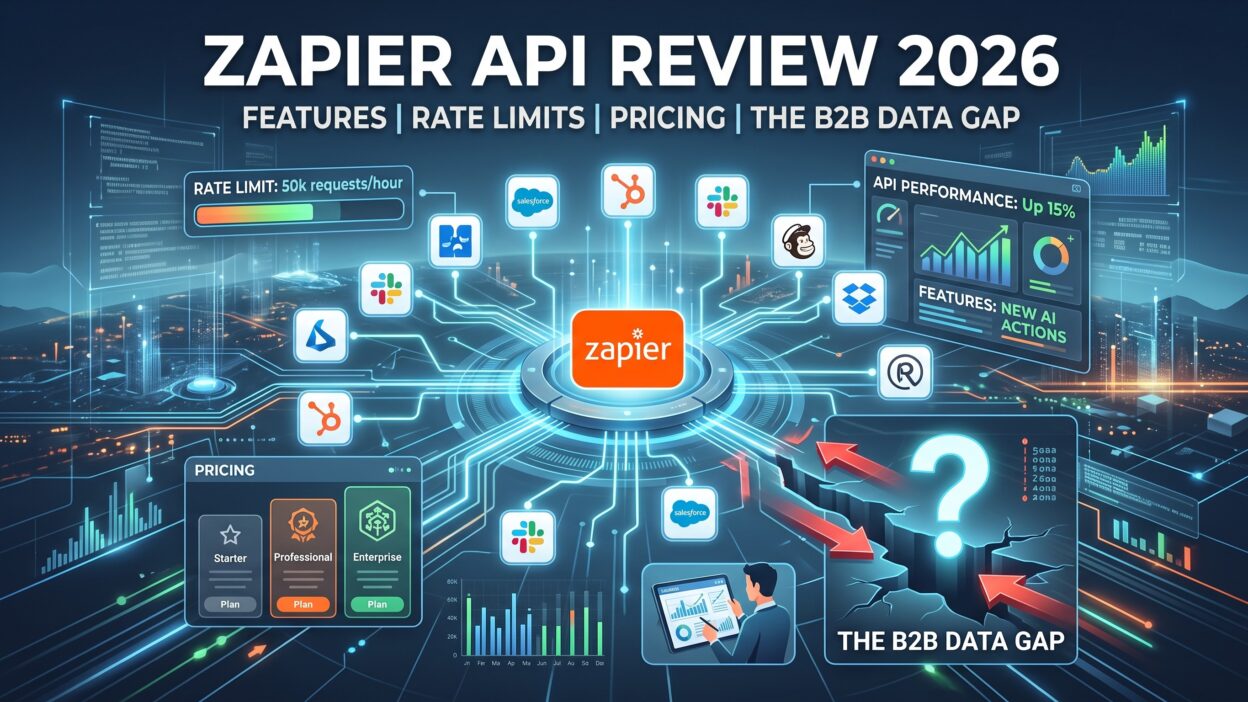
Zapier currently caps Workflow API traffic two ways at once, and whichever limit hits first applies. By IP address, the cap sits at 60 requests per minute. By partner application, the cap rises to 150 requests per minute. A high-traffic partner app can hit that IP-level ceiling fast, especially if many end users share infrastructure behind one gateway.
That 60-requests-per-minute IP cap catches teams off guard during scale testing. Picture a partner app routing every customer request through one shared backend server. All that traffic looks like a single IP address to Zapier. Once real customer volume kicks in, that shared IP hits its ceiling long before the partner-level cap of 150 requests ever comes into play. Smart partners distribute outbound calls across multiple IPs or add a queue layer to smooth out bursts before they hit Zapier’s servers.
Private App Rate Limits by Plan
Private apps follow a separate limit tied to your Zapier plan. Free and Professional plans allow 100 requests every 60 seconds. Team and Enterprise plans jump to 5,000 requests every 60 seconds. That gap is large, and it pushes serious API users toward the higher tiers fast, well before task volume alone would force an upgrade.
Private apps matter for internal tooling. A company might build a private app just to connect its own proprietary software to Zapier, with no plan to list it publicly. That internal app still follows these same rate ceilings, so an engineering team running heavy internal automation on a Professional plan can hit the 100-request ceiling surprisingly fast during a data migration or bulk sync job.
What Happens When You Hit a Limit
Cross the Workflow API limit, and you get a 429 response. Zapier then enforces a mandatory 60-second cooldown before your next request goes through. Cross a private app limit, and Zapier holds your Zap runs instead of dropping them. Held runs pause and wait in your Zap History. Once your quota resets, you can replay them manually. Nothing gets lost, but nothing moves forward either until you act.
Build retry logic around this behavior from day one. A well-designed integration checks for a 429 status, waits out the cooldown window, then resumes. Skip that logic, and your app either floods Zapier with failed retries or simply stalls until someone notices the backlog in Zap History.
Zapier API Pricing in 2026
Real pricing numbers matter here, and Zapier’s model confuses plenty of buyers. Tasks, not API calls, drive the bill.
Free Plan
Zapier’s Free plan includes 100 tasks per month and caps you at two-step Zaps. Trigger polling runs every 15 minutes, and premium app connections stay locked. It works for testing an idea. It does not work for production traffic. Anyone running this Zapier API review as a checklist before signing up should treat the Free plan as a sandbox, not a launch platform.
Professional Plan
The Professional plan starts at $29.99 per month and includes 750 tasks. Multi-step Zaps open up here, with up to 100 steps per Zap. Live chat support kicks in once your usage crosses 2,000 tasks a month. This tier fits solo builders and small teams running real but modest automation.
Task limits scale as you move up within Professional pricing. Higher tiers within the same plan tier cover more monthly tasks at a proportionally higher price, so a growing team does not need to jump straight to Team pricing just to get more headroom. Annual billing brings roughly a 33% discount compared to paying monthly, though it requires a full upfront payment with no pro-rata refund if your needs shrink mid-year.
Team and Enterprise Plans
Team and Enterprise plans add collaboration features, SAML SSO, and faster support response times. Team plans support up to 25 users under one workspace price rather than charging per seat. Enterprise adds a 30-minute guaranteed response time, with 15 minutes for critical issues. Prices scale with task volume and can climb toward $5,999 per month at the 2 million task tier.
Multi-step complexity does not change the task cost. Each action step consumes exactly one task, whether your Zap has three steps or thirty. Filters and conditional logic paths still consume zero tasks at every tier, which keeps a well-designed workflow’s cost predictable even as it grows more sophisticated.
Pay-Per-Task Billing
Go over your included tasks, and Zapier charges roughly 1.25 times your base task rate rather than stopping your Zaps outright. There is a ceiling, though. Maximum pay-per-task usage caps at 3 times your plan’s included task limit. A Professional plan with 750 base tasks tops out at 2,250 tasks total once pay-per-task billing kicks in fully. You can also switch pay-per-task off entirely in your billing settings. Turn it off, and workflows simply pause at your limit instead of billing further.
Budget-conscious teams often leave pay-per-task billing off during the first few months on a new plan. That choice surfaces real usage patterns without risking a surprise invoice. Once your average task volume stabilizes, switching pay-per-task back on gives your workflows breathing room during seasonal spikes without a full plan upgrade.
The B2B Data Gap in the Zapier API
This section is the real reason to read this Zapier API review closely. Zapier moves data brilliantly. Zapier does not create data.
What Zapier Moves vs What Zapier Knows
Zapier’s Workflow API and MCP server route information between apps you already connect. A new lead enters your form, Zapier passes it to your CRM, and a Slack message fires off. That is orchestration. Zapier holds no native database of company firmographics, verified emails, or technographic signals. Ask the Zapier API to tell you a prospect’s employee count or funding stage, and it has nothing to return. The API was never built to know that.
This distinction trips up teams that assume automation equals intelligence. A Zap can move a lead from a web form into Salesforce in under a second. That same Zap has no idea whether the lead works at a ten-person startup or a ten-thousand-person enterprise, unless a separate data source tells it. Speed and accuracy solve different problems, and Zapier only solves the first one.
Why Teams Pair Zapier With Enrichment APIs
This gap explains why B2B teams pair Zapier with dedicated enrichment APIs. Vendors like ZoomInfo, Apollo, Clearbit, and Explorium hold the actual company and contact data. A typical workflow pulls a new lead through Zapier, sends it to an enrichment API for firmographic detail, and routes the completed record back into a CRM. Zapier supplies the pipes. The enrichment vendor supplies the water. Skip the enrichment layer, and your CRM fills up with names and email addresses but no real context on who those people are or what their company does.
Picture a sales team running a hundred new leads through Zapier every week. Without enrichment, reps spend their morning manually searching LinkedIn and company websites before every call. With an enrichment API in the workflow, every lead arrives in the CRM already carrying job title, company size, industry, and technology stack. That extra step turns raw contact data into something a rep can act on immediately, and it removes the single biggest time sink in early-stage prospecting.
Closing the Gap
Closing this data gap takes one extra integration step, not a platform switch. Add an enrichment API as a mid-workflow action inside your existing Zap. Firmographic fields populate automatically the moment a lead enters your system, and your sales team stops doing manual research between calls. Treat enrichment as a required add-on for any serious B2B use case, not an optional extra.
Cost matters here too. Enrichment vendors typically charge per verified record, separate from Zapier’s own task-based billing. A workflow that enriches every incoming lead adds a second line item to your monthly automation budget. Most B2B teams find that cost worthwhile once they measure the hours saved on manual research, but it deserves a line in your budget planning from the start, not a surprise after your first invoice.
Zapier API Pros and Cons
Every Zapier API review needs an honest scorecard, not just marketing language.
Zapier connects over 8,000 apps, which beats almost every competitor on raw integration count. Setup for basic Zaps takes minutes, and the MCP layer now lets AI agents run actions without custom code. Built-in tools like Filter and Formatter cost nothing in task usage, which keeps predictable workflows affordable. Documentation stays clear and current, and the developer community around Zapier’s Platform API answers most common questions within a day on forums.
On the downside, the Workflow API sits behind a hard approval gate that blocks casual developers. Rate limits feel tight for high-traffic partner apps, especially the 60-requests-per-minute IP cap. Task-based pricing gets confusing fast once you factor in pay-per-task multipliers. And as covered above, raw B2B data never enters the picture without a separate enrichment vendor. Support response times also lag on lower tiers, since live chat only unlocks once your usage crosses a set task threshold.
Zapier API Alternatives Worth Considering
A fair Zapier API review should name real alternatives, since Zapier is not the only automation platform with API access.
Make offers a visual builder with a flexible API and often lower per-operation cost at high volume. Its scenario-based pricing model charges by operation rather than by completed task, which can favor workflows with many lightweight steps. n8n appeals to technical teams that want self-hosting and full control over infrastructure. Running n8n on your own server removes per-task billing entirely, though it shifts maintenance work onto your own engineering team.
Activepieces markets flat-rate pricing with unlimited tasks on some tiers, though third-party numbers on its plans vary depending on the source, so verify current rates directly before committing. Lindy and Relevance AI lean harder into AI agent building rather than pure workflow orchestration, aiming at teams that want autonomous agents handling multi-step decisions rather than fixed trigger-action chains. None of these fully replace Zapier’s integration count, but each solves a specific pain point Zapier leaves open. Teams choosing between platforms should weigh integration breadth against raw pricing, since Zapier usually wins the first comparison and loses the second at high volume.
Who Should Use the Zapier API in 2026
Partner companies building embedded automation inside their own product get the clearest value from the Workflow API. Startups adding AI agent actions through Claude or ChatGPT benefit most from the MCP server, since it skips custom integration code entirely. Sales and RevOps teams handling B2B leads should treat Zapier as the connective layer and pair it with an enrichment API from day one. Solo builders testing an idea can start on the Free plan and upgrade once task volume grows past 100 a month. Enterprise teams needing SSO, high rate limits, and guaranteed support response times land best on Team or Enterprise pricing.
FAQs About the Zapier API
Is the Zapier API free to use? MCP access is free across Free, Pro, and Team plans. The Workflow API itself has no separate license fee, but you still need a listed integration to access it, and normal task-based billing applies to any Zaps it triggers.
What are the Zapier API rate limits? The Workflow API caps requests at 60 per minute by IP address and 150 per minute by partner application, whichever limit hits first. Private apps follow a different cap based on plan tier, ranging from 100 to 5,000 requests per 60 seconds.
Does the Zapier API include B2B data enrichment? No. This is the core finding of this Zapier API review. Zapier moves data between connected apps but holds no native firmographic or contact database. Teams add a separate enrichment API like ZoomInfo or Apollo to fill that gap.
How much does the Zapier API cost in 2026? Cost depends on task volume, not raw API calls. Professional starts at $29.99 monthly for 750 tasks, and pricing scales up toward $5,999 monthly at 2 million tasks. Pay-per-task billing covers overages at roughly 1.25 times your base rate.
What happens if I exceed my Zapier task limit? Zapier holds your Zap runs rather than deleting them, unless pay-per-task billing is active. With pay-per-task on, extra usage bills automatically up to 3 times your plan’s included tasks before workflows pause.
Can I use the Zapier API with Claude or ChatGPT? Yes. The Zapier MCP server connects directly to AI clients including Claude, ChatGPT, Cursor, and Windsurf. Each tool call through this route consumes two tasks instead of one, so factor that into your quota planning.
Is the Zapier Workflow API open to any developer? No. Access requires building and publicly listing a Zapier integration first. Only after that listing gets approved can you register an OAuth application and start calling the Workflow API.
How long does Zapier’s integration approval process take? It typically runs several weeks from submission to public listing. Zapier checks each integration for security, quality, and overlap with existing apps, and a rejected submission adds another review cycle before Workflow API access opens.
Does Zapier charge extra for the MCP server? No separate fee applies. MCP access ships free across Free, Pro, and Team plans, though each tool call through MCP still consumes two tasks from your existing plan quota rather than one.
Read More:-Mighty Networks Features: A Complete Breakdown in 2026
Conclusion

This Zapier API review covered four things every builder needs before committing: features, rate limits, pricing, and the B2B data gap. Zapier’s API layer moves data across thousands of apps with real reliability, and the new MCP server opens that same power to AI agents. Rate limits stay tight at the IP level, so plan your traffic accordingly. Pricing runs on tasks, and pay-per-task billing keeps workflows alive past your plan’s cap instead of shutting them down cold.
The one gap this Zapier API review keeps returning to is data. Zapier connects your stack, but it does not know who your leads are or what their companies do. Pair it with a dedicated enrichment API, and that gap closes fast. Skip that step, and your automation runs smoothly while your data stays thin. Choose your plan based on task volume first, rate limit needs second, and always budget for enrichment if B2B data quality matters to your team.