Introduction
TL;DR Teams running OnceHub for scheduling and LeadConnector for CRM often hit the same wall. A prospect books a meeting, but that booking never shows up as a real lead inside the pipeline. This guide covers the OnceHub LeadConnector integration in full detail, including every connection method, real use cases, and the limits you need to plan around.
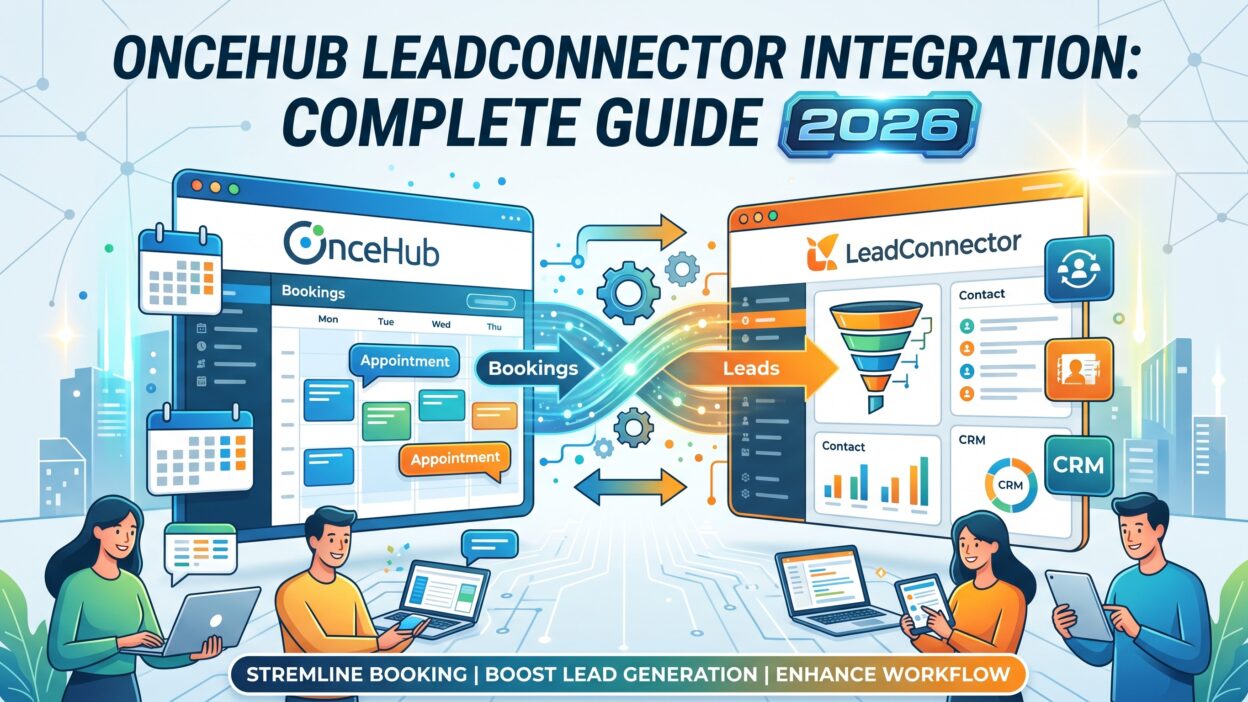
A working OnceHub LeadConnector integration closes the gap between scheduling activity and sales follow-through. New bookings can create matching CRM records automatically. Cancellations can update deal stages without a rep touching the system. This guide walks through exactly how to build that connection in 2026.
Table of Contents
What Is OnceHub
OnceHub is a scheduling platform built for teams that need more than a basic calendar link. It handles booking pages, routing forms, chatbots, and compliant scheduling for industries with strict data rules. Sales and support teams use it to let prospects book meetings directly, without a single back-and-forth email.
The platform also qualifies leads before a meeting even happens. Routing forms ask questions, then send the prospect to the right team member based on their answers. This makes OnceHub more than a calendar tool. It works as a lightweight qualification layer sitting in front of your sales process.
What Is LeadConnector
LeadConnector is the CRM and marketing automation engine behind the HighLevel platform. Agencies and sales teams use it to manage contacts, track deals through a pipeline, and run automated follow-up sequences across email, SMS, and other channels.
Every contact inside LeadConnector carries a full activity history. Deal stages move as a prospect progresses. Automated workflows trigger based on tags, form submissions, or pipeline changes. This makes LeadConnector the system most teams rely on for actual revenue tracking, separate from the scheduling tool that got the meeting booked in the first place.
Does a Native OnceHub LeadConnector Integration Exist
No native connector exists between the two platforms. OnceHub lists native CRM integrations for Salesforce, HubSpot, and Keap, but LeadConnector does not appear on that list. LeadConnector connects natively to payment tools, accounting software, and social platforms, but OnceHub is missing there too.
This means every OnceHub LeadConnector integration runs through a third-party automation tool or custom development. Teams cannot flip a switch inside either platform and expect data to start flowing. Understanding this upfront saves real setup time, since searching for a native option only wastes a few hours before landing on the same conclusion.
How to Connect OnceHub and LeadConnector
Three real methods exist for building an OnceHub LeadConnector integration. Each fits a different team size and technical comfort level.
Zapier Setup
Zapier offers the fastest path to a working connection. You create a Zap, pick a trigger event inside OnceHub like a new booking, then pick an action inside LeadConnector like creating a contact. Zapier maps the fields from the booking directly into your CRM record.
Start by connecting both accounts inside Zapier. OnceHub authenticates through an API key, while LeadConnector connects through OAuth. Once connected, build your first Zap around your most common scenario, usually a new booking creating a new contact. Test it with a sample booking before turning it on for real traffic.
Zapier handles one trigger and one action per Zap. If you want new bookings, cancellations, and reschedules all handled separately, you will build three separate Zaps. This adds up quickly if your team runs multiple booking types, but each individual Zap stays simple to build and maintain.
Make Setup
Make, formerly known as Integromat, gives you more control through a visual scenario builder. Instead of a simple trigger and action pair, you build a flowchart with branches, filters, and error handling built directly into the flow.
This matters most for agencies routing different booking types into different LeadConnector pipelines. A scenario can check which service a prospect booked, then send that contact down a different path with different tags and a different assigned team member. Zapier can technically do this too, but Make handles the logic with far less complexity.
Setup follows a similar pattern to Zapier. Connect both platforms, add a module for OnceHub to watch for new bookings, then add a LeadConnector module for the resulting action. Map your fields, add error handling for failed syncs, and activate the scenario once testing looks clean.
Custom API Integration
A custom build gives you full control over the OnceHub LeadConnector integration, but it demands real development resources. Both platforms expose a REST API. OnceHub’s API covers bookings, calendars, and webhooks. LeadConnector’s API, built on the underlying HighLevel platform, covers contacts, opportunities, and conversations.
This path makes sense for teams needing something Zapier and Make cannot offer: historical data migration. Neither automation tool touches bookings made before a Zap or scenario goes live. A custom integration can query past bookings through the API and backfill them into LeadConnector, something no off-the-shelf tool handles.
Building this route requires generating API credentials on both platforms, designing a clear field mapping between booking objects and CRM records, and writing a service that listens for webhook events and writes data accordingly. Expect this to take real development time, measured in weeks rather than hours.
What Data Flows Between OnceHub and LeadConnector
Booking events form the core of any OnceHub LeadConnector integration. New bookings, cancellations, and reschedules all count as distinct events you can sync separately. Contact details captured through OnceHub’s booking form, including name, email, phone number, and any custom qualifying questions, flow directly into matching LeadConnector fields.
The exact data available depends on your chosen method. Zapier and Make expose whatever fields the booking event carries at the moment it fires. A custom API build can pull additional data, like historical booking records or details from OnceHub’s routing forms that standard triggers do not surface.
Sync only moves in one direction by default. Data flows from OnceHub, where the booking happens, into LeadConnector, where the CRM record lives. A rep updating a phone number inside LeadConnector does not automatically update the matching record back in OnceHub. Most teams find this acceptable, since OnceHub functions as a booking tool rather than a contact database.
Is the OnceHub LeadConnector Integration Real Time
Zapier processes triggers within a few minutes depending on your plan tier, which counts as near real-time for most sales workflows. Make offers similar speed, with the added option of running scenarios on a set schedule instead of instantly if your use case calls for batching.
A custom API build using webhooks fires the fastest, since OnceHub sends a signed webhook the moment a booking event happens. Your service can process that event and write to LeadConnector within seconds. For teams where speed genuinely matters, like time-sensitive lead routing, this real-time path justifies the extra development effort.
Key Use Cases for This Integration
Lead Capture from Booking to CRM
A prospect fills out a routing form on your website, answers a few qualifying questions, then books a meeting through OnceHub. The moment that booking happens, your OnceHub LeadConnector integration creates a matching contact inside LeadConnector, complete with the qualifying answers attached. The prospect enters your pipeline at the correct stage automatically, and the assigned rep gets notified without anyone touching a keyboard.
Cancellation and Reschedule Pipeline Cleanup
Stale opportunities waste a rep’s time. When a prospect cancels their booking inside OnceHub, the integration updates the matching LeadConnector record, moving it to a canceled stage or adding a clear tag. This keeps pipeline reports accurate and stops reps from chasing meetings that no longer exist.
Multi Service Routing for Agencies
Agencies offering multiple services often use one shared OnceHub booking page for everything. A well-built OnceHub LeadConnector integration reads which service a prospect booked, then routes that contact into the correct pipeline inside LeadConnector with matching tags. Different services can trigger completely different nurture sequences without any manual sorting.
No Show Follow Up Automation
A prospect books a meeting, then never shows up. Left alone, that lead often goes cold. A properly configured integration detects the no-show, tags the contact inside LeadConnector, and enrolls them in a recovery sequence offering a new time slot. This single automation alone recovers leads that would otherwise disappear from the pipeline entirely.
Pricing Requirements for the Integration
OnceHub gates API and webhook access behind a paid tier. The free plan does not include the access your OnceHub LeadConnector integration needs to function. You will need at least the entry paid plan that unlocks API access before any automation tool can connect to your account.
LeadConnector also requires a paid plan for full API access, with more advanced options like OAuth-based marketplace connections reserved for higher tiers. Beyond platform pricing, your chosen automation tool carries its own cost. Zapier charges per task, meaning every synced booking counts against your monthly allowance. Make charges per operation instead, which often works out cheaper at higher volumes.
Rate Limits and Technical Constraints
Both platforms enforce limits on how many API requests you can send in a given window. OnceHub caps requests at a handful per second, with a stricter cap over a five minute window. LeadConnector allows a higher volume per resource over a ten second window. Most small and mid-size teams never come close to hitting either limit through normal usage.
Agencies managing many client accounts through a single OnceHub LeadConnector integration should watch this more closely. High booking volume across dozens of sub-accounts can approach these limits faster than expected, especially during a custom API build handling bulk historical data migration.
Common Setup Mistakes to Avoid
Duplicate contacts cause the most frustration teams run into. If a prospect books twice using the same email address, a poorly configured Zap creates two separate records instead of updating the existing one. Add a search step before your create step, checking for an existing match by email before writing any new contact into LeadConnector.
Skipping test bookings before going live causes the second most common problem. A field mapping error only shows up once real data flows through, and by then, a handful of real prospects may already carry incomplete or incorrect information inside your CRM. Run several test bookings through your Zap or scenario before turning it on for actual traffic.
Ignoring separate event types trips up teams too. Building only one automation for new bookings, while forgetting cancellations and reschedules, leaves your pipeline data half accurate. A complete OnceHub LeadConnector integration handles all three event types, not just the easiest one to set up first.
Security and Permissions
Setting up this integration requires admin access on both platforms. OnceHub generates API keys under account integrations, and only an account admin can create them. LeadConnector uses private integration tokens created under account settings, with granular control over exactly which data each token can access.
Rotate your credentials on a regular schedule rather than leaving the same key active indefinitely. If a key gets exposed accidentally, a stale, unused token sitting in an old script creates unnecessary risk. Limit token scope to only the resources your specific integration actually needs, rather than granting broad access by default.
Maintaining the Integration Over Time
Both platforms update their APIs independently, and your OnceHub LeadConnector integration needs occasional attention as a result. Zapier and Make usually absorb minor API changes without breaking your existing automations, but a larger platform update can still require you to review and adjust a trigger or action.
Custom API builds carry more maintenance responsibility. Your team owns monitoring, error handling, and updates whenever either platform changes its API version. Set a recurring review, even just once a quarter, to confirm your sync still runs correctly and catches every booking event as expected.
Choosing the Right Method for Your Team
Picking between Zapier, Make, and a custom build comes down to three factors: booking volume, technical resources, and how much conditional logic your workflow actually needs. A small team booking a handful of meetings a week rarely needs anything beyond a simple Zap.
Agencies juggling multiple clients or multiple service lines usually outgrow Zapier’s simple trigger-action structure fairly quickly. Once you need to route bookings differently based on meeting type, or apply different tags depending on a routing form answer, Make’s branching logic saves real time compared to stacking dozens of separate Zaps to cover every scenario.
A custom build only makes sense once you hit a wall that no automation tool can solve. Historical data migration is the clearest example. Complex business rules, like qualifying a lead based on specific form answers before it ever reaches LeadConnector, also push teams toward a custom OnceHub LeadConnector integration built entirely around their own logic.
Alternative Automation Platforms Worth Knowing
Zapier and Make cover most use cases, but they are not the only tools capable of connecting these two platforms. Integrately offers a similar no-code approach with a large library of pre-built one-click automations, which can save setup time for extremely common workflows like creating a LeadConnector task whenever a new OnceHub booking comes in.
Latenode and similar newer platforms take a slightly different approach, billing by workflow execution time rather than a flat per-task or per-operation fee. This pricing model can work out cheaper for teams running high-volume, simple syncs, though it usually comes with a steeper learning curve than Zapier’s more polished interface.
Whichever platform you choose, the underlying logic of your OnceHub LeadConnector integration stays the same. You are still mapping a trigger event in OnceHub to an action inside LeadConnector, just through a different visual interface. Pick the platform your team already knows best, since familiarity often matters more than any small feature difference between tools.
Why Data Quality Still Matters After the Sync Works
A working sync only solves half the problem. Every method covered in this guide moves booking data from OnceHub into LeadConnector, but none of them verifies whether that data is accurate or complete in the first place. A prospect who books using a personal email address enters your CRM without a business email, a job title, or any real company context attached.
This matters because incomplete records make every downstream process weaker. Lead scoring becomes less reliable when half your contacts are missing a title or company size. Automated nurture sequences inside LeadConnector cannot personalize effectively without basic firmographic details to work from. A rep walking into a booked meeting with only a first name and a personal email starts that conversation with less context than they should have.
Treat your OnceHub LeadConnector integration as the delivery mechanism, not the finish line. Once bookings flow reliably into your CRM, look at whether those records carry enough detail to actually support your sales process. A clean, fast sync moving thin, incomplete data still leaves your team doing manual research before every call.
Frequently Asked Questions
Does OnceHub offer a built-in connector for LeadConnector? No. Neither platform lists the other inside its native integrations directory. Every OnceHub LeadConnector integration requires Zapier, Make, or a custom API build.
Can I sync old bookings that happened before I set up the integration? Zapier and Make only process events after activation. Syncing historical bookings requires a custom API integration that queries past records directly from OnceHub and writes them into LeadConnector.
What plan do I need on OnceHub to enable this integration? The free plan does not include API or webhook access. You need at least the entry paid tier that unlocks these features before any automation tool can connect.
Is the sync between OnceHub and LeadConnector two-way? No, not by default. Data flows from OnceHub into LeadConnector. Changes made directly inside LeadConnector do not automatically update the matching OnceHub record.
How do I stop duplicate contacts from being created? Add a lookup step that checks for an existing contact by email before creating a new record. Update the existing contact instead of creating a second one whenever a match exists.
Which method should a small team choose first? Zapier works best for small teams. Setup takes minutes, pre-built templates cover common workflows, and no development resources are required to get a basic sync running.
How often should I review my OnceHub LeadConnector integration? Check it at least once a quarter, and sooner after any major update from either platform. A quick review catches broken field mappings or failed syncs before they affect real pipeline data.
Troubleshooting a Broken Sync
Even a well-built OnceHub LeadConnector integration breaks occasionally. Start troubleshooting by checking the automation platform’s run history first, since Zapier and Make both log every execution along with the exact error returned. Most failures trace back to an authentication token expiring, a field mapping pointing at a deleted custom field, or one platform changing an API response format.
Authentication issues show up as a sudden, total stop in sync activity rather than a partial failure. If every booking stops flowing at once, check whether your LeadConnector private integration token expired or whether your OnceHub API key got regenerated somewhere else in your account.
Partial failures point toward a data problem instead. If some bookings sync correctly while others fail, look closely at the specific records causing errors. A missing required field, an unusual character in a name, or a phone number in an unexpected format often explains this pattern. Add validation steps inside your automation to catch these edge cases before they cause a failed run.
Keep a simple log of past issues and their fixes. A shared document tracking what broke, why, and how your team resolved it saves real time the next time a similar problem appears, especially if the person who originally built the integration is not the one troubleshooting it months later.
Read More:-AiSDR HubSpot Integration: Setup, Data Flow & Use Cases [2026]
Conclusion

Building a working OnceHub LeadConnector integration takes some upfront planning, since no native connector exists between the two platforms. Zapier offers the fastest path for small teams. Make adds flexibility for agencies handling conditional routing. A custom API build gives full control for teams with complex data needs or historical records to migrate.
Pick the method that matches your team’s technical resources and booking volume. Test thoroughly before going live, and handle every event type your workflow actually needs. Once connected correctly, this integration turns scheduling activity into real, trackable pipeline data instead of a booking calendar sitting disconnected from your actual sales process.