Introduction
TL;DR Sales teams ask the same question before they commit to a demo automation tool. Can the platform connect to the rest of our stack, or does it stay locked inside its own dashboard? This Consensus API Review answers that question in detail. Consensus is a demo automation platform. It builds interactive video demos and shareable DemoBoards for B2B sales teams. The platform also exposes an API, and this Consensus API Review looks at exactly what that API can and cannot do.
This Consensus API Review covers authentication, core endpoints, webhooks, the MCP server for AI agents, documentation quality, pricing, and real limitations. By the end, you will know if the Consensus API fits your custom demo workflow project.
Table of Contents
What Is Consensus
Consensus helps sales teams send personalized video demos instead of scheduling a live call for every prospect. A rep builds a DemoBoard, which acts as a branded landing page holding a tailored demo experience for one buyer or one account. The buyer watches on their own time. The platform then tracks every second of that engagement.
This tracking layer, called Demolytics, shows which features a viewer cared about, how long they watched, and who they forwarded the demo to inside their company. Sales teams use this data to prioritize follow-up calls with the buyers who show real interest.
What the Consensus API Actually Does
The Consensus API extends this platform beyond its own dashboard. Instead of a rep manually building a DemoBoard every time, your CRM or marketing automation tool can trigger that action automatically. Instead of a rep checking Demolytics by hand, your data warehouse can pull that engagement data on a schedule.
This Consensus API Review found that the API sits entirely inside the demo automation domain. It handles DemoBoard creation, demo library search, lead capture data, and Demolytics analytics. It does not pull in outside data like company firmographics or contact enrichment. If your workflow needs those extras, you will need a second data source alongside Consensus.
Can You Build a Custom Demo Workflow on the Consensus API
This is the central question behind this Consensus API Review. The short answer is yes, with some real caveats around access and documentation.
DemoBoards and Programmatic Demo Creation
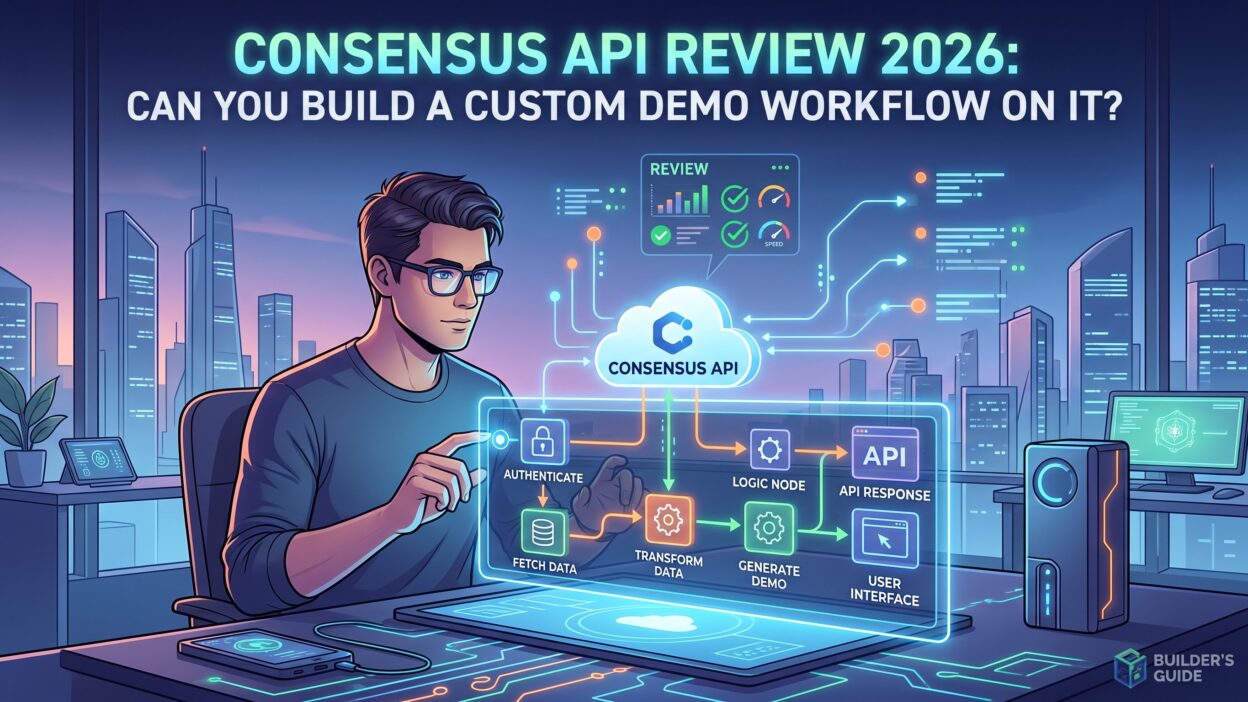
You can create and update DemoBoards through the API. Two integration paths confirm this capability directly. The HubSpot integration creates DemoBoards tied to specific deal records. The MCP server, covered later in this Consensus API Review, exposes DemoBoard creation as a native tool for AI assistants.
This means you can build a workflow where a deal reaching a certain stage in your CRM automatically triggers a personalized DemoBoard for that prospect. A rep never touches the Consensus dashboard for that step.
Demo Library Search
Your demo content lives inside a library, and the API supports searching that library by criteria. This lets you select the right demo based on a prospect’s industry, role, or stated interest before packaging it into a new DemoBoard. Combined with DemoBoard creation, this search function forms the backbone of a real custom demo workflow.
Triggering Demo Sends From Your Own Systems
Beyond creation, the API supports triggering the actual send of a demo to a recipient. The Marketo integration confirms this pattern, showing a workflow where a demo goes out through the API rather than through manual action inside Consensus. This closes the loop: your system can create a demo, select the content, and send it, all without a rep opening the platform.
Consensus API Authentication Explained
Access to the Consensus API starts with an account-level key and secret pair. You generate these credentials inside the platform, under Integrations and then API Credentials. This pair authenticates your entire account rather than a single user, which keeps setup simple but limits fine-grained control. You cannot scope a key to read-only access. You cannot restrict a single key to only one integration without creating a separate account entirely.
Regenerating your credentials breaks any integration currently using the old pair. There is no gradual rotation option. Plan your key management carefully before you regenerate anything in production.
Two other authentication paths exist alongside the standard key and secret pair. Some native integrations, including the Gong connection, use OAuth 2.0 instead. The MCP server uses OAuth 2.0 with PKCE, following standard RFC protocols for secure token exchange. This MCP path runs stateless with no data caching, and it respects your existing Consensus permission settings at the token level.
Consensus API Access Requirements and Plans
This Consensus API Review found a significant access barrier worth flagging early. API access sits behind the Enterprise plan only. Consensus offers a Starter tier and a Pro tier below Enterprise, and neither includes API access. There is no free trial that includes the API. There is no lightweight developer tier for testing before you commit.
This means a developer cannot fully evaluate the Consensus API without first securing a paid Enterprise contract. Enterprise pricing is quote-based rather than published on the pricing page, which adds another layer of friction for early research.
Core Capabilities Inside the Consensus API
DemoBoard Management
DemoBoards form the center of the entire platform, and the API treats them as a first-class object. You can create a board, update its contents, and attach it to a specific deal or contact record in your CRM. This capability alone covers most custom demo workflow use cases teams ask about.
Lead Capture Data
When a viewer fills out a lead form inside a public demo, that data flows into your systems through the API and through webhooks. The payload includes contact details like name, email, company, title, and location. It also includes feature preference rankings, showing which parts of the demo the viewer marked as important, somewhat important, or not important.
Demolytics Engagement Analytics
Demolytics tracks watch duration, individual feature ratings, and forwarding behavior inside a DemoBoard. This data flows out through native CRM integrations and through the API itself. You can pull this data into a warehouse and match it against closed deals to see which demo content actually drives revenue.
Consensus API Webhooks
Webhooks give your systems a way to react the moment something happens inside Consensus, rather than polling the API on a schedule. This Consensus API Review found three distinct webhook events available, configured inside the Integrations section of the platform.
demo_watched Event
This event fires the moment a recipient watches their DemoBoard. It also fires when someone views a forwarded demo, which means you can track stakeholder expansion beyond the original recipient. The payload carries the demo title, recipient details, sender details, and the exact timestamp of the view.
new_lead Event
This event fires when a viewer submits the lead capture form inside a public demo. The payload is the richest of the three, carrying full contact fields alongside feature preference rankings and UTM parameters. Sales and marketing teams often route this event straight into a lead scoring workflow.
demo_utm Event
This event fires on every single demo view, whether the viewer is a known recipient or an anonymous visitor. It returns only the demo identifier and UTM data. Consensus itself notes this event only makes sense if your team relies on UTM tracking consistently across every campaign.
Keep in mind that none of these three events cover DemoBoard creation itself, changes inside your demo library, or Demolytics milestones like a new stakeholder appearing. If your custom demo workflow needs to react to those moments, you will need to poll the API directly instead of relying on a webhook.
MCP Server Access for AI Agents
Consensus runs an MCP server, giving AI assistants a direct, secured channel into your demo data. This server supports Claude Desktop, ChatGPT under a business or enterprise account, and Microsoft Copilot Studio. Because it uses OAuth 2.0 with PKCE, you get a secured connection without exposing your raw API key and secret pair to an AI agent.
For teams building agent-driven workflows in 2026, this MCP path matters more than the standard REST connection. An agent can search your demo library, create a DemoBoard, and check engagement analytics, all through natural language instructions rather than custom code.
SDKs and Developer Documentation
This Consensus API Review found no official SDKs published in any programming language. Every custom integration runs on raw HTTP requests using your key and secret credentials. There is no npm package, no Python library, and no code samples published outside the interactive documentation explorer.
That documentation explorer lives inside the Consensus application itself. You pick an API call, enter your credentials, and send a live test request to see the response. This works well once you have access, but it sits behind the same Enterprise paywall as the API itself. There is no public specification you can browse before committing to a contract.
A Zapier integration offers a no-code alternative for simpler use cases. It connects Consensus to hundreds of other apps using the same underlying API credentials, and it exposes the demo watched and new lead events as triggers without writing any code.
Rate Limits and Technical Constraints
Consensus does not publish rate limits, request quotas, or throughput numbers anywhere in its public documentation. This creates real uncertainty for a developer planning a production integration. You cannot size your expected request volume against a known ceiling. You cannot build proper backoff logic against a documented threshold.
If your custom demo workflow expects meaningful volume, confirm these operational limits directly with the Consensus team before you launch anything in production.
Pricing for API Access
API access requires the Enterprise tier, and Enterprise pricing is not published. The Starter and Pro plans, which do carry public pricing, both exclude API access entirely. There is no per-call pricing model and no consumption-based credit system documented anywhere.
This pricing structure means you cannot estimate your total cost until you speak with sales. For a team doing early research, this adds friction compared to platforms that publish transparent developer pricing upfront.
Strengths of the Consensus API
The API covers the core demo automation workflow well. DemoBoard creation, demo search, and demo sending all work through documented integration patterns. The three webhook events cover the two moments most sales teams actually care about: someone watched, and someone filled out a form.
The MCP server stands out as a genuine strength in this Consensus API Review. It gives AI-driven workflows a secure, modern path into your demo data without forcing you to manage raw API credentials inside an agent’s configuration.
The Zapier integration also deserves credit. It lowers the barrier for teams without engineering resources, letting them build basic automations around demo engagement without writing a single line of code.
Limitations to Plan Around
The biggest limitation in this Consensus API Review is the access barrier itself. You cannot review the endpoint documentation, test a call, or estimate pricing without first committing to an Enterprise contract. This makes early evaluation genuinely difficult.
The lack of published rate limits creates real risk for teams planning high-volume integrations. The absence of official SDKs means every integration takes more engineering time than it would on a platform with ready-made client libraries. Account-level authentication, rather than scoped or user-level tokens, limits how carefully you can control access across a larger team.
Three webhook events also leaves gaps. Teams wanting to react to DemoBoard creation or library changes will need to poll the API on a schedule instead of relying on real-time events.
Consensus API vs Manual Demo Building
Building and sending demos by hand works fine at a small scale. A rep creates a few DemoBoards a week and checks engagement manually inside the dashboard. This breaks down once volume grows.
The Consensus API removes that bottleneck for teams ready to invest in the setup. A deal moving to a new CRM stage can trigger a fully personalized demo automatically. Engagement data can flow into a data warehouse without anyone exporting a CSV by hand. The tradeoff is upfront engineering work and the Enterprise-only pricing gate, which smaller teams may find hard to justify against the value at their current volume.
Who Should Build on the Consensus API
Teams already running Consensus at the Enterprise tier get the most value from the API. If your sales team already treats DemoBoards as a core part of the pipeline, connecting that workflow to your CRM removes real manual work every week.
Teams building AI agent workflows in 2026 should look closely at the MCP server specifically. It offers a secured, modern path into demo data that fits naturally into an agent-driven sales stack.
Teams still evaluating demo automation platforms, without an existing Enterprise commitment, should treat the API as a secondary consideration. The core DemoBoard and Demolytics experience should drive that decision first, since the API only becomes relevant once you already rely on the platform daily.
Security Considerations for the Consensus API
Security deserves its own section in this Consensus API Review, since account-level credentials carry real risk if handled carelessly. Because the key and secret pair authenticates your whole account, anyone holding those credentials can create, update, or send DemoBoards on behalf of your entire team. Store these credentials the same way you would store any production secret, inside a secrets manager rather than a config file or shared document.
Rotate credentials on a schedule even though Consensus only supports full regeneration rather than gradual rotation. Plan a maintenance window for this rotation, since every integration using the old pair stops working the moment you generate a new one. Warn your team before you rotate anything in production.
The MCP server holds a real security advantage worth repeating in this Consensus API Review. Because it uses OAuth 2.0 with PKCE, an AI agent never needs direct access to your raw key and secret pair. Token-based access also respects your existing permission settings, so an agent cannot perform an action a human user could not already perform under the same account role.
Common Integration Use Cases
Sales teams build a handful of recurring patterns on top of the Consensus API, and this Consensus API Review found the same few use cases coming up repeatedly across integration documentation.
The most common pattern connects a CRM deal stage to automatic demo delivery. A deal moves into a proposal stage, and your system creates a personalized DemoBoard immediately, without a rep opening Consensus at all. This removes a manual step that otherwise happens dozens of times a week on a busy sales team.
A second common pattern routes lead capture data into a scoring system. The new_lead webhook fires the moment a viewer fills out a form inside a public demo. That payload, including feature preference rankings, flows straight into a lead scoring model that decides whether a rep should follow up immediately or wait for more engagement signals.
A third pattern pulls Demolytics data into a business intelligence tool. Marketing and revenue operations teams often want to see which demo content actually correlates with closed deals. Pulling watch duration and feature ratings into a warehouse lets them answer that question with real data instead of guesswork.
A fourth pattern, growing quickly in 2026, connects an AI agent through the MCP server to search demo content and assemble a DemoBoard based on a natural language request from a rep. This removes even the API call itself from the rep’s daily workflow.
How to Get Started with the Consensus API
Start this process by confirming your account sits on the Enterprise tier, since nothing below that plan grants API access. Once confirmed, generate your key and secret pair inside the Integrations section of your account settings.
Open the interactive documentation explorer inside the platform next. Test a simple call, like a demo library search, before you attempt anything that creates or modifies live data. This lets you confirm your credentials work correctly without any risk to production DemoBoards.
Set up your first webhook once basic authentication works. Start with the demo_watched event, since it carries the clearest, simplest payload of the three available events. Confirm your receiving endpoint handles the payload correctly before you add the richer new_lead event into your pipeline.
If your team lacks engineering resources for a full custom build, evaluate the Zapier integration before committing to raw API development. It covers the two most requested triggers without any code, and it may cover your use case entirely.
Comparing the Consensus API to a Typical SaaS API
Most modern SaaS platforms publish their API documentation openly, list clear rate limits, and offer a free or low-cost developer tier for testing. This Consensus API Review found the Consensus API falls short of that standard on several fronts.
The Enterprise-only access gate stands out as the clearest gap. Competing platforms in the sales enablement space often let a developer browse endpoint documentation and even test calls against a sandbox before paying anything. Consensus requires a paid, quote-based contract before you see a single endpoint definition.
The missing SDK library also breaks from typical SaaS API norms. Most established platforms ship at least a JavaScript or Python client to speed up integration work. Every Consensus integration currently runs on raw HTTP calls that your own engineering team builds and maintains from scratch.
On the positive side, the MCP server places Consensus ahead of many competitors still catching up to agent-based access patterns. Few demo automation platforms in 2026 offer a secured, OAuth-based channel built specifically for AI assistants, and Consensus already has one running in production.
Frequently Asked Questions
Is the Consensus API free to use? No. API access requires the Enterprise plan. The Starter and Pro tiers, which carry lower published prices, do not include API access at all.
Does the Consensus API support building a custom demo workflow? Yes. You can create DemoBoards, search your demo library, trigger demo sends, and pull Demolytics engagement data, all through documented integration patterns confirmed by native platform connections.
What webhook events does Consensus offer? Three events exist: demo_watched for tracking views, new_lead for capturing form submissions, and demo_utm for tracking all views by UTM parameter regardless of recipient identity.
Does Consensus provide an official SDK? No official SDK exists in any language. Developers build directly against the REST-style API using HTTP requests and their account credentials.
Can AI agents access the Consensus API? Yes, through the MCP server. This server supports Claude Desktop, ChatGPT business accounts, and Microsoft Copilot Studio, using OAuth 2.0 with PKCE for secure access.
Are rate limits published for the Consensus API? No. Consensus does not publish request quotas or throughput limits anywhere in its public documentation. Confirm these details directly with the Consensus team before launching a high-volume integration.
Do I need an Enterprise account to see the API documentation? Yes. The interactive documentation explorer sits inside the Consensus application and requires an active paid account to access. There is no public specification available for early research.
Read More:-AI Account Research Agents: From Company Name to Call-Ready Brief
Conclusion

This Consensus API Review confirms that yes, you can build a real custom demo workflow on this platform. DemoBoard creation, demo search, triggered sends, and Demolytics data all work through documented, confirmed integration patterns. The MCP server adds a strong, modern path for AI-driven workflows in 2026.
The tradeoff sits in access and transparency. Enterprise-only pricing, no public rate limits, and no official SDKs mean you commit to a contract before you can fully evaluate the technical fit. For teams already running Consensus at scale, the API turns manual dashboard work into automated pipeline logic. For teams still deciding on a demo automation platform, treat the API as a bonus feature rather than the deciding factor, and let the core demo experience guide your final choice.