Introduction
TL;DR Booking appointments by phone wastes time for everyone. Clients wait on hold. Staff juggle calls between other tasks. Acuity Scheduling features remove this friction completely. This platform lets clients book, reschedule, and pay without a single phone call.
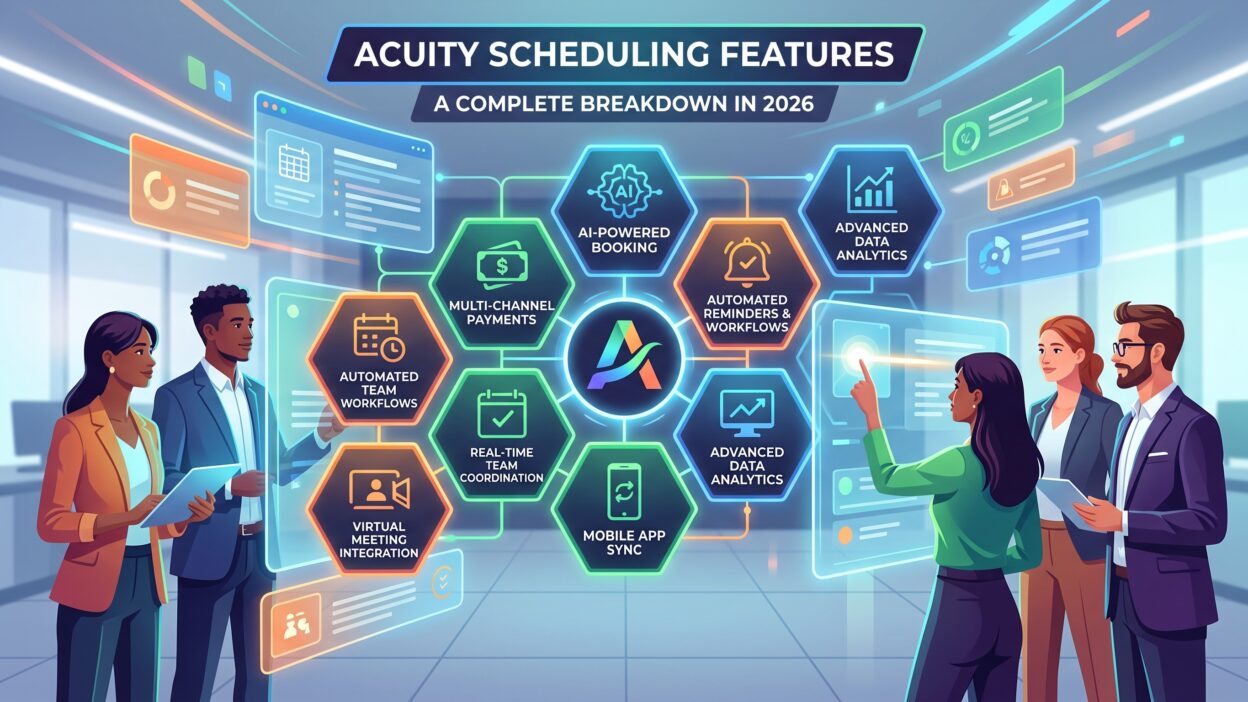
This guide breaks down every major Acuity Scheduling feature for 2026. You’ll learn how each tool works. You’ll see which business types benefit most from specific features. You’ll also find answers to common questions about Acuity Scheduling features near the end.
Table of Contents
What Is Acuity Scheduling?
Acuity Scheduling works as an online booking and calendar management tool. It handles appointment scheduling, automated reminders, and payment collection in one place. Service professionals use this platform daily to keep their calendars organized without constant manual input.
Photographers, coaches, hairstylists, and consultants rely on this tool heavily. These businesses depend on steady bookings without administrative overhead. Acuity Scheduling features handle the busywork automatically, so professionals focus on client work instead.
Healthcare practices use this platform too. Patient scheduling, automated reminders, and payment processing all run through the same system. This consolidation reduces missed appointments and improves the overall patient experience significantly.
This breakdown covers every core feature area. Each section explains how the feature works. Each section also covers which business type should prioritize that specific tool.
Who Uses Acuity Scheduling Features Most
Solo service providers use Acuity Scheduling features to run their entire booking process alone. A single calendar handles client intake, scheduling, and payment without extra staff.
Growing teams use Acuity Scheduling features for multi-user calendar management. Each team member gets a separate calendar and availability window within one shared account.
Healthcare and wellness businesses use Acuity Scheduling features for compliance-sensitive scheduling. HIPAA compliance options support practices handling sensitive patient information during the booking process.
1. Online Booking Pages
Online booking sits at the center of Acuity Scheduling features. Clients visit a branded page and pick an open time slot directly. No back-and-forth email or phone call happens during this process.
Booking pages support full customization too. Business owners add their logo, brand colors, and personalized messages throughout the page. This branding keeps the booking experience consistent with the rest of a company’s website and marketing.
Embedding options extend this feature further. A booking page embeds directly inside an existing website instead of sending clients elsewhere. This keeps the entire client journey inside one consistent brand experience.
Customizable Appointment Types
Different services need different booking rules. Acuity Scheduling features let businesses set up multiple appointment types within one account. A haircut appointment runs thirty minutes. A full color treatment runs two hours instead.
Each appointment type carries its own settings. Pricing, duration, and available staff members all get configured separately. Clients see only the appointment types relevant to their specific need during booking.
This flexibility matters for businesses offering varied services. A photography studio offers portrait sessions, event coverage, and consultation calls. Each service type stays clearly separated within the same booking calendar.
Category grouping helps larger service menus stay organized too. Acuity Scheduling features let businesses sort appointment types into categories on the booking page. Clients scan through grouped services quickly instead of scrolling through one long, cluttered list.
Buffer Times and Availability Controls
Back-to-back bookings create stress for service providers. Acuity Scheduling features include buffer time settings between appointments. A stylist adds fifteen minutes between clients for cleanup and preparation automatically.
Availability controls give business owners full control over their schedule too. Specific hours, days off, and blackout dates all get set in advance. Clients only see open slots that match these predefined rules.
Time zone detection rounds out this feature area nicely. Acuity Scheduling features automatically detect a client’s local time zone during booking. A client traveling across the country sees accurate appointment times without manual conversion or confusion.
2. Automated Reminders and Communication
No-shows cost service businesses real money every month. Acuity Scheduling features tackle this problem through automated reminders. Clients receive email and text notifications before their scheduled appointment time.
This automation runs without manual effort from staff. A reminder goes out twenty-four hours before an appointment automatically. A second reminder sometimes follows closer to the actual appointment time for extra reinforcement.
Text and Email Notification Options
Communication preferences vary across different client bases. Acuity Scheduling features support both email and SMS notifications for this reason. Younger clients often prefer text reminders. Older clients sometimes prefer detailed email confirmations instead.
Text reminders typically require a higher-tier plan though. The entry-level plan includes email confirmations only. Businesses relying heavily on SMS communication usually upgrade to unlock this specific feature.
Branded Confirmation Messages
First impressions matter during the booking process. Acuity Scheduling features let businesses customize confirmation messages with their own branding. A client receives a professional, branded email immediately after booking instead of a generic system notification.
This customization extends to follow-up messages too. Businesses add personalized thank-you notes or preparation instructions directly into automated communication sequences.
Self-Service Rescheduling
Rescheduling requests used to mean another phone call for staff. Acuity Scheduling features let clients reschedule their own appointments within set rules. A client picks a new open slot directly through their confirmation email or text message.
Business owners set limits around this self-service option too. A rescheduling window closes twenty-four hours before the original appointment, for example. This balance gives clients flexibility while still protecting a business from last-minute schedule changes.
3. Payment Processing
Collecting payment during booking saves time for everyone involved. Acuity Scheduling features integrate directly with Stripe, Square, and PayPal for this purpose. Clients pay when they book, rather than settling payment after the appointment ends.
This integration supports various business models well. One-time appointments, package deals, and recurring subscriptions all process through the same payment system. Businesses avoid juggling separate invoicing tools for different service types.
Deposits and Full Payment Options
Cancellations hurt more when no payment secures the booking first. Acuity Scheduling features let businesses require a deposit at the time of scheduling. This deposit discourages last-minute cancellations significantly.
Full payment collection works the same way for businesses that prefer it. A client pays the entire service fee upfront during booking. This approach suits businesses selling fixed-price packages or single-session services.
Donation and Package Payment Support
Some businesses need flexible payment structures beyond standard fees. Acuity Scheduling features support donation-based payment models for certain service types. Package pricing also works within this same payment system.
Clients purchase a bundle of sessions upfront through this option. Each future booking then draws from that prepaid package automatically, without requiring a new payment each time.
Refund and cancellation policies attach directly to this payment system as well. Acuity Scheduling features let businesses define clear rules around late cancellations and no-shows. A client sees these policies clearly before confirming payment, which reduces disputes later.
4. Calendar Sync and Integrations
Double bookings frustrate clients and damage trust quickly. Acuity Scheduling features prevent this through real-time calendar sync. Google Calendar, Outlook, and iCloud all connect directly with the platform.
This sync runs in both directions. A personal appointment blocked on Google Calendar automatically removes that time slot from public booking availability. Business owners avoid manually checking multiple calendars before confirming new appointments.
Video Conferencing Integrations
Remote consultations became standard practice for many service businesses. Acuity Scheduling features connect with Zoom for virtual appointment needs. A meeting link generates automatically once a client books a virtual session.
This integration removes a manual setup step entirely. Staff don’t create separate Zoom links for every single appointment. The system handles this connection automatically behind the scenes.
Website and Social Media Integration
Booking links need to reach clients wherever they already spend time. Acuity Scheduling features integrate with website builders like Squarespace directly. This integration allows embedded scheduling without any technical setup work.
Social media platforms support booking links too. A business shares its scheduling page through Instagram or Facebook profiles easily. Clients book appointments without ever leaving their preferred social platform.
Third-Party Business Tool Connections
Scheduling rarely happens in isolation from other business systems. Acuity Scheduling features extend into tools like QuickBooks for financial tracking. Appointment revenue flows into accounting software automatically instead of requiring manual data entry.
Marketing platforms connect through similar integrations too. Client booking data feeds into email marketing tools, which helps businesses build targeted campaigns around past appointment history.
5. Client Management and Intake Forms
Collecting client information before an appointment saves time during the actual session. Acuity Scheduling features include customizable intake forms for this exact purpose. Medical practices and consultants use these forms heavily.
Forms attach directly to specific appointment types. A first-time client fills out a detailed intake form. A returning client skips this step entirely for routine follow-up appointments.
Custom Fields and Data Collection
Every business collects slightly different client information. Acuity Scheduling features let businesses build custom fields within intake forms. A fitness coach asks about injury history. A consultant asks about current business challenges instead.
This flexibility means one platform serves many different industries well. Forms adjust to match specific business needs without requiring separate software for data collection.
Client History and Records
Returning clients benefit from stored history within the system. Acuity Scheduling features keep past appointment records tied to each client profile. Staff review previous visits quickly before a new appointment begins.
This history supports better service continuity. A stylist recalls a client’s previous color formula instantly instead of asking again during every single visit.
Notes and tags add another layer of organization here. Staff attach private notes to a client profile after each appointment. Tags help segment clients into groups, such as new leads or long-term regulars, which supports more personalized follow-up later.
6. Multi-User and Team Management
Growing businesses need more than a single calendar. Acuity Scheduling features support multi-user management for teams of any size. Each staff member gets an individual calendar with separate availability settings.
Clients choose their preferred provider directly during booking. A salon client picks a specific stylist. A clinic patient picks a specific practitioner instead of getting assigned randomly.
Individual Availability and Permissions
Team members rarely share identical schedules. Acuity Scheduling features let each staff member set personal working hours independently. A part-time employee blocks off unavailable days without affecting anyone else’s calendar.
Permission settings control access levels too. Business owners see every calendar. Staff members typically see only their own bookings and client details relevant to their role.
Recurring Schedules and Group Bookings
Some services repeat on a fixed schedule regularly. Acuity Scheduling features support recurring appointment setup for these situations. A weekly training session books automatically without manual re-entry each time.
Group scheduling works similarly for classes or workshops. Multiple clients book into the same time slot together, up to a set capacity limit.
Staff Communication and Coordination
Coordinating a team beyond individual calendars matters for daily operations. Acuity Scheduling features let managers view every staff calendar in one combined view. This overview helps spot scheduling gaps or overlaps before they become a problem for clients.
Notifications keep staff informed of new bookings automatically too. A team member receives an alert the moment a client books their calendar, which removes the need for constant manual checking throughout the day.
7. Reporting, Compliance, and Mobile Access
Understanding business performance requires visibility into booking trends. Acuity Scheduling features include basic reporting tools for this purpose. Business owners track appointment volume and revenue over time.
Reporting depth stays fairly limited compared with dedicated analytics platforms though. Some users note this as a weaker area of the overall feature set. Businesses needing deep custom reports often export data into a separate spreadsheet tool.
HIPAA Compliance for Healthcare Practices
Healthcare providers face strict data handling requirements. Acuity Scheduling features include HIPAA compliance options on higher-tier plans. This compliance covers patient data protection throughout the booking and communication process.
This option matters specifically for medical, therapy, and counseling practices. Standard plans lack this compliance layer, so healthcare businesses typically need the Premium tier to meet legal requirements properly.
Mobile App Functionality
Service providers rarely sit at a desk all day. Acuity Scheduling features extend into a dedicated mobile app for this reason. Staff manage schedules and message clients directly from a phone between appointments.
This mobile access supports a flexible workday. A traveling consultant confirms a new booking from an airport. A stylist adjusts availability between clients without returning to a computer first.
Customer Support Options
Getting help quickly matters when a booking issue arises unexpectedly. Acuity Scheduling features come with email-based customer support as the primary channel. Response times generally stay reasonable, though live chat or phone support are not part of the standard offering.
Businesses handling urgent scheduling issues should plan around this limitation. Building a simple internal troubleshooting guide helps staff resolve common problems without waiting on a support ticket during busy hours.
How to Choose Which Acuity Scheduling Features Fit Your Business
Start with your biggest scheduling pain point first. Businesses struggling with no-shows should prioritize automated reminders and deposit collection. Businesses juggling multiple staff calendars should focus on multi-user management instead.
Plan tier affects available features significantly. The Starter plan covers one calendar with basic scheduling and email confirmations only. The Standard plan adds SMS reminders, intake forms, and group scheduling for growing businesses.
Healthcare and wellness practices need the Premium tier specifically. HIPAA compliance, multiple time zones, and deeper customization only unlock at this higher level. Skipping this tier creates compliance risk for sensitive practices.
Consider your existing tool stack too. Acuity Scheduling features handle booking, reminders, and payments well, but lack built-in video conferencing and AI tools. Businesses needing those capabilities should plan for separate tools like Zoom alongside Acuity.
Team size shapes this decision as well. Solo providers rarely need multi-user features right away. Growing teams should upgrade sooner to avoid juggling several separate booking links across staff members.
Review your plan annually as your business changes. A growing practice might outgrow the Standard plan quickly. Regular review keeps your feature set matched to your actual current business needs.
Best Practices for Getting the Most From Acuity Scheduling Features
Set buffer times correctly from the start. Skipping this step often leads to rushed transitions between clients. A properly configured buffer protects both service quality and staff wellbeing.
Customize your booking page branding early too. A generic, unbranded page feels less trustworthy to new clients. Strong branding builds confidence before a client even completes their first booking.
Require deposits for high-value or high-demand appointments. This single step reduces cancellation rates noticeably. Businesses with frequent no-shows should test this feature immediately.
Train your team on intake form usage properly. Forms only save time when clients actually complete them before arrival. Clear instructions during booking improve completion rates significantly.
Sync every calendar your staff actually uses regularly. Missing a personal calendar connection risks accidental double bookings. Full sync coverage prevents this problem before it ever happens.
Review reporting data monthly, even with its current limitations. Basic trends still reveal useful patterns about busy periods and popular services. Export data periodically if deeper analysis becomes necessary for your business.
Frequently Asked Questions About Acuity Scheduling Features
What are the core Acuity Scheduling features for small businesses?
Core Acuity Scheduling features for small businesses include online booking pages, automated reminders, payment processing, and calendar sync with Google Calendar and Outlook.
Does Acuity Scheduling support text message reminders?
Yes, but text reminders require the Standard plan or higher. The entry-level Starter plan includes email confirmations only, without SMS notification support.
Can Acuity Scheduling features support healthcare practices?
Yes. Acuity Scheduling features include HIPAA compliance options on the Premium plan, making it suitable for medical, therapy, and counseling practices handling sensitive patient data.
Does Acuity Scheduling include video conferencing?
No. Acuity Scheduling features do not include built-in video conferencing. The platform integrates with Zoom instead, generating meeting links automatically for virtual appointments.
Is there a free plan for Acuity Scheduling?
No. Acuity Scheduling does not offer a free plan. Pricing starts at twenty dollars per month for the Starter tier, with a free trial available before purchase.
Can multiple staff members use Acuity Scheduling features together?
Yes. Acuity Scheduling features support multi-user management, giving each staff member a separate calendar, availability settings, and appointment types within one shared account.
Read More:-The Marketer’s Guide to Email List Segmentation
Conclusion

Acuity Scheduling features cover nearly every core need for service-based businesses. Online booking pages remove manual scheduling work entirely. Automated reminders and payment processing reduce no-shows and administrative overhead together.
Calendar sync and Zoom integration keep appointments organized across every platform a business already uses. Intake forms and client management improve service continuity between visits. Multi-user support and HIPAA compliance extend this platform to growing teams and healthcare practices alike.
Choose Acuity Scheduling features based on your specific business stage. Solo providers should start with core booking and payment tools. Growing teams and healthcare practices should plan for higher-tier plans that unlock compliance and multi-user features.
Acuity Scheduling remains a reliable, focused choice for appointment-based businesses in 2026. The right feature mix depends on team size, industry, and existing tool stack. Start with essential booking tools, then expand as your scheduling needs grow more complex.