Introduction
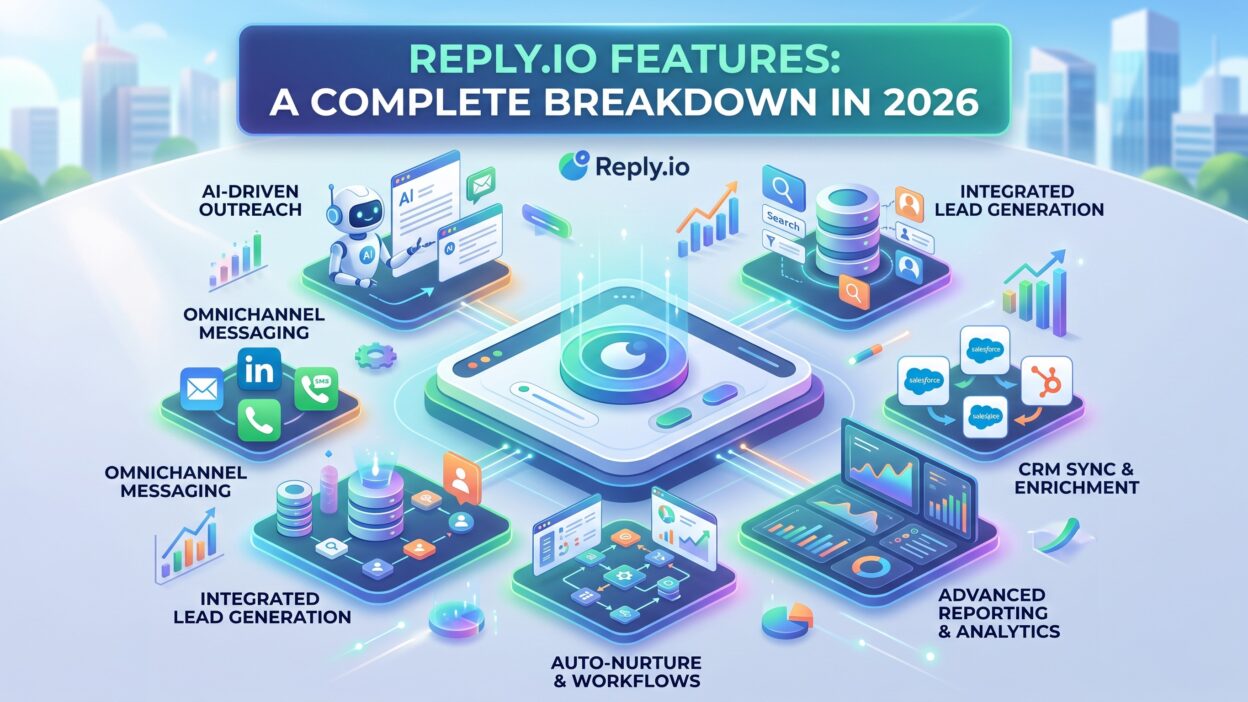
TL;DR Sales teams need more than a basic email tool today. Outbound work spans email, calls, LinkedIn, and messaging apps. Reply.io features cover all of this in one platform. This guide breaks down every major Reply.io feature for 2026.
You’ll learn how each feature works. You’ll see who benefits most from specific tools. You’ll also find answers to common questions about Reply.io features near the end.
Table of Contents
What Is Reply.io?
Reply.io is a sales engagement platform built for outbound teams. The platform supports email sequences, LinkedIn automation through a Chrome extension, a built-in dialer with SMS, and an AI SDR agent for lead sourcing and message generation.
Small teams use Reply.io alongside large sales organizations. The platform serves small and mid-sized businesses well, since it stays powerful enough for serious outbound work while remaining accessible to lean teams.
Reply.io features solve a real problem. Reps juggle too many tools during outbound campaigns. One platform for sequences, calls, and messaging saves time. It also keeps data in one place instead of scattered across separate apps.
This breakdown covers every major feature area. Each section explains what the feature does. Each section also covers who should use it and why.
Who Uses Reply.io Features Most
Startups use Reply.io features to build outbound motion quickly. Small teams lack dedicated tools for every channel. Reply.io consolidates channels into one system, which fits tight budgets well.
Mid-sized sales teams use Reply.io features for structured campaigns. Sales managers build sequences once. Reps then execute those sequences at scale without extra setup work.
Solo founders and consultants also use Reply.io features. The platform serves outbound-driven B2B teams, startups, SMBs, and solo professionals who want one unified place to manage lead generation, outreach, and reporting.
1. Multichannel Sequences
Multichannel sequences form the core of Reply.io features. This automation engine lets teams combine emails, voice calls, social touches, meetings, and tasks into a single workflow.
Reps build these sequences through a visual editor. Each step gets configured as automatic or manual, and teams can mix email steps, LinkedIn actions like profile visits and connection requests, dialer calls, and manual tasks within one sequence.
This structure fits modern outbound needs well. Cold email alone struggles today. Even though most B2B buyers still prefer email contact, average reply rates sit low, so many teams now build multichannel sequences instead of relying on email alone.
Conditional Sequences and Branching Logic
Reply.io features include branching sequence logic too. Conditional sequences create different paths based on how a prospect acts or what data exists on their profile, with the system checking activity roughly every ten minutes to move contacts forward.
This branching removes guesswork from campaign design. A prospect who opens an email gets one path. A prospect who ignores every touch gets a different path. Reps stop guessing which message fits each situation.
Sales managers build these branches once. The system then handles routing automatically. This saves significant manual review time across large prospect lists.
Combining Channels for Better Response Rates
Adding calls to email sequences boosts results noticeably. Research shows calls added to cold sequences can bring roughly 30% more appointments from the same prospect lists.
LinkedIn touches also warm up cold leads before email arrives. LinkedIn touches help build familiarity faster than email alone, which improves how prospects respond to later outreach.
Reply.io features make this channel mixing simple. Reps don’t need separate tools for each channel. Everything runs from one sequence builder instead.
2. AI SDR and Automation
Reply.io features now include a dedicated AI SDR agent. This tool handles lead sourcing and message drafting automatically. Reps review AI-generated output instead of writing every message from scratch.
AI SDR plans unlock unlimited users, full multichannel automation, unlimited mailboxes, and complete warmup access across the platform. This makes the AI tier attractive for growing teams that expect to scale headcount.
The AI SDR agent works alongside human reps, not instead of them. Reps still handle calls and closing conversations. The AI handles repetitive prospecting and drafting tasks instead.
AI-Powered Personalization
Personalization sets strong outbound apart from generic spam. Reply.io’s AI personalization engine keeps every email, follow-up, and LinkedIn message relevant, even as outreach scales to thousands of prospects.
This matters because generic templates get ignored fast. Reply.io features pull prospect data into message drafts automatically. Job title, company size, and recent activity all shape message content without manual editing.
Sales teams save hours each week through this automation. Manual personalization at scale simply isn’t realistic for busy reps. AI-assisted drafting closes that gap effectively.
AI Email Assistant Capabilities
The AI Email Assistant works as a writing partner for reps. This tool drafts messages, scores draft quality, and adjusts tone and length based on predicted success likelihood.
Reps get suggestions before sending, not after. This reduces weak subject lines and unclear calls to action. Response rates improve as message quality improves across the team.
Smart Sequences build on this foundation too. This feature suggests sequence steps automatically based on persona behavior and past campaign performance.
3. Reply Data Contact Database
Prospecting needs accurate contact data first. Reply.io features include a built-in database for this exact purpose. Reply Data provides access to more than 1 billion contacts and roughly 60 million company accounts across over 150 countries.
This database removes a major manual step from outbound work. Reps don’t need separate prospecting tools before building sequences. Search, enrich, and push contacts directly into a sequence from one screen.
Search Filters and Targeting Options
Precise targeting drives better outbound results. Users search through sixteen filters, including industry, location, employee headcount, technologies used, department, seniority, and intent signals.
This filter depth helps reps build tight, relevant lists. Broad lists waste sequence capacity on poor-fit prospects. Narrow, filtered lists convert at higher rates instead.
Reply.io features here work well for most SMB use cases. Larger enterprise teams sometimes need deeper enrichment though. Reply.io’s own product materials note that data capabilities may not match the depth offered by platforms built specifically around enrichment and intent data.
U.S. Market Coverage
American market data runs deep within this database. The platform includes more than 220 million U.S.-based contacts alongside 15 million U.S. company profiles.
This coverage suits teams selling primarily into the U.S. market. Reps find decision-makers quickly without switching between multiple data sources during list-building work.
4. Email Deliverability and Warmup Tools
Sending volume means nothing without inbox placement. Reply.io features address this directly through built-in deliverability tools. Reps protect sender reputation while scaling outreach volume steadily.
Unlimited mailbox warmup comes standard on higher plans. Multiple mailboxes and unlimited warmup access come bundled together across AI SDR plan tiers. This removes a common cost barrier that smaller teams face with separate warmup tools.
Inbox Rotation for Sender Reputation
Sending every email from one mailbox risks reputation damage fast. Reply.io features solve this through rotation logic. Inbox rotation schedules message delivery across multiple mailboxes automatically, which helps boost overall deliverability.
This rotation spreads volume evenly. No single mailbox gets flagged for excessive sending. Campaigns run longer without deliverability issues interrupting momentum.
Deliverability Monitoring
Ongoing monitoring catches problems before they hurt campaigns badly. The platform provides deliverability tools that protect sender reputation and improve inbox placement over time.
Reps get visibility into bounce rates and spam flags. This visibility lets teams adjust sending patterns quickly instead of discovering problems after damage occurs.
5. LinkedIn Automation and Chrome Extension
LinkedIn plays a major role in modern outbound strategy. Reply.io features extend into this channel through a Chrome extension. This extension handles LinkedIn automation tasks like connection requests and messaging directly from the browser.
The extension also supports prospecting work beyond LinkedIn. A dedicated Chrome extension handles LinkedIn and Gmail prospecting tasks within the same browser session.
Real-Time Activity Alerts
Timing matters in outbound outreach significantly. The Chrome extension nudges reps in real time whenever contacts engage or tasks become overdue.
This alert system keeps reps responsive throughout the day. A prospect replying at 2pm gets a fast follow-up instead of waiting until the next morning. Speed like this often determines whether a deal moves forward.
LinkedIn Safety Considerations
Chrome extension automation carries some inherent risk though. Extension-based LinkedIn automation carries a real account restriction risk, with reported rates between three and five percent over a ninety-day period.
Teams should pace LinkedIn activity carefully within Reply.io features. Aggressive connection request volume increases this restriction risk. Moderate, steady activity protects accounts better over long campaigns.
6. Calling, SMS, and WhatsApp
Voice and messaging channels round out the Reply.io features list. The platform bundles calls, SMS, and WhatsApp alongside email and LinkedIn within a single sequence structure.
This multichannel bundling saves significant setup time for sales teams. Reps stop switching between four or five separate apps during a single outreach day.
Built-In Dialer Functionality
The dialer sits directly inside sequence workflows. Reps place calls without leaving the platform. Call outcomes log automatically against each prospect record too.
This integration matters for teams running structured cadences. A missed call step doesn’t break sequence logic. The system tracks completion and moves prospects forward correctly.
Task Board for Manual Touchpoints
Not every step runs automatically within Reply.io features. A unified task board centralizes each day’s manual tasks by channel, sorted for easy execution.
Reps open this board each morning. Every call, LinkedIn message, and manual email waits in one queue. This structure reduces missed follow-ups significantly across busy sales days.
7. CRM Integrations and Analytics
Data needs to flow both ways between sales tools. Reply.io features support this through native CRM connections. The platform connects natively with Salesforce, HubSpot, Pipedrive, Copper, Zapier, and Make.
Bi-directional sync keeps records accurate across systems. CRM syncing runs bi-directionally with HubSpot, Salesforce, Pipedrive, and other connected tools.
Reporting and A/B Testing
Measuring performance matters for every outbound team. Reply.io features include built-in analytics and split testing tools. Reps test subject lines, send times, and message variants directly within sequences.
Standard analytics show which emails got opened and which prospects replied across a campaign. This visibility helps managers spot underperforming sequences quickly and adjust messaging before wasting further send volume.
Team Collaboration Features
Sales teams rarely work in isolation today. Reply.io supports user roles, team-wide analytics, shared inboxes, and sequence sharing for better collaboration.
Managers review rep performance from one dashboard. New reps also learn faster by studying shared, high-performing sequences built by senior team members.
How to Choose Which Reply.io Features Fit Your Team
Start with your biggest outbound gap first. Teams struggling with reply rates should prioritize multichannel sequences and AI personalization. Teams struggling with prospecting should start with Reply Data instead.
Budget affects this decision too. AI-enhanced plan tiers deliver strong cost-per-seat value compared with other AI-enabled outreach platforms on the market. Smaller teams should weigh this tier against basic plans carefully before committing.
Team size matters as well. Solo founders rarely need advanced conditional branching right away. Growing teams benefit more from this structure once campaign volume increases significantly.
Consider your existing CRM setup too. Teams already using Salesforce or HubSpot gain immediate value from native sync. Teams without a CRM might delay this decision until their sales process matures further.
Review adoption regularly after rollout. Some users report a noticeable learning curve alongside occasional bugs and syncing issues with connected CRMs. Address these friction points early through support resources and internal training sessions.
Reply.io features work best when matched to a specific outbound goal. Avoid activating every feature immediately after signup. Build gradually instead, starting with core sequences before layering in AI and advanced automation.
Best Practices for Getting the Most From Reply.io Features
Start small during your first month. Build one solid sequence before adding complex branching logic. This approach helps teams learn the platform without early mistakes derailing momentum.
Warm up every new mailbox properly. Skipping warmup risks landing messages in spam folders immediately. Reply.io features handle this automatically, but teams should still monitor warmup progress closely.
Review analytics weekly, not monthly. Waiting too long between reviews lets weak messaging run unnoticed for too many sends. Weekly checks catch problems while adjustments still matter.
Train new reps on the task board early. This board becomes the daily hub for manual outreach work. Reps who skip this training often miss follow-ups during their first weeks.
Pace LinkedIn automation carefully too. Aggressive settings increase account restriction risk. Steady, moderate activity protects long-term LinkedIn access much better than rapid, high-volume campaigns.
Sync CRM data correctly from day one. Field mapping errors create messy records fast. Careful setup upfront prevents cleanup work later during busier sales quarters.
Frequently Asked Questions About Reply.io Features
What are the core Reply.io features for outbound teams?
Core Reply.io features include multichannel sequences, an AI SDR agent, a built-in contact database, deliverability tools, LinkedIn automation, calling and SMS, and native CRM integrations.
Does Reply.io support LinkedIn automation?
Yes. Reply.io features include LinkedIn automation through a Chrome extension, covering connection requests, profile visits, and direct messages within a sequence.
Are Reply.io features suitable for small teams?
Yes. Many small and mid-sized businesses use Reply.io features successfully. The platform stays accessible for lean teams while still supporting more advanced outbound needs.
Can Reply.io features replace a separate CRM?
No. Reply.io features work alongside a CRM rather than replacing one. Native integrations sync data with Salesforce, HubSpot, and other CRM platforms instead.
Do Reply.io features include AI-generated messaging?
Yes. The AI Email Assistant drafts messages, scores quality, and adjusts tone automatically. This feature saves significant time during high-volume outbound campaigns.
Is there a learning curve with Reply.io features?
Some users report a learning curve, especially around branching sequences and advanced automation. Basic sequence building stays fairly simple for new users though.
Read More:-The Beginner’s Guide to YouTube for B2B Marketing
Conclusion

Reply.io features cover nearly every angle of modern outbound work. Multichannel sequences connect email, calls, and LinkedIn into one workflow. The AI SDR agent and email assistant reduce manual drafting time significantly. Reply Data supplies contact information without extra prospecting tools.
Deliverability tools protect sender reputation as volume scales. CRM integrations keep records accurate across connected systems. Analytics and collaboration tools help teams improve performance steadily over time.
Choose Reply.io features based on your specific outbound gaps. Small teams should start simple and expand gradually. Larger teams should lean into AI automation and advanced branching sooner.
Reply.io remains a strong option for outbound-focused sales teams heading into 2026. The right combination of features depends on team size, budget, and existing tech stack. Start with core sequences, then build outward from there as your outbound program matures.