Introduction
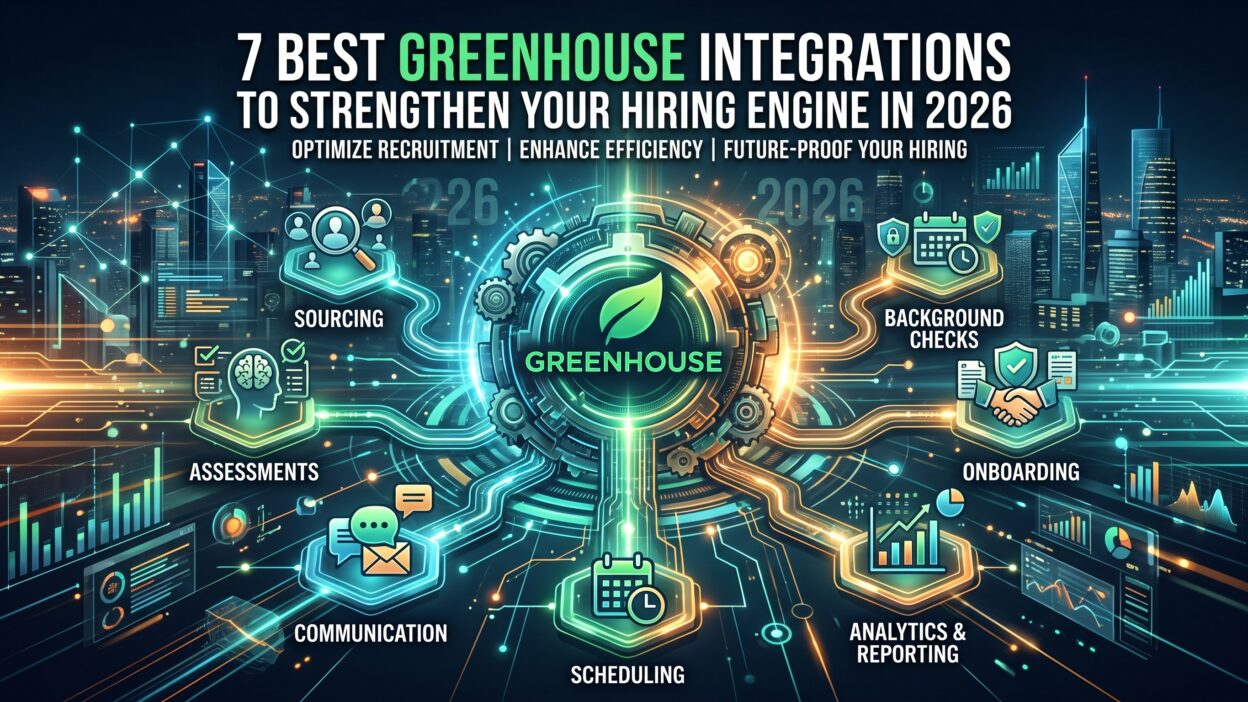
TL;DR Greenhouse works well as a core hiring system. But a hiring system alone does not fill roles faster. The real speed comes from the tools connected around it. This guide covers the seven best Greenhouse integrations for 2026, chosen to close the biggest gaps in a modern hiring engine.
Every integration on this list solves a specific problem inside the hiring funnel. Some speed up scheduling. Some improve interview quality. Some remove manual data entry between recruiting and HR. Together, these Greenhouse integrations turn a solid ATS into a connected hiring engine that moves candidates through faster and keeps your team focused on real conversations instead of admin work.
Hiring speed decides who gets the best candidates in 2026. Strong applicants rarely stay on the market long, and a slow process almost always loses them to a faster competitor. The tools you connect to Greenhouse directly determine how fast your team moves from first application to signed offer.
This guide walks through each recommendation with real setup context, not just a name and a short description. You get a clear picture of what problem each tool solves, how it fits into your existing workflow, and what to watch for during setup. Whether you run a lean five-person recruiting team or a large enterprise hiring function, this list gives you a starting point built around real hiring stages instead of generic feature lists.
Table of Contents
Why Greenhouse Integrations Matter for Your Hiring Engine
A hiring engine only runs as fast as its slowest connection point. A recruiter juggling five different tabs to schedule one interview loses time every single day. A hiring manager waiting on a manual background check update loses candidates to faster competitors. Greenhouse integrations remove these friction points by connecting your ATS directly to the tools your team already uses.
The right integrations also protect data accuracy. Manual copy-paste between systems creates errors. A misspelled email address or a missed status update can delay an offer by days. Strong Greenhouse integrations sync data automatically, which keeps every team working from the same accurate candidate record.
How We Picked These Greenhouse Integrations
This list focuses on tools that solve a distinct stage of the hiring funnel rather than overlapping features. Each tool needed a confirmed native connection to Greenhouse, a clear use case for recruiting teams, and real adoption among hiring teams in 2026. We avoided tools that only offer a shallow API connection without real workflow value inside Greenhouse itself.
The result is a list built around actual hiring stages: sourcing, scheduling, screening, interviewing, offer signing, and onboarding. Every recommendation below fits a specific point in that journey.
1. Calendly for Interview Scheduling
Scheduling interviews by email thread wastes hours every week. A recruiter sends three time slots. A candidate picks one that already got booked. The back and forth repeats itself across every open role.
Calendly solves this directly inside your hiring workflow. It connects to Greenhouse and lets candidates book interview slots based on real interviewer availability. No manual email chains. No double bookings. The candidate picks a time, and Greenhouse updates automatically with the confirmed slot.
Why This Fits Your Hiring Engine
Among all the Greenhouse integrations on this list, Calendly delivers the fastest visible improvement to candidate experience. A smoother scheduling process signals professionalism from the very first interaction. Teams hiring at volume see the biggest gains here, since scheduling friction multiplies with every open role.
Setup Tips for Calendly
Connect each interviewer’s calendar individually before rolling this out to candidates. A shared team calendar without individual sync often creates the exact double booking problem this integration exists to prevent. Set buffer time between meetings for every interviewer, since back-to-back interviews without breaks lead to rushed conversations and weaker candidate evaluations.
2. Checkr for Background Checks
Background checks often sit as a hidden bottleneck near the end of the hiring process. A candidate accepts an offer, then waits days for a check to clear before starting. That gap creates real risk, since competing offers can pull a candidate away during the wait.
Checkr connects directly into Greenhouse, letting recruiters trigger a background check without leaving the candidate profile. Results sync back automatically once complete, keeping the entire process inside one system instead of a separate portal.
Why This Fits Your Hiring Engine
Speed matters most at this stage of hiring. This Greenhouse integration removes a step that used to require switching systems entirely. For teams hiring at scale, shaving even one day off this stage adds up across dozens of open roles every month.
Setup Tips for Checkr
Set clear default packages for each role type before launch, so recruiters never have to guess which check level applies to a given position. Communicate expected turnaround time to candidates upfront. A candidate left wondering why an offer feels delayed will start looking elsewhere, even when the actual wait time is short.
3. DocuSign for Offer Letters
An offer letter sitting unopened in an inbox creates real anxiety for a recruiter. Did the candidate see it? Are they comparing it against another offer? Without visibility, the final stage of hiring can feel like a black box.
DocuSign closes that gap. Recruiters generate and send offer letters directly from Greenhouse, and the platform shows exactly when a candidate opens and signs the document. This visibility turns a guessing game into a tracked, transparent process.
Why This Fits Your Hiring Engine
This is one of the simplest Greenhouse integrations to justify on cost alone. Fewer administrative steps mean faster turnaround between offer and signed acceptance. A shorter gap here directly reduces the risk of losing a candidate to a competing offer.
Setup Tips for DocuSign
Build offer letter templates ahead of time for each role level, rather than editing a document from scratch for every hire. This cuts turnaround time significantly and reduces the chance of a manual error slipping into a legal document. Set an internal alert for offers left unopened after two days, so a recruiter can follow up before the candidate goes cold.
4. Slack for Recruiting Communication
Hiring decisions rarely happen inside the ATS itself. They happen in hallway conversations, quick messages, and fast debates about a candidate right after an interview. Without a fast communication layer, this feedback gets lost or delayed.
Slack connects to Greenhouse and pushes real-time notifications straight into your team’s channels. A new application, a scorecard submission, or a stage change can trigger an instant alert. Hiring managers see updates the moment they happen instead of checking the ATS on a schedule.
Why This Fits Your Hiring Engine
Among Greenhouse integrations focused on collaboration, Slack stands out because it meets your team where they already work. Recruiters do not need to open a new tool to stay informed. This alone keeps feedback loops tight and prevents strong candidates from stalling in the pipeline.
Setup Tips for Slack
Create a dedicated channel per open role instead of pushing every notification into one crowded general channel. This keeps hiring manager attention focused on the roles that matter to them. Limit notification types to stage changes and scorecard submissions at first, since too many alerts quickly train a team to ignore the channel entirely.
5. HackerRank for Skills Assessment
Resumes tell you what a candidate claims. They rarely tell you what a candidate can actually do. This gap matters most for technical roles, where a strong resume does not always match real coding ability.
HackerRank connects to Greenhouse and lets recruiters send skills assessments directly from a candidate profile. Results flow back into Greenhouse automatically, giving hiring managers real performance data before an interview even happens.
Why This Fits Your Hiring Engine
This integration changes how early screening works. Instead of relying purely on resume review, teams filter candidates based on demonstrated skill. For engineering and technical roles, this single connection often cuts down interview volume by filtering out weaker candidates earlier in the funnel.
Setup Tips for HackerRank
Match assessment difficulty to the actual role level, not a generic company-wide test. A senior engineering candidate facing a junior-level test learns nothing useful about their real ability, and a junior candidate facing a senior test gets discouraged unfairly. Keep assessment length short. A test that takes over an hour drives away strong candidates who have other offers competing for their time.
6. Metaview for Interview Intelligence
Interview notes taken by hand miss details. A recruiter scribbles a few lines during a call, then tries to reconstruct the full conversation later for a debrief. Important nuance gets lost, and interviewer bias creeps in without anyone noticing.
Metaview records and analyzes interviews, then syncs structured notes and insights back into Greenhouse. Hiring teams get a searchable record of what actually happened in each conversation, not just a recruiter’s memory of it.
Why This Fits Your Hiring Engine
Among newer Greenhouse integrations, this one addresses a problem most teams did not even realize they had. Structured interview data improves debrief quality and helps teams spot patterns across interviewers over time. It also protects against bias by grounding decisions in what candidates actually said.
Setup Tips for Metaview
Tell candidates upfront that interviews get recorded, and confirm your consent process matches local requirements before launch. Review a handful of transcripts in your first month to confirm the tool captures conversation accurately across different accents and interview formats. Share interviewer-level insights carefully, since the goal is coaching and consistency, not surveillance.
7. Gusto for Onboarding and Payroll Handoff
The moment a candidate signs an offer, they stop being a recruiting problem and become an HR problem. But without a connected system, that handoff often means re-entering the same information a second time.
Gusto connects to Greenhouse to carry candidate data straight into payroll and onboarding setup. Names, start dates, and compensation details move automatically instead of requiring a second manual entry by an HR team member.
Why This Fits Your Hiring Engine
This is the final link in the chain of Greenhouse integrations covered here, and it closes the loop between recruiting and HR. A smooth handoff here creates a better first impression for a new hire, since paperwork and payroll setup start moving before their first day even arrives.
Setup Tips for Gusto
Map every custom field in Greenhouse to its matching field in Gusto before your first live handoff, since a missing mapping forces someone back into manual entry anyway. Assign one person on your HR team to own this connection, so mismatches get caught and fixed quickly instead of surfacing weeks later during a payroll run.
Greenhouse Integrations by Team Size
A five-person recruiting team and a fifty-person recruiting team need very different setups. Company size changes which Greenhouse integrations deliver the most value first.
Small teams, hiring under twenty roles a year, usually get the most value from Calendly and DocuSign. These two integrations remove friction at the exact moments a small team feels the most pressure: booking interviews and closing offers quickly. A small team rarely needs the full stack right away.
Mid-size teams, hiring across multiple departments, benefit most from adding Slack and Checkr into the mix. Communication breaks down faster as more hiring managers get involved, and background check volume grows enough to justify automating that stage fully.
Large or enterprise teams, hiring at high volume across many locations, get the most value from the full set of seven Greenhouse integrations covered here. At this scale, every manual step multiplies across dozens of open roles at once. Interview intelligence and skills assessment tools also matter more here, since consistency across many interviewers becomes harder to maintain without structured data behind every decision.
How to Choose the Right Greenhouse Integrations for Your Team
Not every team needs all seven integrations at once. Start by identifying your biggest bottleneck. A team drowning in scheduling emails should prioritize Calendly first. A team losing candidates during background checks should prioritize Checkr before anything else.
Avoid adding every available integration just because it exists. Each new connection adds a login, a permission set, and something else for your admin team to maintain. A smaller set of well-chosen Greenhouse integrations, matched directly to your actual pain points, beats a large stack of loosely used tools.
Review your stack every few months as your hiring volume changes. A tool that made sense at ten open roles might not scale well at fifty. Revisit your Greenhouse integrations regularly to confirm they still match your team’s actual workflow.
Common Mistakes Teams Make with Greenhouse Integrations
Many teams add integrations without a clear owner responsible for maintaining them. Without ownership, permissions drift, sync errors go unnoticed, and a tool that once saved time slowly becomes a source of confusion.
Some teams also skip training after setup. A recruiter who never learns the full capability of a new integration only uses a small fraction of its value. A short onboarding session after adding any new Greenhouse integration pays off quickly in adoption and actual usage.
Another common mistake involves ignoring data overlap between tools. Two integrations covering similar ground, like two separate scheduling tools, create confusion about which system holds the source of truth. Keep a single tool per function whenever possible, and document that choice clearly for your team.
Security and Data Privacy Across Greenhouse Integrations
Every new connection to your ATS creates a new access point to candidate data. Names, resumes, background check results, and compensation details all pass through these systems. Treat every one of these Greenhouse integrations with the same scrutiny you would apply to any tool touching sensitive personal information.
Review permission scopes carefully before granting access. Most integrations only need specific fields to function, not full read and write access to every candidate record in your system. Limiting scope reduces your exposure if a third-party tool ever suffers a breach.
Check each vendor’s compliance certifications before rollout, especially for tools handling background checks or payroll data. Checkr and Gusto both operate under strict regulatory requirements given the sensitive nature of what they process. Confirm your legal and compliance team reviews any new integration touching this kind of data before it goes live for your team.
Set a regular audit schedule once your integrations are live. A quarterly review of connected apps and their permission levels catches unused access before it becomes a liability. A tool your team stopped using six months ago should not still hold a live connection into your candidate database.
The Real Cost of Skipping Greenhouse Integrations
Teams that avoid adding integrations often assume they are saving money or reducing complexity. In practice, the cost shows up elsewhere. Recruiter time spent on manual scheduling, manual data entry, and manual status updates adds up fast, even when no single task feels expensive on its own.
Candidate experience suffers quietly in teams without a connected stack. A slow, clunky process does not always generate a formal complaint, but it does show up in offer decline rates and negative reviews on sites candidates check before applying. Strong Greenhouse integrations protect against this slow erosion of employer brand.
Hiring managers also lose confidence in a process that feels disconnected. When updates arrive late or scorecards go missing, managers start working around the system instead of trusting it. A well-integrated Greenhouse setup keeps that trust intact by giving every stakeholder timely, accurate information without extra effort on their part.
Frequently Asked Questions
How many Greenhouse integrations should a hiring team use? Most teams see the best results with three to five well-chosen integrations rather than a large stack. Focus on tools that solve a real bottleneck instead of adding every available option.
Are Greenhouse integrations included in the base subscription? Most integrations connect through Greenhouse’s marketplace and require a separate subscription with the integration provider. Greenhouse itself does not charge extra for the connection, but the third-party tool usually carries its own cost.
Which Greenhouse integration should a small hiring team start with? Calendly usually delivers the fastest, most visible improvement for smaller teams. It removes scheduling friction immediately and requires very little setup time.
Do Greenhouse integrations require engineering support to set up? Most integrations covered here connect through Greenhouse’s native marketplace without custom code. A recruiting operations team member can usually complete setup without pulling in an engineer.
Can Greenhouse integrations sync data in both directions? Yes, in most cases. Tools like Checkr and HackerRank send results back into Greenhouse automatically, and platforms like Gusto pull confirmed hire data out of Greenhouse into onboarding workflows.
How often should a team review its Greenhouse integrations? Review your stack every few months, especially after any major change in hiring volume. A tool that fit your team at ten open roles may need replacing once volume grows significantly.
What should a team do before removing a Greenhouse integration? Export any historical data tied to that tool first, since disconnecting an integration can sometimes limit access to past records. Notify your team ahead of the change, so nobody wastes time looking for a feature that no longer exists inside their workflow. Confirm no active candidate is mid-process through that tool before you cut the connection.
Read More:-
Conclusion

The right Greenhouse integrations turn a capable ATS into a real hiring engine. Calendly removes scheduling friction. Checkr and DocuSign speed up the final stretch before a signed offer. Slack keeps your team aligned in real time. HackerRank and Metaview improve decision quality earlier and later in the process. Gusto closes the loop between recruiting and HR.
Start with the bottleneck causing your team the most pain today. Add one integration at a time, train your team properly, and review the full stack regularly. A focused set of Greenhouse integrations, chosen deliberately, will do more for your hiring speed in 2026 than any single feature inside Greenhouse itself.