Introduction
TL;DR Every business wants to know what competitors do online. Guessing wastes time and money. Similarweb features remove this guesswork completely. Marketers, SEO teams, and investors use this platform daily to see real traffic and market data behind any website.
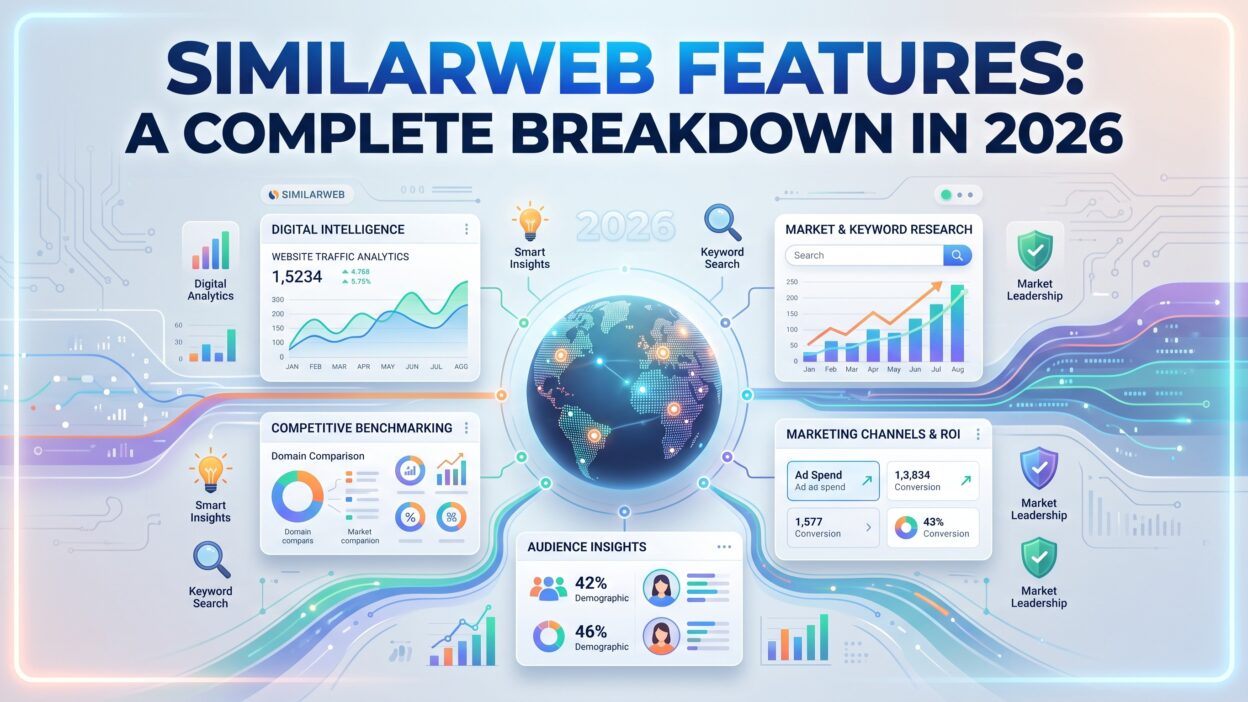
This guide breaks down every major Similarweb feature for 2026. You’ll learn how each tool works. You’ll see which teams benefit most from specific features. You’ll also find answers to common questions about Similarweb features near the end.
Table of Contents
What Is Similarweb?
Similarweb works as a digital intelligence platform. It aggregates real user data across websites, apps, and industries worldwide. Similarweb features turn this raw data into traffic estimates, audience insights, and competitive benchmarks teams use daily.
The scale behind this platform stands out clearly. Similarweb tracks over 100 million websites and several million apps across more than 100 countries. This breadth gives users one of the largest digital data repositories available anywhere today.
Marketing teams, SEO professionals, and investors all rely on Similarweb features regularly. Each group asks different questions, but the underlying data stays the same. A marketer checks competitor traffic sources. An investor checks a company’s growth trend before making a decision.
This breakdown covers every core feature area. Each section explains how the feature works. Each section also covers which team should prioritize that specific tool.
Who Uses Similarweb Features Most
SEO teams use Similarweb features to research keyword opportunities and competitor rankings. This research shapes content strategy and technical priorities across a website.
Sales teams use Similarweb features for prospecting and account research. Traffic trends and technology data reveal which companies show buying signals worth pursuing.
Investors and analysts use Similarweb features for due diligence work. Public and private company traffic data supports decisions before a deal closes.
1. Website Traffic Analysis
Traffic analysis anchors the entire Similarweb features lineup. Enter any domain and the platform returns estimated monthly visits, unique visitors, and average visit duration. Bounce rate and pages per visit round out this core traffic picture.
This data matters because competitors rarely share their own analytics publicly. Similarweb features fill this gap through aggregated, real user behavior data. A team sees estimated performance without needing direct access to a competitor’s private dashboard.
Traffic Source Breakdown
Understanding where traffic comes from shapes marketing budget decisions directly. Similarweb features break down visits by channel, including direct, search, social, referral, and paid traffic. A team spots which channel drives the most volume for any given competitor.
This breakdown extends into individual referral sources too. A brand discovers a competitor gets significant traffic from a specific partner site or publication. This insight sometimes uncovers a partnership opportunity worth pursuing directly.
Paid traffic gets its own dedicated view within this breakdown too. Similarweb features estimate ad spend distribution across search and display networks. A team gauges roughly how aggressively a competitor invests in paid acquisition versus organic growth.
Engagement Metrics and Trend Tracking
Raw visit counts tell only part of the story. Similarweb features layer engagement metrics on top of traffic volume. Average session duration and pages per visit reveal how deeply users actually engage with a site.
Trend tracking follows this data over time too. A sudden traffic spike or decline gets flagged clearly on a timeline view. Teams investigate the cause behind these shifts instead of missing the pattern entirely.
Historical comparison strengthens this trend view further. Similarweb features let teams compare current performance against the same period a year earlier. Seasonal businesses rely on this comparison to separate genuine growth from normal seasonal fluctuation.
2. Audience Insights and Demographics
Knowing who visits a website matters as much as knowing how many people visit. Similarweb features include detailed audience segmentation tools for this purpose. Age, gender, location, and interest categories all become visible through this data layer.
Marketing teams use these insights to sharpen targeting decisions. A brand discovers its competitor attracts a younger audience than expected. This finding shapes messaging and channel selection for future campaigns significantly.
Geographic and Device Segmentation
Global brands need location-specific insight regularly. Similarweb features let teams segment traffic data by country and region directly. A company expanding into a new market checks existing demand and competitor presence there first.
Device breakdown works alongside this geographic view. Mobile versus desktop traffic split reveals how users actually access a site. This split shapes decisions around responsive design priorities and mobile-specific campaign investment.
Cross-Site Audience Overlap
Understanding shared audiences between sites reveals hidden competition. Similarweb features include audience overlap analysis for exactly this purpose. Two brands might share a large portion of visitors without either company realizing it.
This overlap data helps with partnership decisions too. A brand identifies potential co-marketing partners based on genuinely shared audience interests instead of guessing.
Interest and Affinity Categories
Beyond basic demographics, Similarweb features classify audiences by broader interest categories. A brand learns whether its typical visitor also spends time on finance, travel, or entertainment sites elsewhere online.
This interest data shapes advertising placement decisions directly. A team places display ads on sites their audience already visits regularly, instead of relying purely on broad demographic targeting alone.
3. SEO and Keyword Research Tools
Search visibility drives long-term traffic growth for most businesses. Similarweb features include a full SEO toolkit built on real user search behavior. Keyword tracking, competitor research, and site audits all live within this toolkit.
This SEO data runs on a modern search engine behind the platform. Similarweb features here connect keyword volume directly to actual click behavior, not just estimated search volume from a generic keyword database.
Keyword Gap and Opportunity Analysis
Finding untapped keyword opportunities takes real analysis work. Similarweb features compare a site’s ranking keywords against direct competitors automatically. Gaps surface quickly, showing exactly which terms a competitor ranks for that a brand currently misses.
This gap analysis saves significant research time for content teams. Instead of brainstorming topics blindly, teams build a content calendar around confirmed demand and clear competitive gaps.
Site Audit Capabilities
Technical SEO issues quietly hurt rankings over time. Similarweb features include site audit tools that scan for common technical problems. Broken links, slow page speed, and indexing issues all get flagged clearly during a scan.
Teams fix these issues before they cause larger ranking drops. Regular audits through Similarweb features catch problems early, well before they show up as a noticeable traffic decline.
Backlink and Referral Domain Analysis
Link building remains a core part of most SEO programs. Similarweb features track referral domains pointing to a competitor’s site over time. Teams spot new link sources quickly and evaluate whether similar outreach makes sense for their own campaign.
This analysis also reveals lost backlinks. A competitor losing a valuable link sometimes signals an opportunity, since that same source might welcome an outreach pitch from a new site instead.
4. AI Search and Chatbot Traffic Tracking
Search behavior changed significantly with the rise of AI chatbots. Similarweb features now track traffic generated by tools like ChatGPT, Perplexity, Claude, and Copilot. This visibility matters because traditional analytics tools often miss this traffic source entirely.
AI Chatbot Traffic reveals which pages get recommended most often within these AI platforms. Teams see which prompts triggered a visit to their site. This insight helps shape content specifically for AI-driven discovery instead of search engines alone.
AI Studio Conversational Interface
Navigating complex dashboards takes time most teams don’t have. Similarweb features introduced AI Studio to solve this exact problem. Users type a natural language question and receive a data-backed answer immediately.
A team asks how competitor paid search traffic changed during a specific quarter. AI Studio returns an answer grounded in real data instead of requiring manual filtering across several reports. This conversational approach saves significant analyst time each week.
Specialized AI Agents
Beyond conversational search, Similarweb features include dedicated AI agents for specific tasks. An SEO strategy agent builds plans directly from keyword and traffic data. A demand analysis agent surfaces competitive insights automatically without manual digging.
Additional agents cover trend analysis and marketplace keyword optimization too. Each agent automates work that previously required extensive manual research across multiple reports.
5. Competitive Benchmarking
Comparing performance against direct competitors sits at the heart of most Similarweb use cases. Similarweb features let teams stack multiple competitor domains side by side. Traffic, engagement, and channel performance all appear within one comparison view.
This benchmarking removes guesswork from strategic planning. A brand sees exactly where it stands relative to named competitors. Weak areas become clear priorities for the next planning cycle.
Market Share Analysis
Understanding a company’s position within a broader market matters for strategic decisions. Similarweb features calculate market share estimates within specific industry categories. A brand sees its relative share of category traffic compared with every major competitor.
This data supports investor conversations too. Growth claims carry more weight when backed by independent market share figures rather than internal company reporting alone.
Category leaders emerge clearly through this analysis too. Similarweb features rank every competitor within a category by estimated traffic share. A brand tracks its climb up this ranking over successive quarters as a clear success metric.
Industry and Category Research
Broader industry trends shape strategy beyond individual competitor comparisons. Similarweb features cover more than 190 industry categories for this exact purpose. Teams research overall category growth before committing resources to a new market segment.
This category-level view helps new entrants validate demand early. A team avoids launching into a shrinking category by checking this data before investing significant budget.
6. App Intelligence and Ecommerce Insights
Mobile apps generate massive engagement that websites alone don’t capture. Similarweb features extend tracking into app performance data too. Download estimates, engagement metrics, and category rankings all appear for competing apps.
This app-focused data matters for companies running both a website and a mobile app. Teams compare performance across both channels within one unified view instead of managing separate tools for each platform.
Shopper Intelligence for Ecommerce
Ecommerce brands need product-level insight beyond general traffic numbers. Similarweb features include shopper intelligence tools built specifically for this purpose. Pricing trends, product demand, and category performance all become visible through this module.
This data helps ecommerce teams adjust pricing strategy competitively. A brand spots a competitor’s price change quickly and reacts before losing market share on a specific product line.
Data-as-a-Service and API Access
Some teams need this data inside their own internal systems directly. Similarweb features support this through a Data-as-a-Service model, covering over 30 billion data points across dozens of available datasets. A REST API delivers real-time access to traffic, keyword, and company data programmatically.
This API access suits engineering and data science teams well. Raw data feeds directly into internal dashboards or custom models, rather than requiring manual export from the standard interface.
The Data-as-a-Service model also supports batch requests for larger datasets. Similarweb features here let engineering teams pull historical data in bulk rather than repeated single queries. This structure suits companies building their own internal intelligence tools on top of Similarweb’s dataset.
7. Sales Intelligence and Investor Tools
Sales teams need signals beyond a simple contact list today. Similarweb features support prospecting through traffic growth data and technology detection. A rep spots a company adopting new tools or growing traffic fast, which signals genuine buying intent.
This sales intelligence layer connects with existing CRM and outreach tools too. Enrichment data flows directly into a sales workflow instead of requiring manual research for every single account.
Stock Intelligence for Investors
Public market investors need alternative data beyond quarterly earnings reports. Similarweb features include a stock intelligence module built for this exact audience. Traffic trends often signal revenue direction before official reports confirm it.
Investors use this data for both idea generation and ongoing monitoring. A sudden traffic decline at a public company sometimes precedes a disappointing earnings call, which gives analysts an early signal worth investigating further.
Due Diligence Support
Private equity and venture capital teams use Similarweb features heavily during due diligence. Traffic and growth trends validate claims made during a fundraising pitch. This independent data reduces reliance on numbers a company reports about itself.
This use case extends beyond a single deal too. Portfolio monitoring lets investors track performance across several companies simultaneously from one dashboard.
Comparing Public and Private Company Data
Public companies publish quarterly numbers, but private companies rarely share performance data openly. Similarweb features close this gap by estimating traffic for private companies using the same underlying methodology applied to public sites. Investors gain visibility into private company growth trends that would otherwise stay hidden until a funding announcement.
This capability matters most during competitive fundraising rounds. A venture firm compares a pitching startup’s traffic trajectory against similar private competitors, building a clearer picture of relative market position before committing capital.
How to Choose Which Similarweb Features Fit Your Team
Start with your primary business question first. Marketing teams optimizing campaigns should prioritize traffic analysis and audience insights. SEO teams should focus on keyword research and site audit tools instead.
Company size shapes available options too. Small teams often start with the free tier to test basic traffic data. Growing teams typically upgrade once they need deeper keyword and competitive benchmarking data.
Budget conversations happen directly with Similarweb’s sales team for paid tiers. Pricing stays custom rather than published publicly for most business and enterprise packages. Expect this cost to scale with data depth and API access needs.
Consider your existing tech stack as well. Teams needing programmatic data access should prioritize the API and Data-as-a-Service offerings early. Teams focused purely on manual research might never need this technical layer at all.
Review your feature usage regularly after onboarding. A growing SEO program benefits from deeper keyword tools over time. Investment teams should revisit stock intelligence modules as portfolio tracking needs expand.
Similarweb features work best when matched against a clear business goal. Avoid activating every module immediately after signup. Build gradually, starting with core traffic and competitive data before layering in AI tools and API access.
Best Practices for Getting the Most From Similarweb Features
Set clear competitor lists before diving into benchmarking. Comparing against too many competitors dilutes focus quickly. Three to five direct competitors usually gives the clearest, most actionable picture.
Review traffic trends monthly, not just during planning season. Waiting too long between checks means missing early competitive shifts. Regular review catches meaningful changes while they still matter for strategy.
Train your team on AI Studio early. This conversational tool saves significant time once teams learn how to phrase useful questions. Skipping this training often leads to underuse of one of the platform’s strongest features.
Combine keyword gap data with your actual content calendar. Similarweb features surface opportunities, but teams still need a plan to act on them. Assign specific gaps to specific content pieces each month.
Monitor AI chatbot traffic consistently as this channel grows. Early attention here positions a brand ahead of competitors still focused purely on traditional search rankings.
Revisit API usage and data credit consumption periodically too. Unused API access wastes budget on higher-tier plans. Regular review keeps spending aligned with actual data needs across your team.
Frequently Asked Questions About Similarweb Features
What are the core Similarweb features for marketing teams?
Core Similarweb features for marketing teams include traffic analysis, audience insights, traffic source breakdown, and competitive benchmarking across named competitor domains.
Does Similarweb track AI chatbot traffic?
Yes. Similarweb features include AI Chatbot Traffic tracking, showing visits generated by tools like ChatGPT, Perplexity, Claude, and Copilot, along with which pages get recommended most often.
Can Similarweb features support SEO research?
Yes. Similarweb features cover keyword tracking, competitor research, keyword gap analysis, and site audits, all built on real user search behavior data.
Does Similarweb offer API access?
Yes. Similarweb features include a REST API through its Data-as-a-Service offering, covering traffic, keyword, app, and company data for teams needing programmatic access.
Is Similarweb suitable for investors?
Yes. Similarweb features include a dedicated stock intelligence module, supporting investment research, due diligence, and portfolio monitoring through independent traffic data.
How much do Similarweb features cost?
Similarweb offers a free tier with basic data access. Paid plans start around $125 per user annually, with higher enterprise packages priced through custom sales conversations.
Read More:-The Beginner’s Guide to YouTube for B2B Marketing
Conclusion

Similarweb features cover nearly every angle of digital intelligence work today. Traffic analysis and audience insights reveal how competitors actually perform online. SEO and keyword tools turn this data into a clear content and technical strategy.
AI Studio and specialized AI agents speed up analysis work that once took hours manually. Competitive benchmarking and market share data support both marketing and investor decisions. App intelligence, ecommerce insights, and API access round out this platform for technical and business teams alike.
Choose Similarweb features based on your team’s actual research goals. Smaller teams should start with core traffic and free-tier data. Larger organizations should expand into AI tools, API access, and stock intelligence as their needs grow.
Similarweb remains a strong choice for teams needing reliable digital market intelligence in 2026. The right feature mix depends on team size, industry, and research depth required. Start with foundational traffic data, then build outward as your competitive intelligence program matures.