Introduction
TL;DR Pipedrive Integrations turn a simple CRM into a full sales command center. Pipedrive handles deals and pipelines well on its own. The right integrations stretch that power across email, marketing, finance, and automation.
Sales teams waste hours switching between disconnected apps every single day. Pipedrive Integrations remove that switching entirely. Data flows between tools without manual copying or duplicate entry.
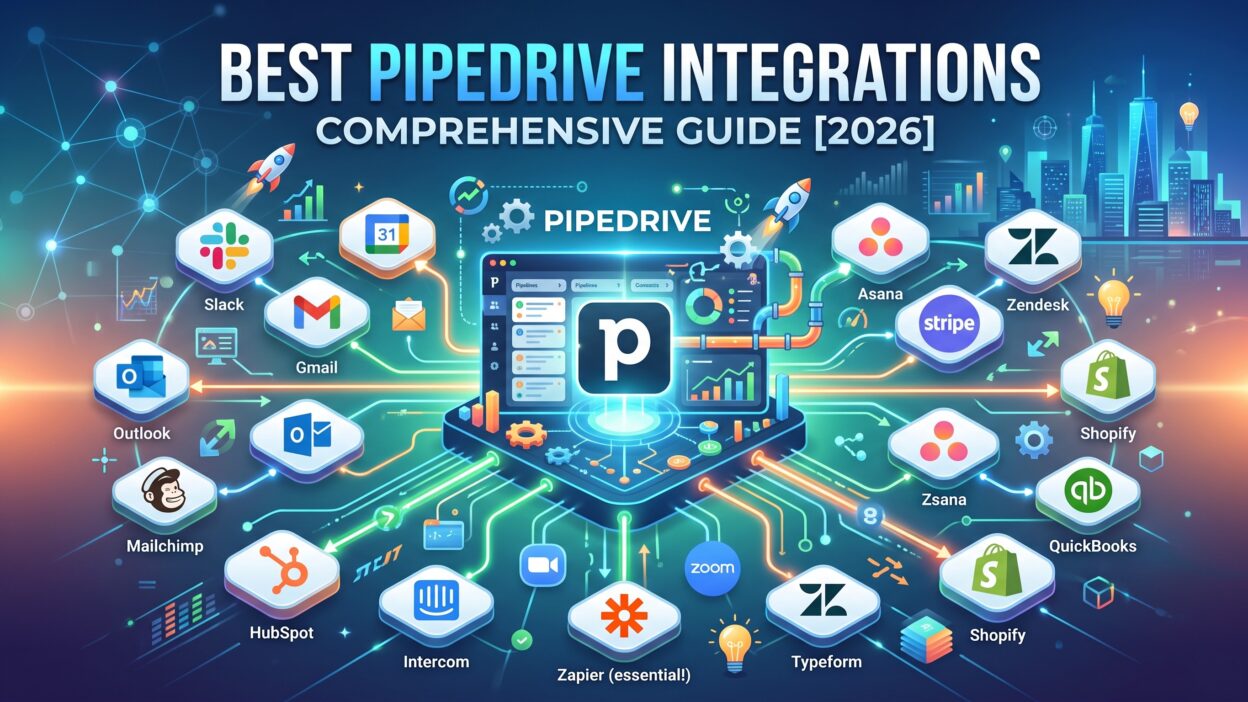
This guide covers the best Pipedrive Integrations available in 2026. You get clear categories, real tool names, and setup guidance for each one. Read through each section and build a connected sales stack that actually works.
Table of Contents
What Are Pipedrive Integrations
Pipedrive Integrations connect the Pipedrive CRM to outside apps your team already uses. These connections move data automatically between systems. A new lead in your form tool appears inside Pipedrive within seconds.
The Pipedrive marketplace hosts hundreds of these connections today. Some integrations come built directly into Pipedrive. Others require a third-party tool like Zapier or Make to bridge the gap.
Pipedrive Integrations fall into a few broad categories. Email tools sync conversations directly into deal records. Marketing tools sync campaign activity back into contact profiles. Finance tools sync invoices and payment status against closed deals.
Every integration saves your team from manual data entry. Manual entry causes errors and wastes valuable selling time. Pipedrive Integrations remove that risk by keeping every system updated automatically.
Why Your Sales Team Needs Pipedrive Integrations
A CRM alone rarely covers every daily task your team handles. Pipedrive Integrations fill these gaps without forcing reps to leave their main workspace.
Reduced Manual Data Entry
Reps waste real time copying information between separate tools. Pipedrive Integrations sync this data automatically in the background. A rep spends that saved time on actual selling activities instead.
Better Visibility Across Teams
Marketing, sales, and finance often work from separate systems. Pipedrive Integrations connect these systems into one shared view. Everyone sees the same deal status without asking a coworker for updates.
Faster Response Times
A lead who fills out a web form expects a quick reply. Pipedrive Integrations trigger instant notifications the moment that lead arrives. Reps respond faster, and faster responses close more deals.
Best Email and Communication Pipedrive Integrations
Email remains the backbone of most sales conversations today. These Pipedrive Integrations keep every message tied directly to the right deal.
Gmail Integration
The Gmail integration syncs every email thread into the matching contact record. Reps see full conversation history without leaving their inbox. This integration also logs email opens and link clicks automatically.
Outlook Integration
Teams running Microsoft 365 rely on this connection daily. The Outlook integration mirrors the same email-sync features found in Gmail. Calendar events also sync directly into upcoming deal activities.
Slack Integration
Slack notifications alert reps the moment a deal changes stage. This integration keeps fast-moving teams updated without constant CRM logins. A deal marked “won” can trigger an instant celebration message inside a shared channel.
Best Marketing Pipedrive Integrations
Marketing and sales often struggle to share data cleanly. These Pipedrive Integrations close that gap in both directions.
Mailchimp Integration
Mailchimp campaign data flows directly into Pipedrive contact profiles. Reps see which emails a prospect opened before their next call. This context turns a cold call into a warm, informed conversation.
HubSpot Marketing Integration
Teams running HubSpot for content and campaigns can sync that activity into Pipedrive deals. Lead scores and form submissions appear right inside the CRM. Sales reps act on marketing signals without checking a second dashboard.
Facebook Lead Ads Integration
Leads captured through Facebook forms drop straight into Pipedrive as new deals. This integration removes the delay between ad click and sales follow-up. Faster follow-up on ad leads usually means higher conversion rates overall.
Best Automation and Workflow Pipedrive Integrations
Automation tools multiply the power of every other connection on this list. These Pipedrive Integrations handle repetitive tasks without any manual trigger.
Zapier Integration
Zapier connects Pipedrive to thousands of other apps without custom code. A new deal can trigger a task in your project management tool automatically. Teams without a developer often rely on Zapier as their main connector.
Make (Formerly Integromat)
Make offers deeper, more visual automation building than most simple connectors. Complex multi-step workflows become easier to design and troubleshoot. Teams with advanced automation needs often choose Make over simpler tools.
Trello Integration
Trello boards sync directly with Pipedrive deal stages for project handoff. A closed deal can automatically create a new onboarding card. This connection keeps sales and delivery teams aligned after every signed contract.
Best Finance and Invoicing Pipedrive Integrations
Closing a deal marks the start of financial tracking, not the end. These Pipedrive Integrations connect your CRM directly to billing systems.
QuickBooks Integration
QuickBooks syncs invoice status back into the matching Pipedrive deal record. Sales reps see payment status without emailing the finance team. This visibility speeds up conversations around renewals and upsells.
Xero Integration
Xero offers similar invoice syncing for teams outside the QuickBooks ecosystem. Deal values pass directly into Xero once a deal closes as won. This automatic handoff reduces billing errors between departments.
PandaDoc Integration
PandaDoc handles proposals and contracts tied to each Pipedrive deal. Signed documents update the deal stage automatically inside the CRM. Reps track document status without switching between separate platforms.
How to Set Up Pipedrive Integrations Step by Step
Setting up Pipedrive Integrations takes less effort than most teams expect. Follow this order for a smooth, clean rollout.
Audit Your Current Tools
List every tool your team touches during a normal sales cycle. Mark which tools already offer a native Pipedrive connection. This audit prevents wasted effort on tools nobody actually uses.
Install Through the Marketplace
Open the Pipedrive marketplace and search for your chosen tool. Most native integrations install within a few clicks. Third-party connectors like Zapier require a separate account setup first.
Test Before Full Rollout
Run a small test with sample data before connecting live records. Confirm data flows correctly in both directions during this test. A quiet rollout period catches errors before they affect real deals.
Common Mistakes Teams Make with Pipedrive Integrations
Many teams connect every available tool at once without a clear plan. This approach creates a cluttered CRM full of unnecessary fields and triggers. Reps quickly grow frustrated with a system that feels noisy and confusing.
Some teams skip the testing phase entirely before going live. Broken data mapping then corrupts real deal records during actual use. Fixing this damage afterward takes far longer than a proper test upfront.
Other teams forget to train staff on new automated workflows. Reps continue old manual habits out of pure comfort with familiar steps. The investment in Pipedrive Integrations then sits mostly unused.
A few teams also ignore permission settings during setup. Sensitive financial data can become visible to the wrong team members. Careful permission review protects both data and team trust.
How to Choose the Right Pipedrive Integrations for Your Team
Start by listing your team’s biggest daily friction points. A team drowning in email might prioritize Gmail or Outlook connections first. A team chasing marketing leads might prioritize Mailchimp or HubSpot instead.
Budget also shapes this decision in a real way. Some Pipedrive Integrations come free with your existing plan. Others carry a separate monthly fee through the connected platform itself.
Team size matters just as much as budget here. Small teams often benefit most from simple, native integrations. Larger teams with complex processes often need a dedicated automation tool like Make or Zapier.
Test one integration fully before adding another to your stack. A slow, careful rollout beats a rushed setup that overwhelms your team. Pipedrive Integrations work best when each addition solves one clear problem at a time.
Frequently Asked Questions
How many Pipedrive Integrations can I use at once? There’s no strict limit. Most teams run five to ten active integrations without any performance issues.
Do Pipedrive Integrations cost extra money? Some connections come free with your Pipedrive plan. Others require a paid account on the connected platform itself.
Can I build a custom Pipedrive integration for my own tool? Yes. Pipedrive offers a developer API for teams that need a fully custom connection.
Which Pipedrive integration should I set up first? Most teams start with email syncing since it delivers immediate, visible value to every rep.
Do Pipedrive Integrations work on every pricing plan? Coverage varies by plan tier. Check Pipedrive’s current pricing page for exact integration access by plan.
Is technical experience needed to set up these integrations? Most native integrations install without any coding knowledge. Advanced automation tools may need a bit more setup time.
Read More:-Salesforce vs. SuiteCRM: How Do They Compare in 2026?
Conclusion

Pipedrive Integrations turn a solid CRM into a connected sales engine. Email, marketing, finance, and automation tools all snap into one shared workflow. Reps stop switching tabs and start closing deals faster.
Careful planning makes the real difference here. Audit your current tools, test before full rollout, and train your team properly. A slow, steady setup beats a rushed one every single time.
Pipedrive Integrations reward teams that treat setup as an ongoing process. Start with your biggest friction point, measure the results, and expand from there.