Introduction
TL;DR Pendo Features give product teams a full view of how customers actually use their software. Most tools track a handful of metrics and stop there. Pendo goes further by combining analytics, onboarding, and feedback inside one single platform.
Product managers often juggle five separate tools to answer one simple question. Pendo Features remove that juggling entirely. Usage data, in-app guidance, and customer feedback all live in one connected dashboard.
This guide breaks down every major category of Pendo Features. You get clear explanations, real use cases, and honest comparisons for each one. Read through each section and decide exactly where Pendo fits inside your own product stack.
Table of Contents
What Is Pendo and What Does It Do
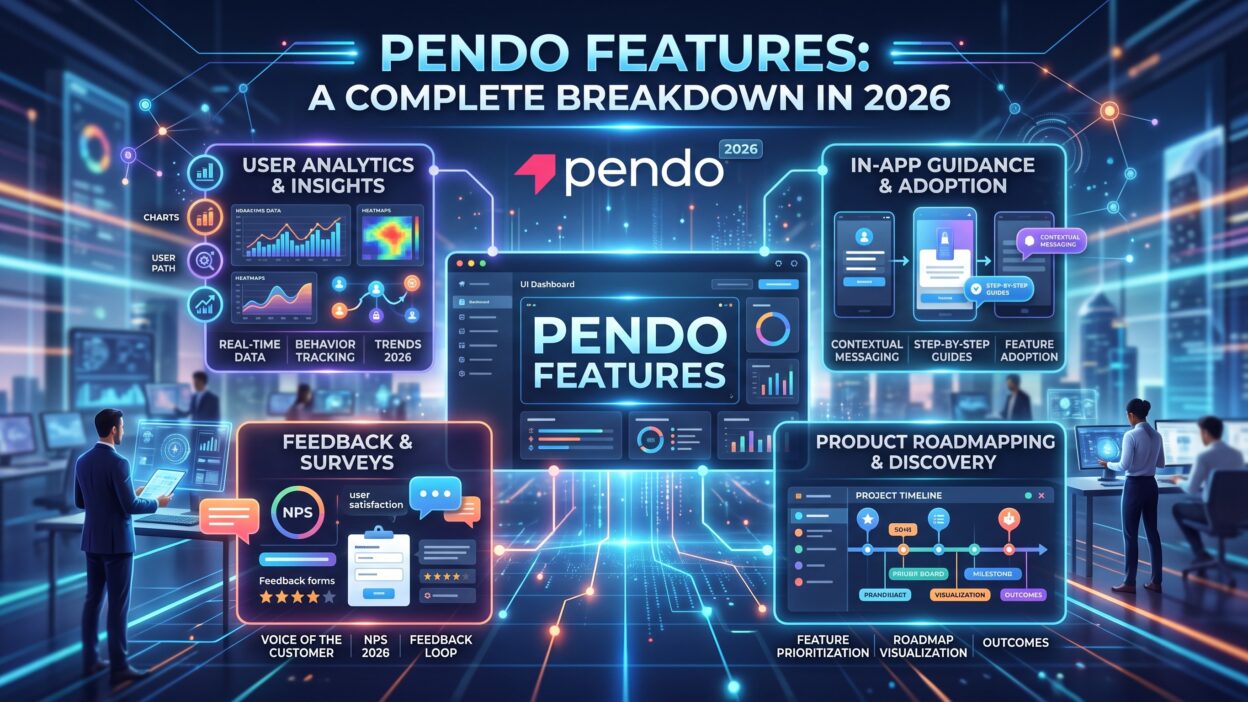
Pendo is a product experience platform built for software teams. Companies use it to track user behavior, guide new users, and gather feedback in one place. Pendo Features span four major areas: analytics, onboarding, engagement, and roadmapping.
Product teams install a small script inside their application to activate this platform. This script tracks clicks, page views, and feature usage automatically. No engineering ticket is needed for most day-to-day tracking changes.
Pendo Features work across web apps, mobile apps, and even desktop software. Teams building a SaaS product often start with basic analytics. Many teams expand into onboarding and feedback tools once the core setup proves useful.
The real strength behind Pendo Features sits in how these tools connect to each other. Analytics data informs which onboarding flow to build next. Feedback data informs which feature deserves attention on the roadmap. Every piece feeds into the next decision your team makes.
Core Pendo Features for Product Analytics
Product analytics form the foundation of every other tool inside Pendo. These Pendo Features answer one basic question: what are users actually doing inside your app?
Feature Usage Tracking
This feature shows exactly which parts of your product get real daily use. A rarely used button might signal poor design or low awareness. A heavily used feature might deserve more investment and further development.
Funnel Analysis
Funnel reports show where users drop off during a multi-step process. A signup flow with a high drop-off point reveals a clear friction problem. Teams fix these specific steps instead of guessing at broad, vague issues.
Retention and Cohort Reports
These reports track how long users stick around after their first session. A cohort report groups users by signup date for cleaner comparison. Pendo Features here help teams spot which product changes actually improve long-term retention.
Core Pendo Features for User Onboarding
A confusing first experience drives many users away for good. Pendo Features tackle this problem through guided, in-app onboarding tools.
Onboarding Checklists
New users see a simple checklist of key setup steps inside the product. Each completed step builds momentum toward full product adoption. Teams customize this checklist based on user role or account type.
Interactive Walkthroughs
These walkthroughs guide a user through core actions step by step. Tooltips highlight buttons and fields in the exact order a user needs them. This guidance replaces long help articles that most users never read anyway.
Segmented Onboarding Paths
Different users often need different onboarding experiences entirely. A free-trial user might need a faster, simpler path than an enterprise buyer. Pendo Features allow teams to build separate flows for each distinct segment.
Core Pendo Features for In-App Guides and Engagement
Beyond onboarding, Pendo Features support ongoing engagement throughout the entire customer lifecycle.
Targeted Announcements
Teams push feature announcements directly inside the app rather than through email alone. Open rates for in-app messages usually beat email by a wide margin. Users see the update at the exact moment they’re active in the product.
Resource Centers
A resource center acts like a built-in help widget inside your product. Users search for answers without leaving their current screen. This feature reduces support ticket volume for common, repetitive questions.
NPS and Micro-Survey Prompts
Short surveys pop up at natural moments during product use. A single question after a key action captures honest, timely feedback. Pendo Features make it easy to trigger these prompts based on specific user behavior.
Core Pendo Features for Feedback Collection
Customer feedback often scatters across emails, support tickets, and sales calls. Pendo Features centralize this feedback into one organized system.
Feedback Portal
Customers submit feature requests directly through a dedicated portal. Other users can upvote existing requests instead of submitting duplicates. This portal gives product teams a ranked list of real customer demand.
Feedback Tagging and Categorization
Incoming requests get tagged by theme, product area, or customer segment. This organization turns a messy inbox of ideas into a searchable database. Teams spot patterns across dozens of requests within minutes.
Closing the Feedback Loop
Pendo notifies customers automatically once their requested feature ships. This follow-up builds trust and encourages further feedback down the line. Customers feel heard rather than ignored after submitting an idea.
Core Pendo Features for Roadmapping
Roadmap tools connect customer feedback directly to planning decisions. These Pendo Features keep product strategy grounded in real usage data.
Visual Roadmap Boards
Teams organize upcoming work into clear visual columns like “planned” and “in progress.” Stakeholders view current priorities without a separate status meeting. This transparency reduces the constant “what’s next” questions from sales and support.
Prioritization Scoring
Requests get scored using factors like customer count and revenue impact. This scoring removes gut-feeling decisions from the planning process. Pendo Features here help teams defend their roadmap choices with real numbers.
Pendo Features for Different Teams
Different departments pull different value from the same underlying platform.
Product Managers
Product managers rely on usage data and feedback scoring for daily decisions. These Pendo Features replace scattered spreadsheets with one clear source of truth. Prioritization becomes faster and easier to justify to leadership.
Customer Success Teams
Success teams use engagement data to spot accounts at risk of churning. A sudden drop in feature usage often signals a struggling customer. Early alerts let a success manager reach out before a renewal conversation turns difficult.
Marketing Teams
Marketing teams use in-app messaging to announce new features to existing users. This channel reaches active customers more directly than a typical email blast. Pendo Features give marketing a direct line into the actual product experience.
How Pendo Features Compare to Other Product Platforms
Tools like Amplitude focus almost entirely on deep analytics and data science use cases. Pendo Features cover analytics too, but add onboarding and feedback tools most analytics-only platforms skip.
Tools like Appcues focus mainly on in-app guides and onboarding flows. Pendo Features match this strength while also offering the analytics depth Appcues lacks on its own.
Tools like Intercom focus on communication and support conversations. Pendo Features take a different angle by centering product usage data as the starting point for every decision.
This breadth makes Pendo a strong choice for teams that want one platform instead of three separate subscriptions. Smaller teams focused only on deep data science might still prefer a specialized analytics tool instead.
Pricing and Plans Tied to Pendo Features
Pendo splits its offering across a few different plan tiers. A free plan offers basic analytics for smaller teams testing the platform. Paid tiers unlock deeper Pendo Features like advanced segmentation and full roadmapping tools.
Enterprise plans add features built for larger organizations with complex permission needs. These plans often include dedicated support and custom onboarding from the Pendo team itself.
Pricing depends heavily on monthly active users tracked inside your application. Teams should estimate their user volume carefully before choosing a plan tier. A mismatch between plan and actual usage often leads to unexpected costs later.
Frequently Asked Questions
What are the main Pendo Features every team should know about? Analytics, onboarding guides, in-app messaging, feedback collection, and roadmapping make up the core feature set.
Does Pendo require coding knowledge to use? Most day-to-day tasks require no coding. Teams need a one-time script installation handled by a developer at setup.
Can Pendo Features work for mobile apps? Yes. Pendo supports mobile analytics and in-app guidance alongside its web-based tools.
Is Pendo suitable for small startups? Yes. Pendo offers a free tier that fits smaller teams just starting to track product usage.
How does Pendo collect user feedback? Pendo Features include a dedicated feedback portal along with in-app survey prompts for direct input.
Do Pendo Features replace a full analytics platform like Amplitude? Pendo covers solid analytics needs for most teams, though deep data science use cases may still need a specialized tool.
How long does Pendo take to set up? Basic setup often takes less than a day. Advanced features like segmented onboarding take longer to configure properly.
Read More:-7 Best Highspot Integrations for Sales Enablement [2026]
Conclusion

Pendo Features bring analytics, onboarding, engagement, and feedback into one connected platform. Product teams stop guessing and start acting on real usage data instead. Every feature builds toward one clear goal: a better product experience for real users.
Teams should start with core analytics before expanding into onboarding and feedback tools. A slow, deliberate rollout helps every team member understand the data before acting on it.
Pendo Features reward teams that treat the platform as an ongoing practice rather than a one-time setup. Start small, review the data often, and expand your usage as real needs grow.