Introduction
TL;DR Picking an email platform feels harder than it should. Two names keep showing up in every search. One sells a full customer platform. The other sells a lean tool at a friendly price. This guide breaks down HubSpot vs. MailerLite in plain language. You will see the real gaps in cost, features, and daily use.
The whole debate comes down to one question. Do you need a customer platform with email inside it, or do you need a great email tool? Your answer shapes every choice that follows. HubSpot gives you a CRM, sales tools, service tools, and marketing in one place. MailerLite gives you email, automation, landing pages, and websites at a low price. Both companies are strong. The HubSpot vs. MailerLite choice depends on your goals, your budget, and your team size.
Table of Contents
HubSpot vs. MailerLite at a Glance
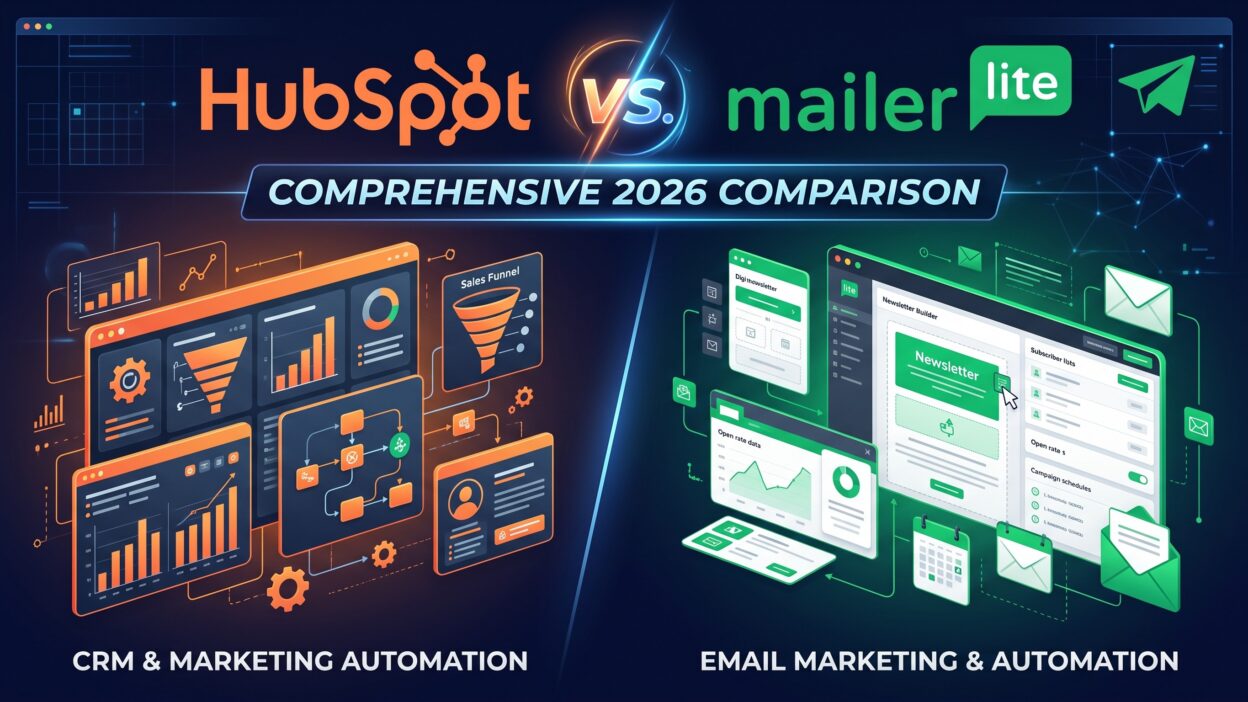
Both platforms help you send email, build lists, and track results. They approach the job from opposite directions. HubSpot starts with the customer record and adds tools around it. MailerLite starts with the email and keeps everything else light.
What Is HubSpot?
HubSpot began as an inbound marketing company. Today it sells a customer platform with several hubs. Marketing Hub covers email, forms, ads, and landing pages. Sales Hub covers deals and pipelines. Service Hub covers tickets and help desks. A free CRM sits at the center of everything.
HubSpot email marketing lives inside Marketing Hub. You cannot buy an email-only product from HubSpot. You buy the hub, and the email tools come with it. Large teams love this setup. Small teams often find it heavy.
What Is MailerLite?
MailerLite is a Lithuanian company that focuses on simple email marketing. It serves creators, small businesses, and agencies. The editor is clean. The price is low. You get automation, landing pages, websites, pop-ups, and paid newsletters.
MailerLite does one job well. It helps you send good email without a steep learning curve. You will not find a sales pipeline or a service desk. You will find speed and clarity.
HubSpot vs. MailerLite Pricing in 2026
Price is the biggest gap between these two tools. HubSpot costs far more at most levels. MailerLite costs far less. Numbers shift often, so treat the figures below as a guide.
HubSpot Pricing
HubSpot offers a free plan with up to 1,000 marketing contacts. The free plan caps email sends at 2,000 per month. That limit is too low for a real email program.
Marketing Hub Starter begins near $20 per month. It adds basic automation and more email tools. Professional costs far more. Many sources list it between $800 and $890 per month, with about 2,000 contacts included. Enterprise sits near $3,600 per month with 10,000 contacts included.
Contacts beyond your tier cost extra. At large list sizes, the overage can exceed the base price. Transactional email needs a paid add-on. Professional and Enterprise plans often carry onboarding fees. Add all of these to your budget before you sign.
MailerLite Pricing
MailerLite prices by subscriber count. The free plan covers a small list with a monthly send cap. Paid plans start near $10 per month for 500 subscribers. Higher tiers unlock advanced features such as more automation options and priority support.
MailerLite changed its structure in June 2026. It renamed plans and moved some features between tiers. The free plan also shrank compared with 2025. Annual billing saves about 10 percent, and verified nonprofits can claim a 30 percent discount. Read the current pricing page for exact limits.
MailerLite pricing stays simple. You pay for subscribers. You do not pay for each user seat in a complicated formula. That clarity helps small teams plan.
Hidden Costs to Watch
HubSpot hides costs in contact tiers, add-ons, and onboarding fees. MailerLite hides fewer costs. Its main jump comes when your list grows into a higher tier.
Run the numbers at your current list size. Run them again at double that size. In any HubSpot vs. MailerLite pricing test, MailerLite wins almost every time for pure email. HubSpot wins only when you need the CRM, the sales tools, or the deep reporting that come with it.
Email Builder and Ease of Use
Both tools offer drag-and-drop editors. MailerLite wins on speed. The interface feels clean. New users build a campaign in minutes. Blocks snap into place. Templates look modern. The learning curve is gentle.
HubSpot’s editor works well too. It connects to your CRM data. Personalization tokens pull from real contact records. Smart content swaps blocks based on who reads the email. Smart content needs a Professional plan. Menus run deeper than MailerLite’s menus. New users need more time to feel comfortable.
Beginners usually prefer MailerLite. Teams that live inside the CRM usually prefer HubSpot. Neither editor feels clunky. Both support mobile-friendly designs and plain-text options.
Email Automation Compared
Email automation separates basic tools from serious ones. This area shows the biggest depth gap in HubSpot vs. MailerLite.
MailerLite includes a visual workflow builder. You add triggers, delays, and conditions on a canvas. Common flows include welcome series, birthday emails, and re-engagement campaigns. Setup takes little time. Advanced branching sits on higher plans.
HubSpot automation runs deeper. Workflows trigger from CRM events, deal stages, form fills, and page visits. You can score leads, assign owners, and update records. One workflow can touch email, ads, and sales tasks. Full marketing automation lives in Professional. Starter gives you only basic sequences.
Think about complexity. MailerLite handles most newsletter flows and small business email marketing needs with ease. HubSpot handles multi-team journeys that cross marketing, sales, and service. Pick the depth you will use. Paying for unused depth wastes money.
CRM and Sales Tools
HubSpot CRM is the star of the platform. It costs nothing to start. It tracks contacts, companies, deals, and tasks. Sales reps log calls and emails. Managers see pipelines. Marketers see which campaigns produce revenue. That closed-loop view is HubSpot’s biggest strength.
MailerLite offers no true CRM. You get subscriber profiles, groups, segments, and tags. You can see activity and engagement. You cannot track deals or manage a sales pipeline. Teams that need pipelines add a separate CRM tool.
If sales and marketing share one customer list, HubSpot saves time. If you sell products online or publish content, MailerLite covers what you need. This is the clearest dividing line in HubSpot vs. MailerLite.
Landing Pages, Forms, and Websites
MailerLite builds landing pages, pop-ups, embedded forms, and full websites. You can sell digital products and run paid newsletters. Stripe powers the payments. Creators love this bundle.
HubSpot offers landing pages and forms across its marketing plans, with limits that vary by tier. A full website needs CMS Hub, which is a separate product with its own price. Professional adds A/B testing, dynamic content, and SEO tools.
Both tools capture leads well. MailerLite keeps the process simple. HubSpot gives you more control and more settings to manage.
Reporting and Analytics
MailerLite reports show opens, clicks, unsubscribes, and bounces. Click maps show where readers tap. Ecommerce users see revenue from connected stores. Reports load fast and read clearly.
HubSpot reporting goes wider. You see email stats next to lifecycle stages, deal revenue, and attribution. Custom reports and dashboards live in Professional. You can answer questions like which blog post led to a closed deal. Few email tools match that.
Apple Mail Privacy Protection inflates open rates across the industry. Trust clicks and conversions more than opens. Both tools report both. In HubSpot vs. MailerLite analytics, MailerLite offers clarity and HubSpot offers depth.
Integrations and Ecosystem
HubSpot’s app marketplace lists well over a thousand integrations. Salesforce, Slack, Shopify, Zoom, and WordPress all connect. Many integrations run natively. Developers get a strong API.
MailerLite offers a smaller list that still covers the popular tools. Shopify, WooCommerce, WordPress, Stripe, and Canva connect. Zapier extends your reach to thousands of other apps. Small businesses rarely hit limits.
If your stack includes enterprise software, HubSpot fits better. If your stack is light, MailerLite works well. Check your must-have tools against each list before you decide. This check matters in any honest HubSpot vs. MailerLite review.
Deliverability and Customer Support
Good email means nothing if it lands in spam. Both platforms run strong sending systems. Deliverability rarely decides HubSpot vs. MailerLite, because both enforce clean sending rules.
MailerLite reviews new accounts by hand. The team asks about your list source and content. This step protects the sender reputation of every user. Some new users find it slow. HubSpot also enforces strict compliance. Its free plan limits sends. A dedicated IP costs extra, around $1,000 per month. Most senders never need one.
Support differs by plan. MailerLite offers 24/7 email and live chat support during the first 30 days. Priority support sits on higher plans. HubSpot offers in-app chat on paid plans and phone support on higher tiers. HubSpot Academy teaches marketing skills with free courses. The knowledge base is huge.
Which Tool Wins in HubSpot vs. MailerLite? Best Fit by User Type
The best email marketing software depends on who uses it. Match the tool to your situation.
Small Businesses and Local Shops
MailerLite fits best. Low cost and simple tools let you send campaigns without a specialist. Small business email marketing needs speed, clarity, and a fair price. MailerLite delivers all three.
Creators, Bloggers, and Newsletter Writers
MailerLite wins here. Paid newsletters, digital product sales, and clean signup forms suit creators. You can launch in an afternoon.
Ecommerce Brands
Both tools can work. MailerLite connects to major stores and covers the basic flows. HubSpot adds CRM data and ad tools at a high price. Heavy ecommerce brands often look at specialist tools like Klaviyo.
B2B and Sales-Led Companies
HubSpot wins. Lead scoring, deal tracking, and attribution matter more than a low price. Teams that pass leads to sales gain the most. HubSpot CRM turns email clicks into pipeline you can measure.
Agencies
Agencies face a real HubSpot vs. MailerLite split. MailerLite’s multi-user plans and low cost suit small agencies with many clients. HubSpot suits agencies that resell full inbound services and need a partner program.
Pros and Cons of Each Platform
HubSpot brings an all-in-one platform, a free CRM, deep reporting, and a huge ecosystem. The cost climbs fast. Setup takes time. Features that matter most sit behind Professional. Contact tiers surprise many buyers.
MailerLite brings low prices, a clean editor, fast setup, and creator-friendly selling tools. It lacks a CRM. Its integration list is smaller. Manual account approval slows some new users. The free plan shrank in 2026.
This pros and cons summary shows where HubSpot vs. MailerLite splits. HubSpot buys you power. MailerLite buys you simplicity. Neither choice is wrong.
MailerLite Alternatives and When to Look Elsewhere
Some buyers want something between these two tools. Several MailerLite alternatives fill that gap. Brevo prices by send volume. ActiveCampaign leans into automation and CRM at a mid-range price. Klaviyo serves ecommerce. Mailchimp, Kit, and Beehiiv suit creators.
HubSpot is rarely the budget pick. Most alternatives cost less. Use free trials before you commit. Import a small list and build one real campaign.
Frequently Asked Questions
Is HubSpot or MailerLite better for beginners?
MailerLite suits most beginners. The editor is clean, the menus are short, and the price is low. HubSpot’s free tools help beginners too. The full platform takes more time to learn.
What is the main difference in HubSpot vs. MailerLite?
HubSpot is a full CRM platform with email built in. MailerLite is a focused email platform. The core split in HubSpot vs. MailerLite is breadth against simplicity. HubSpot covers sales, service, and marketing. MailerLite covers email, pages, and basic automation.
Is MailerLite cheaper than HubSpot?
Yes, in almost every case. MailerLite paid plans start near $10 per month. HubSpot Professional costs hundreds of dollars per month. Check current pricing pages for exact numbers.
Does MailerLite have a CRM?
No. MailerLite offers subscriber management, segments, and tags. It does not track deals or sales pipelines. Pair it with a separate CRM if you need one.
Does HubSpot have a free email marketing plan?
Yes. The free plan covers up to 1,000 marketing contacts and 2,000 sends per month. Advanced features need a paid plan.
Which tool has better email automation?
HubSpot offers deeper automation across email, ads, and sales tasks. MailerLite offers simpler visual workflows that cover most small business needs.
Can I switch from HubSpot to MailerLite?
Yes. Export your contacts as a CSV file. Import the file into MailerLite. Rebuild your automations and templates by hand. Test your sending domain before you send a big campaign.
Read More:-AlphaSense vs. Tegus: How Do They Compare in 2026?
Conclusion

The HubSpot vs. MailerLite decision is not about which tool is better. It is about which tool fits. Both platforms send great email. Both offer free plans. Both serve real businesses every day.
Choose HubSpot if you need a CRM, sales tools, and deep reporting in one place. Choose HubSpot if your budget allows a premium price. Your sales and marketing teams will share one source of truth.