Introduction
TL;DR Two tools running separately create more work than they solve. Your marketing team lives inside Constant Contact. Your sales team lives inside Salesforce. Constant Contact Salesforce integration closes that gap and puts both teams on the same page. This guide covers setup, pricing, use cases, and troubleshooting for 2026.
Table of Contents
Understanding Constant Contact Salesforce Integration
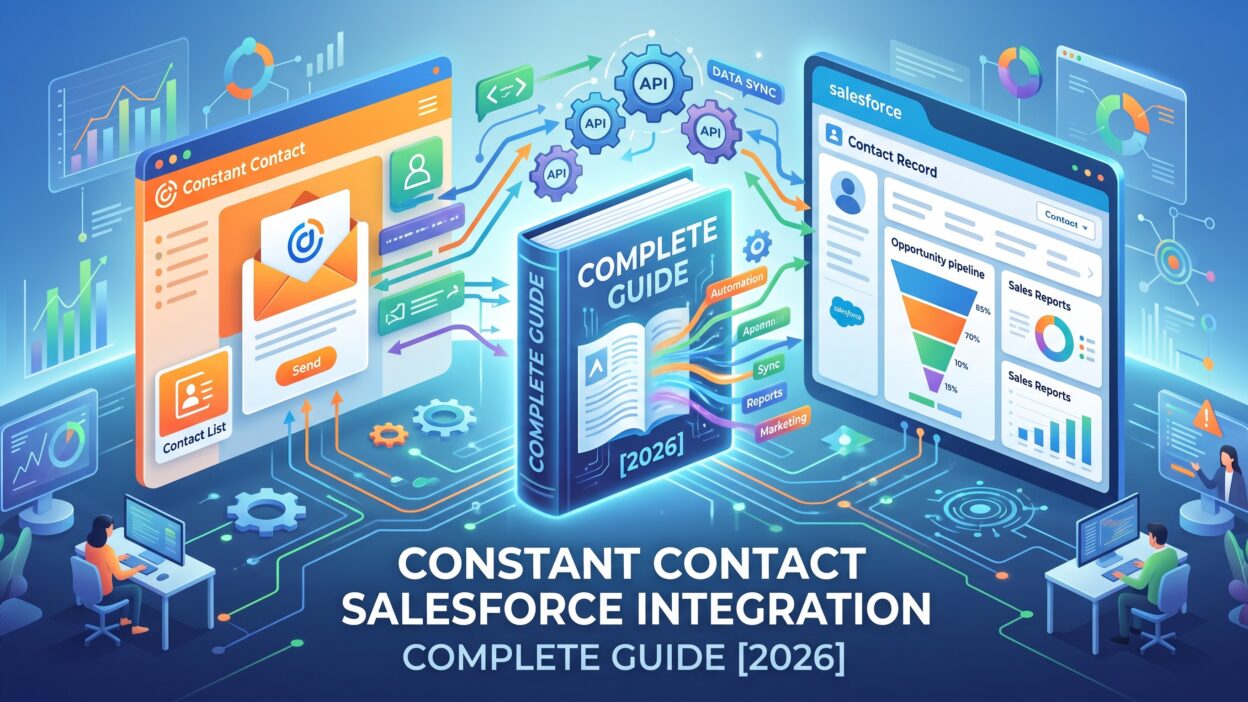
Constant Contact Salesforce integration links your email platform directly to your CRM records. Every contact update, email click, and campaign result moves between both systems automatically. Your team stops copying data by hand.
This connection matters most for businesses running lean teams. A five person marketing department can’t afford hours lost to manual list uploads every week.
What Problem Does This Integration Solve
Sales reps often work blind when it comes to marketing activity. A rep calls a lead with zero idea whether that person opened a single email. Constant Contact Salesforce integration hands reps that missing context instantly.
Marketing teams face a similar blind spot. Without integration, marketers build campaigns using outdated contact lists exported weeks earlier. A live sync keeps every list current without extra effort.
Core Capabilities to Know
The integration handles two way contact syncing. New Salesforce leads flow into Constant Contact, and new Constant Contact signups flow back into Salesforce as leads.
Email engagement data appears directly on Salesforce contact records. A marketer or rep sees opens, clicks, and bounces without switching platforms. Campaign membership updates automatically based on list activity too.
Why Companies Choose Constant Contact Salesforce Integration
Businesses running both platforms separately eventually hit a wall. Growth exposes every inefficiency in a manual process. Here’s what pushes companies toward integration.
Eliminating Manual Data Entry
Copying contact lists between systems introduces mistakes. A single typo in an email address costs a lead permanently. Constant Contact Salesforce integration removes this risk entirely through automated syncing.
Creating Sales and Marketing Alignment
Sales and marketing rarely share full visibility into each other’s work without integration. A rep might call a lead the same week marketing sent three unrelated emails, creating a confusing mixed message for the prospect.
Constant Contact Salesforce integration solves this by making campaign activity visible to sales in real time. Reps time their outreach around what marketing already sent.
Improving Campaign Personalization
Salesforce holds rich data about each contact, including deal stage, industry, and company size. Constant Contact Salesforce integration pulls this data into email templates directly. Personalized emails built from real CRM fields outperform generic blasts sent to an entire list.
Setting Up Constant Contact Salesforce Integration
Setup requires some planning, but most teams finish within a single afternoon.
What You Need Before You Start
Confirm your Salesforce edition supports third party app installations. Professional, Enterprise, and Unlimited editions all work well. Essentials edition sometimes runs into API restrictions.
Clean your existing contact database first. Merge duplicate records and fix broken email formats before connecting anything. A messy starting point creates a messy synced result.
The Setup Process Step by Step
Open the Salesforce AppExchange and search for the official Constant Contact connector. Install it into your org and grant the necessary object permissions for contacts and leads.
Switch over to your Constant Contact account next. Locate the integrations section and select Salesforce from the available connectors. Authenticate using your Salesforce login credentials.
Choose which Salesforce objects sync with Constant Contact. Most businesses select contacts, leads, and campaign members as a starting point. Map your custom fields carefully during this step so data lands in the correct place on both sides.
Run a small test batch before committing to a full sync. Check ten or twenty records across both platforms for accuracy. Once everything looks correct, launch the complete sync.
Mistakes That Slow Down Setup
Skipping the field mapping step causes data to land in unrelated fields later. Always verify every mapped field pairing before moving forward.
Granting insufficient permissions during installation also causes silent failures. The sync appears to run, but records never actually update. Double check read and write access on every object you plan to sync.
Rushing straight to a full sync without testing first creates the biggest cleanup headaches. A small test batch catches problems while they’re still easy to fix.
Constant Contact Salesforce Integration Cost Breakdown
Pricing structure depends on your existing Constant Contact plan and Salesforce edition. Most mid-tier and higher Constant Contact plans include the Salesforce connector at no additional charge.
Lower tier Salesforce editions sometimes require an upgrade to unlock full API access needed for the sync. Factor this potential upgrade into your budget conversation before assuming the integration comes free.
Businesses already paying for both platforms separately usually find the integration itself adds minimal direct cost. The real expense, if any, comes from plan tier requirements rather than the connector.
Real World Use Cases for This Integration
Different industries apply Constant Contact Salesforce integration in different ways based on their specific goals.
Nonprofit organizations use the integration to track donor engagement patterns. A donor opening every newsletter becomes a strong candidate for a personal outreach call from a development officer.
Local service businesses use automated nurture sequences built through the integration. A prospect who requests a quote enters an email sequence while a rep follows up manually within days.
Event companies rely on the integration for registration and follow up workflows. Attendance data flows into Salesforce, triggering different email sequences based on whether someone attended or missed the event.
Real estate agencies use Constant Contact Salesforce integration to maintain relationships with past clients long after closing. Automated newsletters keep an agent visible for future referrals without requiring constant manual outreach.
Comparing Constant Contact Salesforce Integration to Other Options
Businesses often weigh this integration against alternatives like Pardot, Mailchimp, or HubSpot before committing.
Pardot belongs to Salesforce directly, offering deeper native functionality suited to complex B2B funnels. Constant Contact Salesforce integration works better for smaller teams wanting simplicity over advanced automation features.
Mailchimp’s Salesforce connection appeals more to ecommerce brands with transactional email needs. Constant Contact tends to fit service businesses, local companies, and nonprofits better than high volume ecommerce operations.
HubSpot bundles CRM and marketing into a single platform, appealing to companies willing to replace Salesforce entirely. Teams committed to keeping Salesforce as their CRM often prefer pairing it with a simpler email tool like Constant Contact instead.
Fixing Common Problems After Integration
Even a properly configured Constant Contact Salesforce integration runs into occasional hiccups.
Delayed syncs usually trace back to Salesforce API limits. Check your daily API usage inside Salesforce setup whenever sync speed slows down noticeably.
Duplicate records appear when matching rules aren’t configured correctly. Set your matching logic around email address as the primary identifier to avoid most duplication issues.
Fields showing blank after a sync point toward a mapping error made during setup. Revisit your field mapping configuration and correct any mismatched pairings.
Authentication failures typically mean your Salesforce token expired. Reconnecting your account inside Constant Contact settings resolves this within a few minutes.
Getting the Most Out of Your Integration Long Term
Schedule regular list cleanup to remove bounced addresses and unsubscribed contacts. Clean lists protect your sender reputation and keep sync accuracy high over time.
Revisit your field mappings every few months. Salesforce configurations change as businesses grow, and outdated mappings quietly break without obvious warning signs.
Make sure your sales team actually understands how to use the synced data. A powerful integration provides zero value if reps never check the email activity now visible on their records.
Assign someone to monitor sync logs on a regular basis. Small errors caught early prevent larger data problems from building up unnoticed over several months.
Frequently Asked Questions
Does Constant Contact work natively with Salesforce? Yes. Constant Contact offers an official connector available through the Salesforce AppExchange, and most teams complete setup within an hour.
Do I need to pay extra for Constant Contact Salesforce integration? The connector itself usually comes included with qualifying plans. You may need a Constant Contact plan upgrade or sufficient Salesforce API access depending on your current setup.
Can custom Salesforce fields sync with Constant Contact? Yes. You map custom fields during the setup process, allowing personalized campaigns built around any data point stored in Salesforce.
How quickly does data sync between the two platforms? Most syncs happen in near real time, though some configurations run on a scheduled interval instead depending on your setup preferences.
Which Salesforce edition works best for this integration? Professional, Enterprise, and Unlimited editions all support full integration functionality. Essentials edition sometimes faces API limitations worth checking beforehand.
Can sales reps see email engagement inside Salesforce? Yes. Opens, clicks, and bounce data all appear directly on the contact or lead record once integration is active.
Is this integration a good fit for small businesses? Yes, especially for teams without dedicated operations staff. Automation through Constant Contact Salesforce integration frees up time that would otherwise go toward manual data entry.
Read More:-MCP Intent Data: Surfacing Buyer Signals Inside Your AI Tools
Conclusion

Constant Contact Salesforce integration turns two disconnected tools into one coordinated system. Sales and marketing finally work from shared, accurate data instead of guessing what the other team already knows.
Setup takes far less time than most teams expect, often finishing within a single day. The benefits show up quickly through faster follow ups, smarter campaigns, and cleaner contact records across both platforms.
Companies still running Constant Contact and Salesforce separately are leaving real efficiency on the table. Constant Contact Salesforce integration closes that gap and gives both teams the visibility they need to work well together.