Introduction
TL;DR Choosing a CRM shapes how your whole team sells, supports, and tracks customers. Two names come up again and again during this search: Salesforce and SuiteCRM. Both promise better organization and stronger customer relationships. Both take very different paths to get there.
Buyers face a real decision here, not just a preference. One platform costs money but saves setup time. The other costs less but asks more from your technical team. Getting this choice wrong wastes months of migration work later.
This Salesforce vs SuiteCRM comparison breaks down the real differences between these two platforms in 2026. You will see how each one handles pricing, customization, ease of use, and long-term scalability. We also cover feature differences, migration considerations, and the questions buyers ask most often before making a final call. By the end, you will know which platform actually fits your team’s size, budget, and technical comfort.
Table of Contents
What Is Salesforce?
Salesforce stands as the largest cloud CRM provider in the world. Companies of every size use it to manage sales pipelines, customer service tickets, and marketing campaigns. The platform runs entirely in the cloud, so your team accesses it from any browser or mobile device.
Salesforce built its reputation on deep customization and a massive app marketplace. Admins build custom fields, workflows, and dashboards without writing code for most tasks. Developers extend the platform further using Apex, Salesforce’s own programming language. This flexibility explains why so many enterprise teams choose Salesforce as their core system of record.
Salesforce also offers a wide family of connected products. Sales Cloud handles pipeline management. Service Cloud handles support tickets. Marketing Cloud handles campaigns and customer journeys. Each product connects back to the same customer record, giving teams one shared view across departments.
Artificial intelligence now plays a bigger role inside Salesforce than ever before. Built-in AI tools suggest next steps for a rep, summarize long email threads, and flag deals at risk of stalling. This layer of automation reduces manual data entry and keeps reps focused on actual selling.
What Is SuiteCRM?
SuiteCRM takes a completely different approach. It runs as free, open-source software, built originally as a fork of SugarCRM. Companies download the source code and host it on their own servers, or they pay a partner to host and manage it for them.
This open-source model gives businesses full control over their CRM. A development team can view every line of code and change anything they need. No licensing fee applies to the core software itself, though hosting and support still cost money depending on your setup.
SuiteCRM covers many of the same core functions as larger platforms. It handles contact management, sales pipelines, campaigns, and customer support cases. The interface feels more traditional compared to Salesforce, but it gets the job done for teams with straightforward needs and a tighter budget.
Community-built modules extend SuiteCRM in useful ways too. Developers around the world publish free and paid add-ons that add extra functionality without touching the core codebase. A company with basic needs often finds a ready-made module instead of building a custom feature from scratch.
Who Typically Uses SuiteCRM?
Small and mid-sized businesses often choose SuiteCRM first, especially when a licensing fee per user feels too expensive. Nonprofits and government agencies also favor this option, since open-source software fits tighter procurement rules in many public sector contracts. Companies with strong internal development teams enjoy the freedom to customize the platform without vendor restrictions holding them back.
Consulting firms and agencies represent another common user base. These businesses often manage many small clients on tight budgets. SuiteCRM lets them deploy a working CRM for each client without paying a recurring per-user fee for every single account.
Salesforce vs SuiteCRM: Core Differences
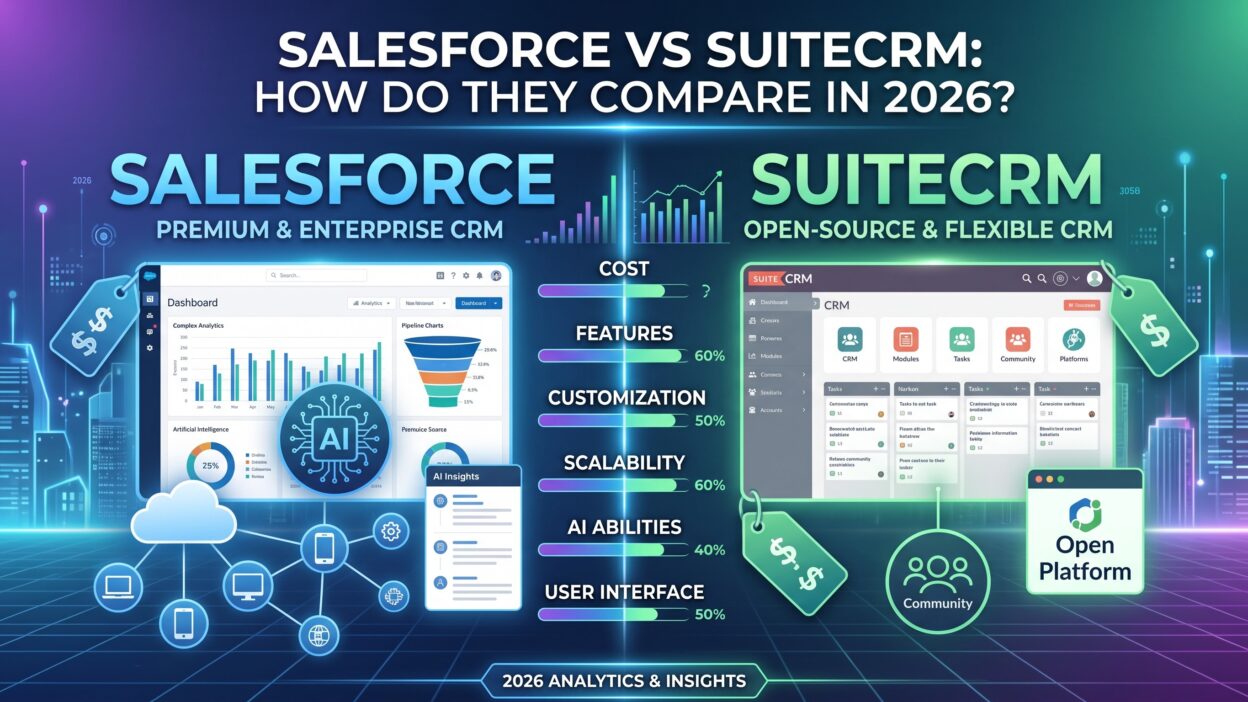
The real Salesforce vs SuiteCRM debate comes down to a handful of core factors. Each factor matters more or less depending on your company’s size, budget, and technical resources.
Pricing and Total Cost of Ownership
Salesforce charges a per-user, per-month fee that scales with the features you need. Entry-level plans work fine for small teams, but advanced features like automation and forecasting sit behind higher pricing tiers. Costs grow quickly once you add extra products like Marketing Cloud or custom development work.
SuiteCRM costs nothing to download and install. The real expense comes from hosting, maintenance, and any custom development your team needs. A company without in-house technical staff often pays a partner for setup and ongoing support. This model still tends to land cheaper than Salesforce for many small and mid-sized teams, though the gap narrows as customization needs grow.
Hidden costs deserve attention on both sides of this comparison. Salesforce buyers often underestimate the cost of add-on products and premium support tiers. SuiteCRM buyers sometimes underestimate the true cost of hosting, security patches, and developer time over several years. A fair total cost comparison needs to account for these long-term expenses, not just the sticker price at signup.
Deployment and Hosting
Salesforce runs entirely as a managed cloud service. Salesforce handles every server, update, and security patch behind the scenes. Your team never touches infrastructure directly, which removes a major burden from internal IT staff.
SuiteCRM gives you a choice. You host it yourself on your own servers, or you pick a cloud hosting provider that specializes in SuiteCRM deployments. This flexibility appeals to companies with strict data residency rules or a preference for full infrastructure control. It also means your team takes on more responsibility for updates, backups, and security.
Data ownership stands out as a real advantage for SuiteCRM here. Every byte of customer data stays on infrastructure your company controls directly. Some industries, like healthcare or government, value this level of control enough to accept the extra maintenance burden that comes with it.
Customization and Flexibility
Both platforms support serious customization, though the approach differs a lot. Salesforce uses a point-and-click builder for most changes, backed by Apex code for advanced logic. A trained admin builds most workflows without ever touching a line of code.
SuiteCRM customization happens closer to the code itself. A developer edits PHP files directly to build custom modules or change core behavior. This approach gives total freedom, but it also demands a stronger technical skill set on your team. Companies without developer resources often find Salesforce easier to customize day-to-day, even without full code access.
This difference shapes long-term flexibility too. A Salesforce admin works within the platform’s own rules and object structure. A SuiteCRM developer can rewrite nearly any part of the system, since the entire codebase sits open for editing. This freedom matters most to companies with truly unusual workflows that standard CRM tools rarely support.
Ease of Use and User Experience
Salesforce invests heavily in interface design and user experience research. The platform feels polished, with guided setup flows and a clean, modern dashboard. New reps ramp up faster thanks to built-in tutorials and a large library of training content through Salesforce’s own learning platform.
SuiteCRM has a more dated interface by comparison. The layout works well once a team learns it, but the learning curve feels steeper for non-technical users. Teams that prioritize a smooth, modern experience often lean toward Salesforce during this part of the decision.
Customization can improve this experience over time, though. A skilled developer redesigns SuiteCRM’s interface to feel more modern and intuitive. This work takes real time and budget, so most small teams accept the default look rather than invest in a full visual overhaul.
Scalability for Growing Teams
Salesforce scales extremely well for large, complex organizations. Enterprise features like advanced permission sets, territory management, and AI-powered forecasting support thousands of users without performance issues. Large companies with complex sales structures rarely outgrow what Salesforce offers.
SuiteCRM scales well too, but performance depends heavily on your hosting setup. A poorly configured server struggles under heavy data loads or a large user base. Companies planning rapid growth should budget for stronger infrastructure and ongoing technical support as their SuiteCRM instance expands over time.
Database performance becomes a real factor at scale. A well-tuned SuiteCRM deployment on strong hosting handles thousands of records without trouble. A neglected instance on cheap shared hosting slows down fast once data volume grows. This variance makes hosting choice one of the most important decisions a growing SuiteCRM team makes.
Support and Community Resources
Salesforce offers tiered support plans, ranging from basic email support to premium services with guaranteed response times. A massive user community, along with official documentation and certified partners, backs up every plan level. Finding help for a specific problem rarely takes long.
SuiteCRM relies more on its open-source community for free support. Official paid support comes through SalesAgility, the company behind the platform, or through certified partners. The community forums stay active, but response times vary compared to a paid enterprise support contract through Salesforce.
Feature-by-Feature Comparison
A closer feature comparison helps clarify where each platform truly shines in this Salesforce vs SuiteCRM matchup. Sales pipeline management works well on both platforms, though Salesforce offers deeper automation and AI-driven lead scoring out of the box. SuiteCRM covers the basics of pipeline tracking without the same level of predictive intelligence.
Marketing automation shows a bigger gap between the two. Salesforce Marketing Cloud handles complex, multi-channel campaigns across email, social, and advertising. SuiteCRM includes basic campaign tools, but teams often connect a separate marketing platform for advanced automation needs.
Customer service tools also differ in depth. Salesforce Service Cloud includes case routing, a knowledge base, and live chat support built natively into the platform. SuiteCRM handles support tickets and case management well for straightforward service needs, though it lacks some of the advanced routing logic found in Salesforce.
Reporting and analytics favor Salesforce for teams that need deep, real-time insight. Built-in dashboards update instantly and support complex, cross-object reporting. SuiteCRM offers solid reporting for standard needs, though building highly custom reports often requires more manual setup work.
Mobile access exists on both platforms. Salesforce offers a polished, fully-featured mobile app that mirrors most desktop functionality. SuiteCRM offers a mobile-responsive interface and third-party app options, though the experience feels less refined compared to Salesforce’s native app.
Security and compliance features also carry real weight in this comparison. Salesforce holds numerous industry certifications and offers advanced encryption, audit trails, and compliance tools built directly into the platform. SuiteCRM can meet strong security standards too, but the responsibility falls on your own team or hosting partner to configure and maintain those protections correctly.
Which One Fits Your Business?
The right choice in this Salesforce vs SuiteCRM comparison depends entirely on your specific situation. A fast-growing company with a healthy budget and complex sales processes usually benefits more from Salesforce. The platform’s depth, polish, and ecosystem justify the higher cost once a business reaches a certain scale.
A small business, nonprofit, or budget-conscious team often finds SuiteCRM a smarter starting point in this same comparison. The lack of licensing fees frees up budget for other priorities. Teams with in-house developers get even more value, since they can shape the platform exactly around their workflow without waiting on a vendor.
Consider your growth trajectory too. A company planning rapid expansion within the next two years may want to start with Salesforce, even at a higher upfront cost. Migrating a heavily customized SuiteCRM instance to a new platform later gets expensive and time-consuming. Starting with the platform you plan to grow into often saves money down the road.
Team size offers another useful lens for this Salesforce vs SuiteCRM decision. A team under ten users often finds SuiteCRM’s lower cost easy to justify, even with a modest learning curve. A team above fifty users usually benefits more from Salesforce’s polish, automation, and dedicated support resources.
Technical resources matter just as much as budget. A team without any developer support should lean toward Salesforce’s low-code approach. A team with strong technical staff already on payroll gets far more value out of SuiteCRM’s open, code-level flexibility.
Industry also plays a role in this Salesforce vs SuiteCRM decision. Highly regulated industries, like finance and healthcare, often lean toward Salesforce for its built-in compliance tools and certifications. Organizations with strict data sovereignty requirements sometimes prefer SuiteCRM instead, since they keep full control over where their data physically lives.
Advantages and Drawbacks of Each Platform
Salesforce brings a polished interface, deep automation, and a massive ecosystem of apps and integrations. It scales smoothly as a company grows, and support stays reliable across every plan tier. The main drawback shows up in cost, since fees climb fast once a team adds premium features or extra products.
SuiteCRM brings freedom and cost savings that few competitors can match. Full access to the source code means no vendor lock-in and no per-user licensing fee. The tradeoff comes through a steeper learning curve and a heavier reliance on internal technical skill for setup, customization, and ongoing maintenance.
Every Salesforce vs SuiteCRM decision ultimately balances these tradeoffs against your team’s real priorities. Neither platform wins in every category. The better choice depends on which drawbacks your team can absorb and which strengths matter most for your daily operations.
Support quality often becomes the deciding factor once teams weigh everything else equally. A company that values fast, guaranteed response times usually leans toward Salesforce’s paid support tiers. A company comfortable troubleshooting through community forums and documentation often saves money with SuiteCRM’s open-source support model instead.
Integration and Ecosystem Differences
Integrations often decide how well a CRM fits into an existing tech stack. Salesforce runs the AppExchange marketplace, home to thousands of pre-built apps and connectors. A team connects tools for email marketing, accounting, or e-signatures within minutes, often without any custom code at all.
SuiteCRM supports integrations too, though the path looks different. Many connections rely on open APIs, custom scripts, or third-party connector tools built by the community. A skilled developer builds nearly any integration a business needs, but the process takes more time compared to a one-click Salesforce install.
Email and calendar syncing works smoothly on both platforms today. Salesforce ties directly into Gmail and Outlook through native, well-supported connectors. SuiteCRM offers similar syncing, though setup sometimes needs a bit more manual configuration to get every feature working correctly.
Custom API work levels the playing field somewhat between the two platforms. A strong development team builds nearly identical integrations for either CRM, given enough time and budget. The real difference shows up in speed. Salesforce buyers get many integrations instantly through the marketplace, while SuiteCRM users often build the same connection from scratch.
Migration Considerations Between the Two Platforms
Switching CRMs mid-cycle brings real challenges, no matter which direction you move. Moving from SuiteCRM to Salesforce usually means mapping custom fields and workflows into Salesforce’s structure. A migration partner often handles this process for larger, more complex datasets.
Moving from Salesforce to SuiteCRM presents its own hurdles. Exporting years of Salesforce data and rebuilding custom automation inside SuiteCRM takes real planning and technical effort. Companies rarely make this move unless cost pressures or data control concerns outweigh the disruption of switching platforms.
Either direction benefits from a clear migration plan built well before the actual cutover date. Test the new system with a small pilot group first. Run both systems in parallel for a short window before fully retiring the old platform. This approach reduces the risk of lost data or a disrupted sales process during the transition.
Data cleanup deserves attention before any migration begins. Duplicate records, outdated fields, and unused custom objects only cause confusion in a new system. A thorough cleanup pass before migration saves significant headaches once the new CRM goes live for the whole team.
Training also plays a bigger role than most teams expect. Reps who spent years inside one platform need real time to adjust to the other. Budget for hands-on training sessions during the first few weeks after any Salesforce vs SuiteCRM migration, regardless of which direction the switch goes.
Frequently Asked Questions About Salesforce vs SuiteCRM
Is SuiteCRM really free compared to Salesforce?
The core SuiteCRM software costs nothing to download and install. Real costs still apply through hosting, maintenance, and any custom development work your team needs. Salesforce charges a per-user subscription fee that covers hosting, updates, and support as part of the package. This cost gap sits at the center of most Salesforce vs SuiteCRM budget discussions.
Which platform works better for a small business?
Small businesses with tight budgets often start with SuiteCRM, since it avoids per-user licensing fees entirely. Small teams with more budget and a need for polish frequently prefer Salesforce instead, especially if they plan to scale quickly.
Can SuiteCRM handle enterprise-level needs?
SuiteCRM can handle larger workloads with the right hosting setup and technical support in place. Most enterprise-scale companies still choose Salesforce, though, due to its proven track record and deeper built-in enterprise features.
How difficult is it to switch between Salesforce and SuiteCRM?
Switching in either direction takes real planning and technical effort. Data migration, workflow rebuilding, and user retraining all factor into the timeline. A dedicated migration partner makes the process smoother for larger or more complex CRM setups.
Does SuiteCRM offer the same integrations as Salesforce?
Salesforce offers a far larger marketplace of pre-built integrations through AppExchange. SuiteCRM supports integrations too, often through custom development or third-party connectors, but the built-in options remain more limited compared to Salesforce’s ecosystem.
Which platform gets updated more often?
Salesforce releases major updates several times a year, delivered automatically to every customer. SuiteCRM updates come from its open-source community and its parent company, SalesAgility, though the release cadence moves slower than Salesforce’s structured update schedule.
Is SuiteCRM a good long-term choice or just a starting point?
SuiteCRM works as a genuine long-term solution for many companies, not just a temporary starting point. Businesses with stable technical support and predictable growth often run SuiteCRM for years without needing to switch. Companies expecting rapid scale or heavy enterprise features tend to outgrow it faster than a company with steady, moderate growth.
Does Salesforce or SuiteCRM offer better customer support response times?
Salesforce generally offers faster, more predictable response times through its paid support tiers. SuiteCRM support speed depends on whether you use free community forums or a paid support contract through SalesAgility or a certified partner. Paid SuiteCRM support closes much of this gap, though it adds to the platform’s overall cost.
Read More:-Akiflow vs Motion: How They Compare in 2026
Conclusion

This Salesforce vs SuiteCRM comparison comes down to a tradeoff between cost, control, and polish. Salesforce delivers a refined, scalable platform backed by strong support and a massive ecosystem, at a price that grows with your needs. SuiteCRM delivers freedom and real cost savings, provided your team brings the technical skill to set it up and maintain it well.
Think carefully about your budget, your technical resources, and your growth plans before you commit to either platform. A small team with strong developers may thrive on SuiteCRM’s flexibility. A growing company with a bigger budget may find Salesforce’s polish and automation worth every dollar. Whichever side of this Salesforce vs SuiteCRM decision you land on, match the platform to your team’s actual needs, not just its reputation.