Introduction
TL;DR Sending a proposal should feel simple. A rep builds the document, sends it out, and waits for a signature. Reality looks messier. Contact data lives in one tool, payment details sit in another, and the signed contract never quite makes it back into the CRM automatically. PandaDoc integrations close these gaps.
This guide covers the seven best PandaDoc integrations for 2026. You will see what each connection does, why it matters, and how it fits into a real sales or operations workflow. We also walk through how to choose the right combination, common setup challenges, and the questions teams ask most before they connect a new tool.
What Are PandaDoc Integrations and Why They Matter
PandaDoc integrations connect the PandaDoc document platform with the other software your team already runs every day. Instead of copying contact details by hand into a new proposal, the connection pulls that data automatically. Instead of exporting a signed contract and uploading it somewhere else, the connection pushes it straight into your CRM.
Document workflows touch nearly every department in a growing company. Sales sends proposals. Finance sends invoices. HR sends offer letters. Each of these teams benefits from a connected setup that removes manual data entry from the process. A missed field or a typo in a contract creates real problems down the line, and integrations reduce that risk significantly.
Speed matters just as much as accuracy in 2026. Buyers expect a fast turnaround between a sales call and a signed agreement. A rep who sends a proposal within minutes of a call closes faster than one who builds it from scratch a day later. The right PandaDoc integrations turn that quick turnaround into a repeatable habit instead of a rare exception.
The Bigger Picture Behind Document Automation
Modern revenue teams run on a stack of specialized tools. A CRM holds the deal record. A payment platform handles billing. A communication tool keeps the team aligned. Without integrations, each of these systems stays isolated from the others, forcing someone to bridge the gap manually.
PandaDoc integrations act as that bridge. They sync contact records, deal stages, and payment status across systems automatically. A rep working inside the CRM sees document status without opening PandaDoc separately. A finance team sees signed contracts flow directly into their invoicing system. This connected approach turns document creation into one smooth step inside a larger workflow, rather than a separate task competing for attention.
How to Choose the Right PandaDoc Integrations for Your Team
Not every integration fits every team’s workflow. Start by mapping out where documents fit into your current process. Note which tool holds your contact and deal data, which tool handles payments, and which tool your team uses for daily communication.
Team size shapes this decision heavily. A small sales team may only need a CRM connection and an e-signature workflow. A larger organization often needs finance, support, and marketing tools connected as well. Build your list based on your actual daily bottlenecks, not a generic list of popular options.
Budget deserves real attention during this process. Some connections come included with your existing plan. Others require a higher subscription tier or a separate app marketplace fee. Weigh the cost against the actual hours your team saves each week from reduced manual work.
Security and data handling matter just as much as convenience. Every new connection shares data between two systems, so review each integration’s permission scope carefully. A strong IT or operations partner should review any connection that touches financial or contract data before it goes live.
Test before you commit to a full rollout. Most of these connections offer a simple setup you can trial with a small group first. Watch how the connection performs during a real sales cycle. Gather feedback from your team before expanding access company-wide.
7 Best PandaDoc Integrations for 2026
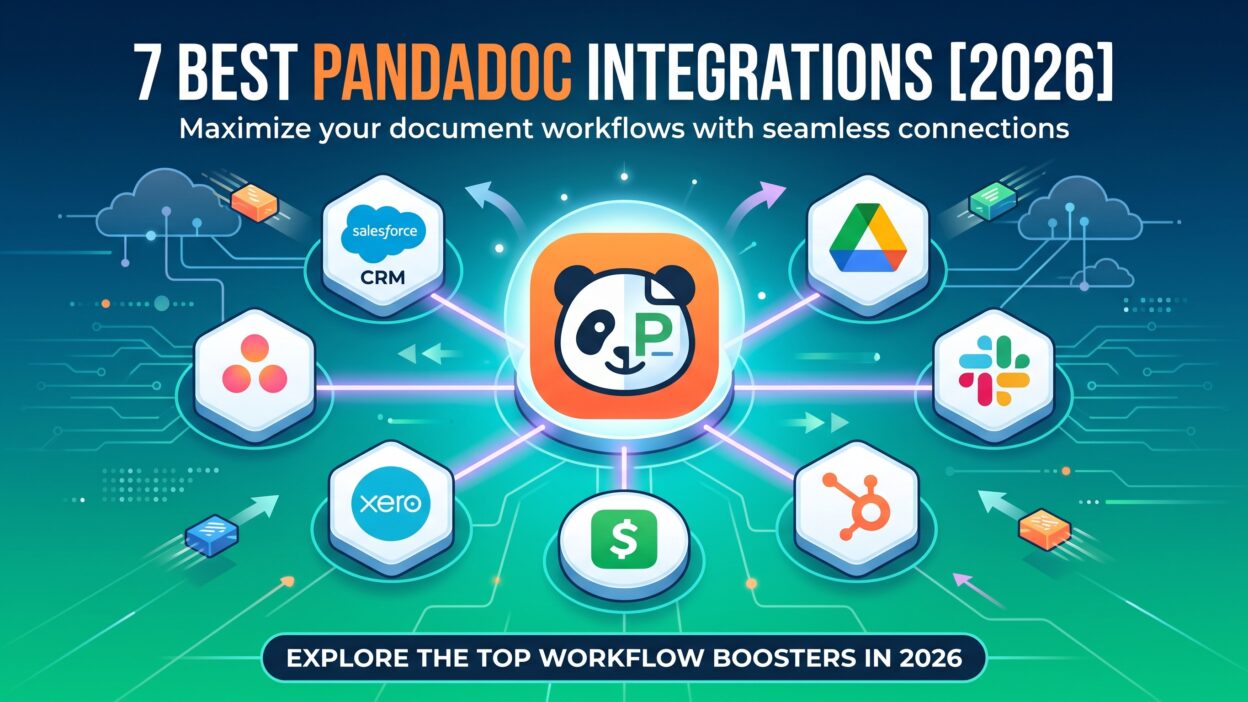
These seven PandaDoc integrations cover the core needs of most sales, finance, and operations teams. Each one solves a specific gap between document creation and the rest of your business workflow.
1. Salesforce Integration
The Salesforce integration ranks as one of the most requested PandaDoc integrations among sales teams. It pulls contact and deal data directly from Salesforce into a new document, so reps never retype information by hand. Once a document gets signed, the status updates automatically back inside the Salesforce opportunity record.
This connection keeps deal stages accurate without extra manual updates. A sales manager sees exactly which proposals sit in draft, which ones went out, and which ones came back signed, all from inside Salesforce itself. Teams running a structured sales process benefit the most, since document status becomes just another data point tracked alongside the rest of the deal.
Forecasting improves as a direct result of this visibility. A manager no longer guesses which deals actually have a proposal in motion. Revenue projections become more reliable once document status ties directly into the same pipeline data used for every other forecast.
2. HubSpot Integration
HubSpot serves as the core CRM and marketing platform for many growing companies. This integration lets a rep generate a proposal directly from a HubSpot deal record, using data already stored in the contact and company fields. No copying, no retyping, and no risk of a mismatched name or address on the final document.
Marketing teams also gain value from this connection. A signed document triggers a lifecycle stage update inside HubSpot automatically, moving a contact from an open deal to a closed customer. This visibility helps marketing and sales stay aligned on where every account actually stands.
Reporting benefits too, since document activity feeds directly into HubSpot’s existing dashboards. A manager tracks proposal open rates and signature times without exporting data into a separate spreadsheet. This unified reporting saves time during weekly pipeline reviews.
3. Google Workspace Integration
Many teams already run their daily work through Gmail, Google Drive, and Google Calendar. This integration lets a rep attach a PandaDoc proposal directly inside a Gmail draft without switching tabs. Completed documents save automatically into a designated Google Drive folder for easy access later.
Calendar syncing adds another useful layer here. A rep schedules a contract review call and the meeting invite links directly to the relevant document. This small convenience saves time during a busy week and keeps every stakeholder looking at the same version of a document.
Search becomes far easier with this connection too. A rep looking for an old proposal searches Google Drive directly instead of logging into a separate document platform. This shared storage location keeps files organized without requiring a second filing system.
4. Slack Integration
Slack has become the communication hub for many sales and operations teams. This integration sends real-time alerts the moment a prospect opens, views, or signs a document. A rep gets notified inside a relevant channel instead of refreshing an inbox every few minutes.
Deal momentum improves with this kind of visibility. A manager sees which proposals sit unopened for several days and follows up with the rep directly. Fast-moving teams rely on this connection to keep documents from sitting forgotten in someone’s sent folder.
Team-wide visibility also helps during busy periods, like the final week of a quarter. A sales leader posts a quick summary of every pending signature into a shared channel. Reps rally around closing these open deals together instead of tracking progress in isolation.
5. Zapier Integration
Zapier connects PandaDoc to thousands of other apps without any custom coding. A team builds a simple rule, like sending a Slack alert or creating a task in a project management tool, the moment a document gets signed. This flexibility fills gaps that a native integration might not cover directly.
Smaller teams without a dedicated developer benefit the most from this option. A no-code Zapier flow replaces what would otherwise require custom API work. Many companies build their entire connected document setup around a handful of simple Zapier automations rather than juggling several separate native connections.
Custom triggers make this connection especially useful for unusual workflows. A team building a rare, industry-specific process finds a matching automation through Zapier rather than waiting for a native app to support it. This flexibility fills nearly any gap a standard integration might miss.
6. Stripe Integration
Getting paid quickly matters as much as getting a signature. The Stripe integration lets a client pay an invoice at the exact moment they sign a proposal or contract. No separate email, no extra login, and no delay between agreement and payment.
This connection reduces the awkward gap between a signed deal and actual revenue hitting your account. Finance teams appreciate the reduced manual reconciliation work, since payment and contract status live together in one place. Subscription and services businesses find this pairing especially useful for closing the loop on every new deal quickly.
Refunds and adjustments also become easier to track with this pairing in place. A finance team sees the original signed agreement right alongside the payment record. This context speeds up any dispute or adjustment conversation that comes up later.
7. Pipedrive Integration
Pipedrive serves many small and mid-sized sales teams as their core CRM. This integration pulls deal and contact information straight from Pipedrive into a new document, following the same pattern as the larger CRM connections on this list. Document status also flows back into the deal record automatically once a client responds.
This pairing suits lean sales teams that want strong automation without the complexity of a larger enterprise CRM. A small team closes the loop between prospecting and signed revenue without any manual document tracking. Growing companies often start here before eventually adding more connected tools as their stack matures.
Simplicity stands out as the main draw of this pairing. A small team avoids the setup overhead of a larger enterprise system while still getting most of the automation benefit. This balance makes it a popular starting point among the seven options covered in this guide.
Benefits of Using PandaDoc Integrations
Time savings stand out as the clearest benefit of a connected document workflow. Reps stop retyping contact details or manually updating deal records after every signature. This saved time adds up quickly across a busy sales team handling dozens of proposals each week.
Accuracy improves alongside speed. Data flows directly between systems instead of passing through manual entry, cutting down on typos and mismatched records. A client rarely receives a proposal with the wrong name or an outdated price when the document pulls straight from a live CRM record.
Visibility across teams grows stronger too. Sales managers, finance teams, and even customer support gain a shared view of document status without needing separate updates from each other. Everyone works from the same source of truth instead of chasing information through email threads.
Cash flow improves for businesses that connect payment tools directly into their signing workflow. A client who pays immediately after signing shortens the gap between a closed deal and actual revenue. This small shift makes a real difference for companies managing tight cash flow cycles.
Client experience improves as a natural result of this whole setup. A fast, accurate, and frictionless signing process reflects well on a company from the very first interaction. Buyers notice when a vendor runs a smooth process, and that impression often carries into the rest of the relationship.
Common Challenges With PandaDoc Integrations and How to Solve Them
Setup complexity trips up teams during their first rollout. Connecting multiple systems requires admin access across several platforms at once. Assign one clear project owner to manage this process from start to finish, rather than spreading responsibility across several people.
Data mapping issues sometimes appear once a connection goes live. A field in one system may not match cleanly with a field in another, causing documents to populate incorrectly. Run a small test batch of documents before a full rollout to catch these mismatches early.
Low adoption can slow down even a well-built integration. Reps sometimes stick to old habits if a new tool feels unfamiliar or confusing at first. Run short, practical training sessions that show a real proposal moving through the new workflow from start to finish.
Permission and security concerns deserve ongoing attention, not just a one-time review. Regularly check which team members and connected apps have access to sensitive contract or payment data. Limit access to only what each role actually needs to do their job well.
Cost creep happens as teams add more connections over time. Each additional integration sometimes carries its own fee or usage limit within a larger plan. Track your total spend across every connected tool and cut ones your team rarely uses to keep your setup lean.
Setting Up PandaDoc Integrations Without Disrupting Your Team
Rolling out a new connection mid-quarter feels risky for many sales leaders. A careful approach avoids most of the disruption teams worry about. Start with a single integration tied to your biggest daily pain point, rather than connecting everything at once.
Pick a small group of reps to pilot the new setup first. Watch how the connection performs across a handful of real deals before opening it up to the full team. This staged rollout catches configuration issues early, while the stakes stay low.
Document your setup steps as you go along. A simple internal guide helps new hires understand the workflow without repeating the same questions to a manager. This small habit saves real time once your team grows past a handful of reps.
Revisit your setup every few months as your tools and processes change. A connection that worked well for a ten-person team may need adjustment once headcount doubles. Regular check-ins keep your PandaDoc integrations running smoothly as your business grows.
PandaDoc Integrations vs a Manual Document Workflow
A manual document workflow relies on someone copying data between systems by hand. A rep exports contact details, builds a document from scratch, then manually updates the CRM once a signature comes back. Each step adds delay and increases the odds of a small but costly mistake.
PandaDoc integrations remove this friction by design. Data flows automatically between connected systems, so a rep spends time selling instead of formatting documents. This connected approach cuts document turnaround time significantly compared to a fully manual process built around copy and paste.
Manual workflows also make reporting harder. Without a connected system, a manager pieces together document status from several separate sources, like email threads and spreadsheets. A connected setup keeps this information inside the CRM automatically, giving leadership a clear, real-time view of the whole pipeline.
Cost comparisons favor a connected setup over time as well. A manual process costs more in wasted labor hours than most teams realize, even though it looks free on paper. The right PandaDoc integrations pay for themselves quickly once you account for the time saved across an entire sales team.
Future Trends in PandaDoc Integrations for 2026 and Beyond
Artificial intelligence continues to shape how document workflows evolve. Expect smarter, AI-suggested content inside proposals based on data pulled from a connected CRM. A rep may soon get an entire first draft built automatically from a few key deal details.
Deeper payment integrations will likely expand further. Beyond a single payment at signing, expect more flexible options like installment plans or subscription billing tied directly into the signing process. This flexibility matches how many modern businesses actually structure their deals.
Real-time collaboration features will also grow more common. Multiple stakeholders reviewing and editing a document together, live, will feel more like editing a shared document than passing a static file back and forth by email.
Compliance and audit trail features will tighten as regulations around digital contracts evolve. Expect stronger built-in tracking for every action taken on a document, from the first open to the final signature. Industries with strict compliance needs will push this trend forward the fastest.
Mobile-first signing will keep growing in importance too. Buyers increasingly review and sign documents from a phone rather than a desktop. Expect PandaDoc integrations to keep improving their mobile experience to match this shift in buyer behavior.
Frequently Asked Questions About PandaDoc Integrations
What are the most popular PandaDoc integrations?
Salesforce, HubSpot, and Google Workspace rank among the most popular PandaDoc integrations for sales teams. Zapier also sees heavy use, since it connects PandaDoc to thousands of additional apps without custom code.
Do PandaDoc integrations require coding skills to set up?
Most native integrations need no coding at all. A basic connection often takes only a few clicks through a simple settings menu. Custom workflows built through an API sometimes need light developer support for more advanced use cases.
Which PandaDoc integration should a small team set up first?
Most small teams start with their CRM connection, since it holds every contact and deal record already. Payment integrations, like Stripe, often come next once a team wants to close the loop between signing and revenue.
Are PandaDoc integrations secure for handling contracts and payments?
Security depends on how each connected app manages data and permissions. Review the security documentation for every integration with your IT team before granting access. Limiting permissions to only necessary data reduces risk significantly.
Can PandaDoc integrations work for teams outside of sales?
Yes. HR teams use these connections for offer letters and onboarding paperwork. Finance teams use them for invoices and vendor agreements. Any team that regularly sends documents for signature benefits from a connected workflow.
How many integrations should a team connect at once?
Most teams do best starting with one or two connections tied to their biggest bottleneck. Adding every available integration at once often overwhelms a team during onboarding. A phased approach builds confidence and adoption before expanding further.
Do PandaDoc integrations slow down document loading times?
Well-built native integrations rarely cause noticeable delays during normal use. Custom or heavily layered automations, especially through third-party tools, occasionally add a brief delay during high-traffic periods. Testing during a pilot phase usually catches any performance concerns early.
Read More:-“Land” Your Best Prospects with Landing Page Marketing
Conclusion

PandaDoc integrations turn a scattered, manual document process into one smooth, connected workflow. The seven options covered here, Salesforce, HubSpot, Google Workspace, Slack, Zapier, Stripe, and Pipedrive, each solve a specific gap between document creation and the rest of your business operations. Start by mapping your current workflow and picking the connection tied to your biggest daily bottleneck. Run a small pilot before a full team rollout, then train your team using real documents instead of a generic demo. Expand your list of PandaDoc integrations gradually as your team and budget grow. A connected document workflow saves time, reduces errors, and speeds up the path from a signed agreement to actual revenue.