Introduction
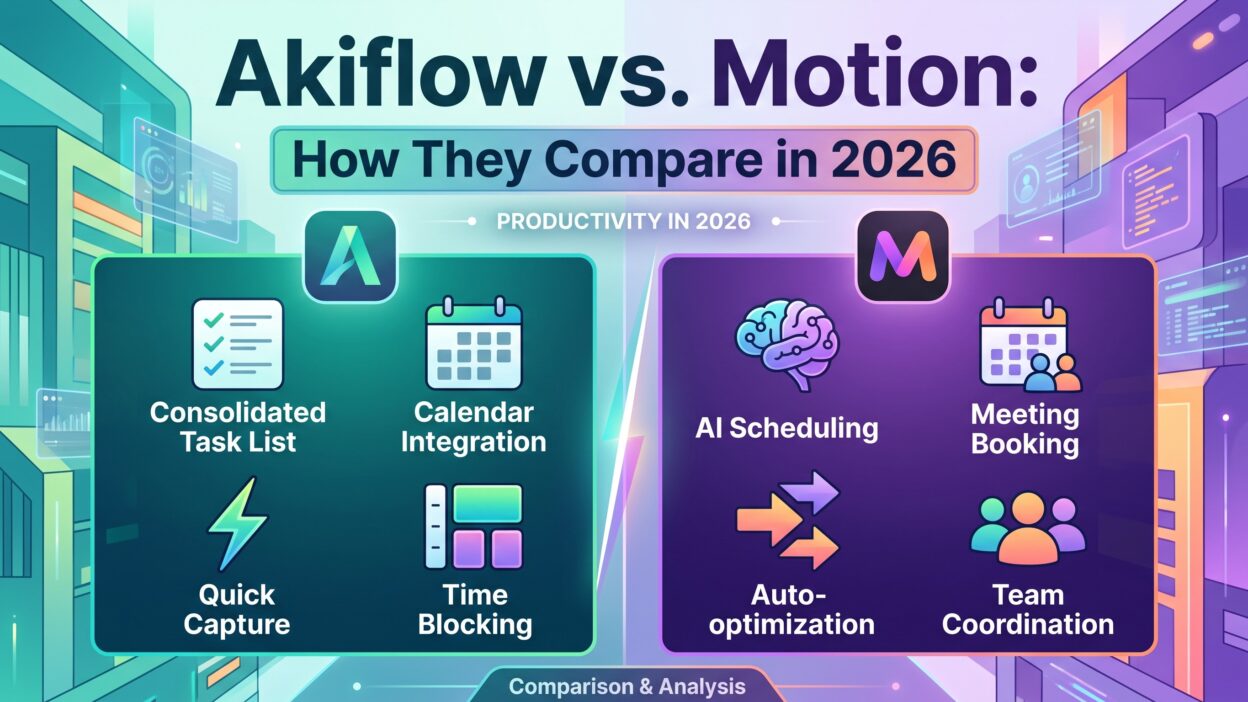
TL;DR Akiflow vs Motion is the question every busy professional asks once their calendar stops making sense. Both tools promise the same outcome. You get one clear plan for your day. But they reach that plan in different ways. Akiflow pulls tasks from dozens of apps into a single inbox. You then time-block each task by hand. Motion takes a different route. You add a task and a deadline. Motion’s AI builds your schedule for you. It also rearranges everything the moment a meeting shifts. This guide breaks down Akiflow vs Motion across features, pricing, integrations, and team support. You will see where each tool wins. You will also see where each tool falls short. By the end, you will know which planner fits your actual workday. Use this Akiflow vs Motion breakdown to make a fast, confident decision.
Table of Contents
What Is Akiflow
Akiflow is a task and calendar app built for speed. It connects to more than eighty external tools. Gmail, Slack, Notion, Asana, ClickUp, and Linear all feed into one central inbox. You capture a task in seconds using a keyboard shortcut. You then drag that task onto your calendar. This creates a time block for it. Akiflow calls this approach a command center. The goal is simple. You stop switching between ten different apps. You manage everything from one screen instead.
Akiflow also includes a feature called rituals. A ritual is a short routine you run each morning or evening. You review your tasks. You pick your priorities. You close out your day with intention. Many solo professionals and freelancers like this structure. It keeps planning mindful instead of purely mechanical.
Akiflow recently added its own AI scheduling layer too. It can suggest time blocks based on your habits. But manual control still sits at the core of the product. You decide where each task lands on your calendar. Akiflow trusts you to make the final call. This makes it a strong fit for people who like structure but refuse to give up control.
What Is Motion
Motion takes the opposite approach. Its entire pitch centers on automation. You enter a task, set a deadline, and add a priority level. Motion’s AI scans your existing calendar. It finds open time. It drops your task into that slot automatically. When a new meeting appears, Motion notices the conflict. It moves your tasks around without asking you first. This is called adaptive rescheduling, and it is Motion’s signature feature.
Motion also functions as a full project management tool. Teams can assign tasks, track dependencies, and view shared workloads. A built-in meeting scheduler lets clients or teammates book time based on your real availability. Motion recently introduced AI Employees as well. These are automated assistants that handle repetitive planning work. They learn your tone and your task patterns over time.
Motion works best for people who dislike planning altogether. You stop deciding when to do things. The AI decides for you. This suits people with unpredictable, meeting-heavy calendars. It also suits small teams that want shared visibility without a heavy project management tool. The tradeoff is control. You give up some of it in exchange for speed.
Akiflow vs Motion: Core Philosophy
The real difference in Akiflow vs Motion is not a feature list. It is philosophy. Akiflow speeds up planning without removing you from the process. You still make every scheduling decision. The app just makes those decisions fast. Motion removes planning from your plate almost entirely. You describe what needs to happen. The AI figures out when.
Neither approach is wrong. Your work style decides which one fits. If you enjoy structuring your day, Akiflow feels satisfying. If planning drains you, Motion feels like relief. People with stable, predictable schedules often prefer Akiflow. People with chaotic, meeting-packed calendars often prefer Motion. This single distinction shapes almost every other difference between the two tools. Keep it in mind as you read the rest of this Akiflow vs Motion comparison. It will make each section easier to judge against your own workflow.
Task Management Compared
Akiflow treats task management as a consolidation problem. You connect your existing tools. Tasks from Todoist, Notion, ClickUp, and email land in one inbox automatically. You triage that inbox daily. You do not create a new task system. You organize the tasks you already have scattered elsewhere. This matters if your team already lives inside another project tool. You keep using that tool. Akiflow just becomes your personal planning layer on top of it.
Motion wants tasks created inside Motion itself. You can still import from a few connected apps. But the deepest AI scheduling only works well with native Motion tasks. This creates friction for teams already deep inside Asana or Linear. You either duplicate work across two systems or migrate fully into Motion.
For solo users juggling many tools, Akiflow feels lighter. For teams ready to centralize everything in one platform, Motion offers more built-in structure. Project boards, subtasks, and dependencies all live natively inside Motion. Akiflow keeps things simpler by design. It assumes your task data already exists somewhere else. Its job is only to help you act on it faster each day.
AI Scheduling and Automation
AI scheduling is where Akiflow vs Motion gets interesting in 2026. Both tools now offer automated scheduling. But the depth differs sharply.
Motion’s AI scheduling is aggressive by default. You set a deadline and Motion finds the slot. No manual dragging required. When something changes, Motion reshuffles your entire day in seconds. Tasks, meetings, and deep work blocks all move automatically. Some users love this. Others find it pushy. The AI sometimes moves a task you wanted to keep fixed in place.
Akiflow’s AI scheduling works more like a suggestion engine. It recommends time blocks based on your past behavior and current workload. You still approve or adjust each suggestion. Nothing moves without your input unless you choose to automate it. This gives you a middle ground. You get AI assistance without losing full control of your calendar.
A recent study found that many knowledge workers lose several hours each week just reorganizing their schedule by hand. Motion targets that exact problem head-on. Akiflow reduces the same pain but leaves the final decision with you. If you want zero involvement in scheduling, Motion wins this round clearly. If you want AI help while staying in the driver’s seat, Akiflow fits better.
Time Blocking Features
Time blocking sits at the heart of both apps, though each handles it differently. Akiflow was built around manual time blocking from day one. Its keyboard shortcuts make blocking a task onto your calendar nearly instant. You can batch-schedule an entire day in a few minutes once you learn the shortcuts. Power users often praise this speed.
Motion also time-blocks your day, but the AI does most of the work. You rarely drag a task manually. Instead, you trust the system to place tasks where they logically fit. This saves time upfront. It costs you some precision, since the AI cannot always read context the way you can.
Neither method is universally better. Manual time blocking through Akiflow rewards people who already know their own rhythm. Automated time blocking through Motion helps people who struggle to estimate how long tasks actually take. Try both trial periods before committing. Your daily rhythm will tell you which time-blocking style actually sticks.
Integrations Compared
Integrations often decide the Akiflow vs Motion debate for teams already using other software. Akiflow connects to more than eighty tools. Gmail, Outlook, Slack, Notion, Linear, Todoist, ClickUp, and Asana all sync directly. This breadth is Akiflow’s biggest structural advantage. A developer can pull Linear issues, Slack pings, and Notion docs into one Akiflow inbox without leaving their existing stack behind.
Motion supports fewer external integrations. It syncs with major calendars like Google Calendar, Outlook, and iCal. But its task integrations remain narrower than Akiflow’s. Motion expects most task creation to happen inside its own system rather than through an external app.
This gap matters most for teams with an established toolchain. If your company already runs on five different apps, Akiflow slots in without disruption. If you are starting fresh or willing to consolidate everything into one platform, Motion’s narrower but deeper ecosystem becomes less of a drawback. Consider your current stack honestly before choosing. Switching an entire team’s task management system carries real cost, and Akiflow avoids forcing that switch in most cases.
Pricing Compared
Pricing separates these two tools more than most comparisons admit. Akiflow generally costs less across every tier. Individual plans run roughly fifteen to thirty-four dollars per month depending on billing frequency and feature tier. Annual billing brings the cost down further, often landing near two hundred and twenty-eight dollars per year for a solo plan.
Motion sits at a higher price point. Individual plans commonly run around twenty-nine to forty-nine dollars per month. Annual billing often totals close to three hundred and forty-eight dollars per year. Team plans push the price higher still, reflecting Motion’s project management and collaboration features.
Both companies offer a seven-day free trial. Neither works offline, so factor that into your decision if you travel often or work in low-connectivity environments. For solo users on a budget, Akiflow delivers strong value without sacrificing core planning power. For teams that need shared project visibility and are willing to pay a premium for automation, Motion’s higher price often justifies itself through time saved across the whole team. Weigh your budget against your team size before you commit to either annual plan, since switching later means migrating your task history.
Team Collaboration Features
Team collaboration is where Motion pulls ahead decisively. Motion includes task assignment, project dependencies, shared team calendars, and workload balancing out of the box. Managers can see exactly how much each teammate has on their plate for the week. Motion’s meeting scheduler also lets external clients book time automatically based on real availability, factoring in existing commitments.
Akiflow was built primarily for individual planning. It does support some shared calendar visibility, but it lacks Motion’s deeper project management layer. Small teams sometimes use Akiflow alongside a separate tool like Asana or ClickUp for shared project tracking. Akiflow then handles the personal daily planning layer on top.
If your team needs shared workload views, dependency tracking, and built-in scheduling links, Motion covers that ground natively. If you are a solo professional or freelancer with no direct reports, Akiflow’s lighter, faster interface probably serves you better without paying for team features you will never touch. Match the tool to your actual team size rather than your future ambitions, since upgrading later stays simple either way.
Ease of Use and Learning Curve
Akiflow rewards keyboard-first users. The learning curve feels steep in the first few days. Shortcuts control almost every action, from capturing a task to blocking it on your calendar. Once learned, though, daily planning becomes remarkably fast. Many users report a genuine speed advantage within about two weeks of regular use.
Motion’s interface leans more visual. New users often find it easier to understand at first glance. You see your calendar, your tasks, and the AI’s suggested schedule side by side. The tradeoff appears later. Motion’s deeper features, like project dependencies and workload views, take longer to master fully.
Neither tool is instantly intuitive on day one. Akiflow demands more upfront practice but pays off through raw speed. Motion demands less initial effort but reveals complexity as you dig into its project management side. If you value quick onboarding, Motion feels friendlier at first. If you value long-term efficiency and don’t mind a short learning curve, Akiflow becomes the faster tool once the habits stick.
Akiflow Pros and Cons
Akiflow’s biggest strength is integration breadth. Pulling tasks from eighty-plus tools into one inbox genuinely reduces app-switching. Its keyboard-driven design also makes daily planning fast once you learn the shortcuts. Pricing stays lower than Motion across every tier, which matters for freelancers and solo professionals watching their budget.
The downsides are real too. Akiflow lacks the deep project management features that growing teams eventually need. Its AI scheduling, while improving, still trails Motion’s automation in raw sophistication. Users who want zero involvement in scheduling decisions may find Akiflow still asks too much of them.
Akiflow suits people who already have a task system elsewhere and simply want a fast personal planning layer on top of it. It suits people who like structure but still want the final word on their own schedule. It does not suit teams needing robust project tracking or people who want to hand scheduling over completely to an algorithm.
Motion Pros and Cons
Motion’s biggest strength is automation depth. Adaptive rescheduling genuinely saves time for people with volatile, meeting-heavy calendars. Its team features, including dependencies and workload balancing, outclass Akiflow for growing teams. The built-in meeting scheduler also removes a common back-and-forth pain point with clients and colleagues.
The downsides show up mainly in cost and flexibility. Motion charges noticeably more than Akiflow at every tier. Its AI can also feel intrusive, moving tasks you wanted fixed in place without always asking first. Integration breadth remains narrower than Akiflow, which creates friction for teams deeply invested in other tools.
Motion suits busy professionals and small teams who want AI to own the scheduling burden completely. It suits people with unpredictable calendars who lose hours each week reorganizing their day manually. It does not suit budget-conscious solo users or people who want tight, hands-on control over exactly when each task happens during their day.
Akiflow vs Motion: Which One Should You Choose
Choosing between Akiflow and Motion comes down to three honest questions. First, how much control do you want over your own schedule. Second, how many other tools does your work already depend on. Third, how much are you willing to spend each month for planning software.
If you juggle ten or more apps daily and want them consolidated into one command center, Akiflow wins. Its integration breadth alone solves a real, constant pain point. If you manage a small team and need shared workload visibility, dependency tracking, and a client-facing scheduler, Motion wins. Its project management depth simply outpaces Akiflow at this stage.
If budget matters most and you work solo, Akiflow’s lower pricing makes it the easier starting point. If your calendar changes constantly through the week and manual replanning exhausts you, Motion’s adaptive rescheduling directly addresses that exhaustion.
There is no universal winner in the Akiflow vs Motion debate. Your workflow decides the winner, not the marketing pages. Try each tool’s free trial for a full week before deciding. Real daily use reveals far more than any feature comparison ever can.
Alternatives Worth Considering
Akiflow and Motion are not the only options in this space. Some newer tools focus specifically on simplicity over feature depth. Others blend calendar, task, and time-tracking data into a single energy-aware view rather than a purely deadline-driven one. If neither Akiflow nor Motion feels right, look at tools built around lighter daily rituals or ones that factor in when you actually work best rather than just when you are free. The productivity software market stays fragmented on purpose. No single tool tries to do everything anymore. Instead, each tool solves one specific planning problem well. Before committing to Akiflow or Motion long-term, spend a week testing at least one alternative too. This context makes your final choice, whichever tool you pick, far more confident and far less likely to require switching again in six months.
Frequently Asked Questions
Is Akiflow or Motion better for solo professionals?
Akiflow generally suits solo professionals better. It costs less every month and skips team features you would never use alone. Its fast keyboard shortcuts also match how most independent workers already move through their day.
Is Akiflow or Motion better for teams?
Motion generally suits teams better. Task assignment, dependency tracking, and shared workload views all come built in. Akiflow lacks this depth, since it was designed primarily around individual planning.
Does Akiflow have AI scheduling in 2026?
Yes. Akiflow now includes AI-suggested time blocks based on your habits and workload. You still approve each suggestion manually, which keeps final control in your hands.
Does Motion let you manually adjust its AI schedule?
Yes, though the AI reschedules aggressively by default. You can lock certain tasks or manually override suggestions, but Motion’s core value comes from letting the automation run.
Which tool costs less, Akiflow or Motion?
Akiflow costs less at nearly every pricing tier. Solo plans often land near two hundred and twenty-eight dollars per year, compared to roughly three hundred and forty-eight dollars per year for Motion.
Can Akiflow replace my existing project management tool?
No. Akiflow was designed to sit on top of tools like Asana, ClickUp, or Notion, not replace them. It pulls tasks from those systems into one planning inbox instead.
Can Motion replace my existing project management tool?
For many small teams, yes. Motion includes native project boards, dependencies, and task assignment, which lets some teams retire a separate project management tool entirely.
Does either Akiflow or Motion work offline?
No. Both tools require an active internet connection to function, since scheduling and syncing depend on real-time calendar and task data.
Read More:-Lead Generation Ideas for Trade Shows & Corporate Events
Conclusion

Akiflow vs Motion ultimately comes down to control versus automation. Akiflow hands you speed and integration breadth while keeping you firmly in charge of every scheduling decision. Motion hands you a genuine AI assistant that reschedules your entire day without asking twice. Neither approach is objectively superior. Your calendar, your team size, and your budget should make the final call.
Solo professionals juggling many tools will likely find Akiflow’s lower price and wide integrations hard to beat. Teams drowning in meeting changes and shared project work will likely find Motion’s automation worth the higher cost. Test both free trials before you commit real money to either plan. A week of real use will teach you more than any comparison article, including this one.
Whichever side of the Akiflow vs Motion debate you land on, the bigger win is simple. You stop losing hours each week to manual replanning, and you get that time back for the work that actually matters.