Introduction
TL;DR Sales teams build prospecting lists by hand for years. A rep pulls contacts from one tool, checks intent data in another, then drafts an email in a third. This routine wastes hours every week. An MCP prospecting agent removes that grind. It connects directly to your data sources through the Model Context Protocol and pulls the right information the moment you need it.
Buyers notice this shift in speed right away. A rep who replies within minutes stands out against a slower competitor. A rep still hunting through spreadsheets loses that edge fast. Speed and relevance now decide who books the first meeting.
This guide walks through the seven best servers to connect to your prospecting agent in 2026. You will learn what these servers do, why each one matters, and how to pick the right combination for your team. We also cover setup tips, common pitfalls, a comparison against traditional tools, and answers to the questions sales and RevOps teams ask most often.
Table of Contents
What Is an MCP Prospecting Agent?
An MCP prospecting agent is an AI assistant built on the Model Context Protocol. This protocol lets an AI model talk directly to outside tools and data sources. Instead of copying data between apps by hand, the agent pulls contact records, company data, and intent signals through a live connection.
A traditional prospecting workflow needs many manual steps. A rep searches a database, exports a list, then uploads that list into a different tool. Each step adds delay and room for error. This kind of agent skips these steps entirely. It queries your connected servers directly and returns clean, ready-to-use results inside one conversation.
Sales teams in 2026 face shrinking response windows and rising quotas. Buyers expect a fast, relevant first touch. A rep who waits a day to research a prospect loses the deal to a faster competitor. This setup shortens research time from hours to minutes.
The underlying protocol matters here too. Model Context Protocol works as an open standard, not a single vendor’s proprietary system. Any tool that supports this standard can plug into the same agent without custom code. This openness explains why so many sales tools now build a compatible server of their own.
Why This Matters for Modern Sales Teams
Modern sales teams juggle dozens of tools during a normal week. A CRM holds account history. A data provider holds firmographic details. A calendar app holds meeting availability. Without a shared connection layer, these tools stay siloed from each other.
An agent built on this protocol acts as a bridge across this fragmented stack. It reads from multiple servers in a single session and builds a complete picture of a target account. A rep asks one question and gets a full answer, instead of hunting across five browser tabs. This shift saves real time and reduces the mental load on every rep during a busy prospecting day.
Sales leaders also gain a clearer view of team activity. Every query an agent runs leaves a trace across connected systems. A manager reviews which accounts get the most research attention during a given week. This visibility helps leaders coach reps on where to focus their time next.
How to Choose the Right Servers for Your MCP Prospecting Agent
Not every server fits every sales motion. Start by listing your current data sources. Note which tools hold your contact records, your firmographic data, and your engagement history. Then check which of those tools already offer a compatible server or a matching API.
Talk to different roles across the team during this process. An SDR cares most about fresh contact data and intent signals. An account executive cares more about deal history and account context. A sales manager wants clean reporting across the whole pipeline. Each perspective shapes a shortlist that fits real daily work.
Team size shapes this decision too. A small SDR team may only need a CRM connection and an email tool. A large enterprise team often needs data enrichment, intent signals, and a calendar connection working together. Match your server list to your actual daily workflow, not a generic best-practice checklist.
Security deserves close attention during this process. Each server you connect gains access to sensitive account and contact data. Review permission scopes carefully before you grant access. A strong IT or RevOps partner should approve every new connection before your team goes live.
Cost also plays a role in your final decision. Some servers come free with your existing software subscription. Others require a separate license or a usage-based fee. Weigh the price against the actual hours your team saves each week. A server that saves ten hours a week easily justifies its cost within the first month.
Test each server before a full rollout. Run a short pilot with two or three reps first. Watch how the connection performs under real prospecting conditions. Gather feedback, then expand access once the pilot proves its value.
Plan for growth from the start too. A setup built for five reps today may need to support fifty within a year. Ask each vendor about rate limits and support for larger teams. A short conversation early saves a painful rebuild down the road.
7 Best Servers to Connect to Your MCP Prospecting Agent in 2026
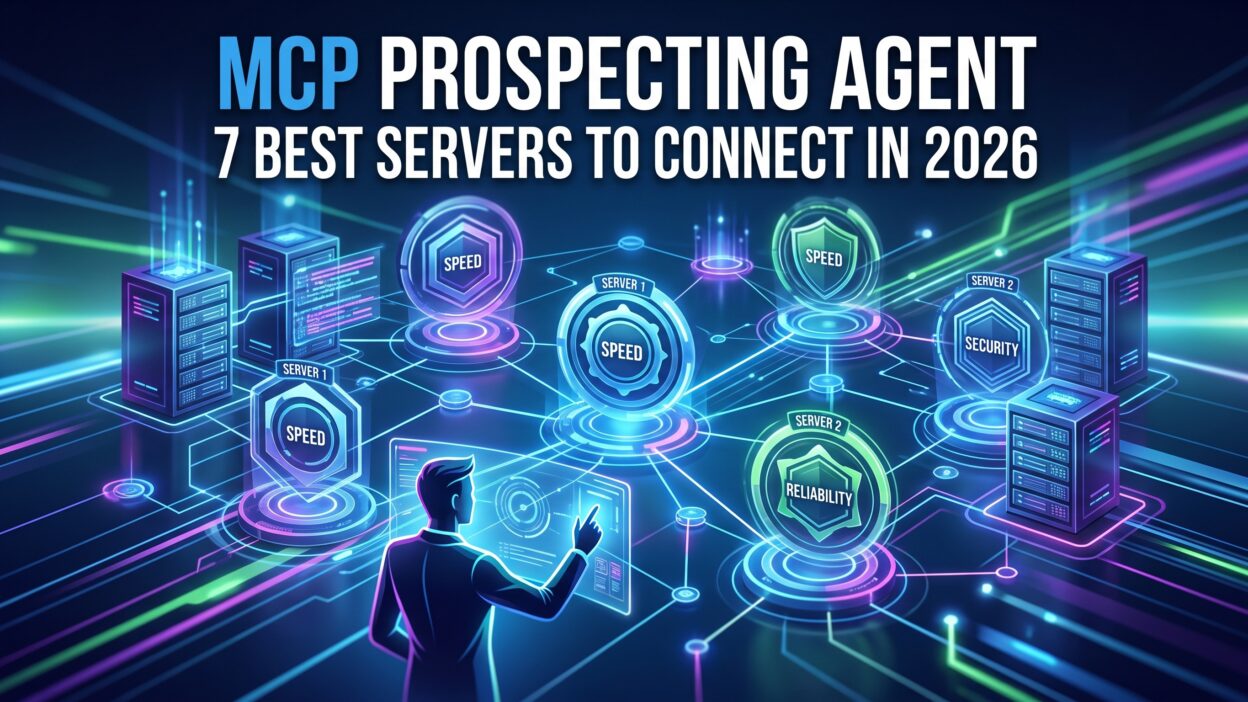
These seven servers cover the core needs of any strong prospecting motion. Each one solves a specific gap between raw data and a ready outbound message. Together they turn a basic AI assistant into a fully capable MCP prospecting agent.
1. Salesforce MCP Server
The Salesforce server ranks as the most common connection among enterprise sales teams. It gives your agent direct access to account records, open opportunities, and past activity history. A rep asks about a target account and instantly sees deal stage, contact roles, and recent notes.
This connection removes the need to open Salesforce in a separate tab during prospecting. The agent pulls fresh data straight from the CRM, so information never goes stale. Sales managers also gain a clear audit trail, since every agent query ties back to the same source of truth used across the company. Teams running account-based strategies benefit the most, since the agent tailors outreach based on real account history rather than a static list.
Global sales teams gain extra value from this connection too. Currency, region, and territory fields sync cleanly between both systems. A manager in one region sees the same connected view as a manager on another continent. This consistency matters for large teams spread across different time zones.
2. HubSpot MCP Server
HubSpot serves many mid-market and growing sales teams as their core CRM and marketing platform. The MCP server connection lets your agent pull contact records, lifecycle stages, and email engagement data in real time. A rep checks whether a prospect opened a recent campaign before drafting a first outreach message.
This server pairs naturally with HubSpot’s marketing automation data. An agent sees which content a lead already viewed and avoids repeating the same pitch. Marketing and sales teams stay aligned since both pull from one shared record. Growing companies without a large RevOps team often start their agent build with this connection first.
Reporting also gets simpler with this pairing. A manager pulls pipeline and prospecting activity from one unified view instead of two separate dashboards. This single view helps smaller teams avoid the reporting sprawl that larger companies often struggle to fix later.
3. Apollo.io MCP Server
Apollo.io holds one of the largest B2B contact databases on the market. Connecting this server gives your agent access to verified emails, direct phone numbers, and detailed job history for millions of contacts. A rep building a new target list pulls fresh, accurate contact data without leaving the conversation.
This server also brings buying intent signals into the mix. An agent flags accounts actively researching a relevant topic before a rep even reaches out. This early signal helps reps prioritize warm accounts over cold ones. Outbound-heavy teams rely on this connection as a core piece of their setup.
List building also gets faster with this server in place. A rep defines a target profile once, then lets the agent pull matching contacts automatically. This automation replaces hours of manual searching with a single request.
4. LinkedIn Sales Navigator MCP Server
Social selling remains a major channel for B2B outreach in 2026. The LinkedIn Sales Navigator server lets your agent pull job changes, company updates, and mutual connections directly from LinkedIn data. A rep sees a fresh trigger event, like a recent promotion, right inside their prospecting workflow.
This connection also respects LinkedIn’s compliance rules around outreach and messaging. An agent surfaces the right insight without violating platform terms. Reps use this signal to craft a personalized opening line instead of a generic template. Enterprise teams targeting named accounts often treat this server as essential for warm, timely outreach.
Relationship mapping becomes easier with this data too. An agent identifies a mutual connection who can offer a warm introduction. This small detail often turns a cold email into a friendly, referred conversation.
5. Clay MCP Server
Clay built its reputation on flexible data enrichment and waterfall lookups across dozens of providers. The Clay server lets your agent pull enriched firmographic and technographic data on demand. A rep researching a new account gets company size, tech stack, and funding history in one response.
This server shines for teams building custom scoring models. An agent applies your specific criteria, like company size or recent funding round, before it surfaces a lead. This filtering saves reps from wading through irrelevant accounts. Growth-focused teams building a data-driven prospecting workflow often anchor their setup around this flexible connection.
Custom workflows also stand out as a strength here. A team builds a unique enrichment sequence that matches their exact ideal customer profile. The agent then follows that sequence automatically every time a new account enters the pipeline.
6. Gmail and Google Calendar MCP Server
Email and calendar access rounds out a truly functional prospecting agent. The Gmail and Calendar server lets your agent check inbox history, draft outreach messages, and find open meeting slots automatically. A rep asks the agent to schedule a call and it checks real availability before sending an invite.
This connection also helps track reply history without manual logging. An agent notes whether a prospect already replied to a previous message, avoiding an awkward duplicate outreach. Reps save significant time each week since the agent handles the back-and-forth of scheduling. This server turns a research-only assistant into a true end-to-end MCP prospecting agent.
Follow-up cadence also improves with this connection. An agent notices when a prospect goes quiet after an initial reply. It suggests a timely follow-up instead of letting a promising lead go cold in an inbox.
7. Slack MCP Server
Slack serves as the communication hub for many modern sales floors. The Slack server lets your agent post research summaries, alert reps about hot leads, and answer quick questions inside a team channel. A manager gets a daily digest of top prospects without opening a separate dashboard.
This connection also supports fast team collaboration during active deals. A rep shares agent-generated research directly in a deal channel for teammates to review. This visibility keeps everyone aligned without extra status meetings. Fast-moving startups and distributed sales teams find this server valuable for keeping prospecting work visible across the whole org.
Real-time alerts add another layer of value. A manager sets a rule for high-value trigger events, like a funding announcement. The agent posts an instant alert in the right channel, so the team never misses a timely opportunity.
Benefits of Running an MCP Prospecting Agent
An MCP prospecting agent saves significant research time for every rep on the team. Instead of checking five tools separately, a rep asks one question and gets a complete answer. This speed lets reps spend more hours on actual selling conversations.
Data accuracy improves as a direct result. The agent pulls live data from connected servers instead of a stale export sitting in a spreadsheet. Reps trust the information they see, since it reflects the current state of each account.
Personalization gets sharper too. An agent combines firmographic data, intent signals, and recent trigger events into one clear picture. A rep crafts a specific, relevant message instead of a generic template. This quality shows up quickly in response rates.
Onboarding speed improves for new hires as well. A new rep asks the agent basic questions instead of interrupting a busy teammate. This self-service research habit builds confidence during the first few weeks on the job.
Management visibility grows stronger across the whole pipeline. Leaders see which accounts get the most research attention and which signals drive the best response rates. This insight helps refine targeting criteria over time, based on real results instead of guesswork.
Common Challenges When Building an MCP Prospecting Agent
Setup complexity trips up many teams during the first rollout. Connecting multiple servers requires admin access across several platforms. Assign one project owner to manage this process from start to finish. A single point of contact avoids confusion and delay.
Data quality issues sometimes surface once connections go live. A server may return incomplete or outdated records for certain accounts. Schedule regular data audits during the first few months. Fix mapping and sync issues early before reps lose trust in the tool.
Permission scope creep presents another common risk. It becomes tempting to grant broad access for convenience during setup. Review each server’s permission level regularly instead. Limit access to only the data each connection actually needs.
Low adoption can also slow down a rollout. Reps sometimes ignore a new tool if training feels rushed or unclear. Run short, practical sessions that show real prospecting scenarios. Reps adopt a tool faster once they see it solve an actual daily problem.
Cost creep happens as teams add more servers over time. Each new connection often carries its own fee or usage limit. Track your total spend across every connected server on a monthly basis. Cut connections that reps rarely use to keep your setup lean and cost-effective.
Integration conflicts sometimes occur when two servers hold overlapping data. Two sources may disagree on a contact’s job title or company size. Set a clear priority order so the agent knows which source wins during a conflict. This small rule prevents confusing or contradictory results during a live prospecting session.
MCP Prospecting Agent vs Traditional Prospecting Tools
Traditional prospecting tools work well on their own but rarely talk to each other. A rep exports a list from one tool, then manually uploads it into another. This process wastes time and increases the risk of stale or duplicate data.
An MCP prospecting agent removes this friction by design. Every connected server feeds live data into one conversation. A rep gets a complete answer instead of piecing together information from separate exports. This connected approach cuts research time dramatically compared to a traditional, tool-by-tool workflow.
Traditional tools also require reps to remember which platform holds which piece of information. An MCP prospecting agent removes this cognitive load entirely. Reps ask a plain question and the agent decides which server holds the answer. This simplicity helps new reps ramp faster than they would with a fragmented traditional stack.
Cost comparisons favor the agent approach over time as well. Traditional stacks often require separate licenses that barely talk to each other. A well-built MCP prospecting agent consolidates value across those same tools through one connected workflow, reducing redundant spend across the sales org.
Future Trends in MCP Prospecting Agents for 2026 and Beyond
Multi-agent collaboration will likely expand through the rest of 2026. Expect a research agent to hand off qualified leads directly to an outreach agent without human handoff delays. This chained workflow speeds up the full prospecting cycle even further.
Real-time intent scoring will also grow more precise. Servers will combine signals from multiple sources into a single, weighted score. An MCP prospecting agent will rank accounts automatically based on true buying likelihood, not just firmographic fit alone.
Voice-based prospecting agents may become common within enterprise sales teams. A rep might soon ask a voice assistant to pull account research during a live call. This hands-free approach fits the fast pace of modern sales conversations.
Security standards around MCP connections will tighten as adoption grows. Expect stricter audit logging and permission controls across every connected server. Vendors that prioritize this transparency will earn trust faster from enterprise buyers.
Industry-specific servers will likely emerge as this space matures. A healthcare-focused prospecting agent may pull compliance data automatically. A financial services version may check regulatory status before an outreach message goes out. This specialization will make agents more useful for regulated industries over time.
Predictive account timing will also improve as models learn from more historical outcomes. An agent may soon suggest the exact week to reach out to a specific account, based on patterns from past won deals. This precision moves prospecting further away from guesswork and closer to a data-backed science.
Frequently Asked Questions About MCP Prospecting Agents
What does MCP stand for in an MCP prospecting agent?
MCP stands for Model Context Protocol. This protocol lets an AI model connect directly to outside tools and data sources through a standard interface.
Do I need coding skills to build an MCP prospecting agent?
Basic setup for most native servers needs no coding at all. A RevOps admin usually connects these tools through simple configuration steps. Custom or advanced connections may need light technical support from a developer.
Which server should I connect first for my MCP prospecting agent?
Most teams start with their CRM connection, since it holds every account and contact record already. A data enrichment tool, like Apollo or Clay, often comes next. Communication tools like Slack or email usually round out the setup last.
Is an MCP prospecting agent secure enough for enterprise use?
Security depends heavily on how each server manages permissions and data access. Review every connection’s security documentation with your IT team before rollout. Enterprise teams should require audit logs and role-based access before granting full production access.
Can small sales teams benefit from an MCP prospecting agent?
Small teams benefit greatly from this setup, often more than large teams relative to their size. Start with one CRM connection and one data enrichment server. Expand your setup gradually as your budget and team grow.
How does an MCP prospecting agent differ from a regular chatbot?
A regular chatbot answers questions based only on its training data. An MCP prospecting agent connects to live external systems and pulls current, real data during the conversation. This live connection makes the agent far more useful for daily prospecting work.
What happens if a connected server goes down?
Most well-built agents handle a single server outage gracefully. The agent skips the unavailable source and still returns data from every other connected server. A brief error message usually appears, letting the rep know which specific source is temporarily unreachable.
Read MOre:-Open Opportunity Call Blitz: The Complete 2026 Playbook
Conclusion

An MCP prospecting agent turns a scattered research process into one connected, fast workflow. The seven servers covered here, Salesforce, HubSpot, Apollo.io, LinkedIn Sales Navigator, Clay, Gmail and Calendar, and Slack, each solve a specific gap in a modern prospecting motion. Start by mapping your current tools and picking one or two connections that match your biggest daily bottleneck. Run a small pilot before a full team rollout. Train reps with real scenarios so they see the value immediately. Expand your server list gradually as your team grows and your budget allows. Prospecting success in 2026 depends on connected data, not scattered tools. A well-built MCP prospecting agent gives your team that connected foundation to find and reach the right buyers, faster.