Introduction
TL;DR Recruiters juggle a lot of tools. You source on one screen. You call on another. You send email from a third. You book interviews in a fourth. Every switch costs a few seconds. Those seconds add up to hours each week.
Smart connections fix that problem. The right Loxo Integrations bring your calls, emails, calendars, and job boards into one workspace. Your data flows in on its own. Your notes save themselves. Your team spends less time typing and more time talking to candidates.
The list suits agency recruiters, executive search teams, and in-house talent leaders. Small firms and large firms both find value here.
You do not need a technical background. Most connectors take a few clicks. A few need an API key. Your team can handle either one with a little planning.
Table of Contents
What Are Loxo Integrations?
Loxo is an AI recruiting platform that combines an applicant tracking system, a recruitment CRM, sourcing, and outreach. Recruiters use it to find candidates, manage pipelines, and track client work. Loxo Integrations link that core platform to other software you already use.
A connector moves data between two tools. A phone system sends call logs to a candidate record. An email platform syncs campaign activity. A job board pushes applicants into your pipeline. Each link removes a manual step.
The Loxo Marketplace
The Loxo Marketplace lists pre-built connectors across the recruiting stack. It covers communication and VOIP, CRM and email marketing, scheduling and interviews, job boards, HCM and payroll, assessments, AI and productivity tools, and workflow automation. You browse the Marketplace, pick a tool, and follow the setup steps.
The Open API
Loxo also offers an Open API with webhook support. The REST API works with any tool that can send HTTP requests. It supports Bearer token authentication and real-time notifications for changes to candidate, job, deal, placement, and company records. Developers use it to build custom links.
Zapier and No-Code Options
Loxo also works with Zapier for custom workflow automation. Zapier connects thousands of apps without code. Recruiters can trigger actions when a candidate reaches a stage. Some reviewers say the ecosystem feels smaller than the ones around the largest platforms. Check that your must-have tools appear before you commit.
Why Loxo Integrations Matter for Recruiters
Recruiting runs on speed and relationships. Both suffer when data lives in silos.
Time savings come first. Automatic logging removes manual entry. A recruiter who logs ten calls a day may save an hour or more. Over a year, that hour becomes weeks.
Accuracy improves. Humans forget details. Software does not. A call log with a recording and transcript captures what the candidate said. Notes stay complete and searchable.
Candidate experience improves. A recruiter who sees full history before a call sounds prepared. Candidates notice. They feel valued and respond with more openness.
Collaboration improves. Everyone on the team sees the same record. A colleague can pick up a conversation without asking for a recap. Hiring managers see status without a status meeting.
Reporting gets sharper. Connected data feeds dashboards with real numbers. You see which channels produce placements and which waste effort. Leaders make decisions from facts.
Costs fall. Fewer manual tasks mean fewer hours of admin. Fewer errors mean fewer lost candidates. A modest subscription often repays itself within a few placements.
Growth becomes easier. A stack that connects cleanly scales with your firm. New hires learn one workflow. Managers spot problems early.
Independent research supports the platform’s value. A study commissioned by Tritium Partners found that recruiters in the US and UK gave Loxo the top net promoter score among major applicant tracking platforms. Strong core software plus smart add-ons creates a powerful base.
How We Picked the Best Loxo Integrations
Any list needs clear rules. Here are the standards behind this one.
Relevance to recruiter workflows came first. Every tool solves a daily problem. Calling, emailing, scheduling, sourcing, screening, and automation all matter to recruiting teams.
Depth of the connection mattered next. A shallow link that only pushes one record adds little. A deep link that syncs activities, notes, and recordings adds a lot. Two-way sync scores higher than one-way sync.
Ease of setup counted. Busy recruiters need tools that start fast. Native Marketplace listings and simple API key setups earned extra credit.
Value for money counted too. A tool should deliver clear returns for its price. Free tiers and flexible plans help small firms.
Reputation and support carried weight. Buyers want vendors that respond when something breaks. Reviews and product maturity helped here.
Coverage of the stack mattered. The final seven span voice, email, video, jobs, testing, AI notes, and automation. Together they cover most of the recruiting cycle.
This list reflects public information and vendor claims. Test each tool with your own workflow. A demo or trial reveals more than any article can.
The 7 Best Loxo Integrations for Recruiters
Each profile below explains what the tool does, why recruiters like it, and who should choose it.
1. Ringover: Calling, SMS, and Call Logging
Ringover is a cloud phone system. It appears in the Loxo Marketplace as a native connector. Recruiters call and text candidates from one place.
The link creates an activity record on the candidate’s profile after every call. According to the vendor’s description, each record holds the recording, an AI transcript, a summary, and any tags the recruiter adds. SMS and WhatsApp messages log the same way. The full contact history sits in Loxo.
A caller context sidebar shows a candidate’s Loxo history before you answer an inbound call. Power dialer support helps teams call through a pipeline in sequence.
Ringover suits high-volume recruiters who live on the phone. Agencies with international candidates benefit from local numbers and global calling. Teams that coach their recruiters can use recordings for training.
Watch the cost of add-ons such as AI features. Confirm which plan includes transcripts before you sign.
2. HubSpot: CRM and Email Marketing
HubSpot brings marketing automation and a wide CRM toolset. Loxo lists HubSpot among its email and marketing connectors. Recruiting firms use it to nurture two audiences. Clients want thought leadership. Candidates want career content.
Connect HubSpot to keep contact lists aligned. Campaign engagement can guide your outreach. A candidate who clicks three job alerts deserves a call. A client who opens every newsletter may be ready for a search.
Marketing teams inside larger firms love this pairing. Business development leaders track leads from first click to signed agreement. Reports show which content earns revenue.
Mailchimp and Mailgun also appear in the Marketplace as email options. Smaller firms may prefer them for lower cost and simpler use.
HubSpot fits firms with a marketing function and a content plan. Solo recruiters may find it more than they need. Start with a free tier and grow when demand appears.
3. Zoom and Scheduling Tools: Interviews Without Back-and-Forth
Interview scheduling drains time. Emails fly back and forth. Calendars clash. Candidates lose interest while they wait.
The Marketplace lists scheduling and interview tools such as Arrange, Zoom, and Hireflix. Each one attacks a different part of the problem. Zoom hosts video calls. Scheduling tools let candidates pick a slot from your open times. Hireflix supports recorded video interviews that candidates complete on their own schedule.
Connected scheduling saves real hours. Interview links flow into candidate records. Calendar events update on their own. Recruiters stop copying details by hand.
Candidates enjoy the simple experience. One click books a slot. Reminders reduce no-shows.
These tools suit recruiters who run many interviews each week. Volume teams gain the most. Executive search firms use them for smooth client and candidate coordination.
Test time-zone handling before launch. Global searches need clean calendar logic.
4. Indeed and Job Boards: Reach and Applicants
Job boards still deliver candidates. Loxo’s Marketplace lists boards such as Indeed, Monster, and Broadbean. Regional boards appear too, including sites that serve Northern Ireland.
Connections let you post jobs from Loxo and pull applicants back into your pipeline. You skip the copy-and-paste routine. Applicant data lands in the right record with the right source tag.
Source tracking matters here. You learn which board delivers hires, not just clicks. Budgets shift toward the winners.
Agencies with heavy volume gain the most. Corporate recruiters who post many roles benefit too. Niche hiring teams may prefer specialized boards that attract skilled trades or technical talent.
Watch for duplicate applicants. Use clear rules that merge records. Set a review habit for spam applications.
Job boards cost money. Compare cost per applicant and cost per hire. Cut the boards that underperform.
5. Testlify and Assessment Tools: Screen Faster
Assessments help you screen with evidence. The Marketplace lists assessment partners such as HireQuotient and Testlify. Candidates take skills tests, and results return to Loxo.
Recruiters gain objective data. A coding test, a language test, or a role-based simulation shows ability. Resumes show claims. Tests show skill.
Hiring managers gain confidence. They see scored results next to the profile. Shortlists carry proof.
Candidates gain fairness. Everyone takes the same test under the same rules. Structured screens reduce bias when you design them with care.
These tools suit technical recruiting, high-volume roles, and skill-based hiring. Sales, customer service, and engineering teams use them often.
Keep tests short. Long assessments scare good candidates away. Tell candidates what to expect and how long it takes.
Confirm data privacy terms with the vendor. Test results count as personal data in many regions.
6. CoRecruit and AI Notetakers: Notes That Write Themselves
Note-taking eats recruiter energy. AI notetakers fix it. CoRecruit connects to Loxo through your API key. After each call, the tool syncs structured notes, field updates, activity types, and documents to the person’s record.
Notes appear in the Activity or Intake section of the linked record. The history stays searchable. Follow-up materials and candidate summaries can upload as attachments too.
Recruiters stay present during calls. They listen instead of typing. Candidates feel heard. Intake calls with hiring managers capture more detail.
Loxo also offers its own AI notetaker and self-updating CRM agent inside the platform. Compare native tools with third-party options. Native features often cost less and set up faster. Third-party tools may offer specialized outputs.
This category suits recruiters who run many intake calls and screens. It suits managers who want consistent notes across a team.
Always tell candidates when you record or transcribe. Follow local consent laws.
7. Zapier and the Open API: Custom Workflow Automation
No list of connectors is complete without automation glue. Zapier and the Loxo Open API let you build links that no vendor ships by default.
Zapier connects Loxo to thousands of apps without code. Trigger an action when a candidate moves to a new stage. Send a Slack message when a placement closes. Add a row to a spreadsheet when a job opens. Create an invoice task when a deal hits a milestone.
The Open API goes further. Developers can read and write records, and webhooks push real-time updates for key record types. A custom dashboard, a client portal, or a data warehouse feed becomes possible.
These options suit firms with unusual needs. They suit operations leads who love efficiency. They suit larger teams with technical help.
Start with a single automation. Prove the value. Add more later. Document every workflow so staff can maintain it when someone leaves.
How to Set Up Loxo Integrations Step by Step
A careful launch prevents headaches. Follow this path.
Audit Your Current Workflow
Map how work moves today. Note every tool you use and every manual step. Look for repeated copy-and-paste tasks. These tasks reveal the best targets for automation.
Set Clear Goals
Decide what you want to fix. You might want to save an hour a day per recruiter. You might want faster interview booking. You might want cleaner reports. Write numbers next to each goal.
Check Permissions and Plans
Confirm your Loxo plan supports the connector you want. Confirm the partner tool’s plan includes the features you need. Admin rights may be required in both systems. Ask your account manager if something looks unclear.
Connect and Test in a Small Group
Install the tool from the Marketplace or follow the vendor’s guide. Some links use an API key. Others use a login flow. Test with two or three users first. Place a test call. Book a test interview. Check that records land where you expect.
Set Rules for Data
Decide which fields sync and which do not. Agree on naming rules for tags and sources. Decide how you handle duplicates. Write these rules down.
Train the Team
Show recruiters how the tool helps them. Share a short guide. Record a quick demo video. Name a champion who answers questions.
Roll Out and Review
Launch to the whole team after the pilot succeeds. Review results after thirty days. Compare against your goals. Ask users for feedback. Adjust settings and remove tools that do not earn their place.
Cost, Limits, and Risks to Consider
Every tool has a price. Every link has limits. Plan for both.
Subscription costs stack quickly. Five tools at modest prices become a large monthly bill. Add them one at a time. Track value for each one.
Plan tiers matter. Some features sit behind higher tiers. Ask vendors exactly what the base price includes. Confirm limits on users, calls, or contacts.
Data quality matters. A bad sync can overwrite good records. Test with sample data. Back up important fields before you turn on two-way sync.
Support matters. A broken link during a busy week hurts. Ask each vendor about support hours and response times. Read recent reviews.
Ecosystem size matters. Some reviewers say the range of Loxo Integrations feels smaller than that of larger platforms. Firms that need deep enterprise HR system links may need custom work. Check your must-have tools before you commit.
Privacy matters. Calls, notes, and test results hold personal data. Follow GDPR, CCPA, and local recording laws. Tell candidates how you use their data.
Change fatigue matters. Too many new tools at once overwhelm a team. Launch in stages.
Common Mistakes to Avoid
Recruiters repeat the same errors. You can skip them.
Some teams buy tools before they define problems. They chase features and ignore fit. Start with pain, not products.
Others connect everything at once. Chaos follows. Start with one or two high-value links.
Many teams skip training. A powerful tool used badly delivers little. Invest a few hours in onboarding.
Some teams ignore data rules. Duplicates, mismatched fields, and messy tags erode trust in the system. Set standards early.
Others forget to test. A silent sync failure can run for weeks. Check activity logs each week during the first month.
Some firms skip consent. Recording a call without permission creates legal risk. Add clear notices and follow regional rules.
Teams also forget to review. Tools that once helped may lose value. Audit your stack twice a year. Cancel what you do not use.
Finally, some leaders ignore recruiter feedback. Recruiters know which steps still waste time. Ask them often.
Frequently Asked Questions
How many Loxo Integrations are available?
The number changes as partners join. The Marketplace lists connectors across communication, email, scheduling, job boards, payroll, assessments, AI tools, and automation. Open API and Zapier support expand the range further. Browse the live Marketplace for the current list.
Do Loxo Integrations cost extra?
Loxo may include some connectors in your plan. Partner tools usually charge their own fees. Ask both vendors for a full price before you commit.
Can I build a custom link?
Yes. The Open API supports Bearer token authentication and webhooks for record changes. Developers can build custom links to any tool that sends HTTP requests. Zapier offers a no-code route.
Which phone tool works best with Loxo?
Ringover, RingCentral, Twilio, and KrispCall all appear in the Marketplace. Ringover advertises automatic call, SMS, and recording logs inside Loxo. Choose based on your regions, budget, and call volume.
Does Loxo work with Workday or other HR systems?
The Marketplace lists HCM and payroll connectors, including Workday. Firms with deep enterprise needs should confirm the exact features with Loxo and the partner.
Can AI notetakers sync notes to Loxo?
Yes. Tools such as CoRecruit sync notes, field updates, and documents to the person’s record through an API key. Loxo also offers native AI note features.
Are integrations safe for candidate data?
Reputable vendors follow strong security practices. Ask about encryption, data storage, and compliance. Sign agreements where required. Tell candidates how you use their information.
How long does setup take?
Native Marketplace links often take minutes. Complex custom links may take days or weeks. Plan a pilot and a review period.
Read More:-
Conclusion

Great recruiters build relationships. Great tools protect the time they need to do it. The right connections turn scattered software into one smooth workflow.
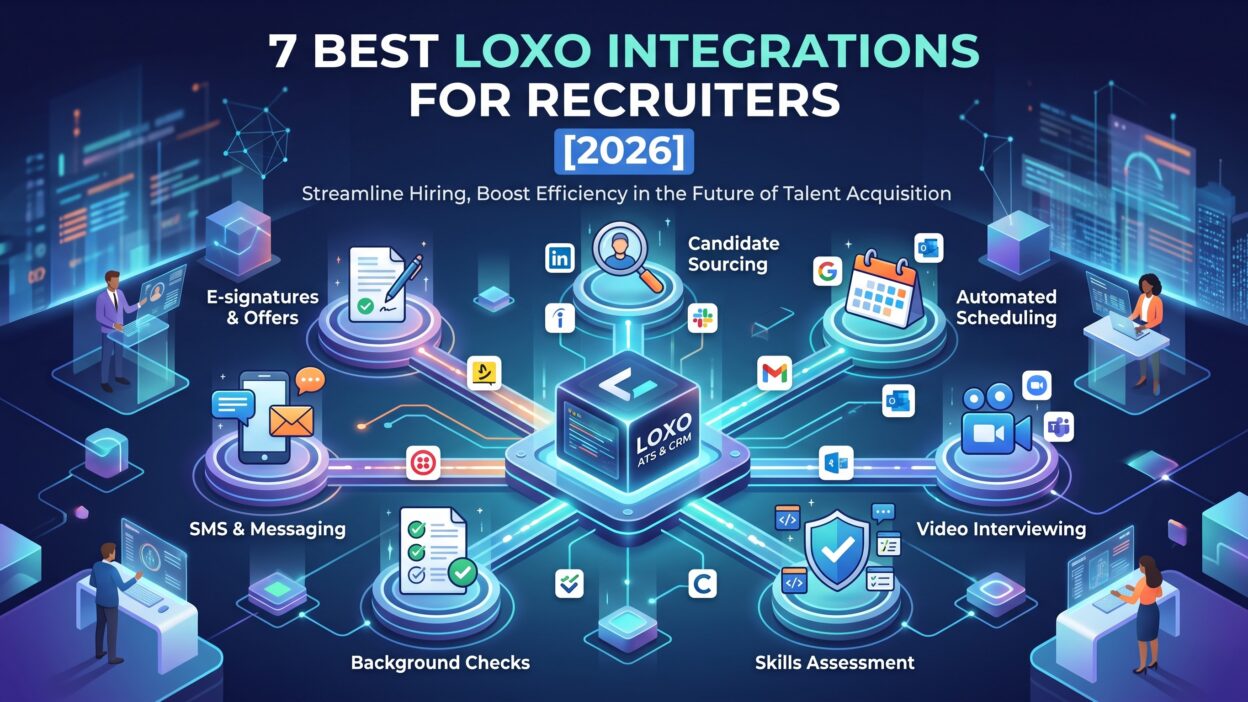
This guide covered seven strong options. Ringover handles calls and texts. HubSpot supports email marketing and nurture. Zoom and scheduling tools end calendar chaos. Indeed and other job boards bring applicants. Testlify and similar tools screen with evidence. CoRecruit and AI notetakers capture every detail. Zapier and the Open API fill any gap.
Start small. Pick the biggest time drain in your day. Choose one tool that fixes it. Test with a few users. Measure the result.
Choose your Loxo Integrations with care. Match each tool to a real goal. Check depth, price, and support. Train your team and review results.
A connected stack pays off in speed, accuracy, and candidate experience. Your competitors chase the same talent. Better tools give you an edge. Build yours this month and let your recruiters do what they do best.