Introduction
HoneyBook Pricing
TL;DR HoneyBook’s Starter plan runs around 29 dollars a month when billed annually. This price includes proposals, contracts, invoicing, and payment processing in a single flow. A business does not need a separate invoicing tool or a separate e-signature tool once HoneyBook is in place. Higher tiers add more team seats and automation options.
Pipedrive Pricing
Pipedrive’s Lite plan starts around 14 to 19 dollars per seat each month, depending on the billing cycle. This plan covers pipeline management, lead tracking, and basic reporting. It includes zero invoicing, zero proposals, and zero payment processing. A solo service provider running Pipedrive alongside a separate invoicing tool often ends up paying more per month than a single HoneyBook subscription covering the same ground.
HoneyBook vs. Pipedrive: CRM and Pipeline Management
How HoneyBook Tracks Clients
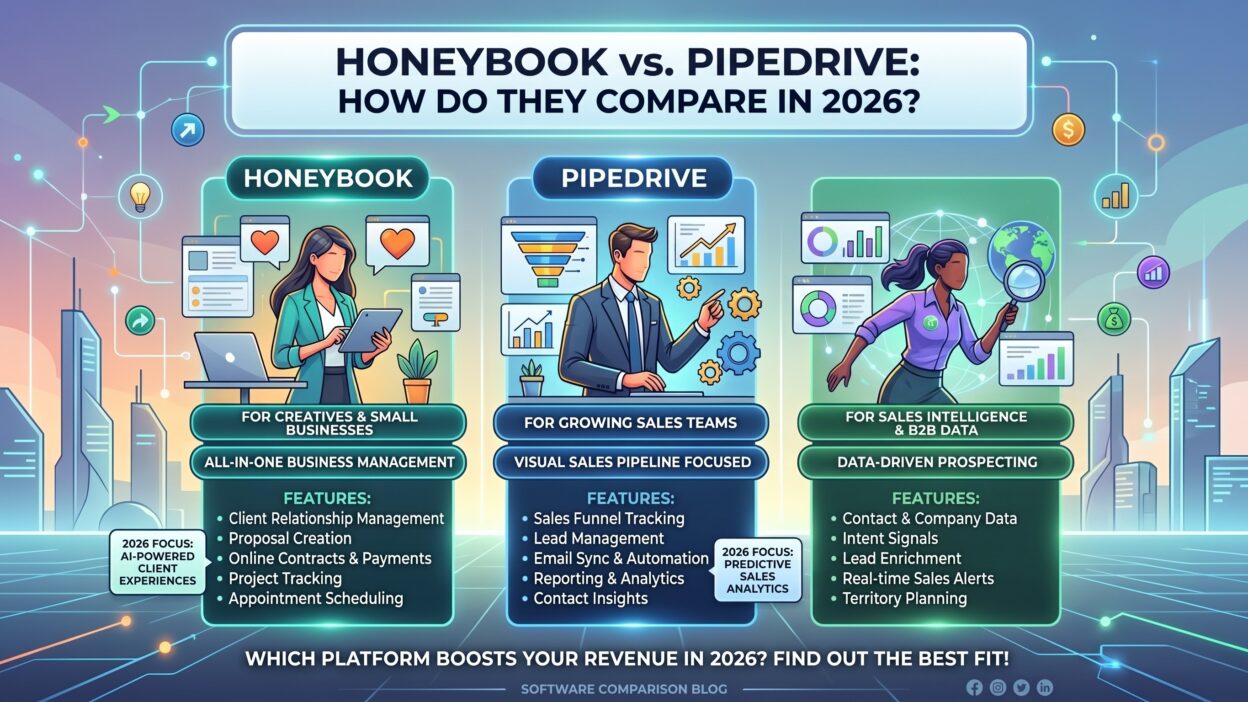
HoneyBook organizes work around a project timeline rather than a sales stage. A client moves from inquiry to booked to completed, with every document and payment tied to that single project record. This fits a business where each client goes through a fairly linear journey.
How Pipedrive Tracks Deals
Pipedrive built the kanban pipeline view that much of the CRM category copied afterward. Every deal sits as a card on a visual board, and a rep drags it forward as the deal progresses. The interface prompts the next action for each deal, which keeps a busy sales team from letting leads go cold.
HoneyBook vs. Pipedrive: Proposals, Contracts, and Documents
This is where the HoneyBook vs. Pipedrive gap widens the most. HoneyBook builds proposals and contracts directly into its core product through Smart Files. A client opens one link, reviews the proposal, signs the contract, and pays a deposit in one sitting. Pipedrive has no native contract or proposal tool. A Pipedrive user needs a separate app, like PandaDoc, to cover this function, which adds another monthly bill and another login to manage.
HoneyBook vs. Pipedrive: Invoicing and Payments
HoneyBook processes payments natively, covering credit card and ACH transfers inside the same platform used for proposals and contracts. A business owner sends one link and collects everything in one place. Pipedrive offers no native payment processing. A sales-only tool, this gap makes sense for Pipedrive’s core market, but it matters a great deal for any service business evaluating HoneyBook vs. Pipedrive as a full operations solution rather than a pure sales tool.
HoneyBook vs. Pipedrive: Automation and Workflows
Automation Inside HoneyBook
HoneyBook automates the client journey after booking. A workflow can send a welcome packet, trigger a follow-up email, or request a final payment automatically as a project date approaches. This automation stays focused on the client relationship rather than lead generation.
Automation Inside Pipedrive
Pipedrive automates the sales process before a deal closes. A workflow can assign a new lead, send a follow-up reminder, or move a deal to a new stage based on an action a rep takes. Pipedrive’s LeadBooster add-on layers prospecting data on top, giving reps a pool of new leads to work without leaving the platform.
HoneyBook vs. Pipedrive: Reporting and Forecasting
Pipedrive wins clearly on reporting depth. Sales forecasting, deal-by-deal revenue tracking, and win-rate reporting all sit inside the core product. A sales manager can see exactly where the team stands against quota without exporting a single spreadsheet. HoneyBook’s reporting stays lighter, focused on booked revenue and project status rather than a full sales funnel. A solo service provider rarely needs deep forecasting, so this gap matters far less outside a sales team context.
HoneyBook vs. Pipedrive: Mobile Experience
Both platforms run full mobile apps. HoneyBook’s app lets a business owner send a proposal or check a payment status from a phone between client meetings. Pipedrive’s app focuses on quick deal updates, so a rep can log a call note or move a deal stage right after a meeting ends. Neither app strips down the desktop experience in a way that hurts daily use.
HoneyBook vs. Pipedrive: Ratings and Reviews
HoneyBook holds a 4.7 out of 5 rating from 683 reviews on Capterra, with strong marks on ease of use and customer service. Pipedrive holds a 4.5 out of 5 rating from over 3,000 reviews, a lower average but a far larger sample size. G2 reviewers frequently praise Pipedrive’s sales automation, with users describing the platform as an assistant that tells them exactly what to do each day. HoneyBook reviewers tend to praise the all-in-one client experience more than any single feature.
HoneyBook vs. Pipedrive: Who Should Choose Each Tool
When HoneyBook Makes Sense
A service-based business that sends proposals, signs contracts, and collects payments from clients fits HoneyBook well. Photographers, planners, and independent consultants save real money by consolidating four tools into one HoneyBook subscription. A business needing custom integrations or an open API, though, will hit HoneyBook’s limits fast.
When Pipedrive Makes Sense
A sales team moving leads through a defined pipeline toward a close fits Pipedrive far better. Pipedrive’s automation, forecasting, and integration catalog outclass anything HoneyBook offers on the sales side. A team that also needs invoicing or contracts will need to pair Pipedrive with a second tool to cover that gap.
FAQs on HoneyBook vs. Pipedrive
Is HoneyBook a CRM or a booking tool?
HoneyBook works as both. It tracks client relationships like a CRM while also handling proposals, contracts, and payments in the same flow.
Does Pipedrive have invoicing built in?
No. Pipedrive has zero native invoicing, so a team needs a separate tool like FreshBooks or QuickBooks to cover that function.
Which tool is cheaper for a solo business owner?
HoneyBook often costs less overall for a solo service provider, since one subscription replaces a CRM, a proposal tool, and a payment processor. Pipedrive alone costs less per month, but a full replacement stack usually costs more.
Can a sales team use HoneyBook instead of Pipedrive?
Not effectively. HoneyBook lacks the deep pipeline forecasting and sales automation that a growing sales team needs, and it was never built for that use case.
Does HoneyBook work outside the US, Canada, UK, and Australia?
No. HoneyBook currently limits its service to those four countries, while Pipedrive operates in 179 countries worldwide.
Which platform has better customer reviews?
HoneyBook holds a slightly higher average rating on Capterra, though Pipedrive’s review volume is far larger, giving its score a broader base of user feedback.
Can I integrate Pipedrive with a payment or invoicing tool?
Yes. Pipedrive’s marketplace includes over 500 integrations, so a team can connect a payment processor or invoicing app without leaving the platform.
Read More:-Dynamic Data: Why B2B Businesses Must Abandon Static Data
Conclusion

HoneyBook vs. Pipedrive is not really a head-to-head fight between two competitors. Each tool answers a different question. HoneyBook answers what happens after a client says yes, covering contracts, invoicing, and payments in one flow built for service businesses. Pipedrive answers how a sales team moves a lead through a pipeline to a close, backed by strong automation and forecasting. A solo photographer or event planner will likely save money and time with HoneyBook. A sales team chasing quota will get far more value from Pipedrive’s pipeline-first design. Match the tool to the job in front of you, and the HoneyBook vs. Pipedrive decision becomes an easy one.