Introduction
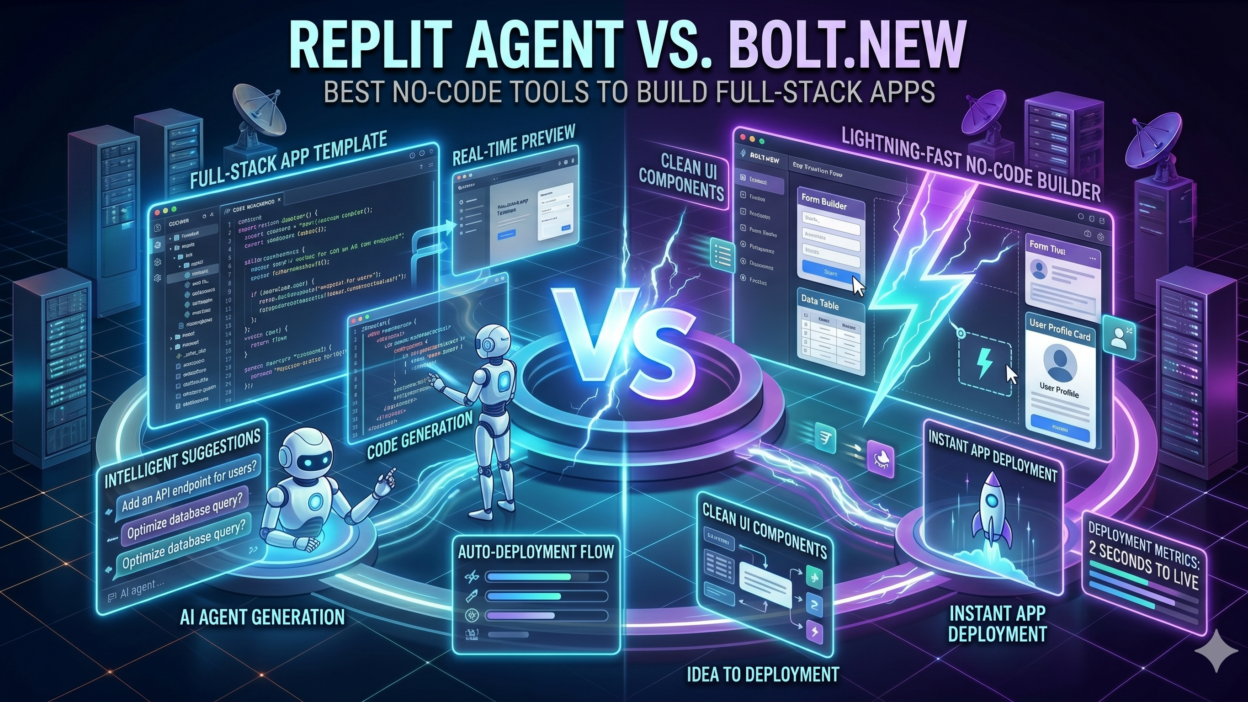
TL;DR The no-code movement changed everything for non-developers. You no longer need a computer science degree to build a real working application. Two platforms lead the conversation right now. Replit Agent vs Bolt.new is the debate developers, founders, and product managers keep having every week. Both tools promise to let anyone build full-stack apps with minimal code. Both deliver on that promise in genuinely different ways.
This guide goes deep on both platforms. You will learn exactly what each tool does, where each one shines, where each one falls short, and which one fits your specific situation. No fluff. Just the information you need to choose confidently.
Table of Contents
What Is Replit Agent and How Does It Work
Replit started as a browser-based coding environment. Developers used it to write, run, and share code without setting up local development environments. Replit Agent is the AI layer built on top of that foundation. It lets you describe an application in plain language and the agent builds it for you inside the Replit workspace.
Replit Agent generates code across the full stack. It writes frontend interfaces, backend logic, database schemas, and API connections. It handles environment setup automatically. You never touch a command line to install dependencies or configure a server. The agent handles all of that behind the scenes.
The workspace stays live throughout the build. You watch the app take shape in real time. You can interrupt the agent at any step, give new instructions, or ask it to change direction. The conversation with the agent feels natural. You describe what you want. The agent builds it. You review it. You refine it.
Replit Agent supports deployment directly from the platform. Once your app is ready, you hit deploy and Replit hosts it. The URL is live within minutes. This end-to-end experience from idea to deployed application running inside a single browser tab makes Replit Agent genuinely powerful for anyone who wants to skip the infrastructure complexity entirely.
Replit Agent vs Bolt.new comparisons often start here because Replit brings a mature infrastructure layer that Bolt.new approaches differently. Understanding this foundation matters before picking a side.
Replit Agent Supported Languages and Frameworks
Replit Agent works across a wide range of programming languages and frameworks. Python with Flask or Django handles backend API work well. Node.js with Express suits JavaScript developers. React and Vue handle frontend interfaces. PostgreSQL and SQLite cover database needs for most projects. The agent selects the appropriate stack based on what you describe. You can also specify your preferred language or framework explicitly if you have a preference. This flexibility makes Replit Agent accessible to developers with existing language preferences and to non-developers who simply describe functionality in plain English.
What Is Bolt.new and How Does It Work
Bolt.new is an AI-powered full-stack development environment built by StackBlitz. It runs entirely in the browser using WebContainers technology. WebContainers execute Node.js code natively inside the browser without needing a remote server. This architectural choice makes Bolt.new extremely fast to start and responsive to changes.
You describe your application to Bolt.new in plain language. The AI generates a complete project including file structure, components, styles, and logic. The preview updates instantly as changes happen. There is no waiting for a build process or server restart. What you see in the preview reflects the actual code the AI just wrote.
Bolt.new targets modern JavaScript and TypeScript development primarily. It excels at React, Vue, Svelte, and Astro frontends. It handles full-stack applications using Remix and Next.js frameworks. The tool integrates with Supabase for database and authentication needs. For projects that live in the JavaScript ecosystem, Bolt.new feels incredibly smooth.
Deployment from Bolt.new connects to Netlify by default. You can also export your code as a zip file and deploy it anywhere you prefer. GitHub export is available for teams that want version control outside the platform. The Replit Agent vs Bolt.new distinction on deployment is that Bolt.new gives more portability while Replit keeps everything more self-contained.
The WebContainers Technology That Powers Bolt.new
WebContainers deserve a moment of explanation because they define so much of the Bolt.new experience. StackBlitz developed WebContainers to run Node.js directly inside a browser tab using WebAssembly. This eliminates the latency of communicating with a remote server during development. When the AI writes new code, the browser executes it immediately. Startup time for a new project drops from minutes to seconds. Iteration speed increases dramatically. The entire development environment lives locally in your browser session, which means Bolt.new works well even with intermittent internet connections once the initial project loads.
Replit Agent vs Bolt.new: The Core Differences That Actually Matter
Both tools build full-stack apps from natural language prompts. The similarities end there. Replit Agent vs Bolt.new reveals fundamental differences in philosophy, architecture, and target user that shape the experience significantly.
Replit Agent targets a broad audience. It serves beginners who have never written code, students learning programming, and professional developers who want to prototype fast. The platform has extensive learning resources. The community is large and active. Replit Agent benefits from years of platform maturity that Bolt.new, as a newer product, is still building.
Bolt.new targets developers and technical users more directly. The interface assumes some familiarity with web development concepts. Prompts that work best in Bolt.new tend to be more technically specific. Asking for a React app with Supabase authentication and a Tailwind CSS interface produces excellent results. More vague prompts produce decent but less precise output.
Execution environment differs fundamentally. Replit Agent runs code on remote servers managed by Replit. Bolt.new runs code inside your browser using WebContainers. This means Bolt.new has faster iteration but certain backend tasks that require persistent server processes work more naturally in Replit.
Language ecosystem coverage splits clearly. Replit Agent covers Python, JavaScript, Ruby, Go, and more. Bolt.new focuses almost exclusively on the JavaScript and TypeScript ecosystem. If your project needs a Python backend, Replit Agent wins by default. If your project lives entirely in modern JavaScript, Bolt.new competes strongly.
Replit Agent vs Bolt.new on collaboration tells another story. Replit has built-in multiplayer coding, similar to Google Docs for code. Multiple people edit the same file simultaneously. Bolt.new does not offer real-time collaboration natively at the same level. Teams working together favor Replit for this reason.
Pricing Structure: Replit Agent vs Bolt.new
Pricing shapes the decision for many users and small teams. Replit Agent operates on a subscription model with a free tier that provides limited AI agent usage. The Core plan at around $20 per month gives substantial monthly AI credits for agent interactions. Teams plans scale pricing based on seat count. Replit Agent credits deplete based on complexity and length of agent sessions, so heavy users burn through them quickly.
Bolt.new offers a free tier with daily token limits that reset each day. The Pro plan runs around $20 per month and provides significantly more tokens for extended build sessions. Bolt.new charges based on AI token consumption per message and per code generation cycle. Complex apps with many files consume tokens faster. Simple apps stay well within free tier limits. For lightweight projects and experimentation, Bolt.new free tier often covers all needs without payment.
Building a Full-Stack App With Replit Agent: What the Experience Feels Like
Open a new Replit project and select the Agent option. Type your description. For a concrete example, imagine asking Replit Agent to build a task management application with user accounts, a database to store tasks, and a clean web interface. The agent responds with a plan. It outlines the files it will create, the database schema it will set up, and the framework it will use.
The agent then executes that plan step by step. You watch files appear in the file explorer. You see code write itself into each file. The terminal shows package installations running automatically. The preview window loads your app as each piece comes together. The entire process for a simple task manager takes roughly five to ten minutes.
Iteration works by typing follow-up instructions. Ask the agent to add a priority field to tasks. It updates the database schema, modifies the form, adjusts the display logic, and reflects the change in the preview. Each instruction cycles through planning and execution. The agent explains what it is doing at each step so you understand the changes happening.
Replit Agent handles errors gracefully in most cases. If code it generates throws an error, the agent reads the error message from the console and attempts a fix automatically. This debugging loop runs without you needing to interpret error messages yourself. For non-developers, this error correction behavior is one of the most valuable features in the entire platform.
Deploying from Replit is genuinely one-click. A deploy button appears when your app is ready. Replit provisions a server, configures environment variables, and makes your app public at a custom subdomain. The process completes in under a minute. No external hosting account required. No DNS configuration. No deployment scripts to write.
Best Project Types for Replit Agent
Replit Agent performs strongest on certain project categories. Internal tools like dashboards, admin panels, and data management interfaces come out well because the agent handles database connections and CRUD operations reliably. API prototypes work well when you need to test a backend concept quickly. Educational projects and portfolio apps suit Replit Agent because the platform provides visibility into the code being written, helping learners understand what each file does. Python-based data applications including simple analytics dashboards and automation scripts also belong in Replit Agent territory because of the strong Python runtime support on the platform.
Building a Full-Stack App With Bolt.new: What the Experience Feels Like
Navigate to bolt.new in your browser and type your prompt directly into the input field. Using the same task management example, type a detailed description specifying React for the frontend, Supabase for the database and authentication, and Tailwind CSS for styling. Bolt.new interprets this and begins generating immediately.
The file structure appears in the left panel. The code populates each file. The preview loads on the right side of the screen. The speed is immediately noticeable. Because Bolt.new uses WebContainers, there is no waiting for a remote server to initialize. The preview of your app appears as the code finishes generating, often within 60 to 90 seconds for a moderately complex application.
The code quality from Bolt.new impresses developers who review it. Components follow modern React patterns. File organization matches industry conventions. Styling uses Tailwind utility classes consistently. If you know JavaScript and React, you can read and modify the generated code confidently. This makes Bolt.new unusually friendly to developers who want AI assistance without losing control over the codebase.
Requesting changes in Bolt.new works by typing follow-up prompts in the chat panel. Ask for a dark mode toggle and the agent adds it. Ask for sorting options on the task list and the agent implements them. Each change updates the preview instantly. You see results in real time without page refreshes or rebuild waits.
Exporting code from Bolt.new puts the entire project in your hands. Download the zip file and you have a standard Vite project or Next.js project that runs locally or deploys to any hosting platform. This export option matters significantly for teams that want to take AI-generated code and continue development in traditional tools like VS Code. Replit Agent vs Bolt.new on this point clearly favors Bolt.new for teams that want to escape the platform after the initial build.
Best Project Types for Bolt.new
Bolt.new excels on modern JavaScript application types. Single-page React applications with complex state management come out cleanly because the agent understands modern React patterns deeply. Next.js applications with server-side rendering work well because Bolt.new has strong Next.js template knowledge built in. Landing pages and marketing sites built with Astro or Svelte generate quickly and cleanly. Full-stack applications using Supabase for the backend pair naturally with Bolt.new because the Supabase JavaScript SDK integrates smoothly within the WebContainers environment. SaaS prototype interfaces where you need to demonstrate UI and basic functionality without a production backend also suit Bolt.new particularly well.
Where Replit Agent Falls Short
Replit Agent is impressive but not perfect. Understanding the limitations prevents frustration. Replit Agent vs Bolt.new comparisons that ignore weaknesses do a disservice to anyone making a real decision.
Credit consumption grows quickly on complex projects. A long session building a sophisticated application with many revisions burns through monthly credits faster than expected. Users on the free or basic tier hit limits mid-project and must either upgrade or wait for credits to refresh. Planning project scope in advance helps manage this, but it adds friction to an experience that should feel effortless.
The agent sometimes loses context in very long sessions. After many back-and-forth exchanges, earlier decisions may conflict with newer instructions. The agent does not always recognize these conflicts and may produce inconsistent code. Starting fresh sessions for distinct features rather than building everything in one marathon session reduces this problem considerably.
Generated code sometimes lacks the elegance that senior developers expect. Replit Agent optimizes for working code rather than beautiful code. Functions may be longer than necessary. Variable names may be generic. Architecture choices may not match professional conventions. For non-developers this does not matter. For development teams reviewing AI-generated code, it can mean extra cleanup work.
Python dependency management occasionally produces errors that the agent cannot resolve automatically. Conflicting package versions or environment-specific issues sometimes stall progress. These errors require users to understand basic dependency concepts to resolve, which creates a barrier for complete beginners.
Where Bolt.new Falls Short
Bolt.new has its own set of meaningful limitations. Replit Agent vs Bolt.new analysis demands honesty about both platforms.
The JavaScript-only ecosystem is the biggest constraint. If your project needs Python, Ruby, Go, or any other language for backend logic, Bolt.new is not the right tool. The platform does not support running non-JavaScript server environments. This immediately eliminates Bolt.new for data science applications, machine learning integrations, and teams with existing Python infrastructure.
Complex backend logic reaches Bolt.new limits faster than Replit Agent. WebContainers are powerful but they simulate a server environment inside a browser. Long-running background jobs, complex file system operations, and certain networking tasks that require true server environments do not work as expected inside WebContainers. Projects that push beyond standard web application patterns run into these constraints.
Token limits create interruptions on ambitious projects. A large application with dozens of files and multiple features can exhaust a free tier daily limit before completion. The experience of hitting a token wall mid-build is jarring. Planning smaller, focused build sessions works around this but requires discipline.
Real-time collaboration is limited compared to Replit. Teams working simultaneously on the same Bolt.new project lack the seamless multiplayer experience that Replit provides natively. For solo builders this is irrelevant. For teams, it represents a meaningful capability gap.
Debugging complex errors sometimes requires developer intervention. Bolt.new handles common errors well but unusual edge cases may produce errors that the AI cannot self-correct. Users without JavaScript debugging experience may get stuck in these situations without clear paths forward.
Head-to-Head Scenarios: Choosing Between Replit Agent vs Bolt.new
Context determines the right choice. Walking through common scenarios makes the Replit Agent vs Bolt.new decision clearer for specific situations.
A non-developer founder wants to build an MVP for a SaaS product with a modern interface, user authentication, and a subscription payment flow. Bolt.new handles this scenario well. The Supabase integration covers authentication. Stripe integration for payments is well within Bolt.new capabilities. The clean React output looks professional without additional design work.
A data analyst wants to build a dashboard that queries a PostgreSQL database, runs Python analysis scripts, and displays charts. Replit Agent wins this scenario. Python support, database connectivity, and charting library integration all fall within Replit Agent strengths. Bolt.new cannot support this Python-dependent workflow.
A startup team of three wants to prototype a product feature quickly and then hand the code to an engineering team for further development. Bolt.new wins here. The exported code is clean, standard, and immediately usable in VS Code or any other development environment. Replit Agent code is more tightly coupled to the Replit platform.
A student learning web development wants to build projects while understanding the code being generated. Replit Agent wins for this use case. The platform explains decisions, shows learning resources alongside code, and has a supportive community. Bolt.new is faster but less educational in orientation.
A marketing team needs a custom internal tool to generate reports from spreadsheet data and email results weekly. Replit Agent handles this well with Python scripts, file parsing, and email integration through the SendGrid API. The automation and scheduling capabilities within Replit suit this operational use case better than Bolt.new.
Replit Agent vs Bolt.new for Team Environments
Team environments reveal additional differences worth considering carefully. Replit Teams provides shared workspaces, team-level billing, and collaborative coding with live cursors. Every team member sees changes in real time. Code reviews happen inside the platform. For early-stage startups building entirely within the Replit ecosystem, this collaboration layer removes significant coordination overhead. Bolt.new handles team collaboration differently. Projects export cleanly to GitHub, where traditional pull request workflows take over. Teams comfortable with GitHub-based development find this approach natural. Teams that want everything in one browser-based environment without external tooling find Replit more cohesive.
FAQs About Replit Agent vs Bolt.new
Which platform is better for complete beginners with no coding experience?
Replit Agent suits complete beginners more comfortably. The platform has extensive learning resources, a large community forum, and step-by-step guidance built into the interface. The agent explains what it is doing at each step, which helps beginners understand the code being generated. Bolt.new is fast and impressive but assumes more baseline technical comfort. A beginner who just wants something working quickly can succeed on either platform, but Replit Agent provides more support when things go wrong.
Can I use my own domain name with apps built on these platforms?
Replit supports custom domains on paid plans. You point your domain’s DNS records to Replit servers and the platform handles SSL automatically. Bolt.new deploys to Netlify by default, and Netlify has excellent custom domain support included on free tiers. If owning a professional domain matters for your project, both platforms accommodate it, though the setup process differs slightly between them.
How does code quality compare between the two platforms?
Bolt.new generally produces cleaner, more conventionally structured code for JavaScript projects. Developers who review the output report that it follows modern patterns closely and requires minimal cleanup before production use. Replit Agent produces functional code that works well but may follow less strict conventions. For non-developers, code quality is irrelevant as long as the app runs. For development teams inheriting the code, Bolt.new output tends to require less refactoring.
Can I migrate a project from one platform to the other?
Migration between platforms is possible but requires effort. Exporting code from Bolt.new and importing it into Replit involves setting up the Replit environment to match the original project configuration. Moving from Replit to Bolt.new works better if the project uses JavaScript because Bolt.new only supports JavaScript environments. Python-based Replit projects cannot move to Bolt.new without rewriting the backend in JavaScript. For most users, choosing the right platform from the start avoids migration complexity entirely.
Which platform handles database integration better?
Both platforms handle database integration well within their ecosystems. Replit Agent works confidently with PostgreSQL, SQLite, and MongoDB through straightforward natural language instructions. The database connection setup runs automatically without user configuration. Bolt.new integrates exceptionally well with Supabase, which provides a PostgreSQL database, authentication, and storage in one service. The Supabase JavaScript SDK works smoothly inside WebContainers. For projects using Supabase specifically, Bolt.new has a slight edge from tighter integration. For projects needing other databases or more flexible data storage options, Replit Agent covers more ground.
Is Replit Agent vs Bolt.new relevant for professional developers or just beginners?
Both platforms serve professional developers meaningfully. Professional developers use Replit Agent to prototype ideas in hours rather than days, validate technical approaches before full implementation, and build internal tools without dedicating engineering sprint time. Professional developers use Bolt.new to scaffold new projects with correct architecture instantly, generate boilerplate they would otherwise write manually, and explore new framework patterns without reading full documentation. Neither platform replaces a professional developer on complex production systems. Both platforms make professional developers significantly more productive on the right types of tasks.
Read More:-Staff Augmentation vs Managed Services: The Build vs Run Decision
Conclusion

Replit Agent vs Bolt.new is not a question with one universal answer. Both platforms are genuinely impressive. Both deliver on the core promise of letting you build working full-stack applications through natural language instructions. The right choice depends entirely on your project requirements, technical background, and workflow preferences.
Choose Replit Agent when your project needs multi-language support, particularly Python. Choose it when you value an end-to-end platform where development, hosting, and collaboration live together. Choose it when you want learning resources alongside the build experience. Choose it for data tools, automation scripts, and backend-heavy projects that benefit from persistent server environments.
Choose Bolt.new when your project lives in the JavaScript ecosystem. Choose it when iteration speed matters above all else. Choose it when you need clean, exportable code that a development team can take and extend. Choose it for React and Next.js applications, SaaS interfaces, and projects where Supabase serves as the backend.
Replit Agent vs Bolt.new will keep evolving as both platforms invest heavily in AI capabilities. Features that differentiate them today may narrow over the next 12 months. The smartest approach is picking the platform that fits your current project, shipping something real, and adjusting your toolset as your needs grow. Both tools make building faster, more accessible, and more enjoyable than any generation of development tools that came before them. That is the bigger story worth celebrating.