Introduction
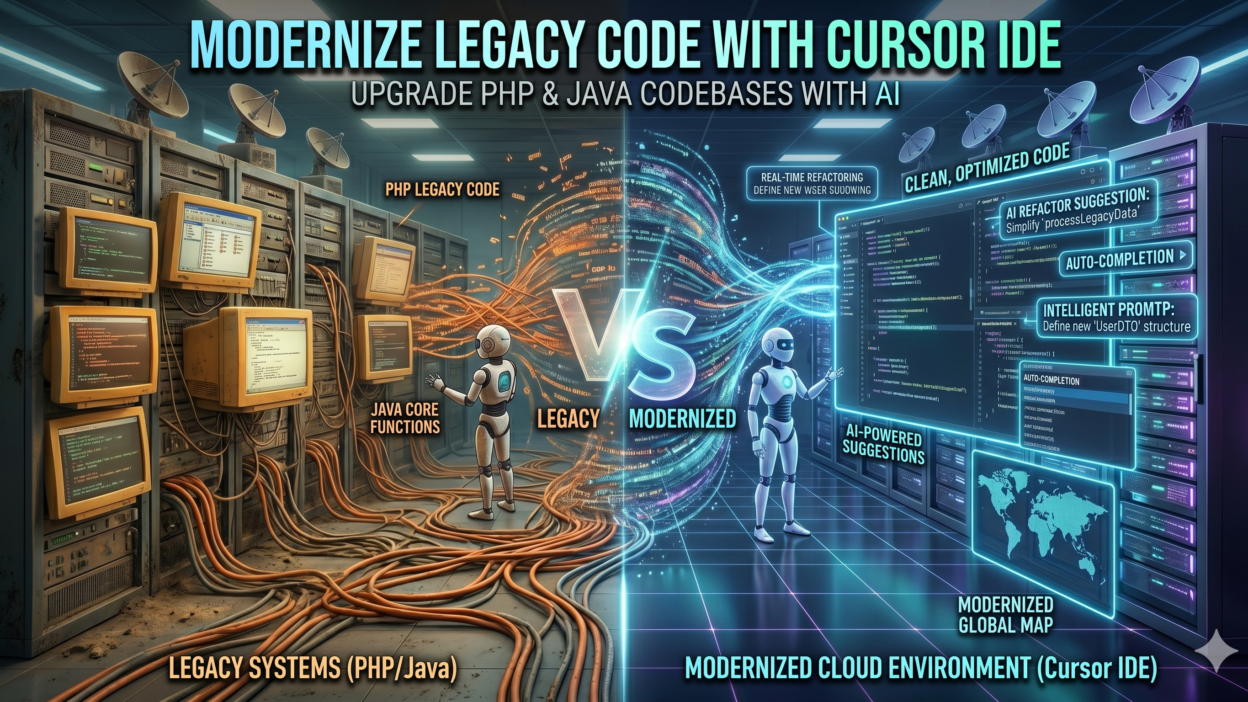
TL;DR Every engineering team has that one dreaded project. The PHP monolith from 2009. The Java EE application running on a server nobody dares to touch. Legacy codebases sit at the center of technical debt conversations everywhere. They work just well enough to avoid replacement but poorly enough to slow every new feature down by weeks. Cursor IDE Modernize Legacy Codebases is the phrase engineering teams are searching for right now because a genuinely new approach exists for this old problem.
Cursor is an AI-powered code editor built on top of VS Code. It understands your entire codebase, not just the file you have open. It reads context across files, suggests refactors, explains old code, and helps you write modern replacements. This guide walks you through exactly how to apply Cursor IDE to legacy PHP and Java modernization work. Every section covers a real step in the process.
Table of Contents
Why Legacy PHP and Java Codebases Are So Difficult to Modernize
Legacy codebases share a set of common problems that make modernization painful without the right tools. Understanding the specific pain points clarifies why Cursor IDE Modernize Legacy Codebases has become such a searched and discussed topic among senior engineers and CTOs.
Documentation is usually missing or wrong. The developer who wrote the original code left years ago. The comments in the files explain what the code does at a surface level but not why specific decisions were made. Business logic hides inside thousand-line PHP functions with no unit tests to verify behavior. Changing one function breaks three others in ways nobody anticipated.
Dependency rot compounds the problem. Legacy PHP projects often rely on frameworks like CodeIgniter 2 or custom MVC structures that predate Composer. Legacy Java applications frequently depend on libraries that have not received security patches in years. Updating these dependencies in isolation is impossible because the code couples them tightly to core business logic.
Testing coverage is nearly zero in most legacy codebases. Writing tests for untested legacy code is circular. You cannot write meaningful tests without understanding behavior. You cannot safely modify behavior without tests. Engineers call this the legacy code catch-22. Breaking this cycle manually takes enormous time and expertise.
Team knowledge gaps create additional friction. Junior developers on your team cannot read legacy PHP procedural code fluently when they learned on modern Laravel or Symfony. Senior developers who do understand it are too valuable to spend entirely on archaeology. Cursor IDE Modernize Legacy Codebases changes this dynamic because the AI fills the knowledge gap and accelerates understanding across the entire team.
Common Legacy PHP Anti-Patterns Cursor Identifies Immediately
Legacy PHP codebases share recognizable anti-patterns. God functions that handle database queries, business logic, and HTML rendering inside a single five-hundred-line block are common. Global variables passed between files through include chains appear constantly. SQL queries built through string concatenation create both readability problems and security vulnerabilities. Mixed PHP and HTML in the same file without any templating layer makes frontend changes risky. Cursor reads these patterns across your entire codebase and flags them systematically. It explains what each pattern is, why it is problematic in modern contexts, and what the equivalent modern approach looks like. This automatic pattern identification cuts the initial codebase analysis phase from weeks to days.
Setting Up Cursor IDE for a Legacy Codebase Project
Getting Cursor properly configured for a legacy modernization project requires deliberate setup. The default configuration works for greenfield projects. Legacy projects need a few specific adjustments to get maximum value from the AI capabilities.
Download and install Cursor from cursor.sh. The installation mirrors VS Code because Cursor is a fork of it. Your existing VS Code extensions, themes, and keybindings transfer directly. PHP and Java language extensions install identically to how they do in VS Code. Opening your legacy project folder in Cursor works the same way as any other editor.
The critical setup step is opening your full project directory rather than individual files. Cursor’s AI context engine, called Codebase Indexing, scans every file in your open folder and builds a semantic understanding of your entire project. This indexing process runs once when you open a new project and updates incrementally as you make changes. For a large legacy codebase with thousands of files, initial indexing may take 10 to 20 minutes. The wait is worth it because every subsequent AI interaction benefits from full codebase awareness.
Configure a .cursorignore file in your project root. This file works like .gitignore and tells Cursor which directories to exclude from indexing. Vendor directories, compiled output folders, and large asset directories slow indexing without adding useful context. Excluding them keeps the AI focused on your actual business logic code.
Set up Cursor’s AI model preferences in settings. Cursor supports Claude and GPT-4 models. For Cursor IDE Modernize Legacy Codebases work, Claude performs particularly well because it handles large context windows better. Legacy code explanation requires reading large blocks of interconnected code simultaneously. Claude’s extended context window processes more code in a single interaction than shorter-context models.
Configuring Cursor for PHP Legacy Projects Specifically
PHP legacy projects benefit from a few extra Cursor configurations. Install the PHP Intelephense extension from the VS Code marketplace inside Cursor. Intelephense provides static analysis that complements Cursor’s AI suggestions with type information and symbol lookup. Create a phpcs.xml configuration file in your project root using PHP CodeSniffer rules that match your target modern standard. PSR-12 works well as a baseline for most teams. Cursor reads this configuration and aligns its suggestions with your chosen coding standard. Add your PHP version in the Intelephense settings. A project running PHP 5.6 needs different modernization suggestions than one running PHP 7.4. Cursor uses this version context to suggest syntax upgrades appropriate for your actual upgrade path rather than assuming you can jump to PHP 8.3 immediately.
Using Cursor Chat to Understand Legacy Code You Did Not Write
The first practical use of Cursor IDE Modernize Legacy Codebases work is understanding code before touching it. Cursor’s chat interface, accessed with Command+L on Mac or Ctrl+L on Windows, lets you ask questions about any code in your project.
Open a legacy PHP file with complex business logic. Select the entire function or class you want to understand. Open Cursor Chat and ask it to explain what this code does. The response is detailed and specific to your actual code. It does not give generic explanations. It traces the logic flow, identifies what data comes in, what transformations happen, and what output the function produces.
Ask follow-up questions within the same chat session. Ask which other files call this function. Cursor cross-references its codebase index and lists every file that invokes the function you are studying. Ask what would break if you changed the return type. Cursor analyzes the callers and identifies dependent logic. This call graph exploration that previously required hours of manual grep work now takes minutes.
For Java legacy work, select a legacy EJB class or a Spring 2.x configuration file and ask Cursor to explain the architecture decisions it reflects. Cursor recognizes older Java EE patterns and explains them in terms of their modern Spring Boot equivalents. It bridges the conceptual gap between what the old code does and what a modern developer would write today to accomplish the same goal.
Cursor Chat retains context throughout a conversation. Ask it to explain a function, then ask it to identify the security vulnerabilities in that same function, then ask it to suggest a modern rewrite. Each question builds on the context established in previous messages. This conversational exploration of legacy code is one of the most productive aspects of Cursor IDE Modernize Legacy Codebases workflows.
Using the At-Symbol Context Feature for Targeted Analysis
Cursor’s at-symbol feature lets you pull specific files, folders, or symbols directly into a chat message. Type the at symbol in the chat input and Cursor shows a picker for your project files. This lets you ask questions that span multiple files simultaneously. Ask Cursor to compare the authentication logic in your legacy login.php file with the session management in session_handler.php and identify where security gaps exist between them. Cursor reads both files together and gives a unified analysis. For Java legacy codebases, pull in your persistence layer classes alongside your service layer classes and ask Cursor to explain the data flow end to end. Multi-file context analysis surfaces problems that single-file review misses entirely.
Refactoring Legacy PHP Code With Cursor’s Inline Edit Feature
Understanding legacy code is step one. Refactoring it safely is step two. Cursor’s inline edit feature, accessed with Command+K on Mac or Ctrl+K on Windows, transforms selected code based on your instructions without opening a separate chat window.
Select a legacy PHP function that uses deprecated mysql_query calls. Press Command+K and type an instruction to rewrite this function using PDO with prepared statements and maintain identical behavior. Cursor rewrites the selected code inline. The new version appears highlighted in the editor. You review it, accept it, or ask for modifications before the change takes effect.
The maintain identical behavior instruction is critical. Legacy code modernization fails when behavior changes unexpectedly. Cursor takes this constraint seriously and generates refactored code that preserves input-output behavior while updating the internal implementation. Always verify this behavior preservation with tests after accepting any inline edit.
Refactor one function at a time rather than selecting entire files. Smaller refactoring units give more precise output and make review faster. After accepting a refactored function, run your existing test suite if one exists. If no tests exist, manually verify the function output matches the original before moving to the next function.
For Java legacy work, select an old-style anonymous inner class used as a callback and press Command+K to convert it to a lambda expression. Select a legacy for-loop over a collection and ask Cursor to rewrite it using the Stream API. Select a JDBC template block and ask Cursor to convert it to a Spring Data JPA repository method. Each of these targeted inline edits moves your Java codebase toward modern idioms one step at a time without requiring a full rewrite of any class.
Creating Refactoring Macros for Repeated Legacy Patterns
Legacy codebases repeat the same anti-patterns dozens or hundreds of times. Writing a new Cursor instruction for each instance wastes time. Use Cursor’s composer feature to create batch refactoring workflows for patterns that appear throughout your codebase. Open Cursor Composer with Command+Shift+I. Describe a pattern that appears repeatedly in your codebase and ask Cursor to find every instance and apply the same refactoring to each one. For example, ask Composer to find every PHP file using ereg functions and replace them with preg equivalents throughout the entire codebase. Cursor identifies each occurrence, applies the transformation, and shows you a diff for each file before committing changes. This batch capability turns hours of find-and-replace work into a supervised automated process.
Generating Tests for Untested Legacy Code
Writing tests for legacy code is the most valuable safety net you can build during modernization. Cursor IDE Modernize Legacy Codebases workflows should always include test generation alongside refactoring. Tests catch regressions before they reach production.
Select a legacy PHP function with no existing tests. Open Cursor Chat and ask it to generate PHPUnit test cases that cover all code paths in this function. Cursor reads the function logic, identifies every conditional branch, and writes test cases that exercise each path. It includes edge cases you might not think to test manually, such as null inputs, empty arrays, and boundary values.
The generated tests will not always run without modification. Legacy functions may have side effects like database writes or file system access that need mocking in tests. Ask Cursor to modify the generated tests to mock database calls using PHPUnit’s mock builder. Cursor adjusts the test code to use mock objects rather than live database connections. These adjusted tests run in isolation without requiring a test database.
For Java legacy code, select a service class method and ask Cursor to generate JUnit 5 tests with Mockito for all dependencies. Cursor writes test methods for happy path scenarios and exception scenarios. It generates the Mockito setup code needed to mock repository and external service calls. The generated tests follow modern JUnit 5 annotation patterns even when the source class uses older Java conventions.
Commit your generated tests before refactoring the underlying code. This sequence matters. Tests written against the original behavior serve as a regression harness. Refactor the code. Run the tests. If tests pass, your refactoring preserved behavior. If tests fail, your refactoring changed something it should not have. This test-first approach to Cursor IDE Modernize Legacy Codebases work is what separates professional modernization from risky rewrites.
Using Cursor to Document Legacy Code as You Go
Documentation generation runs in parallel with refactoring and testing. Select any legacy function and ask Cursor to write PHPDoc or Javadoc comments that accurately describe parameters, return types, thrown exceptions, and behavioral notes. Cursor reads the actual function implementation to generate accurate documentation rather than generic placeholder comments. Ask it to include inline comments explaining non-obvious logic decisions within the function body. This generated documentation serves two purposes. It immediately improves codebase readability for your team. It also creates a reference that accelerates future refactoring of related functions. Documentation investment during modernization compounds in value over time.
Migrating from Legacy Frameworks to Modern Equivalents
Framework migration represents the largest scale of legacy modernization work. Moving from raw PHP to Laravel, from Spring MVC 3 to Spring Boot 3, or from Java EE to Jakarta EE requires systematic file-by-file transformation. Cursor IDE Modernize Legacy Codebases work at this scale benefits from a specific strategy.
Start with the data layer. Legacy PHP projects using custom database abstractions migrate more cleanly when you tackle the data access code first. Select your legacy database class and ask Cursor to create a Laravel Eloquent model equivalent that handles the same queries. Cursor generates the Eloquent model with appropriate relationships, query scopes, and accessor methods. You now have a modern model you can test against the original database.
Move the business logic layer next. After the data layer stabilizes, select legacy service functions and ask Cursor to refactor them into Laravel service classes. Cursor organizes the logic into properly namespaced classes following Laravel conventions. It identifies where dependency injection replaces global state and rewrites accordingly.
Tackle the presentation layer last. Legacy PHP files mixing HTML and PHP become Blade templates in Laravel. Select a legacy view file and ask Cursor to extract the PHP logic into a controller method and convert the HTML into a Blade template. Cursor handles the separation of concerns and generates both the controller and template files.
For Java Spring migration, the approach mirrors this layered strategy. Migrate JPA entity classes first. Convert them from legacy JPA XML configuration to annotation-based configuration. Ask Cursor to generate the equivalent Spring Data JPA repositories for each entity. Move service layer classes next, converting them to Spring Boot service beans with proper dependency injection annotations. Move controllers last, converting legacy Spring MVC controllers to Spring Boot REST controllers or Thymeleaf view controllers depending on your target architecture.
Handling Database Schema Changes During Migration
Database schema changes during framework migration require careful handling. Legacy PHP projects often lack migration tooling. Ask Cursor to generate Laravel migration files that recreate your existing database schema. Provide Cursor with your database schema as context, either by pasting CREATE TABLE statements or by connecting Cursor to schema documentation files. Cursor generates timestamped Laravel migration files for each table. These migration files give your team version-controlled database schema management that the legacy project lacked entirely. For Java projects migrating to modern Spring Boot, ask Cursor to generate Flyway or Liquibase migration scripts from your existing Hibernate schema definitions. These scripts integrate into your CI pipeline and ensure consistent schema state across development, staging, and production environments.
Common Mistakes to Avoid During Cursor-Assisted Modernization
Cursor IDE Modernize Legacy Codebases work produces the best results when teams avoid predictable mistakes. Understanding what goes wrong helps you plan a cleaner process.
Refactoring too much at once is the most common error. Selecting an entire legacy PHP file with fifteen functions and asking Cursor to modernize all of it simultaneously produces large diffs that are difficult to review and test. Break every modernization task into the smallest possible unit. One function per refactoring session. One class per migration step. Small units keep review fast and testing reliable.
Accepting Cursor suggestions without review wastes the safety benefit of the tool. Cursor is highly capable but not infallible. It occasionally misreads business logic in particularly convoluted legacy code. Review every suggestion critically. Run tests after every accepted change. Treat Cursor as a highly skilled pair programmer whose output still needs your review, not as an autonomous system whose output you deploy directly.
Skipping the indexing setup prevents Cursor from leveraging its strongest capability. Engineers who open individual legacy files rather than the full project directory lose cross-file context. They get single-file suggestions that miss interdependencies. Always open the full project directory and verify that indexing completes before beginning modernization work.
Ignoring environment differences between old and new framework behaviors creates subtle bugs. Legacy PHP 5 code sometimes relies on behavior that changed in PHP 7 or 8. Ask Cursor explicitly to flag any refactored code that depends on deprecated behavior and suggest alternatives. Make this part of every inline edit instruction. Explicit instructions about behavioral compatibility produce safer refactoring output.
Measuring Progress and Success During Modernization
Modernization projects without measurable progress metrics lose momentum and organizational support. Cursor IDE Modernize Legacy Codebases workflows integrate naturally with standard software quality metrics.
Track test coverage percentage weekly. Start from your baseline, which is likely near zero. Each week of modernization work should increase coverage by a meaningful increment. A target of five percentage points per week is realistic for a focused team. At that pace, a codebase reaches 80 percent coverage in about sixteen weeks of sustained effort. Use PHPUnit coverage reports or JaCoCo for Java to generate weekly coverage numbers. Share them with stakeholders to demonstrate consistent progress.
Track the reduction of flagged anti-patterns using static analysis tools. PHP_CodeSniffer and PHPStan for PHP, or SpotBugs and SonarQube for Java, report specific issue counts. Run these tools against your codebase at the start of the project to establish a baseline issue count. Run them weekly throughout modernization. Declining issue counts provide quantitative evidence that the codebase improves steadily.
Track deployment frequency and incident rate. A common fear around legacy modernization is that changes will destabilize working software. Tracking production incidents before and after modernization work demonstrates whether your changes improve or harm stability. In well-executed modernization projects, test coverage improvements correlate with reduced incident rates over three to six months.
Track developer velocity on legacy modules. Before modernization, measure how long common tasks take in the legacy modules. Adding a new field to a legacy form, changing a business rule, or fixing a bug in a legacy controller. Repeat these measurements after modernization reaches those modules. Faster task completion time is direct evidence of improved developer experience, which makes the case for continued modernization investment.
Reporting Modernization ROI to Engineering Leadership
Engineering leadership needs modernization progress framed in business terms, not just technical metrics. Translate your technical measurements into business impact language. Test coverage improvements reduce the cost of future changes by lowering the risk of regression. Quantify this as reduced QA time per release. Anti-pattern reduction decreases the time developers spend understanding code before making changes. Quantify this as reduced ticket cycle time for features touching modernized modules. Deployment frequency increases represent faster time to market for new capabilities. Frame each technical metric as a business outcome when reporting upward. Cursor IDE Modernize Legacy Codebases projects that demonstrate clear business ROI receive sustained organizational support and adequate resourcing throughout the full modernization timeline.
FAQs About Using Cursor IDE for Legacy Codebase Modernization
Can Cursor handle very large codebases with hundreds of thousands of lines of code?
Cursor handles large codebases through its indexing system, which processes files incrementally rather than loading everything into memory simultaneously. Projects with hundreds of thousands of lines of code index successfully, though initial indexing takes longer. Cursor’s AI interactions work on contextually relevant subsets of the codebase rather than the entire project simultaneously. For very large projects, organize modernization work into bounded modules and focus Cursor’s context on one module at a time. This modular approach produces cleaner output than trying to analyze an entire monolith in a single session.
Does Cursor work with PHP versions older than PHP 7?
Cursor works with PHP 5.x codebases. The PHP language server and Intelephense extension support older PHP syntax. Cursor’s AI models recognize PHP 5.x patterns and can suggest migration paths to PHP 7.x or PHP 8.x. When working with PHP 5.x code, explicitly tell Cursor the source PHP version in your prompts. This prevents Cursor from suggesting PHP 7 or 8 syntax features in intermediate refactoring steps if your upgrade path requires stopping at a specific version first.
How does Cursor compare to GitHub Copilot for legacy code modernization?
Cursor offers stronger codebase-wide context than GitHub Copilot for legacy modernization work. Copilot focuses primarily on the current file and immediate surroundings. Cursor’s codebase indexing spans the entire project, enabling cross-file analysis that matters deeply in legacy codebases where functions call each other across many files. Cursor’s chat interface also supports longer, more conversational interactions that suit exploratory legacy code analysis. Copilot excels at inline completion for greenfield development. Cursor excels at understanding and transforming existing complex codebases. For Cursor IDE Modernize Legacy Codebases use cases specifically, Cursor holds a meaningful advantage.
Is it safe to let Cursor make changes directly to production legacy code files?
Never apply Cursor-suggested changes directly to production without a review and test cycle. Work on a dedicated modernization branch in your version control system. Apply Cursor’s suggestions there. Run your test suite against the branch. Conduct a code review with at least one other engineer. Merge only after tests pass and review approves. Legacy codebases often have undocumented dependencies and behaviors that even careful AI analysis misses. Human review catches what automated analysis does not. The appropriate use of Cursor is as an accelerant for your human-led engineering process, not as a replacement for it.
How long does a typical legacy PHP modernization project take using Cursor?
Timeline depends on codebase size, starting test coverage, team size, and modernization scope. A medium-sized PHP monolith with 50,000 lines of code and minimal tests typically takes four to eight months of focused team effort to reach a state of meaningful modernization using Cursor. That estimate assumes a team of two to three engineers dedicating 50 percent of their time to modernization alongside ongoing feature work. Cursor accelerates the analysis and refactoring phases substantially. Test writing still requires careful human judgment even with AI assistance. Plan for the testing phase to take as long as the refactoring phase in most legacy projects.
Can Cursor help write the architecture documentation for the modernized system?
Cursor generates architecture documentation effectively when you provide it with the right context. After completing modernization of a module, open Cursor Chat and ask it to describe the architecture of the module based on the current file structure and code. Ask it to generate a component diagram description in Mermaid syntax, which renders as an actual diagram in most documentation tools. Ask it to write a README section explaining the module’s responsibilities, dependencies, and data flow. Generated documentation requires human review and editing for accuracy but provides an excellent starting draft that would otherwise take days to write from scratch.
Read More:-Nearshore IT Staff Augmentation: A Buyer’s Guide for 2026
Conclusion

Legacy PHP and Java codebases do not have to be permanent sources of technical pain. Cursor IDE Modernize Legacy Codebases work gives engineering teams a genuine path forward that is faster, safer, and more systematic than any previous approach to this challenge.
Cursor brings AI understanding to code that predates modern practices. It explains what old code does. It identifies every place a pattern repeats. It generates modern replacements that preserve behavior. It writes tests that protect against regressions. It documents logic that nobody remembered to document. Every one of these capabilities accelerates modernization work that would otherwise consume years of careful manual effort.
The process works best when teams treat Cursor as a highly capable partner rather than an autonomous replacement for engineering judgment. Review every suggestion. Test every change. Commit in small increments. Measure progress weekly. Report outcomes in business terms. These practices around Cursor IDE Modernize Legacy Codebases work create modernization projects that stay on track, build organizational trust, and deliver real improvements to developer experience and system reliability.
Your legacy codebase exists because it once solved a real problem well enough to keep running. Modernizing it with Cursor means honoring that history while building a foundation strong enough to support the next decade of product development. Start with one module. Index your codebase. Ask Cursor to explain the code nobody understands. The first week of this work will show you more clearly than any argument why this approach works.