Introduction
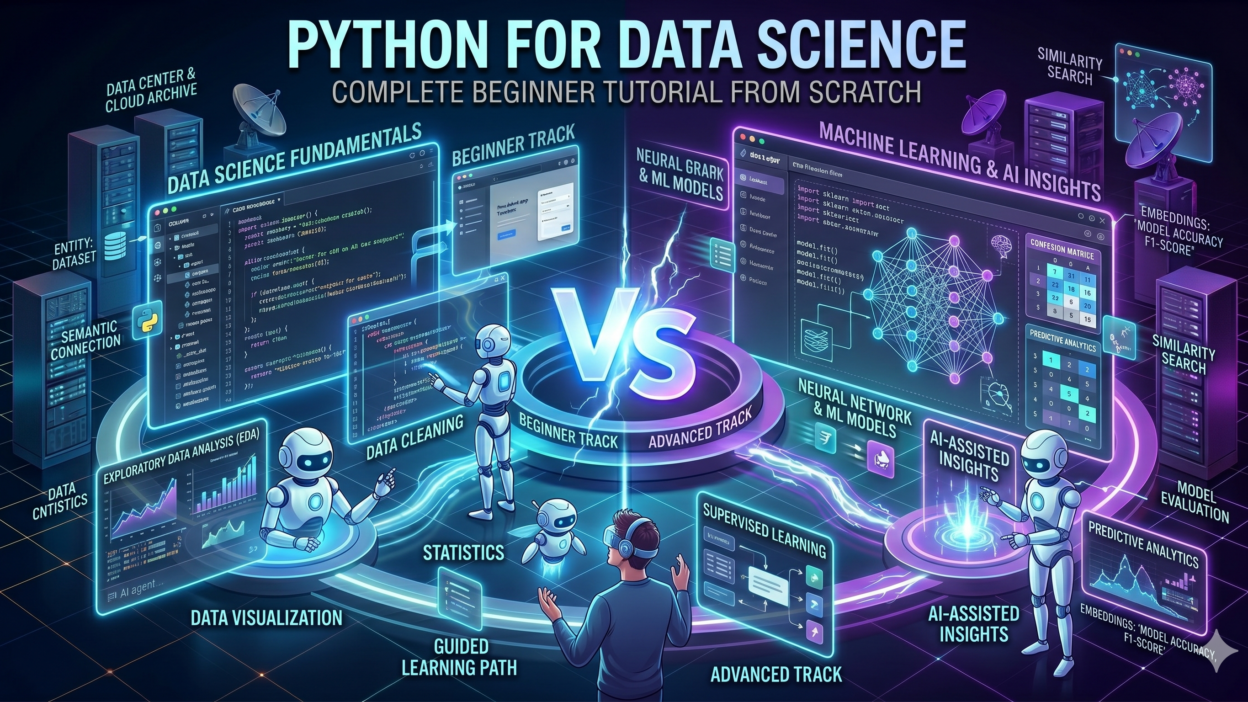
TL;DR Data science is one of the most in-demand skill sets in the world today. Companies across every industry hire people who can turn raw data into clear decisions. Python sits at the center of nearly every data science workflow. This Python tutorial for data science gives you a complete roadmap from absolute beginner to confident practitioner.
Python is not hard to learn. Its syntax reads almost like plain English. Its ecosystem of libraries covers everything a data scientist needs. NumPy handles numerical computation. Pandas manages structured data. Matplotlib and Seaborn create visualizations. Scikit-learn builds machine learning models. One language, one ecosystem, endless possibilities.
This Python tutorial for data science covers all of these tools in a logical order. You will move from Python basics to data manipulation to visualization to machine learning. Each section builds on the previous one. Real code examples appear throughout so you learn by doing, not just reading.
Table of Contents
Why Python Is the Best Language for Data Science
Python dominates data science for concrete reasons. The language prioritizes readability. A beginner reads Python code and understands the logic without a manual. This low cognitive overhead lets data scientists focus on solving problems rather than fighting syntax.
The Python community is enormous. Millions of developers contribute libraries, tutorials, and forum answers. Any problem a data science beginner faces already has a Stack Overflow thread with working solutions. This support network accelerates learning dramatically.
Industry adoption cements Python’s position. Google, Netflix, Spotify, and JPMorgan all use Python for data work. Learning Python for data science means learning the tool that employers actually use. That alignment between education and industry makes Python the smartest choice for career-focused learners.
Python vs R for Data Science
R is Python’s main competitor in data science. R was designed specifically for statistical computing. It excels at pure statistical analysis and academic research. Python, though, offers broader applicability. A data scientist who knows Python can also build web applications, automate workflows, and deploy machine learning models to production. R cannot match Python’s versatility outside of statistical work.
Job postings reflect this reality. Python appears in far more data science job descriptions than R. Teams prefer Python because it integrates with engineering infrastructure that Python already powers. For career-focused learners, this Python tutorial for data science opens more doors than any R curriculum would.
Setting Up Your Python Environment for Data Science
Installing Python and Anaconda
Anaconda is the best starting point for anyone beginning a Python tutorial for data science. Anaconda bundles Python with over 250 pre-installed scientific libraries. It includes Jupyter Notebook, which is the standard environment for interactive data analysis. Download Anaconda from anaconda.com and run the installer for your operating system.
After installation, open the Anaconda Navigator. You see a graphical dashboard listing available tools. Click Launch under Jupyter Notebook. Your browser opens a file browser interface. Create a new notebook by clicking New and selecting Python 3. This notebook becomes your interactive workspace for the rest of this tutorial.
Understanding Jupyter Notebooks
Jupyter Notebooks organize code into cells. Each cell runs independently. You write code in a cell, press Shift+Enter, and see the output immediately below it. This interactive loop makes data exploration natural and fast. Mistakes are easy to fix. Results appear instantly without rerunning an entire script.
Notebooks also support Markdown cells for writing explanations alongside code. Professional data scientists document their analysis inside notebooks. This combination of code and narrative makes notebooks ideal for sharing findings with non-technical stakeholders. Every serious Python tutorial for data science teaches Jupyter as the primary tool.
Essential Libraries to Install
Anaconda installs most required libraries automatically. Verify the core libraries are available by importing them in a notebook cell. NumPy, Pandas, Matplotlib, Seaborn, and Scikit-learn should all import without errors. If any library is missing, install it using the conda install command in the terminal.
conda install numpy pandas matplotlib seaborn scikit-learn
Keep your environment updated regularly. Library maintainers release updates that fix bugs and add features. Run conda update –all periodically to stay current. A well-maintained environment prevents the cryptic compatibility errors that trip up beginners.
Python Fundamentals Every Data Scientist Must Know
This Python tutorial for data science assumes you start from zero. The fundamentals section covers the Python concepts you will use daily in data work. Skip nothing here. Weak foundations create confusion later when working with complex data structures.
Variables, Data Types, and Basic Operations
Python stores information in variables. A variable is a named container that holds a value. Assign a value using the equals sign. Python infers the data type automatically. Integers store whole numbers. Floats store decimal numbers. Strings store text. Booleans store True or False values.
age = 28 salary = 75000.50 name = ‘Alex’ is_employed = True
Arithmetic operations work as expected in Python. Addition uses the plus sign. Subtraction uses the minus sign. Multiplication uses the asterisk. Division uses the forward slash. Floor division uses double forward slashes and discards the decimal. The modulo operator returns the remainder of division. These operations appear constantly in data science calculations.
Lists, Tuples, and Dictionaries
Lists store ordered collections of values. Square brackets define a list. Items inside separate by commas. Lists accept values of any data type, including mixed types. List indexing starts at zero in Python. Access the first item with index 0, the second with index 1, and so on.
scores = [85, 92, 78, 95, 88] print(scores[0]) # Output: 85 print(scores[-1]) # Output: 88
Dictionaries store key-value pairs. Curly braces define a dictionary. Each entry pairs a key with a value using a colon. Keys must be unique. Access values by referencing their key inside square brackets. Dictionaries appear frequently in data science when representing records or configurations.
student = {‘name’: ‘Maria’, ‘age’: 22, ‘grade’: ‘A’} print(student[‘name’]) # Output: Maria
Loops and Functions
Loops repeat operations across collections of data. The for loop iterates over every item in a list, range, or other iterable. The while loop repeats as long as a condition stays true. Data science work uses for loops extensively to process rows, apply transformations, and aggregate results.
for score in scores: print(score * 1.1) # Apply 10% bonus to each score
Functions package reusable logic into named blocks. Define a function using the def keyword followed by a name and parentheses. Functions accept input parameters and return output values. Writing clean functions is a hallmark of professional data science code. Every Python tutorial for data science reinforces function writing as a core skill.
def calculate_average(values): return sum(values) / len(values) avg = calculate_average(scores) print(avg) # Output: 87.6
Data Manipulation with NumPy and Pandas
NumPy Arrays for Numerical Computing
NumPy is the foundation of numerical computing in Python. It provides the ndarray, a fast multi-dimensional array object. NumPy arrays outperform Python lists by orders of magnitude for numerical operations. Every major data science library builds on top of NumPy internally.
Create a NumPy array by passing a list to the np.array function. NumPy arrays support element-wise operations. Multiply an entire array by a scalar in one line. Compute the mean, standard deviation, and sum of an array with built-in functions. This Python tutorial for data science treats NumPy mastery as non-negotiable.
import numpy as np data = np.array([10, 20, 30, 40, 50]) print(data * 2) # [20 40 60 80 100] print(np.mean(data)) # 30.0 print(np.std(data)) # 14.14
Pandas DataFrames for Structured Data
Pandas is the workhorse library for structured data in Python. Its core data structure is the DataFrame. A DataFrame organizes data into rows and columns, similar to a spreadsheet. Each column holds a specific variable. Each row represents one observation. Real-world datasets almost always arrive as DataFrames in a Python tutorial for data science workflow.
Load a CSV file into a DataFrame with a single line. The read_csv function handles the file parsing automatically. Inspect the first five rows using the head method. Check data types and missing values using the info method. These three operations form the starting ritual for every new dataset.
import pandas as pd df = pd.read_csv(‘sales_data.csv’) print(df.head()) print(df.info())
Data Cleaning and Preprocessing
Real data is messy. Missing values, duplicate rows, and inconsistent formatting appear in almost every dataset. Pandas provides powerful tools to fix these problems. The isnull method detects missing values. The dropna method removes rows with missing values. The fillna method replaces missing values with a specified default, such as the column mean.
print(df.isnull().sum()) # Count missing values per column df.dropna(inplace=True) # Remove rows with any missing value df[‘age’].fillna(df[‘age’].mean(), inplace=True) # Fill with mean
Duplicate rows waste memory and skew analysis results. The duplicated method flags duplicate rows. The drop_duplicates method removes them. Always check for duplicates early in any data science project. Data cleaning is unglamorous work, but every professional Python tutorial for data science emphasizes it as the most important skill to master.
Filtering, Grouping, and Aggregating Data
Pandas makes data slicing intuitive. Filter rows by writing a condition inside square brackets. Select multiple columns by passing a list of column names. Chain multiple filters using the ampersand operator for AND conditions and the pipe operator for OR conditions.
high_earners = df[df[‘salary’] > 80000] senior_high = df[(df[‘salary’] > 80000) & (df[‘experience’] > 5)]
The groupby method splits data into groups and applies aggregation functions to each group. Group a sales dataset by region and compute total revenue per region in two lines. This operation is foundational in business data analysis. Mastering groupby accelerates every real project you tackle after completing this Python tutorial for data science.
revenue_by_region = df.groupby(‘region’)[‘revenue’].sum() print(revenue_by_region)
Data Visualization with Matplotlib and Seaborn
Creating Basic Charts with Matplotlib
Matplotlib is Python’s foundational visualization library. It produces line charts, bar charts, histograms, scatter plots, and dozens of other chart types. Import Matplotlib’s pyplot module using the standard alias plt. Create a figure, plot data, add labels, and display the chart with a few lines of code.
import matplotlib.pyplot as plt plt.figure(figsize=(10, 6)) plt.plot(df[‘month’], df[‘revenue’], color=’steelblue’, linewidth=2) plt.title(‘Monthly Revenue Trend’) plt.xlabel(‘Month’) plt.ylabel(‘Revenue ($)’) plt.grid(True) plt.show()
Histograms reveal data distribution at a glance. Use plt.hist to plot one. Adjust the bins parameter to control histogram resolution. Viewing the distribution of a numerical variable always precedes statistical modeling. Distribution shape guides your choice of statistical tests and machine learning algorithms.
Statistical Visualization with Seaborn
Seaborn extends Matplotlib with higher-level statistical charts. It produces beautiful visualizations with minimal code. Import Seaborn using the standard alias sns. Seaborn integrates directly with Pandas DataFrames, which makes plotting straightforward. Pass the DataFrame and column names directly to plotting functions.
import seaborn as sns sns.set_style(‘whitegrid’) sns.histplot(df[‘salary’], bins=30, kde=True, color=’teal’) plt.title(‘Salary Distribution’) plt.show()
Correlation heatmaps show relationships between all numerical variables simultaneously. The heatmap function in Seaborn accepts a correlation matrix computed by Pandas. Deep red cells indicate strong positive correlation. Deep blue cells indicate strong negative correlation. Heatmaps guide feature selection decisions in machine learning projects covered later in this Python tutorial for data science.
corr_matrix = df.select_dtypes(include=’number’).corr() sns.heatmap(corr_matrix, annot=True, cmap=’coolwarm’, fmt=’.2f’) plt.title(‘Feature Correlation Heatmap’) plt.show()
Introduction to Machine Learning with Scikit-learn
Understanding the Machine Learning Workflow
Machine learning follows a consistent workflow regardless of the algorithm used. First, collect and clean data. Second, select relevant features. Third, split data into training and testing sets. Fourth, train a model on the training set. Fifth, evaluate the model on the testing set. Sixth, tune hyperparameters to improve performance. This Python tutorial for data science walks through each step concretely.
Splitting Data into Train and Test Sets
Never train and evaluate a model on the same data. Training on all data and testing on the same data produces artificially high accuracy scores. The model memorizes the training data instead of learning generalizable patterns. This problem is called overfitting. The train_test_split function from Scikit-learn splits data into separate training and testing subsets automatically.
from sklearn.model_selection import train_test_split X = df[[‘experience’, ‘education_years’, ‘age’]] y = df[‘salary’] X_train, X_test, y_train, y_test = train_test_split( X, y, test_size=0.2, random_state=42 )
The test_size parameter controls the proportion of data held back for testing. A value of 0.2 reserves 20 percent for testing and uses 80 percent for training. The random_state parameter ensures reproducibility. Running the split twice with the same random_state produces identical splits every time.
Training Your First Linear Regression Model
Linear regression predicts a numerical output from one or more input features. It assumes a linear relationship between inputs and output. Import LinearRegression from Scikit-learn’s linear_model module. Create a model object, fit it on training data, and generate predictions on test data.
from sklearn.linear_model import LinearRegression from sklearn.metrics import mean_squared_error, r2_score import numpy as np model = LinearRegression() model.fit(X_train, y_train) y_pred = model.predict(X_test) rmse = np.sqrt(mean_squared_error(y_test, y_pred)) r2 = r2_score(y_test, y_pred) print(f’RMSE: {rmse:.2f}’) print(f’R2 Score: {r2:.4f}’)
RMSE measures prediction error in the same units as the target variable. Lower RMSE indicates better accuracy. R-squared measures how much variance in the target the model explains. A score of 1.0 means perfect prediction. A score of 0.0 means the model performs no better than predicting the mean. Interpreting these metrics correctly is a critical skill developed through this Python tutorial for data science.
Classification with Logistic Regression
Classification predicts a category rather than a number. Logistic regression, despite its name, classifies observations into discrete categories. Binary classification distinguishes between two outcomes, such as spam versus not spam. Import LogisticRegression from Scikit-learn. The training and evaluation workflow mirrors linear regression almost exactly.
from sklearn.linear_model import LogisticRegression from sklearn.metrics import accuracy_score, classification_report clf = LogisticRegression(max_iter=1000) clf.fit(X_train, y_train) y_pred_clf = clf.predict(X_test) print(f’Accuracy: {accuracy_score(y_test, y_pred_clf):.4f}’) print(classification_report(y_test, y_pred_clf))
The classification_report function prints precision, recall, and F1-score for each class. Precision measures what fraction of positive predictions are correct. Recall measures what fraction of actual positives the model catches. F1-score balances both. Choosing the right metric depends on the cost of false positives versus false negatives in your specific problem.
Exploratory Data Analysis: Putting It All Together
Exploratory Data Analysis, or EDA, combines everything this Python tutorial for data science teaches so far. EDA is the phase where data scientists investigate a new dataset before modeling. The goal is to understand data structure, spot anomalies, identify patterns, and form hypotheses.
A strong EDA workflow starts with shape inspection. Check how many rows and columns the dataset contains. Review data types for each column. Calculate summary statistics using the describe method. This gives you minimum, maximum, mean, and quartile values for every numerical column in seconds.
print(df.shape) # (rows, columns) print(df.dtypes) # Data type of each column print(df.describe()) # Summary statistics
Visualize distributions for every numerical variable. Plot histograms to see skewness. Plot box plots to spot outliers. Plot scatter plots to see relationships between pairs of variables. Each visualization answers a question about the data. Good data scientists ask many questions before touching a model. This investigative mindset defines professional practice in any Python tutorial for data science context.
Frequently Asked Questions About Python Tutorial for Data Science
How long does it take to learn Python for data science?
Most dedicated learners reach job-ready proficiency in four to six months. Daily practice matters more than the total time span. Spending one to two focused hours per day on a structured Python tutorial for data science produces faster results than occasional marathon sessions. Building real projects accelerates learning beyond any tutorial alone.
Do I need a math background to start a Python tutorial for data science?
Basic high school math is sufficient to start. You need comfort with algebra, basic statistics, and the concept of functions. Advanced machine learning algorithms involve calculus and linear algebra, but you can build practical skills first and fill mathematical gaps as you progress. Many successful data scientists learn the math alongside the Python, not before it.
What is the best first project after a Python tutorial for data science?
A beginner project should use a real, publicly available dataset. The Titanic survival prediction dataset on Kaggle is the most popular starting project. It covers data cleaning, feature engineering, classification modeling, and evaluation in one manageable problem. Completing one real project teaches more than reading three additional tutorials.
Which Python libraries are most important for data science?
Five libraries form the essential stack. NumPy handles numerical arrays and mathematical operations. Pandas manages structured tabular data. Matplotlib and Seaborn handle data visualization. Scikit-learn provides machine learning algorithms, evaluation metrics, and preprocessing tools. Every Python tutorial for data science covers these five libraries as the core curriculum.
Is Python enough to get a data science job?
Python proficiency is necessary but not sufficient alone. Employers also expect SQL knowledge for database querying, statistical understanding for model interpretation, and domain knowledge relevant to their industry. Python is the technical foundation. Communication skills and business acumen determine who gets hired and promoted from among technically qualified candidates.
What are secondary keywords related to Python tutorial for data science?
Related search terms include Python for beginners data science, learn data science with Python, Python data analysis tutorial, Pandas tutorial for data science, NumPy basics Python, Scikit-learn machine learning tutorial, Jupyter Notebook data science, Python data visualization tutorial, data science programming Python, and Python EDA tutorial. These terms appear frequently alongside Python tutorial for data science in search behavior.
Read More:-How to Use Cursor IDE to Modernize Legacy PHP/Java Codebases
Conclusion

Data science is learnable. Python makes it accessible. This Python tutorial for data science gave you a complete foundation covering environment setup, Python fundamentals, data manipulation, visualization, and machine learning. Each section built deliberately on the previous one.
The tools you learned here are not toy examples. NumPy, Pandas, Matplotlib, Seaborn, and Scikit-learn power real production data science workflows at major companies worldwide. You started using the same tools that professional data scientists use daily.
The next step is practice. Open a Jupyter Notebook right now. Find a dataset on Kaggle or UCI Machine Learning Repository. Apply the techniques from this Python tutorial for data science to that real data. Every insight you extract, every chart you create, and every model you train builds genuine competence that no amount of reading can replace.
Repeat the process with different datasets and different problem types. Regression one week. Classification the next. Clustering after that. Each new problem type expands your toolkit and your confidence. Professional data scientists work this way continuously throughout their careers.
This Python tutorial for data science is your starting line, not your finish line. The field rewards curiosity and persistence more than raw intelligence. Stay curious. Keep building. The data science career you want is on the other side of consistent practice.