Introduction
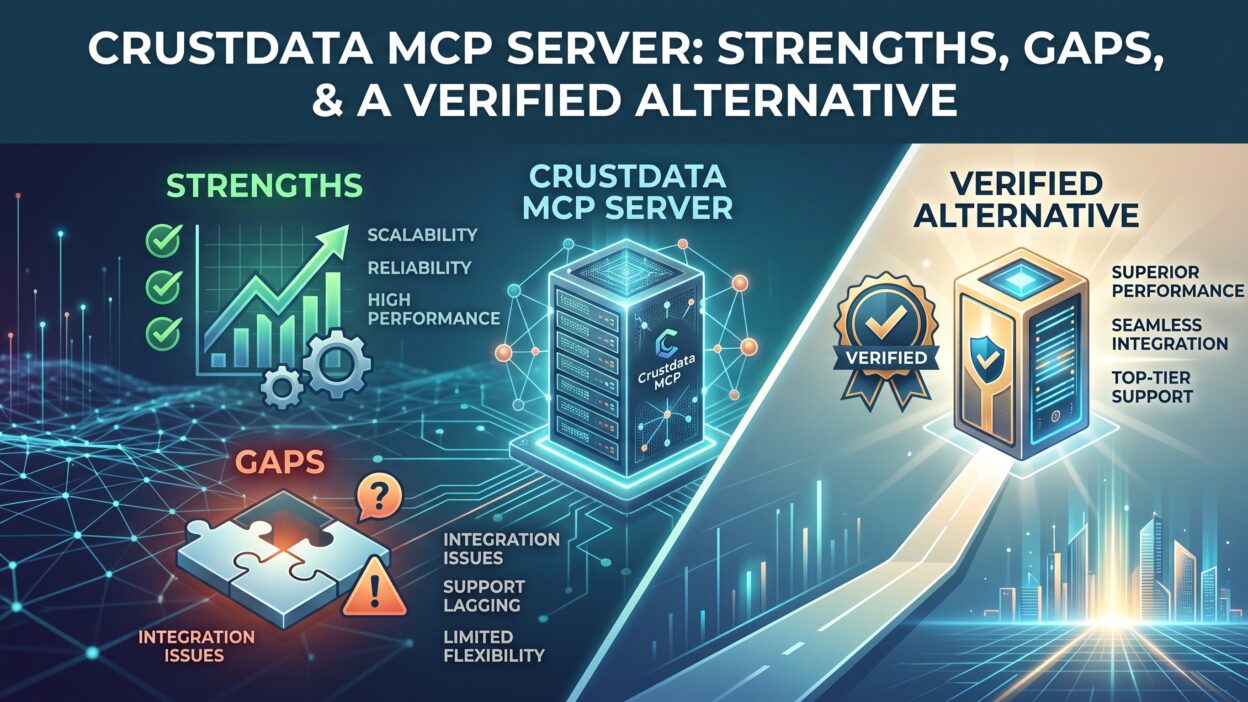
TL;DR AI agents need live data to act on, not static exports sitting in a spreadsheet. The Crustdata MCP Server answers this need by giving agents direct access to B2B people and company records through natural language. This guide breaks down what the Crustdata MCP Server does well, where it falls short and how a verified alternative compares. You will find setup details, core tools, key gaps to check and answers to common questions before you connect.
Table of Contents
What Is the Crustdata MCP Server?
The Crustdata MCP Server is a hosted connection point built on the Model Context Protocol. It lets AI assistants like Claude and Cursor query Crustdata’s B2B database directly from a plain-language prompt. Instead of exporting a file or building a custom integration, an agent simply asks for what it needs. The Crustdata MCP Server resolves that request into a live query and returns fresh results inside the same conversation.
Crustdata built its reputation as a real-time data provider for sales, recruiting and investment teams. The Crustdata MCP Server extends that same database into any tool that supports the Model Context Protocol. This turns a chat window into a working research assistant with access to company and people records on demand.
How the Crustdata MCP Server Connects to AI Agents
Setup varies slightly by client type. Claude and Cursor connect through OAuth, so a user signs in without ever pasting an API key. File-based tools like VS Code and Codex require a Crustdata API key added directly to a config file. Either path takes just a few minutes to complete. New accounts also receive free starter credits, which lets a team test the Crustdata MCP Server before committing to a paid plan.
Who Uses the Crustdata MCP Server
Sales teams use the Crustdata MCP Server to research prospects and build outreach lists inside an existing AI workflow. Recruiters use it to search candidates and pull job data without switching tools. Investment teams use it for deal sourcing, since the server tracks company signals in near real time. Any team building an AI agent that needs current B2B data can plug into the Crustdata MCP Server without writing custom integration code.
Core Tools Inside the Crustdata MCP Server
Crustdata organizes its tools into distinct groups, each covering a different type of data an agent might need.
Company and People Data Tools
The Crustdata MCP Server includes tools for identifying, enriching and searching company records. On the people side, it offers search, enrichment, contact enrichment and batch enrichment. An agent can pull a single contact’s details or process a large batch of records in one request, depending on the task at hand.
Job, Social and Web Tools
Job search tools inside the Crustdata MCP Server cover standard, live and batch searches across companies and roles. Social tools pull posts from individual profiles, company pages or keyword searches directly into an agent’s workflow. Web tools round out the set, letting an agent run a search or fetch a page when it needs outside context beyond Crustdata’s own database.
Monitoring and Utility Tools
Watcher tools let an agent set up webhook alerts that fire when a tracked company or person changes. This turns a one-time query into ongoing monitoring without extra setup work. Utility tools let a user check credit costs and account balance before running a larger request through the Crustdata MCP Server.
Strengths of the Crustdata MCP Server
A few qualities make the Crustdata MCP Server appealing for teams that want broad, fast access to B2B data.
Wide Data Coverage
Crustdata claims coverage above one billion people records and sixty million companies, pulled from more than fifteen data sources. This breadth gives an agent a wide starting point for almost any B2B research task. Few competing tools match this raw scale of coverage in one connection.
Real-Time Query Results
Every query through the Crustdata MCP Server hits a live index instead of a static export. This means an agent building a prospect list or checking a candidate’s current role works against fresh data rather than an outdated snapshot. Freshness matters most for fast-moving sales and recruiting workflows.
Fast Setup Across Clients
The OAuth flow for Claude and Cursor removes the usual friction of managing API keys. A hosted endpoint means nothing to install or run locally. Crustdata frames the entire setup process as a five-minute task, and most users find that estimate accurate in practice.
Gaps to Check Before You Rely on the Crustdata MCP Server
Every strength carries a tradeoff. A few gaps deserve a close look before a team builds critical workflows around the Crustdata MCP Server.
Unnamed Data Sources
Crustdata states its database pulls from more than fifteen sources, yet none of these sources appear anywhere in its documentation. A team that needs to know whether a record came from a licensed partner or a scraped page will not find that answer through the Crustdata MCP Server itself.
Personal Data Returned by Default
Every people-related tool inside the Crustdata MCP Server returns individual records, including business emails, personal emails and phone numbers. There is no aggregate-only mode for teams that want summary data without exposing personal details. Watcher tools can also track a named individual on a recurring schedule with no listed expiry or deletion option.
Billing After the Call
The Crustdata MCP Server bills per result rather than per call, and that bill only appears after the query returns. A broad search returning hundreds of records gets charged for each one individually. A user can check their balance beforehand through the utility tools, but there is no way to preview the exact cost of a specific search before running it.
Tool Count That Changes by Client
The number of available tools shifts depending on how a team connects. Crustdata’s own site lists forty tools, while third-party directories show smaller counts closer to twenty or fourteen tools for the same connection. Anyone planning a workflow around a specific tool count should confirm the actual number inside their chosen client first.
A Verified Alternative to the Crustdata MCP Server
ZoomInfo offers an MCP server built around a different philosophy. Instead of raw volume, it centers on verified data and built-in governance controls.
Verified Data Foundation
ZoomInfo’s data goes through continuous, multi-source verification supported by a large human research team. This approach favors accuracy over unnamed source volume, reaching high confidence rates on first-party contact and company data. This matters most when an agent needs to ground a real business decision on the record it retrieves, not just a fast answer.
Built-In Governance and Cost Control
Every call through ZoomInfo’s MCP server runs through a gateway that enforces existing account entitlements. This keeps agent access lined up with what a human user already sees inside the platform. Records already enriched avoid repeat charges for a full year, which keeps costs predictable compared with a pure per-result billing model.
Reasoning Over First-Party Context
Crustdata hands raw records back to an agent and stops there. A verified alternative like ZoomInfo pairs its data with context drawn from a team’s own CRM and past conversations. This lets an agent explain why an account looks promising instead of returning a plain list of current fields.
Crustdata MCP Server vs a Verified Alternative
Coverage numbers favor Crustdata on raw volume, with claims above one billion people records against a smaller but more tightly verified contact base from ZoomInfo. Tool count also favors Crustdata on paper, though the actual number a user sees shifts depending on the connecting client.
Data provenance tips the other direction. ZoomInfo names its verification process and backs it with a large research team, while the Crustdata MCP Server leaves its source list undisclosed. Personal data handling follows a similar pattern. ZoomInfo enforces entitlements and read-only access at the gateway level, while the Crustdata MCP Server returns personal records by default with no aggregate-only option.
Cost predictability also favors a verified alternative. ZoomInfo avoids repeat charges on records already enriched within a set window, while the Crustdata MCP Server bills per result with no upfront cost preview. Teams weighing both options should match the choice to what actually matters most for their specific workflow.
How to Connect the Crustdata MCP Server
Add the hosted endpoint inside a supported client like Claude or Cursor, then approve the connection through OAuth. No API key is needed for these two clients specifically. File-based tools like VS Code or Codex require pasting a Crustdata API key directly into a configuration file instead. Free starter credits let a new user test real queries before deciding on a paid plan.
Choosing the Right MCP Server for Your Team
Pick the Crustdata MCP Server if your team values broad, fast access to real-time B2B data and feels comfortable managing personal data exposure and per-result costs on your own. Developer-first teams building experimental workflows often find this tradeoff acceptable.
Pick a verified alternative if trust in the underlying data matters more than raw volume. Teams that need entitlement controls, read-only access and predictable costs tend to lean toward a verified provider instead. The right choice depends on how much weight your team puts on data provenance versus sheer coverage size.
FAQs About the Crustdata MCP Server
What is the Crustdata MCP Server used for? The Crustdata MCP Server gives AI agents direct access to B2B company and people data through natural language, without manual exports or custom integration work.
How do I connect the Crustdata MCP Server to Claude? Add Crustdata’s hosted endpoint as a custom server inside Claude’s settings and approve the connection through OAuth. No API key is required for this specific client.
How many tools does the Crustdata MCP Server include? Crustdata’s own listing counts forty tools across seven groups, though the number visible in a specific client can be smaller depending on how the connection routes.
Does the Crustdata MCP Server return personal contact data? Yes, every people-related tool returns individual records, including emails and phone numbers, with no aggregate-only option currently available.
Is there a verified alternative to the Crustdata MCP Server? Yes, ZoomInfo offers an MCP server built around verified, multi-source data with entitlement controls and reasoning over a team’s own first-party context.
Does the Crustdata MCP Server charge before or after a query runs? Billing happens after the call completes, based on the number of results returned. Users can check their credit balance beforehand but cannot preview an exact cost per search.
Read More:-Gong Features: A Complete Breakdown in 2026
Conclusion

The Crustdata MCP Server gives AI agents fast, wide-reaching access to live B2B data through a simple, prompt-driven connection. Its strengths sit in coverage, freshness and setup speed across popular AI clients. Its gaps sit in unnamed data sources, default personal data exposure and billing that only appears after a query runs. Weighing these tradeoffs against a verified alternative helps a team pick the right foundation for any AI agent built on real business data.