Introduction
TL;DR Sales teams need speed. They need one tool that calls, emails, and tracks deals without extra tabs. Close CRM built its name on this exact promise. This guide breaks down every major Close CRM feature you need to know in 2026. You get a clear picture of what Close CRM offers, who it fits, and how it compares to other tools on the market.
Table of Contents
What Is Close CRM
Close CRM is a sales tool built for small and mid-size teams. Startups love it. Sales reps love it more. The platform skips the clutter you find in bigger CRMs. It puts calling, email, and pipeline tracking in one dashboard. Close CRM features focus on speed first. Reps spend less time on data entry and more time on calls. This design choice shapes every part of the platform.
Why Close CRM Features Matter for Sales Teams in 2026
Buyers move fast this year. Sales teams need tools that match that pace. Close CRM features solve this problem directly. The platform combines calling, texting, and email tracking under one roof. Reps skip the switch between five different apps. Managers get a single view of team activity. This setup cuts wasted time. It also cuts missed follow-ups. Teams using Close CRM report shorter sales cycles. Faster replies win more deals in a market this competitive.
Close CRM Features Overview
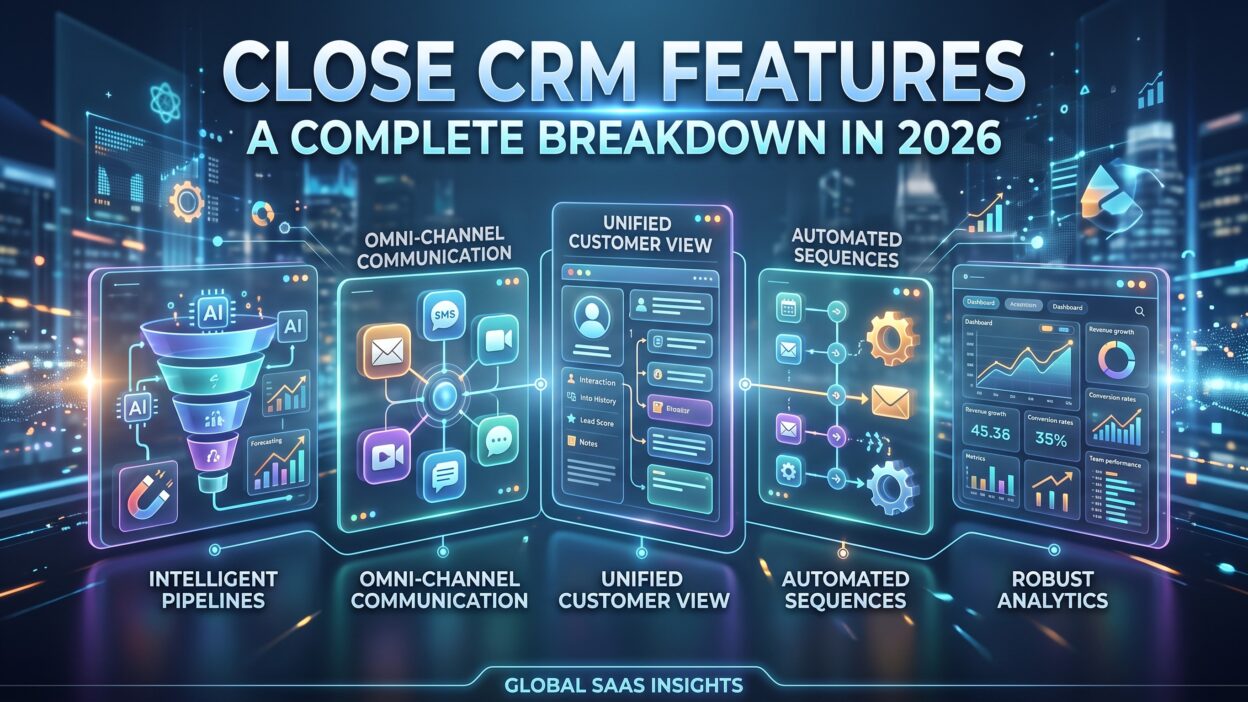
Close CRM packs a wide range of tools into one platform. Each feature solves a specific problem for sales teams. Below, we break down the core Close CRM features that matter most in 2026.
Built-In Calling and SMS
Close CRM starts with calling. Reps make and receive calls straight from the browser. No extra dialer app. No plugin headaches. Call recordings save automatically. Managers review calls later for coaching. Voicemail drop saves time on cold outreach. Reps drop a pre-recorded message and move to the next call. SMS works the same way. Reps send texts from the same screen they use for calls. Replies show up in the same thread. This built-in calling function stands as one of the strongest Close CRM features on the market today. Teams running high call volumes benefit the most. Power dialing lets reps burn through call lists fast. Predictive dialing adjusts call pace based on rep availability. Both options save hours each week.
Email Sequences and Automation
Email still drives outbound sales. Close CRM handles this well. Reps build sequences with multiple steps. Each step sends after a set delay. Replies pause the sequence automatically. This stops awkward follow-ups after a prospect already answered. Templates speed up the writing process. Reps personalize each email with merge fields. Open tracking shows when a prospect reads the message. Click tracking shows link engagement. These email tools rank high among Close CRM features because they save reps from manual follow-up work. Sales teams running cold outreach campaigns lean on this feature daily.
Pipeline and Deal Management
Pipeline tracking sits at the center of any CRM. Close CRM keeps this section simple. Reps drag deals between stages. Each stage shows deal value and close date. Managers view the whole pipeline in seconds. Custom stages match unique sales processes. A software company might need five stages. A real estate team might need eight. Close CRM adapts to both. This flexibility makes pipeline management one of the most praised Close CRM features among small business owners. Forecasting tools predict revenue based on deal stage and probability. Reps and managers stay aligned on numbers without extra meetings.
Reporting and Analytics
Data drives decisions. Close CRM offers reports on calls, emails, and deals. Managers track rep activity daily. They spot who makes the most calls. They spot who closes the most deals. Custom reports filter by date range, rep, or deal source. Dashboards update in real time. Sales leaders use these Close CRM features to spot bottlenecks fast. A slow stage in the pipeline shows up immediately. Coaching conversations get sharper with real numbers behind them.
Workflow Automation
Manual tasks slow reps down. Close CRM automates repetitive work. A new lead triggers an email sequence automatically. A missed call triggers a task reminder. Deal stage changes trigger notifications to the right team member. These automated workflows rank among the most valuable Close CRM features for growing teams. Small teams often lack dedicated ops staff. Automation fills that gap. Reps focus on selling instead of chasing reminders.
Multi-Channel Communication Hub
Close CRM brings calls, texts, and emails into one timeline. A rep opens a contact record and sees every interaction. No digging through separate apps. This unified view saves time during calls. Reps recall past conversations instantly. Context builds trust with prospects. Buyers notice when a rep remembers past details. This multi-channel setup remains one of the standout Close CRM features for teams juggling large contact lists.
Close CRM Integrations
Close CRM connects with tools teams already use. Zapier opens the door to hundreds of apps. Slack integration sends deal alerts straight to team channels. Calendar tools sync meeting bookings automatically. Marketing platforms like Mailchimp and Intercom link contact data both ways. Developers use the open API for custom builds. These integrations round out the full list of Close CRM features and stop data from getting stuck in silos. Teams running multiple tools save hours each week through these connections.
Close CRM Pricing and Plans
Close CRM offers four pricing tiers. Startup plans fit solo founders and small teams. Professional plans add automation and reporting depth. Enterprise plans unlock advanced admin controls and custom limits. Pricing scales with team size and feature needs. A fourteen-day trial lets teams test the full feature set before paying. Compared to bigger CRMs, Close CRM pricing stays competitive for the value delivered. Teams get calling, email, and automation without buying separate add-ons.
Close CRM vs Other CRMs
Many teams compare Close CRM against Close CRM alternatives like HubSpot, Pipedrive, and Salesforce. HubSpot offers a wider marketing suite but costs more at scale. Pipedrive focuses heavily on visual pipelines but lacks built-in calling depth. Salesforce handles enterprise complexity but demands a steep learning curve. Close CRM wins on speed and simplicity. Reps get calling, texting, and email in one screen without extra setup. Small teams without dedicated CRM admins pick Close CRM for this exact reason. Bigger enterprises with complex approval chains may still lean toward Salesforce. The choice depends on team size and sales process complexity.
Who Should Use Close CRM
Close CRM fits inside sales teams making high call volumes. Startups selling B2B software use it daily. Recruiting agencies use it to track candidate outreach. Real estate teams use it to manage buyer and seller pipelines. Insurance agents use it for policy renewal follow-ups. Any team relying on phone and email outreach benefits from these Close CRM features. Teams needing deep marketing automation might need a separate marketing platform alongside Close CRM.
Pros and Cons of Close CRM Features
Close CRM offers strong calling tools built right into the browser. Setup takes less time than bigger platforms. Reps learn the interface within a day. Pricing stays fair for small teams needing core sales tools. On the downside, marketing automation stays limited compared to HubSpot. Custom reporting takes some learning for non-technical users. Teams needing deep marketing funnels may need extra tools alongside Close CRM. Weighing these points helps teams decide if Close CRM features match their exact sales process.
Tips to Get the Most from Close CRM Features
Sales teams get better results when they set up sequences early. Reps should build call scripts before the first outreach day. Managers should review call recordings weekly for coaching. Custom fields should match the exact data a team tracks. Automation rules save the most time when built during onboarding, not months later. Teams should connect Slack early so deal alerts reach the right people fast. Small setup steps like these unlock the full value of Close CRM features over time.
Frequently Asked Questions
What makes Close CRM different from other CRMs?
Close CRM builds calling and texting directly into the platform. Most CRMs need a separate dialer app. This built-in setup saves reps time and keeps every conversation in one record.
Is Close CRM good for small businesses?
Yes. Close CRM fits small teams needing fast setup and simple pricing. Startups and small sales teams pick Close CRM features for the built-in calling and email tools.
Does Close CRM offer a free trial?
Close CRM offers a fourteen-day free trial. Teams test calling, email sequences, and pipeline tools before choosing a paid plan.
Can Close CRM integrate with other tools?
Close CRM connects with Zapier, Slack, Mailchimp, and calendar apps. Developers also use the open API for custom integrations.
What industries use Close CRM the most?
Software startups, recruiting agencies, real estate teams, and insurance agencies use Close CRM daily. Any team running high call and email volume benefits from these Close CRM features.
How much does Close CRM cost?
Close CRM pricing starts with a Startup plan for small teams. Professional and Enterprise plans add deeper automation and reporting. Pricing scales based on team size and feature needs.
Read More:-
Conclusion

Close CRM packs calling, email, and pipeline tracking into one simple platform. Sales teams save time switching between fewer apps. Reps close deals faster with built-in automation and clear reporting. Close CRM features fit small and mid-size teams running high outreach volume best. Bigger enterprises with complex sales chains might still need extra tools alongside it. Teams testing Close CRM should start with the free trial and build sequences early. This head start unlocks the full value of Close CRM features from day one.