Introduction
TL;DR Picking a project tool feels harder every year. Motion and Trello sit at opposite ends of the productivity world. One builds your schedule with AI. The other hands you a visual board and lets you run it by hand. This Motion vs. Trello guide breaks down every major difference for 2026. You get pricing, features, AI tools, and a clear pick by the end. Read the full comparison before you commit a budget to either app.
Table of Contents
What Is Motion?
Motion is an AI-powered work app. It started as a calendar and task tool. In 2026, the company markets it as an “AI Super App” with docs, sheets, and AI chat baked in. The core idea stays simple. You add tasks and deadlines. Motion’s AI builds your daily schedule around them. It reshuffles your day the moment a meeting runs long or a priority shifts. You never touch a calendar block by hand once the system learns your patterns.
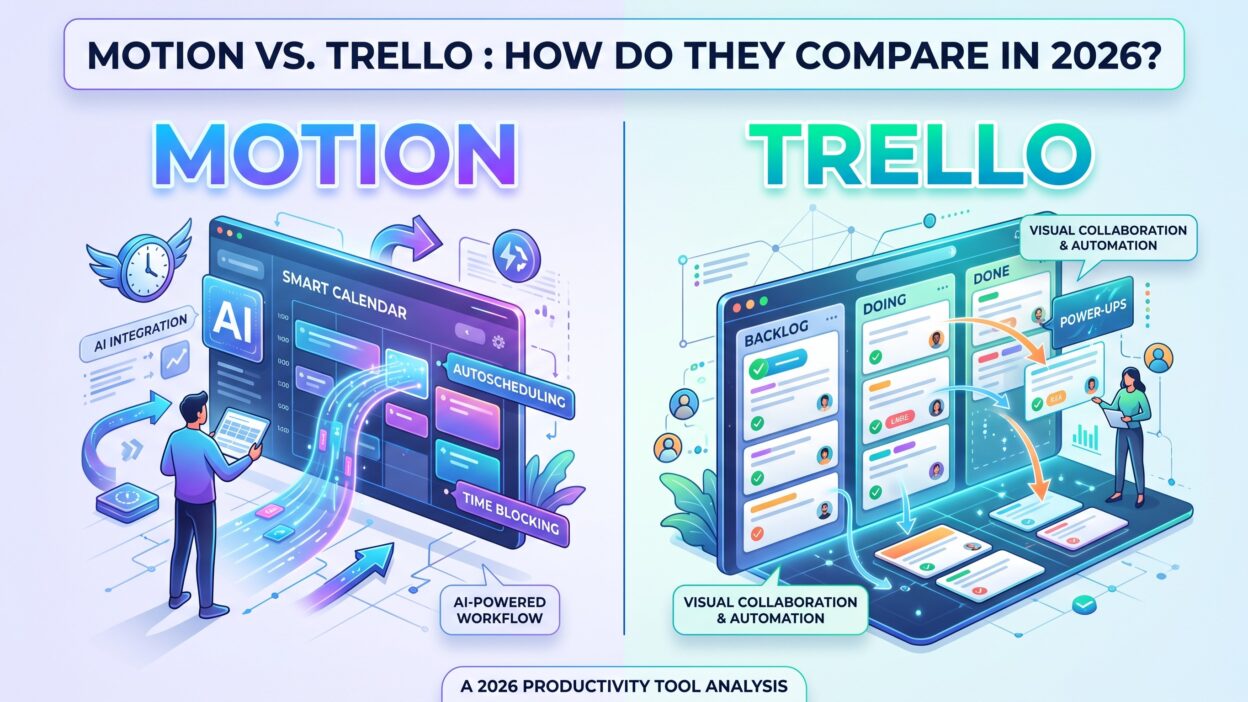
Freelancers, consultants, and small teams make up most of Motion’s user base. Busy professionals with packed calendars get the biggest payoff. Motion works on iOS, Android, and desktop, and it syncs directly with your existing calendar accounts. The Motion vs. Trello debate usually starts right here. Motion removes manual planning almost completely. Trello keeps planning fully in your hands. That single design choice shapes every other difference between the two tools.
What Is Trello?
Trello is a kanban-style board tool built by Atlassian. It launched in 2011 and stayed simple by design. You create a board, add lists, and drop cards into each list. Teams move cards across stages like “To Do,” “Doing,” and “Done.” Trello never forces a rigid structure on your team. You shape the board around your own workflow instead of the other way around.
Small teams use Trello for sprint planning. Freelancers use it for client work. Families even use it for grocery lists and trip planning. Atlassian rolled out AI features called Atlassian Intelligence to the higher-paid tiers in 2026. The core product still stays visual first. Cards, labels, checklists, and due dates run the whole show. Any honest Motion vs. Trello comparison needs to start with this truth: Trello shows you the work laid out. Motion schedules the work for you and removes the decision entirely.
Motion vs. Trello: Quick Comparison Table
Scan this table before you dig into the details below. It highlights the core Motion vs. Trello gaps at a glance.
| Category | Motion | Trello |
|---|---|---|
| Core approach | AI auto-scheduling | Kanban boards |
| Free plan | None (7-day trial, card required) | Yes, free forever |
| Starting paid price | $19/seat/month ($12.73 annual) | $5/seat/month (Standard, annual) |
| Top-tier price | $49/seat/month (AI Employee) | $17.50/seat/month (Enterprise) |
| AI features | Included on every paid plan | Premium and Enterprise only |
| Best fit | Solo professionals, busy calendars | Visual teams, kanban workflows |
| Calendar view | Native and central | Available from Premium up |
| Learning curve | Moderate to steep | Very low |
Motion leans toward automation and cost. Trello leans toward flexibility and price. Keep both columns in mind as you read the rest of this guide.
Motion vs. Trello: Task Management Features
How Motion Handles Tasks
Motion treats every task like a puzzle piece inside your day. You type a task, set a deadline, and pick a priority level. The AI slots that task into open space on your real calendar. Tasks shift automatically the moment your day changes. A surprise meeting no longer wrecks your plan, since Motion quietly moves lower-priority items to a new slot. You never drag a card or reorder a list by hand.
This system runs fast once you trust it. New users often fight the urge to micromanage their schedule during the first week. Motion assumes your calendar holds the full truth about your day. That assumption breaks down a little for open-ended creative work, since creative tasks rarely fit into neat calendar blocks.
How Trello Handles Tasks
Trello tasks live as cards on a board. You write a title, add a description, and attach files or images. Checklists split a big card into smaller steps your team can check off one at a time. Color labels mark priority, category, or department at a glance. You drag each card across the board as work moves forward through each stage.
Nothing moves on its own unless you build a Butler rule first. This manual style gives your team full control over order and timing. Teams that like to see their whole pipeline in one glance often prefer Trello for daily standups. Managers scan the board once and know exactly where every task sits.
The real Motion vs. Trello gap here comes down to control against automation. Motion decides your order for you. Trello lets your team decide together, card by card.
Motion vs. Trello: AI Capabilities
AI sits at the center of the Motion vs. Trello conversation in 2026. Motion built its entire product around AI scheduling from day one. Every paid Motion plan includes AI credits, a built-in AI chat assistant, and automatic task rescheduling. The AI reads your calendar, your open tasks, and your stated priorities together. It rebuilds your day the second a conflict appears. Heavy users burn through their monthly AI credit bucket fast, and extra credits cost money on top of the base subscription.
Trello added AI much later through a feature called Atlassian Intelligence. This assistant writes card descriptions, summarizes long comment threads, and suggests next steps for a stuck task. Atlassian Intelligence only appears on Premium and Enterprise plans. Free and Standard users get zero AI tools inside their boards.
Motion wins the raw AI capability contest by a wide margin. Trello wins on cost control, since your team can skip AI charges completely and still run a full working board without it. Anyone who wants a schedule that thinks ahead for them should lean toward Motion. Anyone who wants a light AI assist layered on top of a familiar board should stick with Trello and upgrade only when the budget allows it.
Motion vs. Trello: Calendar and Scheduling
Motion puts the calendar front and center of the entire app. Open Motion and you see today’s schedule already built for you. Meetings, tasks, and short breaks sit side by side on one timeline. Drag a task to a new slot and the AI adjusts everything else around that change. Motion syncs with Google Calendar, Outlook, and iCloud, so your existing meetings pull straight into the schedule.
Trello added a Calendar view on Premium and Enterprise plans. You see due dates plotted across a monthly grid. Nothing reschedules on its own inside Trello. You still drag a card to push a deadline back a week. Trello’s calendar works fine for tracking due dates at a glance. It does not plan your actual working day the way Motion does every single morning.
For deep daily scheduling, Motion clearly beats Trello on raw capability. For simple deadline tracking across a team, Trello does the job at a much lower cost per seat.
Motion vs. Trello: Views and Boards
Trello’s biggest strength shows up in this category. Premium and Enterprise plans unlock Timeline, Table, Dashboard, and Map views next to the classic board. A manager switches between a kanban board and a Gantt-style timeline in seconds. Dashboard view turns raw card data into charts without any extra setup work.
Motion offers fewer view options overall. You get a task list, a calendar, and basic project boards for team use. Motion added simple kanban-style boards for teams over time, but they stay secondary to the main calendar screen. Teams that need many ways to slice the same project data get more range out of Trello. Motion keeps its view options narrow on purpose, since the calendar remains the star feature of the whole product.
This part of the Motion vs. Trello matchup favors Trello for larger teams tracking work across several departments at once.
Motion vs. Trello: Team Collaboration
Trello built its reputation on team collaboration from the start. Multiple people comment on a card, attach files, and tag teammates in real time. Board activity logs record every change made by every member. Guest access lets a client view a shared board without buying a full seat, though a guest added to more than one board converts into a billable seat automatically.
Motion added team features later through its Business AI plan. Managers gain a team workload view and can assign tasks across a shared project. Motion’s collaboration tools stay much simpler than Trello’s full toolkit. The AI focuses on individual scheduling first and team visibility second.
Teams with many cross-functional members usually lean on Trello for daily collaboration and status checks. Solo professionals or small two-person pods lean on Motion instead, since personal output matters more than group visibility for that kind of work.
Motion vs. Trello: Automation
Trello runs automation through Butler, a no-code rule builder inside every board. You set a trigger like “when a card moves to Done, notify the assignee automatically.” Standard plans include 250 automation runs a month. Premium and Enterprise raise that monthly cap by a wide margin. Butler saves teams from repetitive manual updates across busy boards.
Motion automates in a different way entirely. Instead of custom rules, the AI reschedules tasks whenever your day shifts around you. You never build automation logic yourself inside Motion. The system reacts based on deadlines and priority levels you set at the start.
Trello automation needs setup time but rewards your team with full control over the outcome. Motion automation needs almost no setup and hands the outcome to the AI instead. Pick your tool based on how much manual control your workflow actually needs.
Motion vs. Trello: Pricing
Price sits at the heart of most Motion vs. Trello decisions, so read this section closely before you sign up for either tool.
Motion Pricing Breakdown
Motion offers no permanent free plan for anyone. A 7-day trial requires a payment card upfront, and many users report a charge landing before the trial period even ends. Pro AI costs $19 per seat monthly, or $12.73 per seat monthly on annual billing. Business AI costs $29 per seat monthly, or $19.43 per seat monthly on an annual plan. A separate AI Employee tier runs $49 per seat monthly for advanced AI agents and deeper automation. Every plan ships with a fixed bucket of AI credits each month. Heavy AI use pushes your final bill higher through overage charges once you hit that ceiling.
Trello Pricing Breakdown
Trello keeps a genuine free plan that never expires or downgrades. Standard costs $5 per seat monthly on annual billing, or $6 per seat on monthly billing. Premium costs $10 per seat monthly on annual billing, or $12.50 monthly. Enterprise costs $17.50 per seat monthly and requires a 50-seat minimum commitment. AI features unlock only on Premium and Enterprise, leaving Free and Standard users without any built-in AI assist.
Trello wins on affordability for small teams and solo users who skip the AI add-ons entirely. Motion charges more upfront but bundles AI scheduling that few competitors match at any price point. A ten-person team on Motion’s Business plan pays close to $2,300 a year. The same ten-person team on Trello Standard pays around $600 a year. That gap matters a lot when you weigh Motion vs. Trello for a growing team stuck on a tight budget.
Motion vs. Trello: Integrations
Trello connects to dozens of Power-Ups, including Slack, Google Drive, and Jira. Atlassian’s wider ecosystem makes Trello a natural pick for teams already running Confluence or Jira day to day. Zapier support stretches Trello into thousands of other apps beyond that native list.
Motion connects to Google Calendar, Outlook, Microsoft Teams, Zoom, and Zapier. The integration list stays shorter than Trello’s full catalog, since Motion focuses on calendar and task syncing rather than broad app coverage. Teams deep inside the Atlassian world gain more value from Trello’s integration depth. Teams focused purely on calendar sync gain more value from Motion’s tighter, narrower feature set.
Motion vs. Trello: Ease of Use
Trello takes minutes to learn from the very first login. Drag a card, add a label, and you understand the whole system. New hires pick it up without any real training session.
Motion needs a longer runway before it clicks. You must trust the AI with your calendar before the tool starts to feel natural. Reviewers on G2 flag a real learning curve during the first two weeks of use. Once you push past that early stage, Motion saves real planning time on most days.
Simplicity clearly favors Trello for fast onboarding. Long-term time savings favor Motion, once the upfront setup cost pays itself back through fewer scheduling headaches.
Motion vs. Trello: Customer Support
Trello offers community support on Free and Standard plans. Premium adds priority support with faster response times. Enterprise adds 24/7 support along with uptime guarantees and dedicated onboarding help.
Motion offers email support across every paid tier, plus a self-service help center and onboarding guides. Neither tool offers phone support at the lower price tiers. Trello’s Enterprise plan gives the strongest overall support package between the two products, mainly because Atlassian backs it with enterprise-grade infrastructure.
Motion vs. Trello: Which One Should You Pick?
Pick Motion if your day fills up with shifting meetings and last-minute tasks. Motion suits consultants, freelancers, and founders who lose real hours replanning their schedule by hand every week. The AI absorbs that mental load and frees up focus time for actual deep work.
Pick Trello if you run a team that needs shared visibility across many moving parts. Trello suits marketing teams, product teams, and any group tracking work across clear stages. The free plan alone covers plenty of small teams without any cost at all.
Some professionals run both tools side by side without any conflict. Motion handles personal scheduling and daily focus time. Trello handles team-wide project tracking and client-facing boards. The Motion vs. Trello choice does not always demand a single winner walking away with everything.
Motion vs. Trello: Pros and Cons
Motion Pros and Cons
Motion saves hours of manual planning through automatic rescheduling built into the core product. The calendar-first design keeps your day realistic instead of aspirational on paper. AI credits and strict per-seat pricing raise costs quickly once a team grows past a few users. The lack of any free plan turns away casual or budget-conscious users right away. A real learning curve blocks some new users from ever reaching the long-term payoff.
Trello Pros and Cons
Trello stays free forever for small teams and personal projects. The visual board fits almost any workflow without heavy setup work upfront. AI features stay locked behind Premium and Enterprise pricing, out of reach for budget teams. Trello does not build your daily schedule automatically, so planning still falls entirely on your shoulders. Large teams sometimes outgrow the basic kanban structure without adding several paid Power-Ups.
FAQs
Is Motion better than Trello?
Neither tool wins outright across every use case. Motion works better for solo daily scheduling. Trello works better for shared team task tracking. Your answer depends on your actual daily workflow, not a fixed ranking someone hands you.
Does Trello have AI like Motion?
Trello added Atlassian Intelligence on Premium and Enterprise plans only. It writes card summaries and suggests next steps inside a card. Motion’s AI runs much deeper, since it rebuilds your entire daily schedule automatically instead of just assisting with card text.
Which is cheaper, Motion or Trello?
Trello costs less at every comparable tier by a wide margin. A genuine free Trello plan exists for small teams. Motion charges from $19 a month with zero free option available. Budget-focused buyers usually pick Trello first for this exact reason.
Can I use Motion and Trello together?
Yes, plenty of professionals do exactly that. Many run Motion for personal daily planning and Trello for shared team boards at the same time. The two tools solve different problems, so they rarely clash inside a normal workday.
Is Trello good for solo users compared to Motion?
Trello works fine for solo task tracking, especially on its free plan. Motion adds more value for solo users juggling a packed calendar, since the AI handles scheduling conflicts that Trello simply leaves for you to solve manually.
Read More:-Advantages of Database Management Systems (DBMS)
Conclusion

The Motion vs. Trello decision comes down to how you actually plan your day. Motion fits people who want an AI assistant driving their calendar from morning to night. Trello fits teams who want a shared visual board without any upfront AI cost. Pricing splits the two tools even further apart from each other. Trello stays accessible from day one through its permanent free plan. Motion asks for a bigger financial commitment but delivers real time savings once you adjust to its rhythm.
Test both tools before you commit real budget to either one. Start a Motion trial for a full week and track how much manual planning disappears from your routine. Run a small Trello board alongside it to check team visibility at the same time. Most growing teams end up choosing based on team size and how much scheduling pain they feel each week. Whichever side of the Motion vs. Trello debate you land on, both tools solve real problems for real workflows heading through the rest of 2026.