Introduction
TL;DR Sales teams waste hours on manual research. They copy names from LinkedIn. They paste them into a CRM. They search for emails one contact at a time. Claude MCP for Sales Prospecting changes this pattern. It lets a rep type one prompt and pull a full list of qualified leads, enriched and ready for outreach. This guide walks through the setup, the prompts, and the workflows that make Claude MCP for Sales Prospecting a real replacement for slow manual research.
Table of Contents
What Is Claude MCP for Sales Prospecting
MCP stands for Model Context Protocol. Anthropic built it as an open standard. It connects Claude to outside tools and data sources. Claude MCP for Sales Prospecting uses this protocol to link Claude with your CRM, your enrichment tool, and your outreach platform. A rep asks a question in plain language. Claude reads live data through the connector. It returns an answer, a list, or a completed task.
This differs from a normal chatbot conversation. A chatbot only knows what you type into it. Claude MCP for Sales Prospecting reaches into HubSpot, Attio, Apollo, or Salesforce and pulls real records. It reads deal stages. It checks contact history. It builds a prospect list from live filters instead of stale exports.
How MCP Connects Claude to Your Sales Stack
Each connector runs as a small server. The server exposes a set of actions to Claude. HubSpot’s connector, for example, lets Claude search contacts and pull deal data. Apollo’s connector lets Claude search a prospect database and enrich a contact record. Claude picks the right action based on your prompt. You never touch an API key or write a script.
Why Sales Teams Are Switching to Claude MCP for Prospecting
Manual prospecting eats a rep’s morning. Claude MCP for Sales Prospecting compresses that work into a single message. A rep can ask for every contact at director level in fintech companies with under 500 employees. Claude searches, filters, and returns a ready list. The rep spends the saved time on calls instead of research.
How Claude MCP for Sales Prospecting Works
The system runs on three parts. A connector links Claude to a data source. A prompt tells Claude what you need. A response delivers the result, often with an action already completed inside your CRM.
The Prompt-to-Pipeline Flow
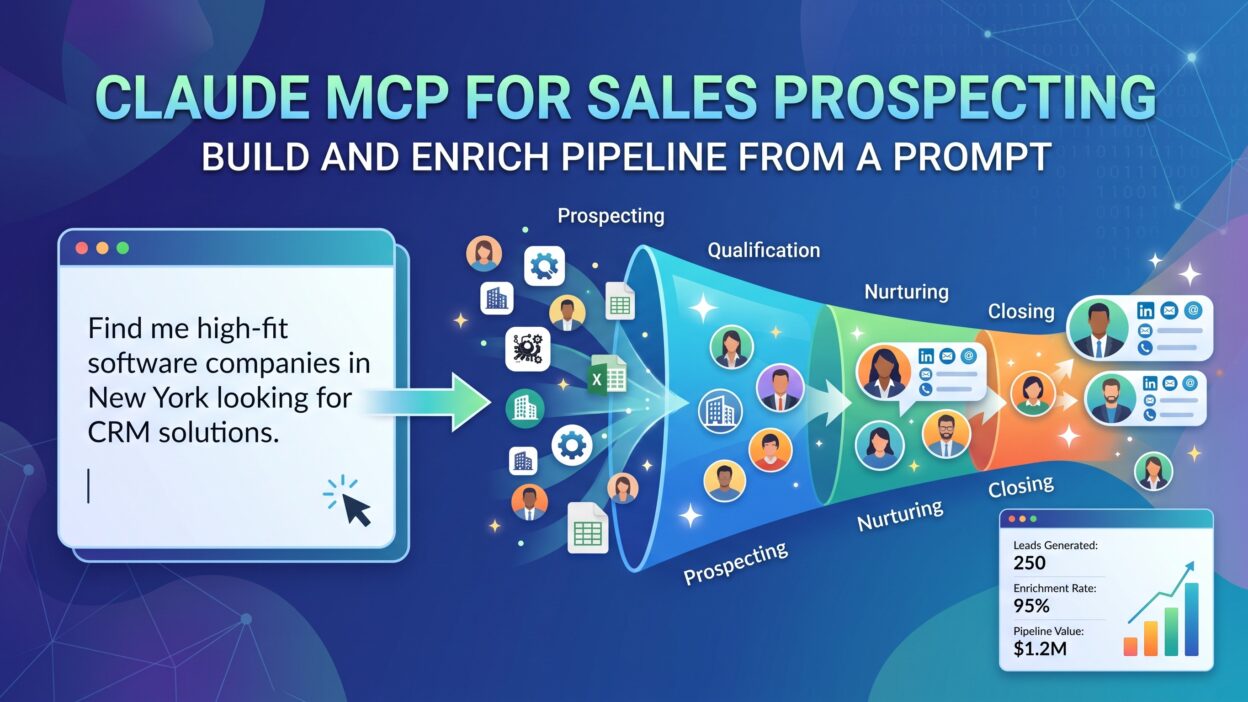
A rep types a prompt like “find 20 marketing directors at Series B SaaS companies in Texas.” Claude reads the request. It calls the connected prospecting tool. It filters the results by title, industry, and location. It returns the list inside the chat. From there, the rep can ask Claude to push every contact into the CRM as a new lead. Claude MCP for Sales Prospecting turns four separate manual steps into one message.
Connectors That Power Prospecting
Apollo handles contact search and enrichment. HubSpot and Attio manage CRM records and deal stages. ZoomInfo verifies emails and direct dials. Outreach pulls call transcripts and email history for context. Salesforce connects through its own MCP server or a managed platform, and it supports SOQL queries for advanced filtering. Each tool plugs into the same Claude conversation, so a rep never switches screens.
Setting Up Claude MCP for Sales Prospecting
Setup takes less time than most reps expect. Anthropic lists several connectors directly inside Claude’s settings. Others require a short install.
Connect Your CRM
Open Claude settings and find the connectors page. HubSpot and Attio offer one-click setup, and no code is needed. Salesforce needs a bit more work. A team usually installs the Salesforce MCP package or a managed connector platform. Once connected, Claude reads contacts, deals, and custom objects directly from your CRM.
Connect Enrichment and Outreach Tools
Apollo adds contact search and email verification to the mix. ZoomInfo adds verified direct dials for teams that already pay for that data. Outreach or a similar sales engagement tool gives Claude access to call notes and email threads. Connect only what your team actively uses. Extra connectors add noise without adding value.
Write Your First Prospecting Prompt
Start simple. Ask Claude to find ten prospects that match one clear filter, such as job title and company size. Check the results against your normal search process. Adjust the prompt and try again. Claude MCP for Sales Prospecting rewards clear, specific prompts far more than vague ones.
Building a Pipeline From a Single Prompt
This is the core promise of Claude MCP for Sales Prospecting. One message can replace an entire research session.
Prompt Examples for Prospecting
A rep might write: “Find 30 VP of Sales contacts at companies with 100 to 500 employees in the healthcare industry, then add them to HubSpot as new leads.” Claude searches the connected enrichment tool, filters by title and headcount, and checks the industry tag. It returns the list with names, titles, companies, and verified emails. If the rep approves, Claude pushes every record into the CRM in the same conversation. A second prompt might ask Claude to flag any contact whose company raised funding in the past six months. Claude checks that signal and highlights the matches.
From List to Qualified Leads
A raw list is not a pipeline. Claude MCP for Sales Prospecting adds a qualification layer. A rep can ask Claude to score each contact against a simple rubric, such as title seniority, company size, and industry fit. Claude applies the rubric and ranks the list. The rep reviews the top matches first instead of working through names in random order. This step alone saves a full afternoon on a typical prospecting cycle.
Enriching Pipeline Data With Claude MCP
Old contact records go stale fast. Titles change. People move companies. Claude MCP for Sales Prospecting refreshes this data on demand instead of on a quarterly schedule.
Contact and Company Enrichment
A rep can ask Claude to check every contact in a stale list against Apollo or ZoomInfo. Claude confirms the current title, the current company, and a working email. It flags any contact who left their role. It updates the CRM record automatically, so the sales team never works from outdated information. This single workflow removes one of the most common causes of bounced emails and wasted outreach.
Signals That Matter for Sales Prospecting
Buying signals matter more than a static contact list. Claude MCP for Sales Prospecting can check for recent funding rounds, leadership changes, job postings, or product launches. A rep asks Claude to scan the pipeline for any account that posted three or more sales job openings in the last month. That signal often means the company is scaling and needs new tools. Claude flags the accounts and ranks them by signal strength.
Claude MCP for Sales Prospecting vs Traditional Tools
Traditional prospecting tools require a rep to open a browser tab, run a search, export a list, and clean the data by hand.
Speed and Accuracy
Claude MCP for Sales Prospecting collapses this into one conversation. The rep states a goal instead of clicking through filters. Claude checks the data live, so the result reflects the current state of the CRM and the enrichment tool. A traditional export goes stale the moment you download it. A Claude MCP query stays current because it reads the source directly.
Cost and Team Fit
Small teams often skip a dedicated prospecting platform and rely on Claude MCP for Sales Prospecting paired with one enrichment tool. Larger teams keep their existing stack and add Claude as the interface layer on top. Either way, the team avoids paying for a separate research tool that only outputs spreadsheets nobody reviews in full.
Best Practices for Claude MCP Sales Prospecting Prompts
A good prompt drives a good result. Claude MCP for Sales Prospecting performs best with clear, structured requests.
Prompt Structure Tips
State the target title first. Add the company size next. Add the industry and the region after that. Close with the action you want, such as adding results to the CRM or drafting a first outreach email. A rep should treat each prompt like a short brief, not a casual question. Short, direct prompts consistently outperform long, rambling ones inside Claude MCP for Sales Prospecting workflows.
Common Mistakes to Avoid
Reps often skip the qualification step and export raw lists straight into outreach sequences. This produces poor reply rates. Another mistake is connecting too many tools at once, which confuses the prompt and slows the response. A team should connect one CRM and one enrichment tool first, master that combination, then add more connectors later. Claude MCP for Sales Prospecting works best with a lean, well-tested toolset.
Security and Data Governance
CRM data carries real business risk. A sales team needs guardrails before it hands Claude broad access.
Scoped Access and Permissions
Most connectors allow scoped permissions. A team can grant read-only access at first and add write access later, once trust builds. This limits what Claude MCP for Sales Prospecting can change inside the CRM. An admin should review connector permissions each quarter and remove any tool the team no longer uses. OAuth tokens expire on a schedule set by the CRM, so a rep may need to reconnect occasionally. This is a normal part of running Claude MCP for Sales Prospecting inside a regulated sales environment.
Real Use Cases for Sales Teams
SDR Prospecting Workflow
An SDR starts the morning with one prompt: build a list of 25 prospects matching the week’s target account list. Claude searches, enriches, and scores the list inside minutes. The SDR reviews the top ten, drafts a first-touch email through Claude, and loads the rest into a sequence. What used to take two hours now takes twenty minutes.
Account Executive Pipeline Review
An account executive asks Claude to pull every open deal in the CRM that has had no activity in fourteen days. Claude MCP for Sales Prospecting returns the list along with the last logged note on each deal. The rep drafts a follow-up message for each stalled deal in the same conversation, then pushes the updated stage back into the CRM.
FAQs on Claude MCP for Sales Prospecting
What does MCP stand for in Claude?
MCP stands for Model Context Protocol. Anthropic built this open standard so Claude can connect to outside tools like a CRM or a prospecting database.
Can Claude MCP for Sales Prospecting replace a dedicated prospecting tool?
For many small and mid-size teams, yes. Claude MCP for Sales Prospecting pairs with one enrichment connector and covers search, filtering, and list-building without a separate platform.
Does Claude MCP for Sales Prospecting work with Salesforce?
Yes, though setup takes more steps than HubSpot or Attio. A team typically installs a Salesforce MCP package or uses a managed connector platform that supports SOQL queries.
Is my CRM data safe when I connect it to Claude?
Connectors support scoped permissions. A team can start with read-only access and add write access once the workflow proves reliable.
How specific should a prospecting prompt be?
Very specific. State the job title, the company size, the industry, and the exact action you want Claude to take. Vague prompts return vague results.
Can Claude enrich contacts that are already in my CRM?
Yes. A rep can ask Claude to check an existing list against an enrichment connector and update any contact whose title or company has changed.
Does this work inside Claude Code as well as the Claude app?
Yes. Claude Code connects to the same MCP servers, so a technical team can automate prospecting from the terminal, while sales reps use the chat interface for the same connectors.
Read More:-Brevo vs. Sender: Full 2026 Comparison
Conclusion

Claude MCP for Sales Prospecting turns a slow, manual research process into a single conversation. A rep states a clear goal. Claude searches live data, filters it, scores it, and pushes it into the CRM without a single copy-paste step. The setup takes an afternoon. The payoff shows up in every prospecting session after that. Teams that connect one CRM and one enrichment tool see the fastest results, and they expand the toolset only once the core workflow proves itself. Claude MCP for Sales Prospecting will not replace a sales rep’s judgment. It removes the busywork that keeps a rep from using that judgment in the first place.