Introduction
TL;DR Product updates roll out constantly across recruiting and sales platforms. Keeping track of every change takes real effort. This roundup covers four updates worth your attention today. You will learn about the Crelate integration, improvements to Quick Search, new Schedule Reminders features, and upgrades to Chorus Scheduler. Each update solves a real, everyday problem for recruiters, marketers, and sales teams. Schedule Reminders alone can cut down on missed meetings significantly, and this guide explains exactly how each feature works and why it matters for your daily workflow.
Table of Contents
Crelate Integration Overview
Crelate connects recruiting workflows with a richer set of contact data than most standalone applicant tracking systems provide alone. Recruiters can now export candidate records directly and match or update existing accounts without extra manual steps. This integration also lets recruiters add candidates straight into job records without leaving their usual workflow.
The connection between Crelate and outside data sources reduces duplicate entries significantly. Recruiters used to face a popup warning every time they exported a record that already existed elsewhere. That friction is gone now. Teams using Crelate can also push candidates from professional networks directly into their pipeline, saving time during high-volume sourcing weeks.
What’s New With Quick Search
Faster Candidate Matching
Quick Search now identifies the right candidate or company faster than earlier versions allowed. Recruiters searching through large databases often struggle with vague or overly broad results. This update narrows results down using smarter matching logic behind the scenes.
Using the Plus Symbol for Precision
A small but useful change lets recruiters use a plus symbol between search terms. Typing a candidate’s name plus their job title returns sharper, more relevant results. Typing a name plus a company name works the same way. This simple trick saves recruiters from scrolling through pages of loosely related matches.
Why This Matters for Daily Recruiting Work
Recruiters spend a large chunk of their day searching for the right person or account. A faster, more precise Quick Search directly shortens this daily task. Less time spent searching means more time spent actually reaching out to strong candidates and closing open roles.
What’s New With Schedule Reminders
Reducing No-Shows With Simple Emails
Schedule Reminders now send a customizable email to every meeting attendee ahead of time. This small nudge keeps a scheduled call or interview fresh in someone’s mind. Missed meetings waste time for both the host and the invited guest, and Schedule Reminders directly targets this common problem.
Customizing the Reminder Message
Teams can adjust the wording, timing, and branding of their Schedule Reminders to match their usual communication style. A recruiter might want a warm, casual reminder before a candidate interview. A sales rep might prefer a sharper, more formal tone before a demo call. Schedule Reminders gives teams this flexibility instead of forcing one rigid template on every meeting type.
Confirming Date, Time, and Location Automatically
Every Schedule Reminders email confirms the date, time, and location of the upcoming meeting automatically. This removes the need for a host to manually double-check these details before every single call. Attendees receive clear, accurate information without any extra manual work from the person who set up the meeting.
The Bigger Impact on Team Productivity
Missed meetings cost more than just the wasted time slot. A missed interview delays a hiring process. A missed sales call delays a deal. Schedule Reminders reduces these delays across an entire team’s calendar, not just for one individual host. Teams relying on Schedule Reminders consistently report fewer gaps in their daily schedule and smoother coordination between hosts and attendees.
What’s New With Chorus Scheduler
Built-In Compliance for Every Meeting
Chorus Scheduler now works directly inside Outlook’s calendar to make meetings compliant with privacy regulations in a single click. This matters greatly for teams operating under strict data rules, like those doing business with customers in the European Union. A compliant meeting setup used to take extra manual steps, and this update removes most of that friction.
Dynamic Landing Pages for Consent
When an attendee joins a scheduled meeting, Chorus Scheduler can route them to a customizable landing page. This page adjusts its compliance prompts automatically based on the attendee’s location. A guest joining from a region under GDPR sees the appropriate consent language immediately, without any manual setup from the meeting host.
Why Compliance Automation Matters
Manually tracking consent across dozens or hundreds of meetings creates real legal risk if something slips through. Chorus Scheduler automates this tracking so a sales or recruiting team stays protected without constant oversight. This update pairs naturally with Schedule Reminders, since both features aim to make meeting logistics smoother and less error-prone for busy teams.
How These Updates Work Together
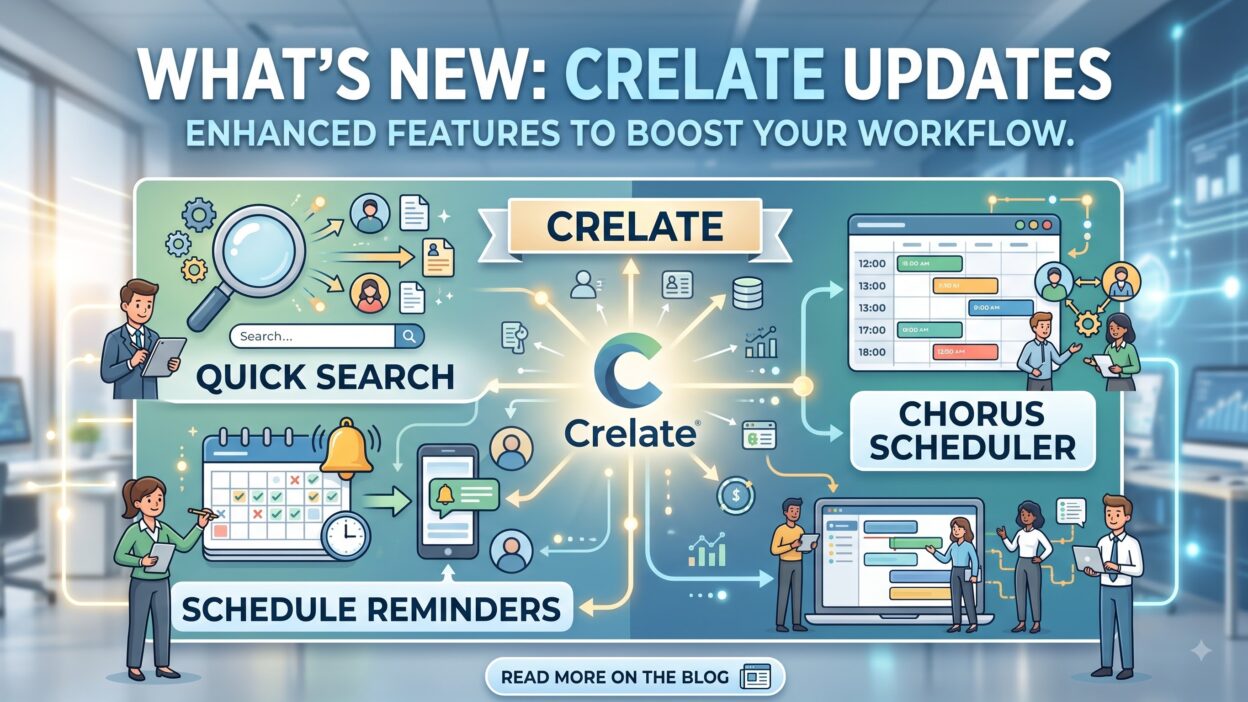
Crelate, Quick Search, Schedule Reminders, and Chorus Scheduler each solve a different piece of the same daily puzzle. Crelate strengthens the data behind every candidate record. Quick Search helps a recruiter find that record faster. Schedule Reminders keeps every meeting on track once it gets booked. Chorus Scheduler protects that meeting with built-in compliance the moment it starts.
Together, these updates shrink the small frictions that build up across a busy week. A recruiter sourcing candidates, scheduling interviews, and staying compliant with privacy rules touches all four features without even thinking about it. This kind of quiet efficiency adds up significantly over a full quarter of daily use.
Getting the Most Out of Schedule Reminders
Teams should customize their Schedule Reminders templates early rather than relying on a generic default message. A reminder that matches your brand voice feels more professional to the recipient. Testing different send times also helps, since a reminder sent too early gets forgotten and one sent too late feels rushed.
Reviewing your Schedule Reminders performance regularly helps too. Tracking meeting attendance before and after turning this feature on shows a clear before-and-after picture. Teams that treat Schedule Reminders as a “set it and forget it” tool usually see good results, but teams that fine-tune the message and timing see even stronger improvements in attendance over time.
Common Challenges Teams Face During Rollout
Adopting new features always brings a short adjustment period. Some recruiters skip the new plus symbol trick in Quick Search simply out of habit, missing out on faster results. Teams sometimes forget to customize their Schedule Reminders message, leaving the generic default in place longer than necessary.
Compliance settings inside Chorus Scheduler also need a quick review after rollout, since regional rules can vary between different client accounts. Taking twenty minutes early on to configure these settings correctly saves much larger headaches later. Most rollout challenges disappear quickly once a team spends a little time exploring each new feature hands-on.
Real World Impact of These Updates
A recruiting team using the Crelate integration reported fewer duplicate candidate records within the first few weeks of adoption. A sales team relying on Schedule Reminders saw a noticeable drop in no-show rates for their weekly demo calls. A recruiter using the updated Quick Search feature found strong candidate matches in half the time compared to before.
A compliance-focused sales organization operating across Europe found Chorus Scheduler’s automated consent flow removed a manual step that used to slow down every single meeting setup. Each of these examples shows how small feature updates translate into real time savings and fewer daily headaches across different teams.
Frequently Asked Questions
What does Schedule Reminders actually do? Schedule Reminders sends a customizable email to meeting attendees before a scheduled call. This reminder confirms the date, time, and location automatically, helping reduce missed meetings across a team’s calendar.
Can teams customize the Schedule Reminders message? Yes. Teams can adjust the tone, wording, and branding of their Schedule Reminders emails to match their usual communication style, whether that means a casual tone or a more formal one.
How does Quick Search help recruiters find candidates faster? Quick Search now supports a plus symbol between search terms, like a name plus a job title. This narrows results quickly, helping recruiters skip past loosely related matches and find the right person sooner.
Does Chorus Scheduler work outside of Outlook? This particular update focuses on Outlook’s calendar integration. Chorus Scheduler routes attendees to a compliance landing page automatically, adjusting prompts based on their location for regulations like GDPR.
Why does the Crelate integration matter for recruiters? The integration reduces duplicate records and streamlines candidate exports directly into job records. This saves recruiters from manual cleanup work and keeps their pipeline data more accurate over time.
Do these updates require extra training for a team to use them? Most updates work with minimal setup, though reviewing Schedule Reminders templates and Chorus Scheduler compliance settings early helps teams get the most value right from the start.
Read More:-CRM Hygiene: The 5-Step Data Cleansing Process for Modern Business
Conclusion

Small product updates often carry a bigger impact than they first appear to have. The Crelate integration strengthens candidate data quality. Quick Search helps recruiters find the right match faster. Schedule Reminders keeps meetings on track and reduces costly no-shows across busy calendars. Chorus Scheduler adds built-in compliance protection without extra manual work. Together, these four updates remove small daily frictions that add up across weeks and months. Teams that take a little time to explore and customize Schedule Reminders and the other features here will likely see the strongest results from this latest round of improvements.