

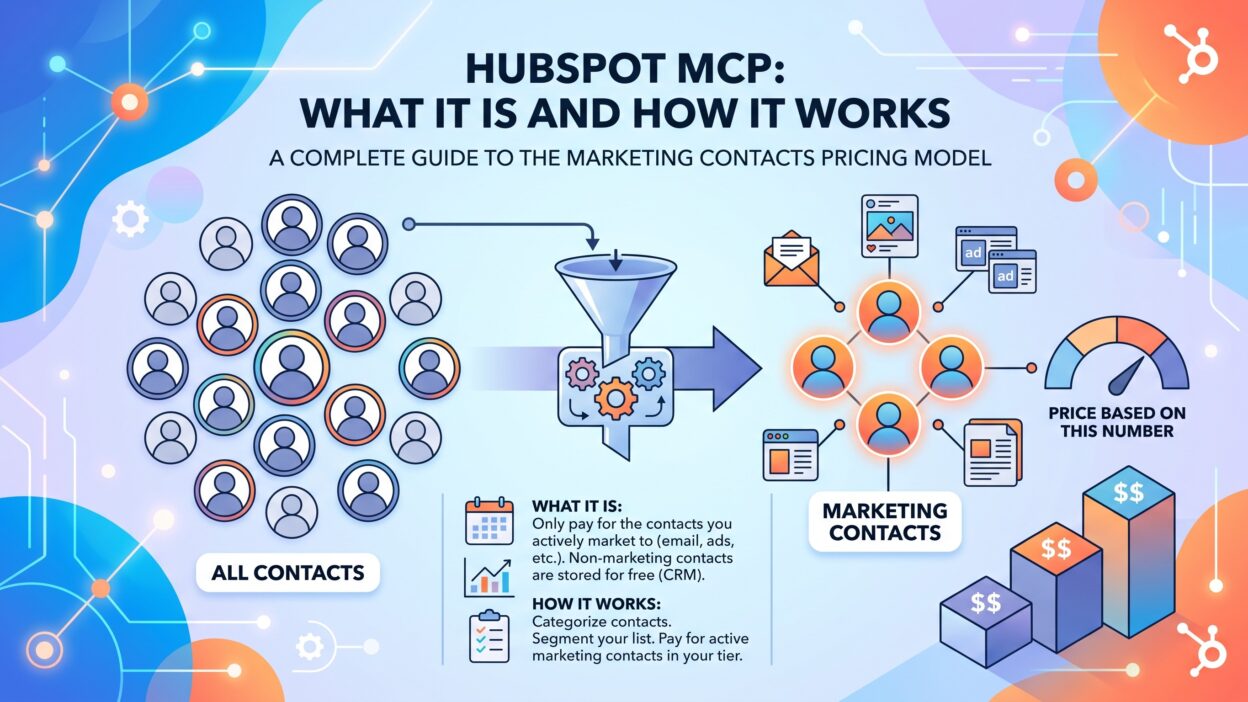
Introduction
TL;DR AI tools keep growing more useful inside daily business work. HubSpot MCP brings that power directly into your CRM. This guide explains HubSpot MCP in plain, simple terms. We cover what it does, how it works, and who should use it. Sales reps waste hours on manual record updates every week. Marketing teams waste time switching between tabs and tools. HubSpot MCP removes much of that friction. This guide walks through setup, real use cases, and security details. You get a clear picture, not vague marketing language. By the end, you will know exactly how HubSpot MCP fits your workflow.
Table of Contents
What Is HubSpot MCP?
MCP stands for Model Context Protocol. It gives AI agents a standard way to connect with outside tools. HubSpot MCP lets AI agents securely request and receive specific information from HubSpot. Think of it as a translator between your AI assistant and your CRM data. You type a normal request. The AI sends that request through HubSpot MCP. HubSpot then returns the right data instantly. The HubSpot MCP server lets AI assistants and language models interact with your CRM data through natural conversation. No manual clicking. No digging through menus. This single connection saves real time across sales, support, and marketing teams. HubSpot MCP turns your CRM into something you can simply talk to.
Why HubSpot Built an MCP Server
HubSpot became the first CRM provider to launch a Deep Research Connector with ChatGPT, an early production use of the Model Context Protocol. The company wanted AI agents to work with CRM data safely. Early local setups required manual tokens and technical skill. That early local server created real barriers for non-technical users. HubSpot MCP solved this by moving toward a secure, remote connection instead.
Two Versions of HubSpot MCP
HubSpot offers two separate MCP servers that act as secure gateways for AI agents and tools. One server handles live CRM data requests. The other server supports developers building custom HubSpot apps. Each version serves a different type of user. Most everyday teams will use the remote HubSpot MCP server.
How HubSpot MCP Works
This section breaks down the technical flow behind HubSpot MCP. Each step plays a clear role in the process.
Natural Language Request
A user types or speaks a normal request. No special commands get used here. The user speaks naturally, without memorizing any specific syntax or commands. This simplicity matters most for non-technical teams.
The AI Parses the Request
The AI assistant reads the request carefully. It identifies the action and the data needed. The AI parses the request and sends it onward to the MCP server. This step turns plain language into a structured query.
MCP Translates the Query
HubSpot MCP converts that query into proper API calls. The MCP server translates the request into specific HubSpot API calls. This translation step removes the need for manual API knowledge.
HubSpot Executes the Action
HubSpot then performs the requested task. HubSpot executes the action, whether that means creating a contact, linking a record, or logging details. The system confirms the result in plain language afterward.
Data the Remote Server Can Access
The remote HubSpot MCP server can read CRM records like contacts, companies, deals, tickets, users, carts, invoices, orders, line items, products, quotes, subscriptions, and segments. It can also read activities such as calls, emails, meetings, notes, and tasks. This broad access supports many real business questions in one place.
Why HubSpot MCP Matters for Teams
HubSpot MCP solves a daily frustration across departments. Constant tab switching breaks focus during busy workdays.
Faster Sales Research
A sales rep needs prospect details before a call. Instead of switching tabs and clicking through HubSpot, a rep can simply ask the AI for the last interaction with a specific account and get an immediate answer. This speed shortens prep time before every meeting.
Effortless Record Updates
Updating a contact often takes several manual steps. A user can tell the AI to update a contact’s email and role, and the change happens automatically without forms or field hunting. HubSpot MCP removes this repetitive busywork entirely.
Simplified Task Creation
Follow-up tasks often get forgotten during busy weeks. A quick spoken request creates a task instantly. This keeps pipelines organized without extra manual effort.
Setting Up HubSpot MCP
Setup differs slightly depending on which client you use.
Creating a Private App or Auth App
Setup typically starts inside HubSpot account settings under Integrations and Private Apps. You name the app and assign proper scopes. Configuring an app to authenticate requests forms the core of connecting to the HubSpot MCP server. This step controls exactly what data the AI can reach.
Connecting Your AI Client
You configure your MCP client to connect to the HubSpot MCP server, then prompt it using natural language to query your data. Popular clients include Claude Desktop and other MCP-compatible tools. HubSpot also offers the server as an installable package that works with private app access tokens.
Granting the Right Scopes
Scopes control which records the AI can view or change. Add only what each team actually needs. As the MCP server’s tools update over time, available scopes may shift, and users may need to reinstall to grant new permissions. Review these settings on a regular schedule.
Testing With Simple Prompts
Start with a basic, low-risk request first. Ask the AI to summarize a single deal or contact. Confirm the answer matches your actual HubSpot record. This quick test builds early trust in the setup.
Real Use Cases for HubSpot MCP
HubSpot MCP supports many practical, everyday scenarios.
Pipeline Summaries
A user can ask the AI to summarize the pipeline and flag deals stuck over thirty days. This saves managers from manually scanning every deal stage.
Marketing Performance Checks
Marketing teams can ask which email campaigns drove the most engagement. The answer arrives instantly, without opening a separate reporting dashboard.
Cleaning Up Duplicate Records
An AI agent connected through MCP can find and merge duplicate contacts automatically. This keeps CRM data cleaner without heavy manual review.
Developer Support Through HubSpot MCP
Developers can use the local Developer MCP server to get guided help building HubSpot UI Extensions or templates. This support speeds up technical project work significantly.
Security and Permissions Inside HubSpot MCP
Security stays central to how HubSpot MCP operates.
OAuth and PKCE Requirements
Connecting to the HubSpot MCP server requires OAuth credentials, and PKCE authentication is required for this connection. This standard protects against unauthorized token theft during setup.
User-Level Permission Enforcement
HubSpot built a dedicated gateway API specifically for CRM search, associations, and property access, fully designed to respect user permissions inside the MCP context. This means the AI only sees what the logged-in user can normally see.
Sensitive Data Protections
If a HubSpot account has Sensitive Data settings turned on, activity objects like calls, emails, meetings, notes, and tasks get blocked from MCP access specifically. Standard CRM APIs stay unaffected by this particular restriction. This extra layer protects especially private communication records.
Starting With Limited Access
New teams should consider starting with a sandbox account or read-only permissions while they learn how the system behaves. This cautious approach lowers risk during the early testing period.
HubSpot MCP for Different Teams
Different departments get different value from HubSpot MCP.
Sales Teams
Reps pull account history during live calls instantly. They update deal stages without leaving their workflow. This keeps momentum high during active selling periods.
RevOps and Data Teams
RevOps teams sync data across tools more easily. Teams managing data between systems can remove much of the manual work involved in keeping records aligned. This reduces errors caused by manual entry.
Marketing Teams
Marketers juggling campaign data can quickly pull performance metrics or update contact properties for segmentation, without constant context switching. This keeps creative work flowing without interruption.
Limitations and Things to Watch
HubSpot MCP brings real value, but a few limits exist today.
Search Capability Limits
The HubSpot MCP server runs on the CRM search API, which currently lacks vector search capabilities. Some complex semantic searches may feel less precise as a result.
Evolving Beta Features
Available tools and setup steps will likely keep changing as the platform matures further. Teams should expect occasional updates to permissions and features.
Query Complexity Limits
Some implementations note that joining tables and other complex queries are not supported within certain MCP setups. Stick to direct, single-object questions for the most reliable results.
The Future of HubSpot MCP
AI-driven CRM work will likely grow across every department. HubSpot’s work supports more than 250,000 businesses through this deep research connection alone. More AI clients will likely add native HubSpot MCP support over time. Expect tighter permission controls as adoption grows further. Teams that adopt HubSpot MCP early will likely save real time across daily workflows. Slow adopters may keep losing hours to manual CRM tasks.
Final Thoughts on HubSpot MCP
HubSpot MCP turns a normal CRM into a conversational tool. Sales, marketing, and RevOps teams all gain real daily value from it. Setup takes a bit of planning around scopes and permissions. Security stays strong through OAuth, PKCE, and user-level controls. Teams should start small and expand access gradually over time. This careful approach builds trust while keeping data safe throughout the rollout.
FAQs
What does HubSpot MCP actually do?
HubSpot MCP connects AI assistants directly to your CRM data. It lets you ask questions and update records using plain language.
Is HubSpot MCP free to use?
Setup itself does not add extra direct cost beyond your existing HubSpot account. Some AI clients connecting through HubSpot MCP may carry their own separate pricing.
Is HubSpot MCP safe for sensitive data?
Yes, with proper setup. HubSpot MCP uses OAuth and PKCE for secure connections. Sensitive activity data can stay blocked through specific account settings.
Do I need coding skills to use HubSpot MCP?
No. Most everyday users only need natural language requests. Developers gain extra benefits through the separate local Developer MCP server.
Which AI tools work with HubSpot MCP?
Claude Desktop and several other MCP-compatible clients support this connection. The list of supported tools continues growing as adoption increases.
Can HubSpot MCP update records, not just read them?
Yes. Authorized users can create contacts, update properties, and manage tasks through natural conversation with proper permissions in place.
Read More:-B2B Data API: A Practical Guide for RevOps and Data Engineering Teams
Conclusion

HubSpot MCP changes how teams interact with their CRM data daily. It replaces manual clicking with simple, natural conversation. Sales, marketing, and RevOps teams all save real time through this connection. Security stays strong through OAuth, scoped permissions, and sensitive data protections. Setup takes some early planning, but the payoff arrives quickly. Start with a sandbox account and limited access before expanding further. That cautious first step sets your team up for safe, lasting success with HubSpot MCP.
![Propensity Review: What You Need to Know [2026]](https://blog.emasterlabs.com/wp-content/uploads/2026/06/Propensity_Review__What_You_Need_202606301235-400x225.jpeg "Propensity Review: What You Need to Know [2026] 8")