Introduction
TL;DR Software development is changing faster than most developers expected. A new category of tool is replacing the classic IDE. It does not just autocomplete lines. It reads your codebase, understands intent, and writes entire features. Cursor V3 sits at the front of this shift.
Cursor V3 is the latest release from Anysphere. It brings a fully agentic coding experience to professional developers. It understands your project at a deep level. It reasons about your code like a senior engineer would. This blog covers everything you need to know about Cursor V3. You will understand what it is, how it works, what makes it different, and whether it fits your workflow in 2026.
Table of Contents
What Is Cursor V3 and Why Is It a Big Deal
Cursor V3 is an AI-first code editor built by Anysphere. It is a fork of Visual Studio Code. That means it looks and feels familiar to millions of developers. You get the same file explorer, terminal, and extension ecosystem. What changes is everything underneath.
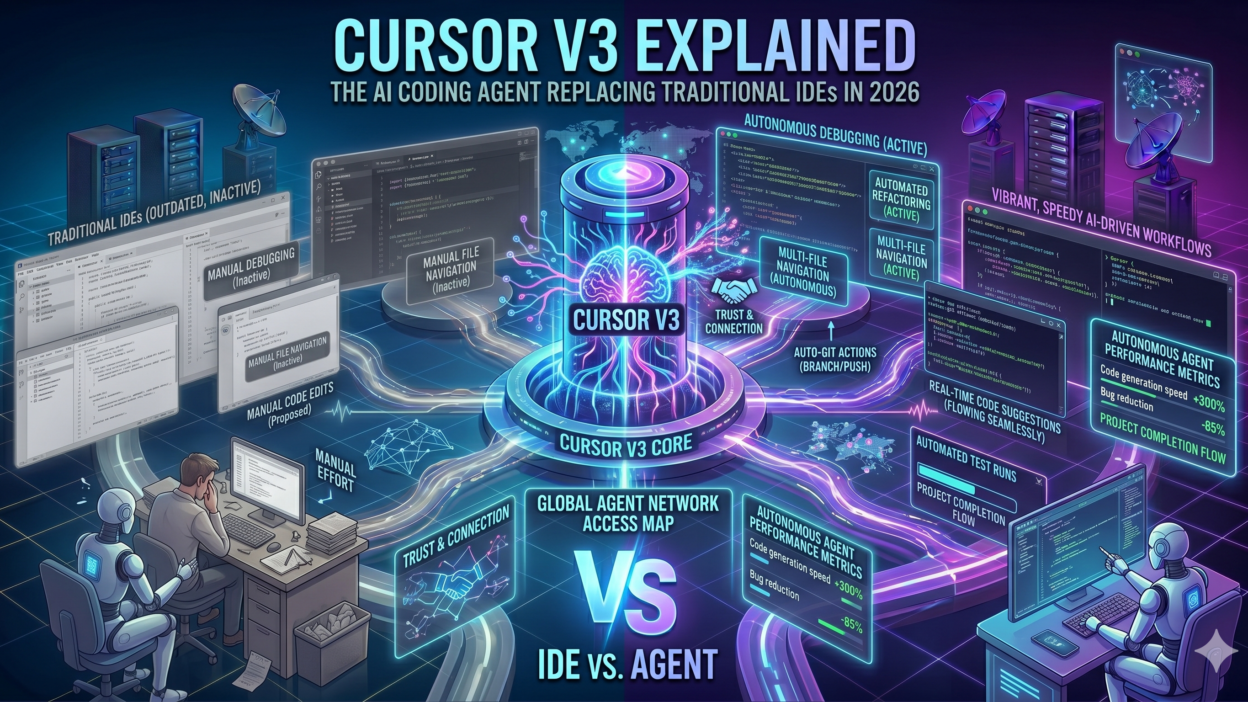
Traditional IDEs help you write code. Cursor V3 helps you build software. That distinction matters. A traditional IDE offers suggestions based on syntax patterns. Cursor V3 reads your entire codebase. It understands relationships between files. It knows your naming conventions, your architecture patterns, and your business logic. It uses that understanding to generate code that actually fits.
Version 3 represents a major leap from earlier releases. The original Cursor was impressive as an autocomplete tool. Version 2 introduced multi-file editing and agent mode. Cursor V3 makes the agent the primary interface. You describe what you want. The agent plans, writes, edits, and verifies. You review the result. This workflow shift is what has developers calling Cursor V3 a genuine replacement for traditional IDEs.
The timing matters too. In 2026, the pressure to ship faster is real. Engineering teams are smaller and expectations are higher. Cursor V3 lets one developer do the work that used to need three. That leverage is why adoption has exploded across startups, agencies, and enterprise engineering teams alike.
Core Features That Define Cursor V3
Agent Mode: The Heart of Cursor V3
Agent mode is the defining feature of Cursor V3. In agent mode, you give a high-level instruction. The AI plans a sequence of steps. It reads the relevant files. It makes changes across multiple files at once. It runs terminal commands. It checks for errors and self-corrects. You watch it work in real time.
Previous versions required you to specify which file to edit. Cursor V3 decides that on its own. It identifies every file that needs to change to complete your request. This makes it genuinely autonomous for many development tasks. Scaffolding a new feature, refactoring a module, or writing tests for a component are all tasks the agent handles end-to-end.
Codebase-Wide Context and Indexing
Cursor V3 indexes your entire codebase on startup. It builds a semantic map of your project. When you ask a question or give an instruction, it retrieves the most relevant context automatically. You do not paste code into a chat box. You do not explain your architecture repeatedly. Cursor V3 already knows it.
This context awareness is what separates Cursor V3 from simple AI autocomplete tools. Tools like GitHub Copilot look at the current file and surrounding lines. Cursor V3 looks at the whole project. It finds the utility function three directories away. It references the type definition from a shared package. That depth of understanding produces significantly more accurate code generation.
Multi-Model Support and Model Switching
Cursor V3 supports multiple frontier AI models. You can use Claude Sonnet, Claude Opus, GPT-4o, and Gemini 1.5 Pro. Each model has different strengths. You can switch models per task. Some teams use Claude for reasoning-heavy refactors and GPT-4o for rapid boilerplate generation. Cursor V3 lets you make that choice at the task level without changing editors.
Integrated Terminal and Browser Agent
Cursor V3 does not stop at the editor window. Its agent can run terminal commands, execute tests, read error logs, and iterate based on the output. Some configurations also enable a browser agent. The agent opens a browser, inspects a running app, and identifies visual bugs or broken interactions. This closed-loop development capability is something no traditional IDE comes close to offering.
How Cursor V3 Compares to Traditional IDEs and Competitors
The IDE market looked stable for years. VS Code dominated. JetBrains tools held enterprise loyalty. Then AI editors arrived and shifted the conversation entirely. Cursor V3 is now the tool most developers compare every alternative against.
Cursor V3 vs Visual Studio Code
VS Code with Copilot offers AI suggestions inside a familiar environment. It autocompletes lines and sometimes whole functions. Cursor V3 does all of that and goes several steps further. The agent mode in Cursor V3 handles multi-step tasks that require planning and cross-file awareness. VS Code plus Copilot is a power tool. Cursor V3 is closer to a power tool with a senior engineer attached.
Cursor V3 vs GitHub Copilot
GitHub Copilot is excellent at line-level completion. It is fast and deeply integrated into GitHub workflows. Cursor V3 competes on a different dimension. It handles tasks, not completions. You describe a goal. Cursor V3 produces a complete implementation. For developers doing complex feature work, that difference in capability is enormous. Many developers use both — Copilot for quick inline help and Cursor V3 for larger agentic tasks.
Cursor V3 vs Windsurf
Windsurf from Codeium is the closest direct competitor to Cursor V3 in 2026. Both offer agentic coding with full codebase context. Cursor V3 holds an edge in model flexibility and community ecosystem. Windsurf has a strong free tier that appeals to individual developers. For teams with budget, Cursor V3 is the more mature and feature-rich platform. The competition between these two tools is pushing both forward rapidly.
Real Developer Workflows: How Teams Use Cursor V3 in 2026
Understanding a tool from a feature list only goes so far. Seeing it in real workflows makes the value concrete. Cursor V3 fits into development routines in several distinct ways.
Feature Scaffolding and Boilerplate Generation
Developers use Cursor V3 to scaffold new features from scratch. A developer describes a new API endpoint, the expected request and response shape, and any validation rules. Cursor V3 reads the existing codebase for patterns. It generates the route handler, the service layer, the repository method, and the tests. What used to take two hours now takes ten minutes. The developer reviews and adjusts. Ship time drops dramatically.
Legacy Code Refactoring and Modernization
Refactoring legacy code is painful without deep context. Cursor V3 makes it manageable. A team working on a ten-year-old Node.js codebase used Cursor V3 to migrate from callbacks to async/await across hundreds of files. The agent identified every affected function, generated the refactored versions, and ran the test suite to verify behavior. Weeks of refactor effort compressed into days.
Bug Investigation and Root Cause Analysis
When a bug appears, developers describe the symptoms in the Cursor V3 chat. The agent searches the codebase for likely causes. It traces data flow across files. It identifies the root cause and proposes a fix. Developers report that this capability alone saves hours per debugging session. The agent does the exploratory work that usually requires holding the entire codebase in your head.
Documentation and Test Generation
Writing documentation and tests is the part most developers delay. Cursor V3 removes that friction. Point it at a function or module and ask for tests. It generates comprehensive test cases including edge cases that developers often miss. Ask it to document a module and it produces accurate, readable documentation pulled directly from the code logic. Quality improves and the tasks developers hate disappear from the backlog.
Cursor V3 Pricing and Plans: What You Get for the Cost
Cursor V3 operates on a subscription model. There is a free tier with limited usage. The Pro plan costs around twenty dollars per month for individual developers. The Business plan adds team management, SSO, centralized billing, and privacy guarantees for the codebase. Pricing may update, so always check the official Cursor website for current rates.
The Pro plan gives you five hundred fast requests per month plus unlimited slower requests. Fast requests use the full-power frontier models with low latency. Slower requests use the same models at a lower priority queue. For most developers doing daily professional work, the Pro plan is sufficient. Heavy users building large features daily may hit the fast request cap and switch to slower mode for portions of their work.
Teams considering the Business plan get a strong value proposition. The privacy mode ensures your code never gets used for model training. For companies with sensitive IP or regulated codebases, this is non-negotiable. Enterprise procurement teams often cite privacy guarantees as the primary reason to choose the Business plan over the Pro tier.
Compared to the cost of developer time, Cursor V3 at twenty dollars per month is almost inconsequentially cheap. If it saves one hour of developer time per week, it pays for itself many times over. Most teams that adopt Cursor V3 seriously report saving multiple hours per developer per week. The ROI case is simple and compelling.
Privacy, Security, and Enterprise Concerns Around Cursor V3
Enterprise teams ask hard questions before adopting AI coding tools. Code is intellectual property. Sending it to a cloud model raises legitimate concerns. Cursor V3 takes these concerns seriously and has built policies to address them.
In privacy mode, Cursor V3 does not store your code on Anysphere servers. Code goes directly to the model provider and back. It is not retained after the request completes. Anysphere has published a detailed privacy policy that enterprise legal teams can review. SOC 2 compliance is in place for Business plan customers.
Some enterprises run entirely air-gapped development environments. Cursor V3 supports self-hosted model configurations for these cases. You connect it to an internal Ollama instance or a private Azure OpenAI deployment. The editor works exactly the same way but no code leaves your network. This makes Cursor V3 viable for defense contractors, financial institutions, and healthcare companies with strict data controls.
The security conversation around AI code editors is still evolving. Teams should audit generated code like any other code contribution. AI-generated code can introduce vulnerabilities just like human-written code can. Cursor V3 does not replace code review. It accelerates code production. Responsible adoption means maintaining existing review practices while gaining the speed benefits the tool delivers.
Frequently Asked Questions About Cursor V3
Is Cursor V3 Available for Windows, Mac, and Linux
Cursor V3 runs on Windows, macOS, and Linux. The installer is available for all three platforms on the official Cursor website. Installation takes under five minutes. Because it builds on VS Code, the experience is consistent across operating systems. Teams with mixed OS environments face no compatibility issues.
Can Cursor V3 Work with Any Programming Language
Cursor V3 supports any language that VS Code supports. Python, JavaScript, TypeScript, Go, Rust, Java, C++, Ruby, and dozens of others all work natively. The AI context works across all of them. Polyglot codebases with multiple languages in one project are handled well. The agent understands cross-language interactions like a Python backend serving a TypeScript frontend.
Does Cursor V3 Replace the Need for Junior Developers
This is the question many engineering leaders ask. Cursor V3 automates a significant portion of implementation work. But it does not replace judgment, architecture decisions, stakeholder communication, or domain expertise. Junior developers who learn to use Cursor V3 effectively become far more productive. Teams that frame Cursor V3 as a multiplier rather than a replacement get the best outcomes. The tool amplifies skill rather than substituting for it.
How Often Does Cursor V3 Get Updated
Anysphere ships updates to Cursor V3 frequently. Major model upgrades, new agent capabilities, and UI improvements arrive regularly. The changelog is public and active. The development pace is fast enough that the product you use in January may feel meaningfully different by June. This rapid iteration is exciting for early adopters. Enterprise teams should plan for regular capability upgrades rather than treating it as a static tool.
What Happens When Cursor V3 Makes a Mistake
Cursor V3 makes mistakes. The agent sometimes misunderstands intent. It sometimes generates code that compiles but does not do what you asked. Built-in version control integration means you can always review diffs before applying changes. The checkpoint system lets you roll back agent actions. Treating Cursor V3 as a fast collaborator that needs review — not an infallible system — is the right mental model for productive use.
Read More:-Claude Code vs Codex: A Detailed Terminal Agent Comparison
Conclusion

The short answer is yes — with nuance. Cursor V3 is not a gimmick or an incremental improvement. It represents a genuine shift in how developers interact with code. The agentic workflow it introduces is fundamentally different from anything that came before. Developers who have adopted it seriously report that going back feels like writing code with one hand tied behind their back.
That said, Cursor V3 is a tool. It rewards skilled developers who know how to direct it well. Teams that invest time learning its patterns and building good prompt habits get dramatically better results than teams that treat it like a magic button. The productivity gains are real. They require intentional adoption.
In 2026, the engineering teams moving fastest are the ones that have made Cursor V3 a central part of their stack. They ship faster. They write more tests. They tackle refactoring projects they previously postponed. They onboard new engineers faster. The competitive advantage of working with Cursor V3 seriously is measurable and growing.
If you have not tried Cursor V3 yet, start with the free tier today. Install it, open your current project, and give the agent one task. Watch it work. That first experience will tell you everything about why developers are calling it the most important coding tool of the decade.