Introduction
TL;DR Every enterprise sits on a mountain of data. Most of that data stays buried. Employees spend hours hunting for answers inside documents, reports, and databases. That time costs money. That frustration costs talent. The old way of building search is no longer enough. Keyword matching fails when language is complex. Boolean filters miss context. Structured queries break when users ask natural questions.
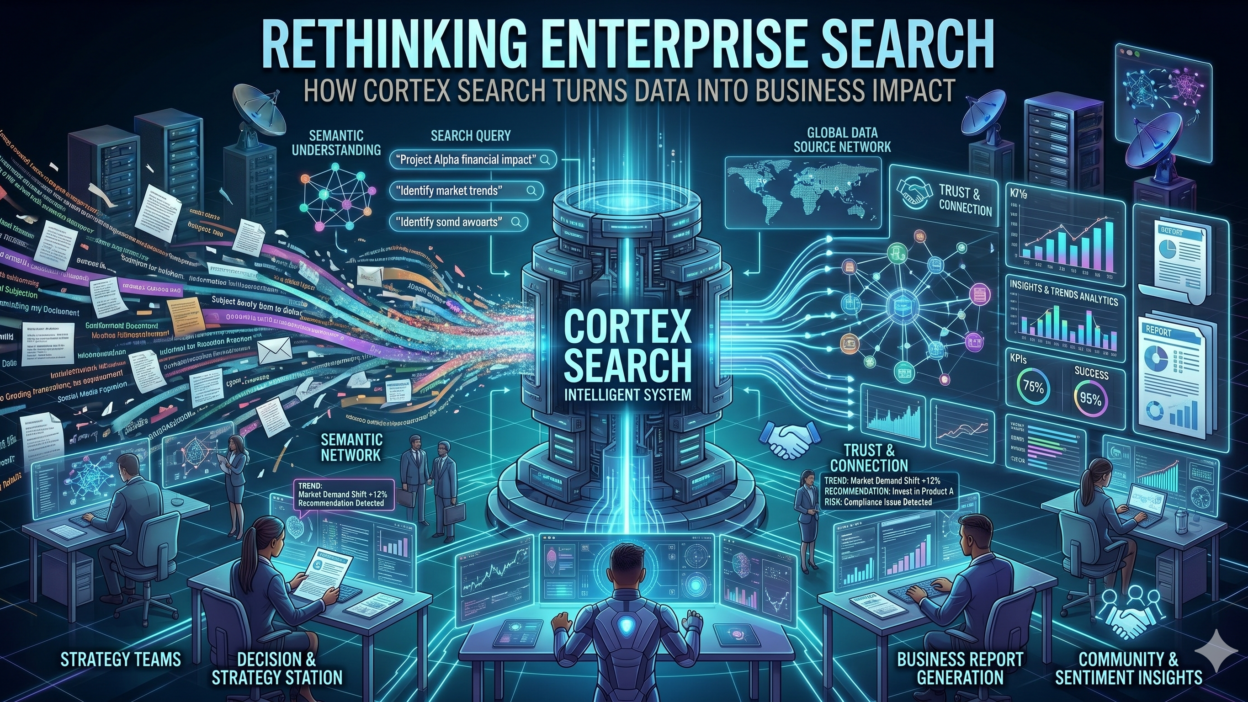
Cortex Search changes that equation entirely. It is a fully managed, AI-powered search service built natively inside Snowflake. It lets organizations surface answers from unstructured and structured data in real time. This blog explores how Cortex Search works, what makes it different from legacy tools, and why enterprises are making it a core part of their data strategy.
Table of Contents
The Real Cost of Broken Enterprise Search
Broken search is not a minor inconvenience. It is a serious operational problem. Research from IDC estimates that knowledge workers spend roughly 2.5 hours every day searching for information. That adds up to 30 percent of the workweek. For a company with 500 employees, that loss runs into millions of dollars annually.
Legacy search systems rely on exact keyword matching. A user types a phrase. The system checks for that exact string. If the document uses different words with the same meaning, the search fails. Users blame themselves. They rephrase and retry. Sometimes they give up and ask a colleague instead. That cycle kills productivity at scale.
The problem runs even deeper in data-heavy industries. Healthcare teams search for clinical notes. Financial teams search for regulatory filings. Legal teams search for contracts. None of these documents use uniform language. Legacy search tools cannot handle that kind of variety. Cortex Search was built to solve exactly this problem. It understands meaning, not just words. It retrieves what users need even when the phrasing differs from the source document.
What Is Cortex Search and How Does It Work
Cortex Search is Snowflake’s fully managed search service. It combines vector search with keyword search in a single unified system. This hybrid approach delivers the precision of keyword matching and the intelligence of semantic understanding at the same time. You get both accuracy and context in every query result.
At its core, Cortex Search uses large language model embeddings to convert text into vector representations. These vectors capture semantic meaning. Two phrases that say the same thing in different words will produce similar vectors. The system matches those vectors during search. This is how Cortex Search finds relevant results even when the exact keywords are absent from the document.
The Hybrid Search Advantage Inside Cortex Search
Pure vector search sometimes misses exact matches that matter. A user searching for a specific product code or regulation number needs precision. Cortex Search handles this by blending keyword search with vector search. The system scores results from both methods and ranks them together. This means you never sacrifice precision for intelligence or intelligence for precision.
Cortex Search also handles chunking automatically. Large documents get split into manageable segments. Each segment gets embedded independently. This ensures that relevant passages from long documents surface accurately. You do not need to pre-process your documents manually. The service manages the entire pipeline.
Native Integration with Snowflake Data
Cortex Search lives inside your Snowflake environment. Your data never leaves the platform. You point it at a Snowflake table. You define which columns to index. The service handles the rest. There is no separate infrastructure to manage. There are no ETL pipelines to build. Data freshness stays in sync with your Snowflake tables automatically. This native integration removes a massive engineering burden from your team.
Key Features That Set Cortex Search Apart from Competitors
Many AI search tools exist today. Most require heavy setup, external infrastructure, and complex maintenance. Cortex Search takes a different approach. It is fully managed. Snowflake handles the infrastructure, scaling, and model updates behind the scenes. Your team focuses on building applications, not maintaining pipelines.
Zero Infrastructure Management
Traditional search infrastructure demands DevOps expertise. Teams need to provision servers, manage Elasticsearch clusters, tune indexes, and handle scaling. Cortex Search eliminates all of that. You create a search service with SQL. The platform manages compute, indexing, and serving automatically. Small teams with no dedicated infrastructure staff can deploy production-grade search in hours instead of months.
Automatic Embedding and Indexing
Cortex Search generates embeddings automatically using Snowflake’s built-in LLM models. You do not choose a model. You do not run embedding pipelines. You do not store vectors manually. The service does all of this for you. When your source data updates, the index refreshes accordingly. This keeps your search results fresh and reliable without any manual intervention.
Fine-Grained Access Control
Enterprise search must respect data governance. Cortex Search inherits Snowflake’s role-based access control system. Users only see results from data they have permission to access. This is critical for regulated industries. Healthcare organizations can search clinical data safely. Financial institutions can search sensitive reports without exposure risk. Governance stays intact at every layer.
REST API for Easy Application Integration
Cortex Search exposes a clean REST API. Any application can call it. You can embed search into internal tools, customer portals, chatbots, or analytics dashboards. The API returns ranked results with source attribution. Developers can build rich search experiences on top of Cortex Search without touching the underlying infrastructure. This openness makes it a powerful foundation for AI applications of all kinds.
How Cortex Search Powers AI Chatbots and RAG Applications
Retrieval-Augmented Generation has become the dominant architecture for enterprise AI. It grounds large language model outputs in real company data. The search layer is the most critical part of any RAG system. If search returns irrelevant results, the LLM generates irrelevant answers. Cortex Search solves this at the retrieval stage.
Teams building Snowflake Cortex AI chatbots use Cortex Search as the retrieval backbone. A user asks a question. The system sends that question to Cortex Search. It retrieves the most relevant passages from internal documents or databases. Those passages go into the LLM prompt as context. The model generates a precise, grounded answer based on real company data.
This workflow is more reliable than a standalone LLM. The model does not guess or hallucinate. It answers from retrieved facts. Cortex Search makes that retrieval step fast, accurate, and governance-compliant. Many teams report that improving the search layer alone increases chatbot accuracy by 40 percent or more. That accuracy gain directly impacts user trust and adoption.
Cortex Search Inside Snowflake Cortex Analyst
Cortex Search integrates with Cortex Analyst, Snowflake’s natural language to SQL engine. Users ask business questions in plain English. Cortex Analyst retrieves relevant schema context using Cortex Search. It then generates SQL queries and returns structured results. This combination makes business intelligence radically more accessible. Non-technical users can query complex data warehouses without writing a single line of SQL.
Industry Use Cases Where Cortex Search Creates Real Impact
The real proof of any technology lives in practical application. Cortex Search delivers measurable value across multiple industries. Each use case highlights a different dimension of its capability.
Healthcare: Searching Clinical and Patient Data
Hospitals generate massive volumes of unstructured text every day. Clinical notes, discharge summaries, lab reports, and imaging descriptions all contain critical patient information. Clinicians need fast access to this data at the point of care. Legacy systems make that search slow and unreliable. Cortex Search indexes all of this content and makes it retrievable in seconds. A physician can search for a patient’s historical medication notes using natural language. The system returns relevant passages instantly. This speed improves clinical decision-making and patient safety.
Financial Services: Regulatory and Compliance Search
Financial institutions deal with thousands of regulatory documents, internal policies, and client agreements. Compliance teams must find specific clauses or precedents quickly. Manual document review is time-consuming and error-prone. Cortex Search indexes these documents and enables semantic retrieval. A compliance officer can search for all documents referencing a specific regulatory standard. Results appear in seconds with source attribution. This cuts compliance review time dramatically and reduces risk.
Retail: Product and Inventory Knowledge Management
Retail companies maintain vast product catalogs with detailed specifications, supplier information, and inventory data. Customer service agents need fast answers to product questions. Cortex Search makes that knowledge instantly retrievable. An agent asking about product compatibility gets a precise answer from the internal knowledge base. Return rates drop. Customer satisfaction rises. Response times improve across every channel.
Technology Companies: Internal Developer Knowledge Search
Engineering teams produce enormous amounts of documentation. Code comments, API docs, incident reports, and architecture decisions all accumulate over time. New engineers struggle to find institutional knowledge. Cortex Search indexes all of this internal content. A developer searching for past incident resolutions or API usage examples gets accurate results immediately. Onboarding time drops. Developer productivity rises. Knowledge stays accessible long after the original author has left the company.
Getting Started with Cortex Search: What You Need to Know
Setting up Cortex Search requires no specialized machine learning expertise. If your team knows SQL and has data in Snowflake, you can get a search service running quickly. The setup process follows a few clear steps.
First, you create a Cortex Search service using a SQL command. You define the source table and specify which columns contain the text you want to index. You also define any filter columns for metadata-based narrowing. Snowflake handles embedding generation and index creation automatically in the background.
Second, you call the REST API or use the Python SDK to run search queries. You pass a query string. The service returns ranked results with the relevant text passages and source metadata. You decide how many results to return and what filters to apply at query time.
Cost Considerations for Cortex Search
Cortex Search pricing follows Snowflake’s consumption model. You pay for the compute used during indexing and querying. Index creation is a one-time cost per dataset. Query costs depend on the number of searches and data volume. For most enterprise workloads, the cost is a fraction of managing a self-hosted vector search system. Teams that previously ran Elasticsearch clusters often find Cortex Search more economical at scale. You also eliminate the hidden cost of engineering time spent on infrastructure maintenance.
Cortex Search vs Traditional Enterprise Search Tools
How does Cortex Search compare to tools like Elasticsearch, Solr, or Algolia? The differences are significant. Traditional tools require you to manage infrastructure, tune indexes, and build embedding pipelines separately. Cortex Search bundles all of that into a single managed service.
Elasticsearch is powerful but complex. Teams spend weeks configuring clusters, optimizing mappings, and integrating vector search plugins. Cortex Search deploys in hours with a SQL command. The operational burden is incomparably lower. For teams that want search capability without a dedicated search engineering function, Cortex Search is a clear winner.
Algolia excels at e-commerce search with rich UI components but requires data to live outside your data warehouse. Cortex Search keeps data inside Snowflake. This matters enormously for governance and security. You do not duplicate data. You do not create new security perimeters. Everything stays within the governance framework you already manage.
The biggest differentiator is the native LLM integration. Cortex Search does not just retrieve documents. It serves as the retrieval layer for full AI applications inside Snowflake. That combination of search, governance, and LLM capability inside one platform is genuinely unique in the market today.
Frequently Asked Questions About Cortex Search
Does Cortex Search Work with Unstructured Documents Like PDFs
Cortex Search indexes text stored in Snowflake tables. To search PDFs, you first extract text from those files and load it into a Snowflake table. Snowflake’s Document AI feature helps with this extraction step. Once the text is in a table column, Cortex Search indexes it like any other text data. The combination of Document AI and Cortex Search creates a complete unstructured document search pipeline.
Can Cortex Search Handle Multiple Languages
Cortex Search uses multilingual embedding models that support many languages. You can index documents in English, Spanish, French, German, Japanese, and dozens of other languages. Cross-language search is also possible. A user can query in English and retrieve documents written in Spanish. This is a significant advantage for global enterprises with multilingual document repositories.
How Fresh Are Cortex Search Results After Data Updates
Cortex Search keeps its index synchronized with the source Snowflake table. When new rows are added or existing rows are updated, the index updates automatically. There is a short lag between data changes and index refresh. For most enterprise use cases, this lag is acceptable. Teams building real-time applications should account for this update latency in their architecture.
Is Cortex Search Available in All Snowflake Regions
Cortex Search availability varies by Snowflake region. Snowflake is expanding availability continuously. You should check the current Snowflake documentation for the latest list of supported regions. Most major AWS and Azure regions already support it. GCP region support is growing as well.
What Makes Cortex Search Different from Snowflake Full-Text Search
Snowflake has a native full-text search capability built into the query engine. That feature relies on keyword matching. Cortex Search adds semantic understanding on top of that foundation. It uses vector embeddings to capture meaning. Results from Cortex Search are more relevant for natural language queries. Full-text search remains useful for exact term matching. Cortex Search is the right choice when meaning matters more than exact words.
Read More:-8 Easy Ways to Access ChatGPT for Free
Conclusion

Enterprise data is growing faster than teams can manage it. The tools built for the last decade cannot keep up with the scale and complexity of modern AI-driven organizations. Search is the front door to institutional knowledge. When that door is broken, everything behind it becomes inaccessible. Cortex Search fixes that problem at the root.
It delivers semantic intelligence without infrastructure complexity. It respects governance without limiting capability. It powers RAG applications, chatbots, and analytics tools inside the platform where your data already lives. Cortex Search does not ask you to move your data. It brings intelligence to where your data already is.
The teams winning with AI in 2025 are not the ones with the most data. They are the ones who can access and use their data the fastest. Cortex Search gives any Snowflake user that advantage. You do not need a research team. You do not need months of infrastructure work. You need a table, a SQL command, and a question worth answering. Cortex Search handles everything else. Start building with it today and feel the difference that intelligent search makes inside your enterprise.