Introduction
TL;DRThe developer tooling space changed dramatically in 2025. AI-powered terminal agents arrived and rewired how engineers write, debug, and ship code. Two names dominate every serious conversation on this topic. Claude Code and Codex now sit at the top of the list for developers who want an intelligent coding companion inside their terminal.
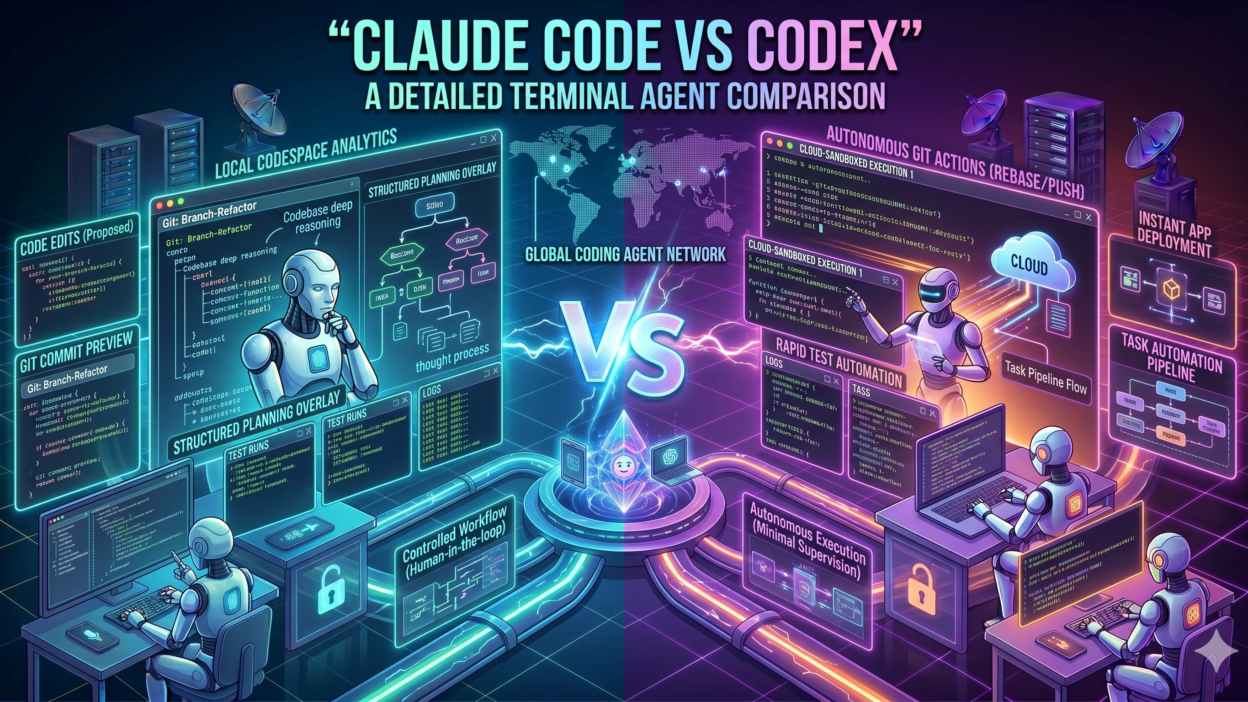
Claude Code vs Codex is not a simple comparison. Both tools bring genuine power to the command line. Both understand natural language instructions. Both can read codebases, write functions, run tests, and fix bugs. But they differ in architecture, context handling, safety design, and real-world behavior.
This blog examines every dimension of the Claude Code vs Codex comparison. It covers how each tool works, where each one excels, what limitations each carries, and which developers benefit most from each choice. The goal is to give you a clear, honest picture so you can make the right call for your workflow.
Developers waste time switching tools mid-project. Choosing the right terminal agent from the start saves hours of frustration. This comparison arms you with everything you need. Read it fully. Then decide which tool belongs in your stack.
By the end of this blog, you will understand Claude Code vs Codex well enough to make a confident, informed decision. The comparison goes deep. It covers features, performance, pricing philosophy, safety, and practical use cases. No surface-level overview exists here. Only detailed, actionable analysis.
Table of Contents
What Is Claude Code? An Overview of Anthropic’s Terminal Agent
Architecture, Capabilities, and Core Design Philosophy
Claude Code is a command-line tool developed by Anthropic. It brings the Claude model family directly into the developer’s terminal. It operates as an agentic AI assistant that reads files, writes code, runs shell commands, and iterates on tasks autonomously. Anthropic designed it for complex, multi-step software engineering workflows.
The tool uses Claude Sonnet and Claude Opus as its underlying models. These models carry a 200,000-token context window. This massive context allows Claude Code to ingest entire codebases, understand project-wide dependencies, and maintain coherent reasoning across long, complex tasks without losing track of earlier instructions.
Claude Code integrates with the Model Context Protocol (MCP). This protocol connects the agent to external tools, databases, APIs, and services. A developer can extend Claude Code’s capabilities by attaching MCP servers that provide web search, GitHub access, Jira integration, or custom internal tooling. The extensibility is one of its strongest selling points.
The safety architecture behind Claude Code draws from Anthropic’s Constitutional AI research. The model applies self-critique mechanisms before executing potentially destructive commands. It asks for confirmation before deleting files, making irreversible API calls, or performing actions with wide system impact. This cautious behavior reduces costly mistakes in production environments.
Claude Code supports VS Code, JetBrains IDEs, and Vim through dedicated extensions. Developers who prefer a hybrid workflow can switch between terminal and IDE without losing context. The tool also runs in fully headless environments, making it ideal for CI/CD pipelines and automated engineering workflows.
Anthropic built Claude Code for engineers who tackle difficult, long-running tasks. Refactoring a legacy codebase, building a feature across ten files, generating comprehensive test suites, or migrating between frameworks — these are the tasks where Claude Code demonstrates its greatest advantage over simpler tools.
What Is OpenAI Codex? Understanding the Competing Terminal Agent
Origins, Model Backbone, and Core Functionality
OpenAI Codex has a longer history than Claude Code. The original Codex model powered GitHub Copilot when it launched in 2021. OpenAI later evolved the Codex product into a standalone CLI agent that developers run directly in their terminals. The current Codex CLI connects to GPT-4o and offers agentic code execution capabilities.
In the Claude Code vs Codex debate, Codex brings OpenAI’s deep experience in code generation. The model learned from an enormous corpus of public code. Its pattern recognition for common programming tasks is exceptional. It produces accurate boilerplate, understands popular frameworks immediately, and handles most standard coding requests with minimal prompt engineering.
Codex CLI supports a sandboxed execution mode. This mode runs code in an isolated environment before applying changes to the actual project. The sandbox approach reduces risk when working in unfamiliar codebases. It is a deliberate safety design that appeals to developers who want a guardrail before code touches the real filesystem.
The context window for Codex through GPT-4o supports 128,000 tokens. This is substantial but falls short of Claude Code’s 200,000-token window. For most individual file edits and feature additions, 128K tokens provides more than enough room. For whole-codebase analysis tasks, the gap becomes more noticeable.
OpenAI designed Codex with quick iteration in mind. It excels at rapid code generation, inline completions, and short-cycle tasks where a developer needs a function or a snippet fast. The tool integrates with VS Code through the GitHub Copilot extension, which millions of developers already use daily.
Codex also benefits from OpenAI’s ecosystem. Developers already using ChatGPT Plus, the OpenAI API, or GitHub Copilot find Codex familiar. The authentication, billing, and tooling all connect to the same OpenAI account. This reduces onboarding friction for teams already inside the OpenAI ecosystem.
Claude Code vs Codex: Feature-by-Feature Comparison Table
| Feature | Claude Code | OpenAI Codex (CLI) |
| Developer | Anthropic | OpenAI |
| Interface | Terminal (CLI) | Terminal (CLI) |
| Model | Claude Sonnet / Opus | Codex / GPT-4o |
| File System Access | Full read/write/execute | Sandboxed execution |
| Multi-file Editing | Yes — native | Yes — supported |
| Context Window | 200K tokens | 128K tokens |
| Internet Access | Via MCP tools | Limited / plugin-based |
| Safety Architecture | Constitutional AI | RLHF + policy filters |
| Pricing | API token-based | API token-based |
| IDE Integration | VS Code, JetBrains, Vim | VS Code extension |
| Best For | Complex multi-step tasks | Quick code generation |
The table above captures the major feature differences. The sections below explore each dimension in greater detail. Raw feature lists only tell part of the story. Real-world performance and practical workflow fit matter equally.
Context Window: Why 200K Tokens Changes Everything
Claude Code vs Codex on Large Codebase Handling
Context window size is one of the most important factors in the Claude Code vs Codex comparison. Claude Code’s 200,000-token window holds roughly 150,000 words of code and documentation simultaneously. This capacity allows it to load entire projects, understand how modules connect, and make changes that stay consistent across dozens of files.
OpenAI Codex with GPT-4o supports 128,000 tokens. This window handles large individual files and multi-file features comfortably. It begins to struggle only with truly massive monorepos or projects with extremely complex dependency graphs. For most standard web applications, mobile apps, and API services, 128K tokens is genuinely sufficient.
The gap matters most during legacy code migration and refactoring tasks. When an agent must understand the full context of a 50,000-line codebase before making changes, Claude Code’s larger window prevents context truncation. Codex may need to break the task into smaller segments, introducing coordination overhead.
Day-to-day feature development rarely pushes either tool to its context limit. A developer adding a new API endpoint, writing unit tests for a module, or debugging a specific function never needs 100,000+ tokens of context. Both tools perform at a similar level for these routine engineering tasks.
Enterprise teams working on large-scale systems value the extended context more than individual developers. The Claude Code vs Codex decision for enterprise teams often hinges on this single factor. Larger context means fewer task breakdowns, fewer coordination errors, and more coherent autonomous work.
Safety Architecture: How Each Tool Protects Your Codebase
Constitutional AI vs. RLHF in a Developer Context
Safety in an autonomous coding agent is not abstract. A tool that deletes the wrong file, overwrites production configuration, or executes a harmful shell command can cause real damage. The Claude Code vs Codex comparison on safety reveals genuinely different design philosophies.
Claude Code applies Anthropic’s Constitutional AI principles. The model evaluates its own planned actions against a set of behavioral guidelines before executing them. It flags potentially destructive operations. It presents the planned action to the developer for confirmation before proceeding. This approach makes Claude Code cautious by default without requiring constant manual oversight.
Codex uses a sandboxed execution environment as its primary safety mechanism. It runs code in isolation first. The developer reviews the output. The approved code then applies to the real project. This workflow creates a clear separation between AI-generated suggestions and actual filesystem changes. Developers who prefer an explicit review step before execution find this model intuitive.
Both approaches work. Neither is definitively superior. Constitutional AI works better for developers who run long autonomous tasks and trust the agent to make safe decisions independently. The sandbox model works better for developers who want human review at every step. Your safety preference should influence your choice in the Claude Code vs Codex decision.
For production environments with critical infrastructure, both tools require careful configuration. Neither should run with unrestricted permissions on a production server without deliberate policy choices. Responsible agentic AI use requires human oversight regardless of which tool you choose.
Real-World Task Performance: Claude Code vs Codex in Action
Code Generation, Debugging, Testing, and Refactoring
Benchmarks tell one story. Real developer workflows tell another. The Claude Code vs Codex comparison matters most in the context of actual tasks developers perform daily. This section covers four core categories: code generation, debugging, test writing, and refactoring.
For code generation, both tools perform at a high level. Codex has a slight edge on generating boilerplate for popular frameworks like React, Django, and Express. Its training on vast public code repositories makes common patterns effortless. Claude Code matches this capability and adds stronger reasoning for unusual or custom implementations where pattern matching alone is insufficient.
Debugging complex issues is where Claude Code’s larger context and Constitutional AI reasoning combine to deliver a noticeable advantage. When a bug involves multiple interacting modules, Claude Code holds the full context in mind simultaneously. Codex sometimes loses track of earlier findings when the debugging process spans many files and iterations.
Test generation is strong in both tools. Codex produces correct unit tests for straightforward functions quickly. Claude Code handles more complex test scenarios, including integration tests that span services, edge case generation, and test coverage analysis across entire modules. For teams with high testing standards, Claude Code’s depth here matters.
Refactoring is where the Claude Code vs Codex gap becomes most visible. Modernizing an old class hierarchy, splitting a monolith into microservices, or migrating from one ORM to another requires understanding the entire system before touching a single file. Claude Code’s extended context handles this holistically. Codex manages it well in smaller, more contained scopes.
Both tools accelerate development. A developer using either tool ships code faster than one working without AI assistance. The difference between the two is about scope and depth, not raw speed. Codex is faster for small, well-defined tasks. Claude Code is more effective for complex, open-ended engineering challenges.
Pricing, Ecosystem, and Integration Landscape
Understanding the Cost and Connectivity of Each Tool
Pricing for both tools follows a token-based API model. You pay for the tokens you consume. Claude Code uses the Claude API, billed per input and output token at Anthropic’s published rates. Codex CLI uses the OpenAI API, billed at GPT-4o rates. Neither tool requires a flat monthly subscription at the API level, giving developers precise cost control.
Claude Code’s higher context window means that large-task runs consume more tokens per session. A deep codebase analysis with 150,000 tokens of context costs significantly more than a short snippet generation. Teams with tight budgets should monitor token usage carefully when running Claude Code on very large tasks.
Codex benefits from OpenAI’s GitHub Copilot ecosystem. Teams already paying for GitHub Copilot Business or Enterprise have existing familiarity with OpenAI’s models. Adding Codex CLI to that stack requires minimal new budget justification. The billing consolidates neatly into existing OpenAI accounts.
Claude Code integrates with a growing ecosystem of MCP-compatible tools. Anthropic’s partner network expands regularly. Developers connect Claude Code to Jira, Notion, GitHub, Slack, and custom internal platforms through MCP servers. This extensibility makes Claude Code a hub for complex engineering workflows that touch multiple tools.
Both tools offer free tiers for exploration. Claude.ai provides access to Claude models with usage limits. OpenAI’s free tier allows initial Codex testing. Production use cases require paid API access on both platforms. Budget planning for engineering teams should account for actual token consumption patterns from real project work.
Who Should Choose Claude Code and Who Should Choose Codex?
Matching the Right Tool to the Right Developer Profile
The Claude Code vs Codex decision ultimately comes down to your specific engineering context. No universal answer suits every developer. Your codebase size, task complexity, safety requirements, and existing tool ecosystem all influence the right choice.
Choose Claude Code when you work on large, complex codebases. Enterprise engineers managing monorepos, platform teams maintaining shared infrastructure, and senior developers leading major refactoring efforts all benefit from Claude Code’s extended context and deep reasoning capabilities. The Constitutional AI safety model also suits teams that run long autonomous tasks without manual review at every step.
Choose Claude Code when tool integration matters. Teams that use GitHub, Jira, Notion, Slack, or custom internal platforms alongside their code editor gain significant leverage from Claude Code’s MCP integration. Connecting the AI agent to your full engineering workflow multiplies its value beyond pure code generation.
Choose Codex when you prioritize speed for well-defined tasks. Front-end developers, individual contributors working on feature branches, and engineers who primarily generate boilerplate and simple functions find Codex’s fast response time and familiar OpenAI ecosystem ideal. The sandboxed execution model also suits teams that want explicit review at every step.
Choose Codex when your team already uses OpenAI products. Teams with GitHub Copilot subscriptions, ChatGPT Enterprise access, and existing OpenAI API integrations experience minimal onboarding friction with Codex. The billing consolidation and familiar interface reduce the operational overhead of adding a new tool.
Some teams use both tools strategically. They run Codex for quick daily tasks and deploy Claude Code for complex, multi-session engineering challenges. This hybrid approach maximizes strengths while managing costs. The Claude Code vs Codex comparison does not always require an exclusive choice.
AI Coding Agent Comparison
The broader category of AI coding agent comparison includes more than just Claude Code vs Codex. Tools like GitHub Copilot, Cursor, Devin, Aider, and Continue also compete in this space. Each occupies a specific niche. Terminal agents like Claude Code and Codex differ from IDE-embedded tools because they operate at the system level, executing commands and managing files directly.
Terminal Agent for Developers in 2026
Terminal agents represent the most autonomous form of AI coding assistance available in 2026. They move beyond suggestion-based tools that wait for human input at every step. Terminal agents like Claude Code and Codex plan multi-step tasks, execute shell commands, read filesystem state, and iterate toward a goal with minimal interruption. This autonomy makes them dramatically more powerful for complex engineering work.
Agentic Coding Tools and Software Engineering Productivity
Research consistently shows that agentic coding tools increase developer productivity. Studies from multiple software teams in 2025 reported 30 to 50 percent reductions in time spent on routine engineering tasks. The gains come from reduced context switching, faster boilerplate generation, and accelerated debugging cycles. Claude Code vs Codex both contribute to these gains, though in different workflow contexts.
Model Context Protocol and Tool Extensibility
The Model Context Protocol is a key differentiator in the Claude Code vs Codex landscape. MCP allows Claude Code to connect to an open ecosystem of tools and data sources. Developers contribute MCP servers for countless services. Codex relies on OpenAI’s plugin and function-calling infrastructure, which is powerful but more centrally controlled. Extensibility favors Claude Code for teams with custom internal tooling needs.
Frequently Asked Questions
Is Claude Code better than Codex for professional developers?
Professional developers working on large, complex projects generally find Claude Code more capable for multi-step autonomous tasks. Its larger context window and Constitutional AI safety model suit enterprise engineering workflows. Codex remains highly competitive for fast, task-specific code generation and for teams already embedded in the OpenAI ecosystem. The right answer depends on your specific workflow.
Can I use both Claude Code and Codex at the same time?
Yes. Many developers use both tools for different purposes. Codex handles quick daily snippets and completions efficiently. Claude Code handles deeper, longer engineering tasks that require sustained reasoning across large codebases. Running both tools incurs API costs for both, so budget management becomes important when combining them.
Does Claude Code support Python, JavaScript, and other languages?
Claude Code supports all major programming languages including Python, JavaScript, TypeScript, Go, Rust, Java, C++, Ruby, and more. The model’s training includes code from a vast range of languages and frameworks. Language support is not a meaningful differentiator between Claude Code and Codex. Both tools handle the most popular languages equally well.
Which tool is safer to run in a production environment?
Neither tool should run with unrestricted permissions in a production environment without deliberate policy choices and human oversight. Claude Code’s Constitutional AI model adds self-critique before destructive actions. Codex’s sandbox mode prevents immediate filesystem changes. Both require careful permission scoping and change review processes before production deployment.
How does the pricing compare between Claude Code and Codex?
Both tools use token-based API pricing. Costs depend on how many tokens each task consumes. Claude Code’s 200K context window means large tasks cost more per session. Codex with GPT-4o carries competitive per-token pricing within OpenAI’s standard API rates. Actual costs vary significantly based on task type, frequency, and codebase size. Test both tools on your real workload before committing to a budget estimate.
What is the easiest way to get started with Claude Code vs Codex?
Claude Code installs via npm with a single command. You need an Anthropic API key to authenticate. Codex CLI also installs via npm and authenticates through your OpenAI API key. Both tools have active documentation and quickstart guides. Most developers get their first working session running within fifteen minutes of installation.
Read More:-GraphRAG vs. VectorRAG: Which Knowledge Retrieval Method is Better?
Conclusion

The Claude Code vs Codex comparison covers a lot of ground. Both tools represent genuine breakthroughs in developer productivity. Both bring large language model intelligence directly into the terminal. Both handle real engineering tasks with impressive capability. The right choice depends entirely on your specific needs.
Claude Code wins for teams working on large codebases, complex multi-step tasks, and workflows that require deep integration with external tools through MCP. Its 200K context window and Constitutional AI safety model make it the more powerful choice for serious, sustained engineering work.
Codex wins for teams prioritizing speed on well-scoped tasks, sandboxed execution safety, and seamless integration into the OpenAI ecosystem. Its familiarity, fast response time, and established GitHub Copilot connection make it the practical choice for developers who already live inside OpenAI’s platform.
The Claude Code vs Codex debate does not demand a permanent commitment. Try both tools on real tasks from your actual projects. Measure time saved, error rates, and code quality. Let your own data guide the final decision. Both tools offer free-tier exploration paths that make side-by-side testing easy.
In 2026, not using an AI terminal agent at all is the only genuinely costly choice. Both Claude Code and Codex accelerate every phase of the software development lifecycle. Pick one. Start today. Add the other if your workflow demands it. The developers who adopt these tools earliest build the fastest, ship the most, and learn the most from AI-augmented engineering.