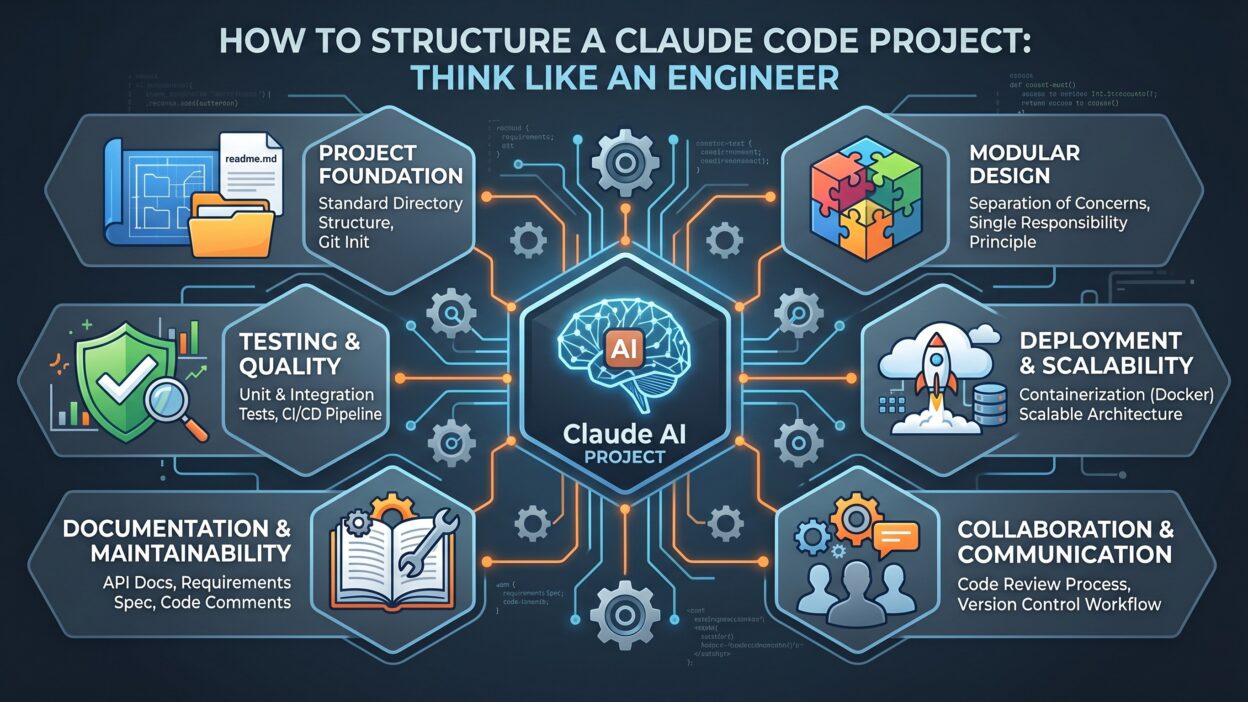
Introduction
TL;DR Every developer wants clean, scalable, and maintainable code. A well-structured Claude Code project gives you exactly that. But most people treat it like a chatbot. That is the wrong mindset entirely.
Engineers think in systems. They build with structure, purpose, and foresight. A Claude Code project should mirror that same engineering brain. It should know where things live, why decisions get made, and how each piece connects to the next.
This guide breaks down exactly how to set up a Claude Code project that operates at an engineering level. You will get real structure, real workflows, and real results.
Table of Contents
Why Structure Matters in a Claude Code Project
Most developers jump straight into prompting. They type a request, get a response, and move on. That approach works for simple tasks. It falls apart completely at scale.
A Claude Code project without structure creates chaos. Files go missing. Context gets lost. Outputs become inconsistent. You spend more time fixing Claude’s confusion than writing actual code.
Structure solves all of that. When you lay a proper foundation, Claude operates with clarity. It understands your codebase. It respects your conventions. It stops guessing and starts delivering.
Think of it this way. A new engineer joining your team reads the README first. They study the folder structure. They understand naming conventions. Claude works the same way. Feed it structure, and it produces structured output.
A Claude Code project with clear organization delivers three core benefits. First, it reduces prompt length dramatically. You reference context instead of repeating it. Second, it improves output quality. Claude aligns with your standards automatically. Third, it scales across your entire team. Anyone can pick up where another left off without confusion.
The Engineering Mindset Behind Claude Code
Engineers do not just write code. They architect systems. A true Claude Code project demands that same architectural thinking from the very beginning.
Before writing a single prompt, ask yourself these questions. What is the project’s primary goal? What tech stack does it use? What conventions does the team follow? What outputs does each session need to produce?
Answering these questions upfront shapes every interaction you have with Claude afterward. You are not configuring a chatbot. You are onboarding a highly capable engineering collaborator.
Setting Up Your Claude Code Project Directory Structure
The folder structure of a Claude Code project is your blueprint. Get it right, and everything else becomes easier. Get it wrong, and you fight the tool on every task.
Here is a proven directory structure that mirrors how strong engineering teams organize their work.
Root-Level Organization
Your root folder should contain only top-level configuration and navigation files. Think of it as the lobby of a building. It orients visitors immediately.
A strong Claude Code project root includes a CLAUDE.md file. This file is critical. It tells Claude everything about the project at a glance. It covers the tech stack, architecture decisions, naming conventions, testing standards, and deployment targets.
Do not skip this file. Claude reads CLAUDE.md automatically at the start of every session. It sets the working context without any manual prompting. That alone saves hours every week.
The CLAUDE.md File — Your Project Brain
The CLAUDE.md file is the single most important file in any Claude Code project. It functions as the engineering spec, the onboarding guide, and the style guide combined into one.
Write CLAUDE.md in plain, direct language. Describe your stack clearly. List your folder structure. Explain your naming conventions. Specify how you handle errors, logging, and testing. Include any gotchas the team has learned the hard way.
Keep it updated. Every architectural decision worth remembering belongs in this file. Claude uses it as its primary reference during every session.
Source Code Folders
Organize your source code the way a senior engineer would. Group by feature, not by file type. A feature-based structure scales better. It keeps related code physically close together.
A Claude Code project benefits enormously from this approach. Claude can focus on a single feature folder without getting distracted by unrelated files. It produces more targeted and accurate output.
Configuration and Environment Files
Keep all configuration files at the root level. Environment files should follow a clear naming pattern. Use .env.local, .env.staging, and .env.production consistently. Never mix environment variables across files.
Writing Prompts That Think Like Engineers
The quality of a Claude Code project depends heavily on prompt quality. Vague prompts produce vague code. Precise prompts produce precise code. It really is that simple.
Be Specific About the Task Scope
Every prompt should answer four questions before you even send it. What exactly do you need built? What constraints apply? What does success look like? What should Claude avoid?
Engineers scope tasks before touching a keyboard. Do the same with your prompts. A scoped prompt in a Claude Code project might say: “Write a TypeScript function that validates an email address using regex. Return a boolean. Do not use any external libraries. Include unit tests using Jest.”
That prompt leaves no room for interpretation. Claude delivers exactly what you described.
Reference Your CLAUDE.md Context
Strong prompts in a Claude Code project always reference existing context. Do not repeat your entire stack in every prompt. Instead, write prompts that assume Claude already knows your conventions.
Say things like: “Following the error handling pattern defined in CLAUDE.md, add error handling to the user authentication service.” Claude connects the instruction to the documented convention immediately.
Use Concrete Examples in Prompts
Examples eliminate ambiguity completely. When you want Claude to match a specific pattern, show it the pattern. Reference an existing file. Paste a short code snippet. Point to a function that already works the way you want.
A Claude Code project with example-driven prompts produces consistent output across hundreds of sessions. The style stays uniform. The patterns stay repeatable.
Break Large Tasks Into Steps
Big tasks overwhelm any tool. Break them down. Ask Claude to write the data model first. Then ask it to build the service layer. Then the controller. Then the tests.
This step-by-step approach gives you checkpoints. You review each output before moving forward. Errors stay small and localized. A well-managed Claude Code project never lets a mistake compound across the entire codebase.
Managing Context Across Long Sessions
Context management separates good Claude Code project setups from great ones. Claude has a context window. Long sessions push information out of that window. When context drops off, quality drops with it.
Use Compact Context Files
Create compact summary files for complex subsystems. These files describe the purpose, inputs, outputs, and dependencies of each major component. Reference them at the start of relevant sessions.
A subsystem summary for a Claude Code project might cover the authentication module. It lists the endpoints, the middleware used, the token strategy, and the error codes returned. Claude reads this file and operates with full awareness immediately.
Reset Context Strategically
Do not try to carry one session indefinitely. A fresh session with the right context files loaded performs better than a stale long session. End sessions at natural breakpoints. Start new ones with the relevant context files referenced upfront.
Document Decisions as You Go
Every architectural decision made during a session deserves documentation. Update CLAUDE.md immediately after making a significant choice. Log why you picked one approach over another. Future sessions in your Claude Code project will benefit from that recorded reasoning.
Testing and Code Review Inside a Claude Code Project
A Claude Code project is not complete without a testing workflow. Claude can write tests. It can review code. It can catch edge cases you might miss. Use these capabilities deliberately.
Ask Claude to Write Tests First
Test-driven development works beautifully with Claude. Write the specification in your prompt. Ask Claude to generate the tests before writing any implementation. Then ask it to write the implementation that passes those tests.
This approach forces clarity. If Claude cannot write a test for a feature, the feature is not clearly defined yet. That insight alone saves enormous debugging time in a Claude Code project.
Use Claude for Code Review
Ask Claude to review code it did not write. Paste a function or module and ask for a review against your defined standards. Specify what to look for. Ask about performance, security, readability, and edge case handling.
Claude gives honest, specific feedback. It does not get defensive about code style. It does not hesitate to recommend refactoring. A Claude Code project that uses Claude as a reviewer catches more issues before they reach production.
Validate Outputs Against Your Standards
Never accept Claude’s output blindly. Run tests. Check linting. Review the logic manually for any critical path code. Claude is a powerful collaborator, not an infallible oracle.
A healthy Claude Code project treats Claude’s output as a first draft. Engineers refine first drafts. That is the process.
Collaboration Workflows for Teams Using Claude Code
Teams using a shared Claude Code project setup need consistency. One developer’s conventions should not clash with another’s. Claude should produce recognizably similar output regardless of who runs a session.
Shared CLAUDE.md Ownership
Treat CLAUDE.md like production code. Version control it. Review changes through pull requests. Discuss updates in team meetings. Everyone on the team owns this file collectively.
When CLAUDE.md stays current and accurate, every team member gets the same Claude experience. The Claude Code project behaves consistently for everyone.
Standardize Prompt Templates
Create a library of prompt templates for common tasks. Templates for creating new API endpoints, writing database migrations, generating unit tests, and refactoring legacy code. Store these templates in a dedicated /prompts folder inside the Claude Code project repository.
Standardized templates eliminate guesswork. Junior developers get reliable results without needing to craft perfect prompts from scratch. Senior developers save time on repetitive tasks.
Define Escalation Points
Some tasks should not go to Claude alone. Define which decisions require human review. Complex security logic, core business rules, and database schema changes all deserve extra human eyes.
A mature Claude Code project workflow treats Claude as one voice in a larger engineering conversation. It contributes heavily. It does not decide unilaterally.
Common Mistakes That Break a Claude Code Project
Even experienced developers make structural mistakes with Claude. Recognizing these mistakes early saves enormous rework later.
Skipping the CLAUDE.md File
This is the most common mistake. Developers want to start coding immediately. They skip documentation entirely. The Claude Code project suffers from day one as a result.
Without CLAUDE.md, every session starts from zero. Claude makes assumptions. Those assumptions conflict with team conventions. Outputs require constant correction. Write CLAUDE.md first. Always.
Using Claude for Everything Without Review
Claude is fast. That speed creates a temptation to rubber-stamp its output. Resist that temptation completely. A Claude Code project stays healthy only when engineers actively review and challenge Claude’s work.
Ignoring Version Control for Context Files
Context files are project assets. They belong in version control. A Claude Code project that keeps CLAUDE.md and prompt templates outside of git loses institutional knowledge every time a team member leaves.
Writing Vague Prompts
Vague prompts waste time. They produce generic code that needs heavy revision. Engineers are precise by nature. Bring that precision to every prompt in a Claude Code project.
Frequently Asked Questions (FAQs)
What is a Claude Code project?
A Claude Code project is a structured development environment configured to work with Claude as an AI coding collaborator. It includes a defined folder structure, a CLAUDE.md context file, standardized prompt templates, and defined workflows for testing and review.
How is Claude Code different from just using Claude in a chat?
A Claude Code project goes far beyond chatting. It creates persistent context through documentation files. It standardizes interactions through prompt templates. It integrates Claude into real development workflows with clear inputs and outputs.
Does CLAUDE.md need to follow a specific format?
No rigid format is required. A strong CLAUDE.md covers the tech stack, architecture overview, naming conventions, testing standards, and any project-specific rules. Keep it clear and current. A well-maintained CLAUDE.md is the backbone of every effective Claude Code project.
Can a whole team use the same Claude Code project setup?
Yes. Shared CLAUDE.md files and standardized prompt templates make team-wide consistency achievable. Version control keeps everything synchronized. Every developer on the team gets the same reliable Claude experience within the shared Claude Code project.
How often should you update the CLAUDE.md file?
Update it every time a significant architectural decision gets made. Major refactors, new dependencies, changed conventions, and learned lessons all belong in CLAUDE.md. A Claude Code project with an outdated CLAUDE.md will produce outdated or inconsistent results.
What tasks is Claude Code best suited for?
A Claude Code project excels at generating boilerplate code, writing unit tests, refactoring existing code, reviewing logic for bugs, and scaffolding new features. Tasks requiring deep business domain knowledge or complex security judgments still need strong human oversight.
Read More:-Build an AI Meeting Summarizer & Action Planner with Claude Code + MCP
Conclusion

A Claude Code project is only as good as the structure behind it. Engineers know that great systems do not happen accidentally. They get designed, documented, and maintained deliberately.
Start with a strong CLAUDE.md file. Organize your folders with purpose. Write precise, scoped prompts. Manage context carefully across sessions. Review all output with engineering discipline. Involve your whole team through shared conventions and version-controlled context files.
Claude is an extraordinary coding collaborator. Give it the right environment, and it performs like a senior engineer who never sleeps. Give it a chaotic, undocumented workspace, and it produces exactly what that environment deserves.
The engineering mindset is not about using more tools. It is about using every tool with intention. Apply that mindset to your Claude Code project, and you will build faster, ship cleaner code, and maintain a codebase your whole team is proud of.