Introduction
TL;DR AI coding agents have changed how software gets built. Developers write prompts instead of boilerplate. Agents plan, scaffold, and execute code on their behalf. Replit sits at the center of this shift.
Replit Agent is an AI-powered coding assistant built directly into the Replit platform. It does not just answer questions. It takes action. It writes files, installs packages, runs commands, and builds full applications from natural language instructions.
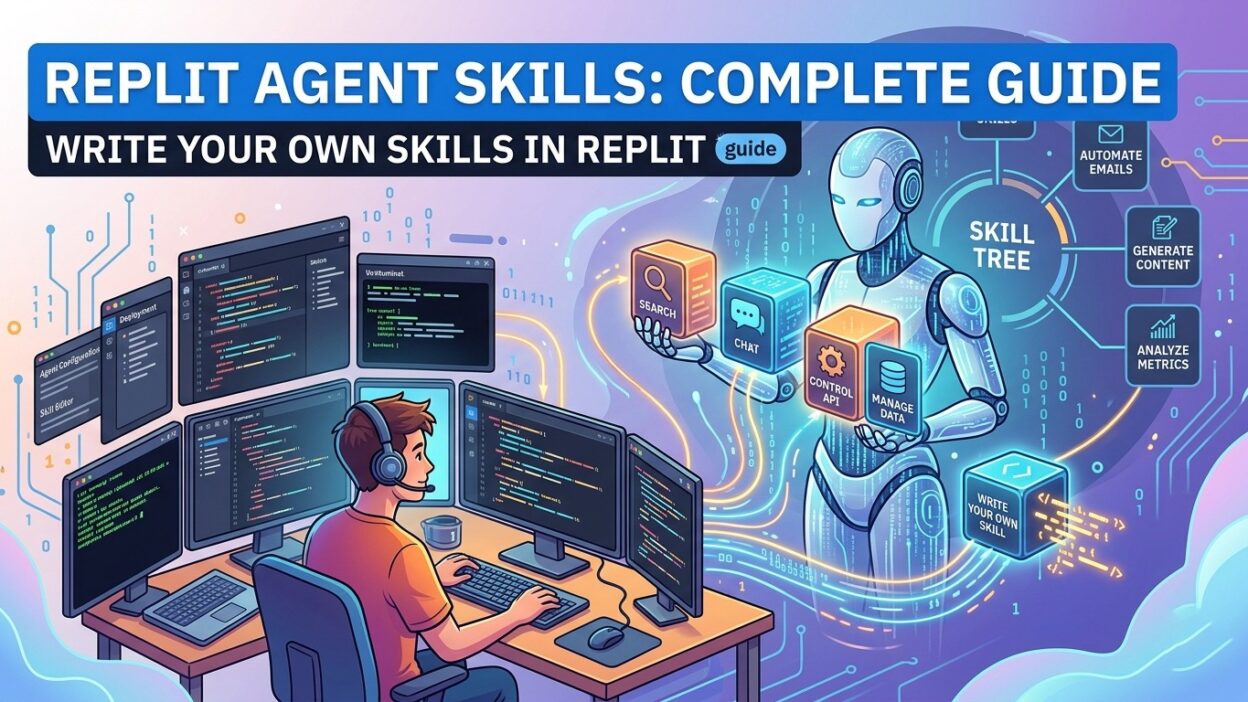
What makes Replit Agent uniquely powerful is its skill system. Replit Agent skills define what the agent knows how to do. Built-in skills cover common development tasks. Custom skills extend that capability into your specific domain.
This guide covers everything you need to know about Replit Agent skills. You will learn what skills are, how built-in skills work, how to write your own custom skills, and how to get the most out of the agent in your daily development workflow.
Whether you are building a solo side project or shipping a production product, mastering Replit Agent skills dramatically changes your output speed and quality.
Table of Contents
What Are Replit Agent Skills?
Replit Agent skills are structured capabilities that tell the agent how to handle specific types of tasks. Each skill defines a name, a description, and a set of instructions. The agent reads available skills and selects the right one based on your prompt.
Think of skills as a toolkit. Each tool in the kit has a specific job. A hammer drives nails. A wrench turns bolts. In the same way, a database skill handles database setup. An API skill manages endpoint creation. A deployment skill configures hosting.
Replit Agent skills operate differently from simple prompt instructions. A skill persists across sessions. It applies consistently to every relevant request. It does not require the developer to re-explain context every time.
Skills give the agent memory of your preferences and standards. A custom skill can encode your team’s coding conventions. It can specify preferred libraries. It can enforce naming patterns. The agent follows those standards without being reminded.
This architecture makes Replit Agent skills one of the most valuable features on the platform. Teams that invest time in skill creation see consistent, standards-compliant code from every agent session.
How Replit Agent Works with Skills
Replit Agent reads your prompt. It identifies the task type. It scans available Replit Agent skills to find the best match. It executes the task using the matching skill as its guiding framework.
When no specific skill matches, the agent falls back to its general knowledge. This fallback works well for common tasks. For domain-specific or highly standardized work, a purpose-built skill consistently outperforms the fallback approach.
The agent can use multiple skills in a single session. A prompt to build a full-stack application might invoke a database skill, a REST API skill, a frontend scaffold skill, and a deployment skill in sequence. Each skill handles its own domain. The agent coordinates them.
Skill selection is automatic. You do not specify which skill to use in your prompt. The agent reads the context and makes the selection. Clear, specific prompts help the agent select the most relevant skill accurately.
Skills also influence how the agent validates its own work. A skill can specify acceptance criteria. The agent checks its output against those criteria before presenting results. This self-validation loop reduces errors and revision cycles significantly.
Built-In Replit Agent Skills
Code Generation Skills
Replit ships with built-in Replit Agent skills for common programming tasks. Code generation skills handle boilerplate creation, function writing, class scaffolding, and component generation. These skills cover popular languages including Python, JavaScript, TypeScript, and Go.
The code generation skill activates when you ask the agent to write functions, build components, or create modules. It follows language-specific conventions automatically. It applies appropriate error handling patterns based on the language and context.
Database Skills
Database Replit Agent skills manage schema creation, query writing, migration generation, and ORM configuration. The agent recognizes which database your project uses. It applies the correct syntax and tooling for PostgreSQL, MySQL, SQLite, or MongoDB.
A database skill also understands relationships. Ask the agent to create a users table with posts, and the skill handles foreign key constraints, index creation, and ORM model definitions. All three layers appear in the generated output without additional prompts.
API and Integration Skills
API Replit Agent skills cover REST endpoint creation, authentication flow setup, third-party integration configuration, and webhook handling. These skills know common API patterns. They apply REST conventions, generate OpenAPI documentation stubs, and handle error response formatting.
Integration-specific skills extend this further. A Stripe skill knows payment intent creation patterns. A Twilio skill knows SMS and voice API structures. These built-in skills accelerate integration work dramatically compared to writing from scratch.
Deployment and DevOps Skills
Deployment Replit Agent skills handle environment variable setup, configuration file generation, hosting configuration, and CI/CD pipeline scaffolding. These skills know the Replit deployment environment deeply. They configure applications correctly for production from the start.
DevOps skills reduce the gap between writing code and shipping it. The agent configures health checks, sets up logging, and prepares environment-specific configuration files. All of this happens through skill-driven automation without manual configuration steps.
How to Write Your Own Replit Agent Skills
Custom Replit Agent skills unlock the full potential of the agent for your specific project. Built-in skills cover general cases. Custom skills cover your unique requirements, team conventions, and domain-specific patterns.
Understanding the Skill File Structure
A skill file uses a simple, structured format. It contains a name field that identifies the skill. It contains a description field that tells the agent when to apply the skill. It contains an instructions field with detailed guidance for the agent.
The name must be short and clear. The description must accurately reflect the skill’s purpose. The agent uses the description to decide whether a skill applies to a given task. A vague description leads to incorrect skill selection.
Instructions form the core of the skill. They explain exactly how the agent should approach the task. They specify preferred libraries, naming conventions, file structure patterns, error handling approaches, and output format requirements.
Writing Effective Skill Instructions
Good skill instructions are specific. Vague instructions produce inconsistent results. Instead of writing “use good naming conventions,” write “use camelCase for JavaScript variables, PascalCase for class names, and SCREAMING_SNAKE_CASE for constants.”
Instructions should anticipate edge cases. A backend API skill should specify how to handle missing request parameters. A database skill should specify transaction behavior for multi-step operations. The agent follows explicit guidance more reliably than inferred patterns.
Keep each instruction focused on one requirement. Long, multi-part instruction sentences confuse the agent. Break complex requirements into separate, sequential instruction statements. The agent processes each instruction clearly when they stay atomic and focused.
Example: Writing a Custom Authentication Skill
Imagine your team uses JWT authentication with a specific token structure. You always use a refresh token pattern. You store tokens in HTTP-only cookies. You want the agent to apply this pattern consistently across every project.
Name the skill “jwt-auth-setup.” Describe it as the skill to apply when setting up user authentication or login flows. Write instructions that specify the JWT library to use, the token payload structure, the cookie configuration options, and the refresh endpoint pattern.
Save this skill file in your Replit project. The agent reads it on session start. Every authentication task in that project follows your specified pattern without repeated instructions. Replit Agent skills like this become the living documentation of your engineering standards.
Example: Writing a Custom Styling Skill
Frontend teams often have strict UI standards. Color tokens, spacing scales, typography rules, and component naming patterns all vary by team. A custom styling skill encodes those standards directly into the agent’s behavior.
Name the skill “ui-design-system.” Describe it as the skill for all UI component creation and styling tasks. Specify the design token file location, the CSS naming convention, the preferred component library, and the accessibility requirements the team follows.
The agent reads this skill before writing any frontend code. Every component it generates aligns with your design system. Replit Agent skills at this level of specificity produce code that passes code review without manual style corrections.
Best Practices for Managing Replit Agent Skills
Organize Skills by Domain
Store Replit Agent skills in a dedicated directory within your project. Name each skill file clearly. Group skills by domain: backend, frontend, database, testing, and deployment. Clear organization makes skills easier to maintain and update as project requirements evolve.
Version Control Your Skills
Commit skill files to your repository. Skills represent your team’s engineering standards. They deserve the same version control treatment as production code. Track changes to skills over time. Review skill updates in pull requests. This process catches regressions before they affect agent behavior.
Test Skills on Real Tasks
After writing a new skill, test it on three to five representative tasks. Verify that the agent selects the skill correctly. Check that the output matches your expected standards. Revise the description or instructions if the agent misapplies the skill on any test case.
Testing Replit Agent skills before relying on them in production prevents quality surprises. Invest twenty minutes in testing to avoid hours of rework on incorrectly generated code.
Iterate Skills Over Time
Skills improve with use. Notice patterns where the agent deviates from your preferences. Add instructions to cover those patterns. Remove instructions that conflict with each other. Skills that receive regular maintenance produce more consistent results than skills that never get updated.
Share Skills Across Projects
Strong Replit Agent skills are reusable assets. Build a shared skills library for your organization. Copy skills into new projects at setup time. Teams that reuse proven skills get consistent code quality from day one of every new project.
Replit Agent Skills vs. Prompt Engineering
Both approaches aim for better agent output. They work best together. Prompt engineering shapes how you communicate a specific task. Replit Agent skills shape how the agent approaches every task within a domain.
A well-crafted prompt gets the agent to write a specific function correctly. A well-crafted skill gets the agent to write every function in your codebase correctly, consistently, and without repeated explanation.
Skills reduce the cognitive load of prompt writing. You stop thinking about how to explain your standards. The skill already did that work. Your prompts focus on what you want built, not how you want it built.
Teams that only use prompt engineering spend time re-explaining context in every session. Teams that invest in Replit Agent skills write shorter prompts and get higher-quality results consistently. The combination of good skills and good prompts produces the best outcomes.
Skill creation requires upfront investment. That investment pays back quickly. One well-written skill saves hours of correction work across dozens of agent sessions. The return on time invested in Replit Agent skills is among the highest available in AI-assisted development.
Common Mistakes When Working with Replit Agent Skills
Writing Skills That Are Too Broad
A skill that tries to cover all coding tasks does nothing well. Narrow skills outperform broad skills consistently. Create separate skills for separate domains. A specific skill activates at the right moment and applies precisely relevant guidance.
Leaving Descriptions Vague
The description drives skill selection. A vague description causes the agent to skip the skill on relevant tasks or misapply it on irrelevant ones. Write descriptions that clearly state the exact task type the skill handles. Test the description by asking yourself: would I know when to use this skill just from reading its description?
Overloading Skill Instructions
Too many instructions in a single skill overwhelm the agent. The agent applies all instructions but may sacrifice depth on some to satisfy others. Keep each skill tightly scoped. Twenty focused instructions in one skill outperform fifty conflicting instructions.
Not Updating Skills After Codebase Changes
Codebases evolve. Dependencies change. Standards shift. Skills that reflect old patterns produce outdated code. Review skills quarterly. Update them when major architectural decisions change. Active skill maintenance keeps Replit Agent skills aligned with your current engineering reality.
Frequently Asked Questions About Replit Agent Skills
What are Replit Agent skills used for?
Replit Agent skills define how the agent approaches specific types of development tasks. They encode your preferred libraries, naming conventions, file structures, and coding patterns. The agent reads available skills and applies the most relevant one to each task automatically. Skills improve output consistency and reduce the need for repeated explanations across sessions.
Can beginners write custom Replit Agent skills?
Yes. Custom skills use a simple text-based format. No programming experience is required to write skill instructions. Beginners can start by describing their coding preferences in plain language. The skill structure is straightforward, and even simple skills produce meaningful improvements in agent output quality.
How many skills should a project have?
Most projects benefit from five to fifteen focused skills. One skill per major domain is a practical starting point. Cover backend patterns, frontend patterns, database conventions, testing standards, and deployment configuration. Add more skills as your project grows and new domain-specific patterns emerge.
Do Replit Agent skills work across different programming languages?
Yes. Skills can specify language-specific instructions. A Python skill specifies Python conventions. A TypeScript skill specifies TypeScript patterns. You can also write cross-language skills that define general architecture patterns applicable across multiple language contexts within the same project.
Can I share Replit Agent skills with my team?
Yes. Skills stored in your repository are accessible to every team member who clones or collaborates on the project. Version-controlled skills create a shared standard that every developer on the team benefits from. Teams that share skills produce more consistent codebases with less code review friction.
Do skills override the agent’s built-in knowledge?
Skills guide the agent but do not replace its foundational knowledge. A skill adds specificity on top of the agent’s existing capabilities. The agent applies both its general knowledge and the skill instructions simultaneously. Skills narrow the agent’s approach to match your preferences rather than replacing its core reasoning ability.
How do I know if a skill is working correctly?
Run three to five test tasks after creating or updating a skill. Check that the agent selects the skill for relevant tasks. Verify that generated output matches your specified conventions. If the agent misapplies the skill, revise the description to be more specific. If output quality falls short, add clearer instructions to the skill file.
Read More:-Is GPT Image 2 the Best Image Generation Model?
Conclusion

Replit Agent skills represent the difference between a general-purpose AI assistant and a specialized development partner that knows your codebase, your standards, and your preferences.
Built-in skills give you a strong starting point. They handle the most common development tasks competently. Custom skills take the agent further. They encode what makes your project unique and what makes your team’s code recognizable.
Writing good skills takes time and iteration. Start with your most frequently needed domain. Test the skill on real tasks. Refine the instructions based on what the agent produces. Add skills as new domains emerge in your project.
The investment in Replit Agent skills pays back quickly. Shorter prompts. More consistent output. Fewer revision cycles. Standards-compliant code from every session. These gains compound as your skill library grows.
Replit Agent skills are not just a feature. They are a philosophy. They represent the idea that developer preferences and team standards deserve to be first-class inputs to the AI development process. Master skills, and you master the full power of Replit Agent.