Introduction
TL;DR Large language models have changed how software gets built. They write code, answer questions, summarize documents, and power products used by millions of people. But a general-purpose model rarely fits every use case perfectly.
That gap is exactly why so many developers choose to fine-tune LLMs locally. Local fine-tuning keeps your data on your own hardware. It gives you full control over the training process. It removes dependency on third-party cloud services.
Privacy-sensitive industries especially benefit from this approach. Healthcare, finance, and legal sectors all handle data that cannot leave a controlled environment. The ability to fine-tune LLMs locally solves that constraint directly.
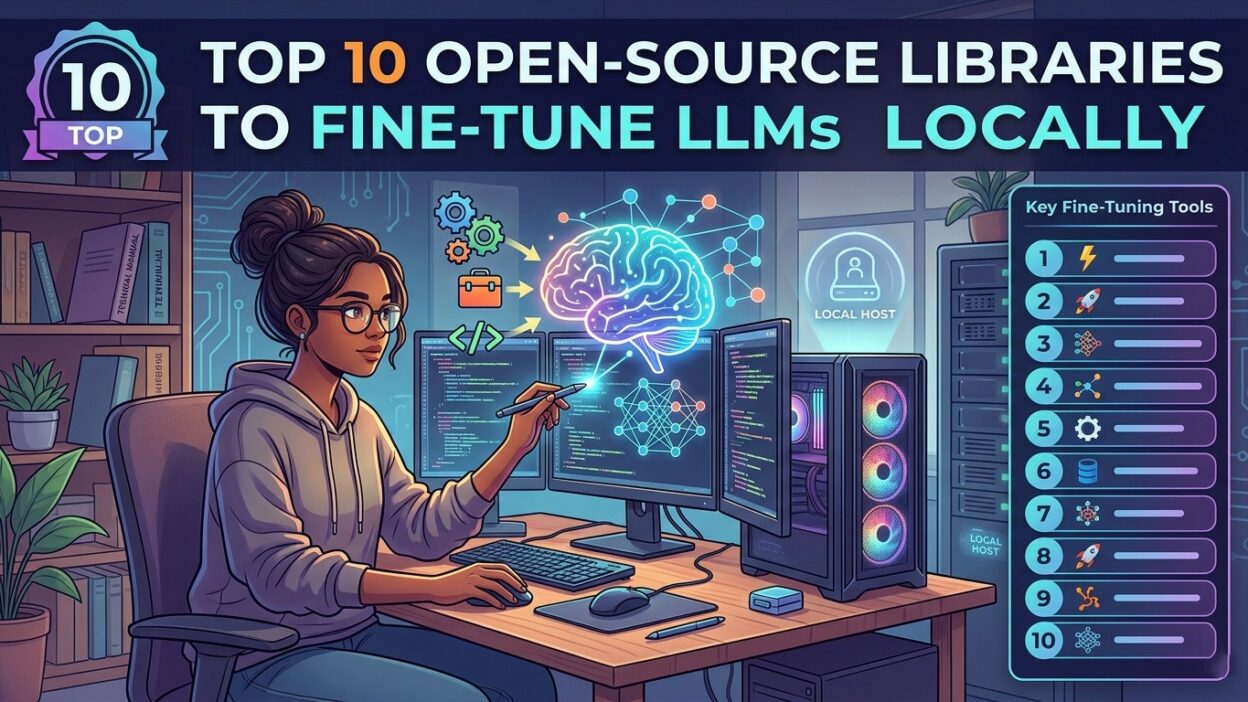
This guide covers the ten best open-source libraries for this task. Each library handles the fine-tuning pipeline differently. Some focus on efficiency. Others prioritize ease of use. A few offer enterprise-grade scalability on consumer hardware.
Table of Contents
Why Developers Fine-Tune LLMs Locally
General-purpose models produce general-purpose answers. A legal document analyzer needs precise legal reasoning. A medical coding assistant needs clinical accuracy. A customer support bot needs company-specific knowledge. Fine-tuning delivers that precision.
Cloud-based fine-tuning platforms exist. They work well for many teams. But cloud solutions come with costs. Every training run burns through credits. Sensitive data must leave your infrastructure. Model weights often belong to the platform.
When you fine-tune LLMs locally, you own the entire process. Your proprietary training data stays on your servers. Your model weights stay under your control. Your training costs reduce to electricity and hardware depreciation.
Local fine-tuning also enables faster iteration. You run experiments without waiting for cloud queue times. You adjust hyperparameters immediately. You test new dataset versions the same day you prepare them.
The open-source ecosystem now makes this accessible. Parameter-efficient techniques like LoRA and QLoRA let you fine-tune LLMs locally on a single GPU. You do not need a data center. A well-configured workstation runs meaningful experiments.
Key Concepts Before You Start
What Is Fine-Tuning?
Fine-tuning updates a pre-trained model on a smaller, task-specific dataset. The model learns domain patterns without forgetting its general language understanding. The result is a specialized model that outperforms the base model on your target task.
Full fine-tuning updates every parameter in the model. It produces the best results. It also demands the most memory and compute. Most teams that fine-tune LLMs locally use parameter-efficient methods instead.
Parameter-Efficient Fine-Tuning (PEFT)
PEFT methods update only a small subset of model parameters. LoRA (Low-Rank Adaptation) inserts lightweight adapter layers into the model. Only those layers train during fine-tuning. The base model weights stay frozen.
QLoRA extends LoRA with quantization. The model loads in 4-bit precision. Memory usage drops dramatically. A 7-billion parameter model that normally requires 28 GB of GPU memory fits in 6 GB with QLoRA. This makes it practical to fine-tune LLMs locally on consumer GPUs.
Instruction Tuning
Instruction tuning teaches a model to follow formatted prompts. You provide input-output pairs in a structured format. The model learns to respond to instructions rather than simply predicting the next token. Most modern fine-tuning workflows apply instruction tuning on top of supervised fine-tuning.
Top 10 Open-Source Libraries to Fine-Tune LLMs Locally
1. Hugging Face Transformers
Hugging Face Transformers is the most widely used library in the open-source LLM ecosystem. It supports hundreds of model architectures. It integrates directly with the Hugging Face model hub. Downloading and loading pre-trained models takes a single line of code.
The Trainer API handles the training loop. You pass your model, dataset, and configuration. The library manages batching, gradient accumulation, and logging. Integration with the PEFT library means you can fine-tune LLMs locally with LoRA or QLoRA without writing custom training code.
The community around Transformers is enormous. Documentation stays current. New model architectures arrive within days of their paper release. This makes Transformers the default starting point for most local fine-tuning projects.
2. PEFT by Hugging Face
The PEFT library implements every major parameter-efficient fine-tuning method. LoRA, QLoRA, prefix tuning, prompt tuning, and adapter layers all live in this single package. It integrates seamlessly with the Transformers library.
PEFT makes it straightforward to fine-tune LLMs locally without a high-end GPU cluster. You define a LoRA configuration with a few parameters. You wrap your model with that configuration. Training proceeds with dramatically reduced memory requirements.
Saved LoRA adapters are small files. A full fine-tuned 7B model takes many gigabytes. A LoRA adapter for that same model often takes less than 100 MB. This makes sharing and deploying fine-tuned models much more practical.
3. LLaMA Factory
LLaMA Factory targets accessibility. It provides a web-based interface for fine-tuning. Researchers and engineers who prefer visual workflows use it heavily. The underlying process stays identical to code-based approaches.
LLaMA Factory supports over 100 model families. It includes Llama, Mistral, Qwen, Falcon, and many others. Dataset preparation utilities are built in. You upload your data, configure training parameters through the UI, and launch the job.
The library supports full fine-tuning, LoRA, and QLoRA out of the box. It also implements direct preference optimization (DPO) for alignment training. Teams that want to fine-tune LLMs locally without deep Python expertise find LLaMA Factory particularly approachable.
4. Unsloth
Unsloth focuses on speed and memory efficiency. It reimplements key training operations with custom CUDA kernels. Fine-tuning runs up to five times faster compared to standard Transformers-based pipelines. Memory usage drops by up to 60 percent.
These gains matter most when you fine-tune LLMs locally on limited hardware. A training run that takes eight hours on a standard setup might complete in under two hours with Unsloth. That speed difference changes iteration velocity fundamentally.
Unsloth supports Llama, Mistral, Phi, Gemma, and other popular open-weight models. It integrates with Hugging Face tools. Exporting trained models back to standard formats for deployment requires no extra steps.
5. Axolotl
Axolotl wraps the Hugging Face ecosystem into a YAML-driven configuration system. You define your entire training job in a single configuration file. Dataset format, model selection, LoRA settings, optimizer choice, and hardware configuration all live in that file.
This design suits teams that run repeated experiments with minor variations. Changing one parameter means editing one line. Tracking experiments becomes straightforward. Axolotl is a practical choice for ML engineers who fine-tune LLMs locally at a systematic, research-oriented pace.
It supports multi-GPU training natively. DeepSpeed and FSDP integration enables scaling beyond a single GPU when larger experiments demand it. The active community maintains up-to-date model support and frequent bug fixes.
6. torchtune
torchtune is PyTorch’s official fine-tuning library. Meta released it specifically to address the need for clean, maintainable fine-tuning code built directly on PyTorch primitives. It avoids heavy abstraction layers that obscure what the training loop actually does.
Developers who want full visibility into their training process prefer torchtune. The code stays readable. Debugging is straightforward. Custom modifications integrate cleanly because the library does not hide its internals behind opaque wrappers.
torchtune supports LoRA fine-tuning and full fine-tuning. It includes recipes for popular models including Llama and Gemma. Teams that fine-tune LLMs locally with a strong PyTorch background appreciate the native feel of this library.
7. DeepSpeed
DeepSpeed from Microsoft enables training at scale. Its ZeRO optimization stages partition model states across GPUs and even across CPU memory. This allows fine-tuning models that exceed the capacity of any single GPU.
DeepSpeed integrates with Transformers through the Hugging Face Accelerate library. You add a DeepSpeed configuration file and set a flag. The training loop automatically uses distributed optimization without code rewrites.
Teams with multi-GPU workstations or small on-premise GPU clusters use DeepSpeed to fine-tune LLMs locally at scales that would otherwise require cloud compute. It is especially valuable for teams working with 13B, 30B, or 70B parameter models.
8. Lit-GPT (now Lightning Fabric)
Lit-GPT, now part of the Lightning ecosystem under Lightning Fabric, provides hackable implementations of popular LLM architectures. The codebase is intentionally minimal. Every training component stays visible and modifiable.
Researchers who want to experiment with novel fine-tuning approaches use Lit-GPT as a foundation. Changing the attention mechanism, adding custom loss functions, or implementing experimental training techniques all start from readable, well-documented code.
The library supports LoRA fine-tuning out of the box. It works with Llama, Mistral, and Phi architectures. Lightning Fabric handles multi-device training transparently. It is a strong choice for applied researchers who fine-tune LLMs locally and need maximum flexibility.
9. Mergoo
Mergoo focuses on a specific and powerful fine-tuning strategy: mixture-of-experts (MoE) merging. It lets you combine multiple fine-tuned models into a single mixture-of-experts architecture. The result often outperforms any single fine-tuned model on diverse tasks.
This approach suits teams that need one model to handle multiple specialized domains. You fine-tune separate models for coding, medical reasoning, and legal analysis. Mergoo combines them. The final model routes queries to the most relevant expert automatically.
Mergoo integrates with the Hugging Face ecosystem. It supports LoRA adapters as inputs to the merge process. Teams that fine-tune LLMs locally across multiple domain datasets find Mergoo a practical tool for combining that expertise efficiently.
10. OpenRLHF
OpenRLHF implements reinforcement learning from human feedback (RLHF) at scale. It supports PPO, DPO, and rejection sampling fine-tuning methods. These techniques align language models with human preferences rather than just task performance.
RLHF is the technique behind the instruction-following capability of models like ChatGPT. OpenRLHF brings that alignment training to teams that want to fine-tune LLMs locally. It uses Ray for distributed training and supports large models across multiple GPUs.
Teams building instruction-following assistants, preference-aware chatbots, or safety-aligned models choose OpenRLHF for the alignment stage of their fine-tuning pipeline. It pairs naturally with supervised fine-tuning libraries like Axolotl or Transformers for a complete local training workflow.
How to Choose the Right Library
Match the Library to Your Hardware
Single consumer GPU users should start with Unsloth or PEFT. Both run efficiently on 8 to 24 GB VRAM. Unsloth provides speed. PEFT provides flexibility. For multi-GPU workstations, Axolotl with DeepSpeed covers most needs.
CPU-only machines are slow for fine-tuning but not impossible. Quantized models with QLoRA run on CPU for small experiments. Production fine-tuning on CPU hardware is impractical. Invest in at least one GPU before you fine-tune LLMs locally at scale.
Match the Library to Your Team
Non-technical teams benefit most from LLaMA Factory’s UI-driven workflow. ML engineers with strong Python skills prefer Axolotl or Transformers for programmatic control. Researchers who modify training internals choose torchtune or Lit-GPT for code transparency.
Match the Library to Your Goal
Task-specific fine-tuning works well with Transformers plus PEFT. Alignment and instruction-following training needs OpenRLHF. Multi-domain model combinations use Mergoo. Speed-critical projects on limited hardware benefit most from Unsloth. Define your goal first. Select your library second.
Hardware Requirements to Fine-Tune LLMs Locally
GPU VRAM determines what you can run. A 7B parameter model needs roughly 6 GB of VRAM with QLoRA. A 13B model needs around 12 GB. A 70B model requires 40 GB or more even with quantization.
NVIDIA GPUs dominate local fine-tuning workflows. CUDA support is deeper and more reliable across all major libraries. AMD GPUs work with ROCm support but library compatibility varies. Apple Silicon Macs support fine-tuning through Metal Performance Shaders for smaller models.
RAM matters alongside VRAM. Datasets load into system RAM. Model checkpoints write to disk and load into RAM before GPU transfer. 32 GB of system RAM is a comfortable baseline. 64 GB removes most bottlenecks for mid-sized models.
Storage speed impacts training throughput. NVMe SSDs load datasets faster. Slow hard drives create data bottlenecks during training. Use fast local storage for your dataset and checkpoint directory whenever you fine-tune LLMs locally.
Frequently Asked Questions
What does it mean to fine-tune LLMs locally?
It means running the entire fine-tuning process on hardware you control. Your training data stays on your machine. Your model weights stay in your environment. No data leaves your infrastructure during training. This approach suits privacy-sensitive applications and teams that want full ownership of their AI pipeline.
Can I fine-tune LLMs locally without a powerful GPU?
Yes, with limitations. QLoRA allows fine-tuning 7B models on GPUs with as little as 6 GB of VRAM. Smaller models like 1B or 3B parameter models run on even less. CPU-based fine-tuning is possible but extremely slow for production workflows. A mid-range consumer GPU makes the process practical.
How long does local fine-tuning take?
Training time depends on model size, dataset size, and hardware. A LoRA fine-tune of a 7B model on a small domain dataset might complete in two to six hours on a single consumer GPU. Larger models and larger datasets take longer. Unsloth significantly reduces training time compared to standard pipelines.
Is local fine-tuning cheaper than cloud fine-tuning?
Over time, local fine-tuning costs less than cloud-based alternatives. The upfront hardware investment can be significant. Once hardware exists, per-run costs drop to electricity. Teams that run frequent experiments recover hardware costs quickly. Cloud fine-tuning suits teams that run infrequent experiments and want to avoid capital expenditure.
Which library is best for beginners who want to fine-tune LLMs locally?
LLaMA Factory offers the most beginner-friendly experience through its web interface. Hugging Face Transformers with PEFT is the best choice for Python developers new to fine-tuning. Both libraries have strong documentation and active communities. Start with the one that matches your comfort level with code.
What data format do I need to fine-tune LLMs locally?
Most libraries accept JSONL format. Each line contains a JSON object with input and output fields. Instruction tuning datasets typically follow the Alpaca format with instruction, input, and output fields. LLaMA Factory and Axolotl both include dataset preparation utilities that convert common formats into the required structure.
Can I use fine-tuned local models in production?
Yes. Fine-tuned models export to standard formats like safetensors or GGUF. GGUF models run on llama.cpp for CPU inference. Safetensors models deploy through vLLM or Hugging Face Text Generation Inference for GPU serving. Production deployment from locally fine-tuned weights is straightforward.
Read More:-Compressing LSTM Models for Retail Edge Deployment: A Practical Comparison
Conclusion
The ability to fine-tune LLMs locally has moved from a research luxury to a practical necessity. Data privacy requirements, cost pressures, and the need for domain-specific accuracy all push teams toward local training workflows.
The ten libraries in this guide cover every major use case. Hugging Face Transformers and PEFT form the core stack for most projects. Unsloth accelerates training on consumer hardware. Axolotl brings systematic configuration management. DeepSpeed unlocks multi-GPU scale. LLaMA Factory removes the code barrier entirely.
torchtune and Lit-GPT serve researchers who need transparent, modifiable training code. Mergoo enables multi-domain model combination. OpenRLHF handles alignment training for instruction-following assistants. Mergoo and OpenRLHF round out the advanced end of the toolkit.
Choose based on your hardware, your team’s background, and your specific model goal. Start simple. Add complexity only when your use case demands it. The right library makes it faster to fine-tune LLMs locally and deliver models that genuinely serve your users.