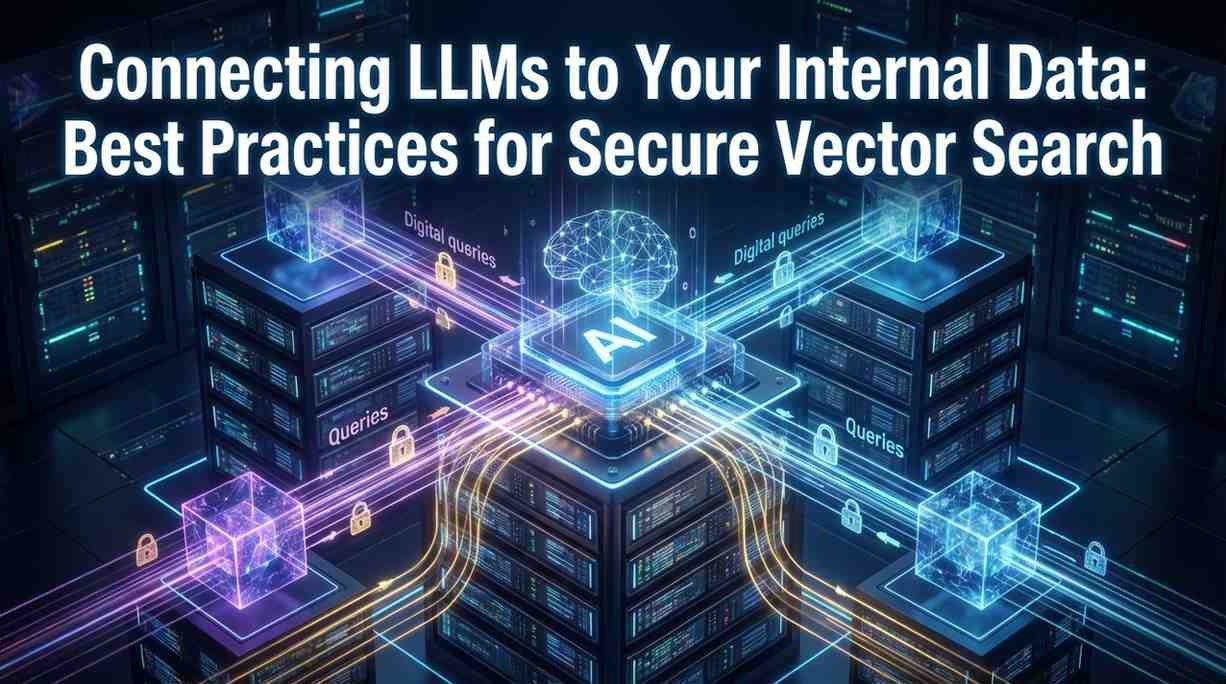
Introduction
TL;DR Large language models are powerful out of the box. They answer questions. They summarize documents. They draft content with impressive fluency.
But they do not know your business.
They have not read your internal policies. They have not seen your product documentation. They know nothing about your proprietary processes, your customer history, or your engineering decisions.
That gap limits their value. A model that cannot access your internal knowledge cannot give answers specific to your organizationLLMs internal data secure vector search solves this problem. It connects AI models to your proprietary knowledge base in a way that is fast, accurate, and safe.
This blog explains how that connection works, what best practices govern it, and how to build it without compromising data security.
Table of Contents
Why LLMs Need Access to Internal Data
A base LLM carries general knowledge from public training data. It knows about common frameworks, general industry concepts, and widely available information.
It does not know what your company decided in last quarter’s strategy meeting. It cannot reference your internal SOP library. It has no idea how your custom software architecture works.
Teams that rely solely on base model knowledge get generic answers. Those answers rarely solve internal problems accurately. Engineers waste time. Customer service agents give incomplete responses. Decision-makers lack the specific context they need.
Connecting LLMs internal data secure vector search architecture changes this entirely. The model gains access to relevant internal documents at query time. It retrieves the specific context it needs. Its responses become grounded in actual organizational knowledge.
The business value is immediate. Employees get accurate answers faster. Knowledge that used to live in silos becomes accessible across teams. Onboarding new staff accelerates when internal knowledge is instantly queryable.
The challenge is doing this without exposing sensitive data to the wrong people or systems.
Understanding Vector Search: The Foundation of the Architecture
What a Vector Is in AI Context
Every document, paragraph, or chunk of text can represent itself as a list of numbers. That list is called a vector or embedding.
The numbers capture meaning. Two pieces of text about similar topics produce similar vectors even when they use different words. A question about remote work policies and a paragraph describing your telecommute guidelines will have similar vector representations.
This mathematical similarity is the engine of semantic search. Traditional keyword search finds documents containing the exact words you typed. Vector search finds documents that mean what you asked.
For internal knowledge retrieval, meaning-based search dramatically outperforms keyword matching. Employees rarely know exactly what phrase to search for. They describe what they need. Vector search finds it.
How a Vector Database Works
A vector database stores embeddings alongside the original text and metadata. When a query arrives, it converts the query into a vector. It then searches the database for stored vectors that are mathematically closest to the query vector.
The closest vectors represent the most semantically relevant content. The system retrieves that content and passes it to the LLM as context.
This process is called retrieval-augmented generation, or RAG. The LLM does not need to memorize your internal documents. It retrieves relevant chunks at the moment they are needed and uses them to generate accurate, grounded responses.
LLMs internal data secure vector search builds on this RAG foundation. It adds security controls, access governance, and data isolation to a process that would otherwise expose all internal documents equally to all queries.
Why Vector Search Scales Where Keyword Search Cannot
Internal knowledge bases grow constantly. A company with two years of documentation might have tens of thousands of documents. A company with a decade of history might have millions.
Keyword search becomes unreliable at that scale. Synonyms, acronyms, and paraphrasing cause relevant documents to go unfound. Irrelevant documents with matching keywords surface incorrectly.
Vector search scales with document volume. Nearest-neighbor search algorithms find relevant content efficiently across millions of embeddings. Quality does not degrade significantly as the knowledge base grows.
The Security Problem With Internal Data and LLMs
Connecting an LLM to internal data creates real risks. Those risks are manageable with the right architecture. They are serious when ignored.
Data Exfiltration Through Model Responses
An LLM that retrieves internal content can include that content in its response. If access controls are missing, a user might query the system and receive content they have no clearance to see.
An engineer asking a general question might receive a response containing sensitive HR data if the retrieval system does not filter by user permissions. A contractor might access proprietary research if document-level access controls are absent.
Poorly designed LLMs internal data secure vector search systems treat all documents as equally accessible to all users. That design is a security liability.
Embedding Extraction Attacks
Embeddings encode meaning from the original text. In some architectures, it is possible to partially reconstruct source content from embeddings alone through systematic querying.
Vector databases that store sensitive documents need protection at the embedding layer, not just at the response layer. Logging all queries and monitoring for patterns consistent with extraction attempts forms part of a complete security posture.
Prompt Injection via Retrieved Content
Malicious content in your internal data store can hijack model behavior. If a document contains instructions formatted to look like system prompts, some models will follow those instructions when they retrieve and process the document.
This attack is called indirect prompt injection. It is a genuine risk in RAG architectures that retrieve content without sanitization.
Validating retrieved content before passing it to the model, and using models with strong instruction hierarchy, reduces this risk significantly.
Architecture Patterns for Secure Vector Search
The Standard RAG Pipeline With Security Layers
A secure RAG pipeline adds access control at three points: ingestion, retrieval, and response.
At ingestion, every document receives metadata tags indicating its security classification, owner, department, and permitted user roles. These tags store alongside the embedding in the vector database.
At retrieval, every query carries the authenticated user’s identity and role claims. The vector search filters results by permission metadata before returning candidate documents. A user only receives embeddings from documents they have permission to view.
At response, the LLM generates its answer using only the retrieved context. A response guard checks the output for patterns suggesting unauthorized content inclusion before delivery.
This three-layer security model is the foundation of production-grade LLMs internal data secure vector search systems.
Namespace Isolation in Vector Databases
Most enterprise vector databases support namespaces or collections. These create logical partitions within the database. Each partition holds documents belonging to a specific department, classification level, or project.
Query routing determines which namespace a user can access based on identity claims. A finance team member queries only the finance namespace. An engineering lead queries the engineering namespace. Executive leadership might access a curated cross-namespace index.
Namespace isolation provides hard boundaries between data domains. Even if a permission check logic error occurs, cross-namespace contamination is prevented by the database architecture itself.
Hybrid Search: Combining Vector and Keyword Retrieval
Pure vector search excels at semantic similarity. It sometimes misses exact matches for specific product names, codes, or technical terms.
Hybrid search combines vector retrieval with sparse keyword retrieval. It runs both simultaneously and merges results using a reranking algorithm.
This approach produces better recall for internal technical documentation. A query about a specific internal tool by its exact name benefits from keyword matching. A conceptual question benefits from vector similarity. Hybrid search delivers both.
LLMs internal data secure vector search implementations using hybrid retrieval show measurably better answer quality compared to pure vector approaches on typical enterprise knowledge bases.
Chunking Strategy and Its Impact on Security
Documents must be split into chunks before embedding. Chunk size affects both retrieval quality and security granularity.
Large chunks carry more context but may mix sensitive and non-sensitive content within a single retrievable unit. Retrieving a large chunk to answer an innocuous question might expose a sensitive paragraph within the same chunk.
Smaller chunks allow finer-grained access control. Each chunk can carry its own permission metadata derived from the section or paragraph it represents.
Security-conscious LLMs internal data secure vector search implementations use fine-grained chunking with per-chunk permission tags rather than document-level tags alone.
Best Practices for Secure Data Ingestion
Document Classification Before Embedding
Every document entering the vector database needs a classification before it receives an embedding.
Classification assigns a sensitivity level — public, internal, confidential, restricted. It assigns ownership — the team or individual responsible for the content. It assigns permitted roles — which job functions can access the document.
Automated classification using ML classifiers speeds this process at scale. Human review validates classifications for high-sensitivity documents before they enter the production index.
Documents without classification metadata should be quarantined. They should not enter the live index until metadata is complete.
Incremental Indexing and Version Control
Internal documents change. Policies update. Product specs get revised. Old versions become obsolete.
Your ingestion pipeline needs to track document versions. When a document updates, the old chunks delete from the index and new chunks from the updated version replace them.
Serving outdated document versions creates both accuracy and compliance risks. An employee acting on information from an outdated policy document is a real operational problem.
Build version tracking into your ingestion pipeline from the start. Retrofitting it onto a mature index is painful.
PII Detection and Redaction at Ingestion
Internal documents often contain personally identifiable information. Employee records, customer correspondence, and support tickets all carry PII.
PII should identify and redact before embedding. Storing PII in vector databases creates compliance obligations under GDPR, CCPA, and other data protection regulations.
Automated PII detection tools scan documents during ingestion. They flag social security numbers, email addresses, phone numbers, credit card data, and other sensitive identifiers. Redaction replaces these with anonymized tokens before the document embeds and stores.
This step protects individuals and reduces your organization’s regulatory exposure from LLMs internal data secure vector search deployments.
Authentication and Authorization Architecture
Identity Integration With Your Vector Search System
Your vector search system needs to know who is asking. Identity integration connects the search API to your existing identity provider.
Most enterprise teams use SSO via SAML or OAuth 2.0 with an identity provider like Okta, Azure Active Directory, or Google Workspace. Your vector search API validates tokens from these providers before executing any query.
Every query carries a bearer token. The search system validates the token, extracts user identity and role claims, and uses those claims to filter retrievable documents.
No query should execute without a valid, current authentication token. Anonymous queries have no place in a system connected to sensitive internal data.
Role-Based Access Control for Document Retrieval
RBAC assigns permissions to roles, not individuals. A user inherits permissions from their role assignment.
Map your organizational roles to document permission tags. An “engineering-member” role maps to engineering documents. A “legal-counsel” role maps to legal documents. A “c-suite” role maps to executive and board-level documents.
Role assignments stay current by syncing with your HR system. When an employee changes departments, their role updates automatically. Their access to internal documents changes accordingly.
Attribute-based access control extends RBAC with context-specific rules. A user with “engineering-senior” role might access architecture documents only during business hours, or only when connecting from a corporate network.
Just-In-Time Access for Sensitive Queries
Some internal documents require heightened protection even from authorized users. Financial projections, M&A documents, and personnel review records fall into this category.
Just-in-time access requires an explicit access request before highly sensitive documents become retrievable. A user submits a request specifying the document or namespace they need. An approver grants time-limited access. Access expires automatically.
JIT access creates an audit trail for every interaction with highly sensitive content. It reduces standing exposure from broad role permissions.
Choosing the Right Vector Database for Enterprise Use
Pinecone for Managed Infrastructure
Pinecone offers a fully managed vector database with strong performance and simple API integration. It suits teams that want production-grade infrastructure without managing servers.
Pinecone supports namespaces for data isolation. It provides metadata filtering for permission-based retrieval. It scales automatically with index size.
For teams early in their LLMs internal data secure vector search journey, Pinecone reduces infrastructure overhead significantly.
Weaviate for Self-Hosted Security Requirements
Weaviate deploys on your own infrastructure. Teams with strict data residency requirements or air-gapped environment needs benefit from self-hosting.
Weaviate supports multi-tenancy with strict tenant isolation. Each tenant’s data is fully separated at the storage layer. It also supports hybrid search natively, combining vector and keyword retrieval in a single query.
Teams in regulated industries — healthcare, finance, government — often choose Weaviate for its self-deployment flexibility.
Qdrant for High-Performance On-Premises Deployments
Qdrant is an open-source vector database built for high performance. It handles large-scale deployments efficiently. It deploys on-premises or in private cloud environments.
Qdrant supports payload filtering for metadata-based access control. It provides RBAC through its enterprise edition. Its Rust-based architecture delivers strong performance at scale.
pgvector for Teams Already Using PostgreSQL
pgvector extends PostgreSQL with vector similarity search. Teams already managing data in Postgres can add vector search without introducing a separate database system.
pgvector inherits all of PostgreSQL’s security features — row-level security, role management, encryption at rest and in transit. This makes it a natural fit for teams with strong existing Postgres security posture.
Monitoring, Logging, and Compliance
Query Logging for Audit and Anomaly Detection
Every query to your internal search system deserves a log entry. Log the user identity, query timestamp, query text hash, documents retrieved, and response metadata.
Do not log full query text if queries themselves might contain sensitive data. Log anonymized hashes that preserve audit trail functionality without creating secondary data exposure.
Analyze query logs for anomaly patterns. Unusually high query volume from a single user, queries targeting documents outside normal role scope, or systematic retrieval patterns consistent with data harvesting all warrant investigation.
Data Residency and Compliance Documentation
Regulated industries require documentation of where data lives and how it travels through systems.
Map your data flows. Document where embeddings are generated. Document where they are stored. Document which systems process queries. Document which systems receive responses.
GDPR Article 30 requires records of processing activities for EU personal data. HIPAA requires documentation of PHI safeguards. Your LLMs internal data secure vector search system needs to fit within these compliance frameworks, not operate outside them.
Model Output Filtering and Redaction
Even with strong retrieval controls, model responses can occasionally surface content that should not appear in output.
Response filtering scans LLM output before delivery. It applies the same PII detection rules used during ingestion. It flags responses containing patterns associated with restricted content categories.
Flagged responses route to a human review queue rather than delivering automatically. High-confidence violations block delivery and trigger an alert.
Output filtering forms the last line of defense in a defense-in-depth security architecture.
Performance Optimization Without Compromising Security
Caching Strategies for Repeated Queries
Many internal queries are repetitive. Employees ask similar questions about common policies, procedures, or product details.
Semantic caching stores previous query-response pairs. When a new query is semantically similar to a cached query, the system returns the cached response without hitting the vector database.
Caching must respect user permissions. A cached response generated for a senior manager should not return for a junior employee if the underlying documents have different access levels.
Permission-aware semantic caching delivers performance benefits without creating access control gaps.
Embedding Model Selection and Latency Trade-offs
Larger embedding models produce higher-quality representations but take longer to generate. Smaller models are faster but may miss nuanced semantic similarity.
For internal document retrieval, mid-sized embedding models strike the right balance. Models like text-embedding-3-small from OpenAI or nomic-embed-text from Nomic AI deliver strong performance at reasonable latency.
Benchmark embedding models on your specific internal document types before selecting one for production. Embedding quality varies significantly across domains.
Approximate Nearest Neighbor Search for Scale
Exact nearest-neighbor search guarantees finding the closest vectors in a database. It becomes slow at very large index sizes.
Approximate nearest-neighbor algorithms like HNSW trade a small amount of recall accuracy for dramatic speed improvements. Most production vector databases use HNSW or similar algorithms by default.
For most enterprise knowledge bases, approximate search at 95%+ recall is perfectly adequate. The tiny fraction of missed relevant documents does not justify the latency cost of exact search.
Frequently Asked Questions
What is secure vector search for LLMs?
Secure vector search connects LLMs to internal document stores using embedding-based retrieval with access controls. It ensures users only retrieve documents their role permits them to access. It combines semantic search accuracy with enterprise security requirements.
What is RAG and why does it matter for internal data?
RAG stands for retrieval-augmented generation. It retrieves relevant internal documents at query time and passes them to the LLM as context. The model generates responses grounded in your actual internal knowledge rather than general training data.
How do I prevent unauthorized data access in a vector search system?
Apply permission metadata to every document chunk during ingestion. Filter retrieval results by user identity and role claims on every query. Use namespace isolation for hard data domain boundaries. Audit query logs regularly for anomalous access patterns.
Which vector database is best for enterprise security?
The best choice depends on deployment requirements. Pinecone suits teams wanting managed infrastructure. Weaviate suits teams needing self-hosted deployment for data residency compliance. Qdrant suits high-performance on-premises requirements. pgvector suits teams already committed to the PostgreSQL ecosystem.
What is prompt injection in RAG systems?
Prompt injection occurs when malicious content in a retrieved document contains instructions that hijack the LLM’s behavior. Prevent it by sanitizing retrieved content before passing it to the model and using models with strong system prompt adherence.
How should I handle PII in internal documents before vectorizing them?
Run automated PII detection on every document during ingestion. Redact or tokenize identified PII before generating embeddings. Do not store PII in vector databases unless your compliance framework explicitly permits it and protects it accordingly.
Can I use open-source LLMs for internal data retrieval?
Yes. Open-source models like Llama 3, Mistral, or Qwen deploy on your own infrastructure. This approach keeps internal data entirely within your environment. Self-hosted models suit organizations with strict data sovereignty requirements.
How do I keep my vector index current as documents change?
Build an incremental indexing pipeline that monitors document sources for updates. When a document changes, delete its old chunks from the index and generate new embeddings from the updated version. Track document versions and update timestamps in your metadata store.
What chunking strategy works best for enterprise documents?
Use smaller chunks — 200 to 400 tokens — for documents containing mixed sensitivity levels or detailed technical content. Larger chunks work for narrative documents where context continuity matters. Apply per-chunk permission metadata for fine-grained access control regardless of chunk size.
How do I measure the quality of my vector search retrieval?
Track retrieval precision — the percentage of retrieved documents that were actually relevant. Track recall — the percentage of relevant documents that were retrieved. Use human evaluation on a sample of queries monthly. Monitor user feedback signals like thumbs-down ratings or follow-up clarifying queries.
Read More:-Automating Insurance Claims: How AI Agents Are Cutting Processing Time by 70%
Conclusion
Connecting LLMs to internal data is one of the highest-value AI investments an organization can make. It turns a general-purpose model into a knowledgeable assistant that understands your business.
The technology foundation is mature. Vector databases are production-ready. RAG architectures work reliably at enterprise scale. Embedding models produce high-quality representations across diverse document types.
The security foundation requires deliberate design. Access controls at ingestion, retrieval, and response layers work together to protect sensitive information. Authentication integration, namespace isolation, PII redaction, and query logging each play a specific role.
LLMs internal data secure vector search is not a single tool. It is an architecture composed of well-chosen components governed by security principles applied at every layer.
Teams that build this architecture carefully get compounding returns. Every document added to the index increases the model’s usefulness. Every query answered well builds employee trust in the system. Every security control maintained builds organizational confidence that internal data stays protected.
Start with a clear data classification policy. Choose a vector database that fits your deployment requirements. Build permission-aware retrieval from day one. Monitor access logs consistently. Retrain and update embeddings as documents evolve.
LLMs internal data secure vector search done right gives every employee accurate, fast, contextually grounded answers from your organization’s full knowledge base — without exposing that knowledge base to the wrong hands.
That combination of intelligence and security is the foundation of trustworthy enterprise AI.