Introduction
TL;DR You land an ML internship. The excitement is real. You open your laptop. You stare at a blank terminal. Nobody tells you where to begin.
Most interns read papers all week. Smart interns ship something fast. That something is a Hugging Face model.
This blog walks you through the full journey. You will go from a simple idea to a working, deployed Hugging Face model. Real steps. Real decisions. Real output.
Table of Contents
Why Every ML Intern Should Start With a Hugging Face Model
The ML world moves fast. Tools change every quarter. But one platform stays central to every conversation. That platform is Hugging Face.
A Hugging Face model gives you visibility. Your mentor can review it. Recruiters can find it. The open-source community can use it. That matters more than any private notebook.
Hugging Face also gives you structure. Their Model Hub, Datasets library, and Spaces product create a clear workflow. You stop guessing what to do next.
Many interns spend months on local experiments nobody ever sees. A shipped Hugging Face model changes that completely. It becomes your first real portfolio piece.
Secondary Keyword Focus: Hugging Face Hub, Model Card, Transformers Library
The Hugging Face Hub hosts thousands of community models. Each model lives at a unique URL. That URL is shareable. That URL is your proof of work.
The Transformers library powers most of what you will build. It wraps complex architectures into simple Python calls. Interns love it for that reason.
A Model Card is a short documentation file. It explains what your model does. It describes the training data. It lists known limitations. Writing one shows professionalism.
Choosing the Right Problem for Your First Hugging Face Model
Scope kills most internship projects. The idea is too big. The data is too messy. The timeline disappears.
Pick a narrow problem. Text classification works great for beginners. Sentiment analysis on product reviews is a classic starting point. Named entity recognition is another solid choice.
Ask yourself one question. Can I describe my Hugging Face model in one sentence? If you cannot, the scope is too wide.
Good scoping also means good data. Use existing Hugging Face datasets first. The IMDB dataset, the AG News dataset, and the SQuAD dataset are all available out of the box.
Avoid custom data collection in week one. That kills momentum. Use what exists. Ship fast. Iterate later.
Secondary Keyword Focus: Fine-tuning, Pre-trained Models, NLP Tasks
Fine-tuning is the core skill here. You take a pre-trained model. You adapt it to your specific task. This is efficient. This is industry standard.
Pre-trained models save you months of compute time. BERT, RoBERTa, and DistilBERT are all available on Hugging Face. You do not build from scratch. You build on top.
NLP tasks dominate most beginner projects. That is fine. The pattern you learn scales to vision, audio, and multimodal tasks later.
Setting Up Your Development Environment the Right Way
Environment setup is not glamorous. But doing it wrong costs you days. Do it right from the start.
Create a virtual environment first. Use conda or venv. Never install packages globally on your work machine. That creates conflict fast.
Install the Transformers library from Hugging Face. Pair it with PyTorch or TensorFlow. Most modern tutorials use PyTorch. Stick with the majority unless your team says otherwise.
Also install the Datasets library and the Evaluate library. Both come from Hugging Face. Both will make your workflow cleaner.
Create a Hugging Face account. Generate an access token. Store it in a .env file. Never hardcode it in your scripts. This is a basic security habit.
Google Colab, Jupyter Notebook, GPU Access
Not every intern has GPU access. Google Colab solves that. The free tier works for small experiments. The Pro tier works for serious fine-tuning.
Jupyter Notebook is your friend for exploration. But ship your final training code as a Python script. Scripts are more reproducible. Reviewers prefer them.
If your company provides cloud credits, use them. AWS SageMaker, GCP Vertex AI, and Azure ML all integrate with Hugging Face models. Learn one of them during your internship.
Loading and Preprocessing Your Dataset With Hugging Face Tools
Data loading used to be painful. Hugging Face made it simple. The load_dataset function does the heavy lifting.
Call load_dataset with the dataset name. It downloads the data. It splits it into train, validation, and test sets. It even caches it locally for reuse.
Preprocessing means tokenization here. Your model needs numbers, not words. The tokenizer from your chosen model handles this conversion.
Use the map function on your dataset. Apply the tokenizer across all rows. Set batched=True for speed. This is the standard pattern used in production pipelines.
Always check your data after loading. Print a few rows. Check label distributions. Look for class imbalance. Catching data issues early saves hours of debugging later.
Tokenizer, Data Collator, DataLoader
The tokenizer is model-specific. Use AutoTokenizer to load the right one automatically. Passing the wrong tokenizer creates silent errors. Use Auto classes always.
A data collator handles padding at batch level. Use DataCollatorWithPadding for classification tasks. It pads each batch to the same length dynamically.
The DataLoader wraps your dataset for PyTorch. It handles batching, shuffling, and parallel loading. Set num_workers to at least 2 for faster training loops.
Fine-Tuning a Pre-Trained Model Step by Step
This is the part most interns overthink. Fine-tuning is simpler than it looks. The Hugging Face Trainer class handles most complexity for you.
Load your base model with AutoModelForSequenceClassification. Pass the number of labels. The model adds a classification head automatically.
Define your TrainingArguments. Set output directory, learning rate, batch size, and number of epochs. Use a small learning rate. Something between 2e-5 and 5e-5 works well for most Hugging Face models.
Create a Trainer object. Pass your model, training arguments, datasets, tokenizer, and data collator. Call trainer.train(). Watch the loss go down.
Evaluation happens automatically if you pass an eval dataset. The Trainer logs metrics after each epoch. Check them. If validation loss rises while training loss falls, you are overfitting.
Use the compute_metrics function to track accuracy or F1. Pass it to your Trainer. This gives you real numbers to report to your manager.
Learning Rate, Epochs, Evaluation Strategy
Learning rate is the most sensitive hyperparameter. Start with 3e-5. Adjust based on your loss curves. Too high causes divergence. Too low causes slow progress.
Three to five epochs usually works for most fine-tuning tasks. More epochs risk memorizing the training data. Fewer epochs leave performance on the table.
Set evaluation_strategy to epoch or steps. Epoch-level evaluation is simpler. Step-level evaluation gives more granular feedback on longer training runs.
Evaluating Your Model Before You Push to Hugging Face
Evaluation is not optional. You cannot ship a Hugging Face model you have not tested. That wastes your time and damages your reputation.
Run your model on the test split. Calculate accuracy. Calculate F1 score. Look at the confusion matrix. Understand where the model fails.
Test on edge cases. Feed it short inputs. Feed it long inputs. Try inputs in different languages if your task is multilingual. Document what breaks.
Run inference manually too. Create a pipeline object. Pass raw text. See what the model outputs. This builds intuition that metrics alone cannot provide.
Compare your numbers to existing baselines. Hugging Face model pages often list evaluation results. Aim to match or beat the smallest comparable model.
Confusion Matrix, F1 Score, Inference Pipeline
The confusion matrix shows prediction errors visually. It reveals if your Hugging Face model biases toward one label. That bias often comes from class imbalance.
F1 score balances precision and recall. It works better than accuracy for imbalanced datasets. Always report F1 when classes are unequal in size.
The inference pipeline wraps your model for easy use. Create it once. Reuse it everywhere. It handles tokenization and decoding automatically.
Pushing Your Hugging Face Model to the Hub
This is the moment everything becomes real. Your Hugging Face model goes live. The world can now access it.
Login to Hugging Face from your terminal. Use huggingface-cli login. Paste your access token. Authentication is set.
Push your model with trainer.push_to_hub(). Pass your repository name. The Trainer uploads your weights, tokenizer, and config automatically.
Your Hugging Face model now has a URL. Share it in your internship report. Add it to your LinkedIn bio. Reference it in interviews. This is real career capital.
If you want manual control, use model.push_to_hub() and tokenizer.push_to_hub() separately. Both point to the same repository. Keep them in sync always.
Model Repository, Push to Hub, Access Token
Your model repository is public by default. Change it to private during development. Make it public when it is ready for others.
The push_to_hub method creates a Git-based repository. You can version your Hugging Face model like code. Roll back to older checkpoints if needed.
Access tokens have two types. Read tokens allow downloading. Write tokens allow uploading. Use a write token for the push. Store it safely in your environment.
Writing a Model Card That Gets Your Hugging Face Model Noticed
A Model Card is your model’s resume. It tells people if your Hugging Face model fits their needs. Skip it and people will skip your model.
Start with a one-paragraph summary. Describe the task. State the base model you used. Mention the dataset. Give the final evaluation score.
Document intended uses. Explain what the model can do. Explain what it cannot do. Both sections matter equally.
List training details. Share learning rate, batch size, and number of epochs. Include hardware info if relevant. This helps others reproduce your results.
Add a bias and limitations section. Every model has blind spots. Naming them builds trust. Ignoring them loses it.
Hugging Face renders Model Cards automatically on your model page. Use standard YAML metadata at the top. Set the language, license, and task tags correctly.
Model Card, YAML Metadata, License
YAML metadata sits at the top of your README.md file. It tells the Hugging Face Hub how to categorize your model. Fill every field you know. Leave nothing blank if you can help it.
Choose a license carefully. Apache 2.0 is common for open research. MIT is permissive for commercial use. CC-BY-NC prevents commercial use. Match your license to your intent.
Tag your model correctly. Use pipeline_tag to declare the task. Use tags to add related keywords. These tags drive discovery on the Hugging Face Hub.
Deploying a Demo With Hugging Face Spaces
A model without a demo is harder to sell. Hugging Face Spaces gives you an interactive demo in minutes. You do not need backend experience.
Create a new Space from your Hugging Face account. Choose Gradio as the SDK. Gradio builds Python-based web interfaces with minimal code.
Write a simple app.py file. Load your model from the Hub. Create a Gradio interface. Define input and output types. Call launch().
Push your app.py to the Space repository. Hugging Face builds the container automatically. Your demo goes live at a public URL within minutes.
Share that URL with your team. Send it to your manager. Add it to your portfolio website. Interactive demos convert skeptics fast.
Gradio, Streamlit, Hugging Face Spaces
Gradio is the most popular choice for Spaces. It requires just five lines of code for a basic text classification demo. Most interns finish their first Space in under an hour.
Streamlit is another option. It gives more design control. But it requires more code. Use Gradio first. Switch to Streamlit when you need custom layouts.
Both tools deploy as Docker containers on Hugging Face infrastructure. You pay nothing for free tier Spaces. Upgrade when you need GPU-backed inference.
FAQs: ML Interns Ask These Questions About Hugging Face Models
How long does it take to fine-tune a Hugging Face model?
It depends on model size and dataset size. Fine-tuning DistilBERT on 10,000 examples takes under 20 minutes on a single GPU. Larger models and datasets take hours. Use the smallest model that meets your accuracy needs.
Do I need a GPU to work with a Hugging Face model?
Not always. Small models run on CPU. But training is painfully slow without a GPU. Use Google Colab free tier for quick experiments. Ask your company for cloud GPU access for serious training.
What is the difference between a Hugging Face model and a pipeline?
A model is the raw set of weights. A pipeline wraps that model with a tokenizer and post-processing logic. Pipelines are easier for inference. Models give you more control during training.
Can I make my Hugging Face model private?
Yes. Set the repository to private during creation. You can change it to public later. Private models are only accessible to your team. They do not appear in public search results.
Should I always fine-tune or can I just use an existing Hugging Face model?
Start by testing existing models on your task. If a model already exists for your use case, use it. Fine-tune only when existing options fall short of your accuracy goals.
Common Mistakes ML Interns Make With Hugging Face Models
The first mistake is using a model too large for the problem. GPT-2 is overkill for simple classification. DistilBERT does the job faster and cheaper.
The second mistake is skipping evaluation. Interns rush to push. They skip the test set. A week later, someone reports a basic failure. That is embarrassing. Test before you push.
The third mistake is ignoring the Model Card. Models without documentation get ignored. A clear, detailed Model Card makes your Hugging Face model credible and discoverable.
The fourth mistake is not versioning. Push every meaningful checkpoint. The Hub supports versioning natively. Use it. You will want to compare older checkpoints later.
The fifth mistake is not using the Evaluate library. Many interns write metric functions from scratch. The Evaluate library already has F1, BLEU, ROUGE, and more. Stop reinventing the wheel.
Showcasing Your Hugging Face Model in Your Internship Report
Your internship ends with a presentation. Your manager needs to see impact. A live Hugging Face model is concrete impact.
Open your model page during the demo. Show the evaluation metrics. Click through the Space demo. Let your audience try it live. Real-time inference impresses everyone.
Explain the business relevance. Do not just talk about accuracy. Talk about what the model does for the product. Show how it solves a real problem.
Add the Hugging Face model link to your resume. Label it clearly. Recruiters who review ML roles understand what a public model means. It signals hands-on experience.
Read More:-What is Chain of Thought (CoT) Prompting?
Conclusion

Most ML interns leave without a shipped product. You do not have to be one of them.
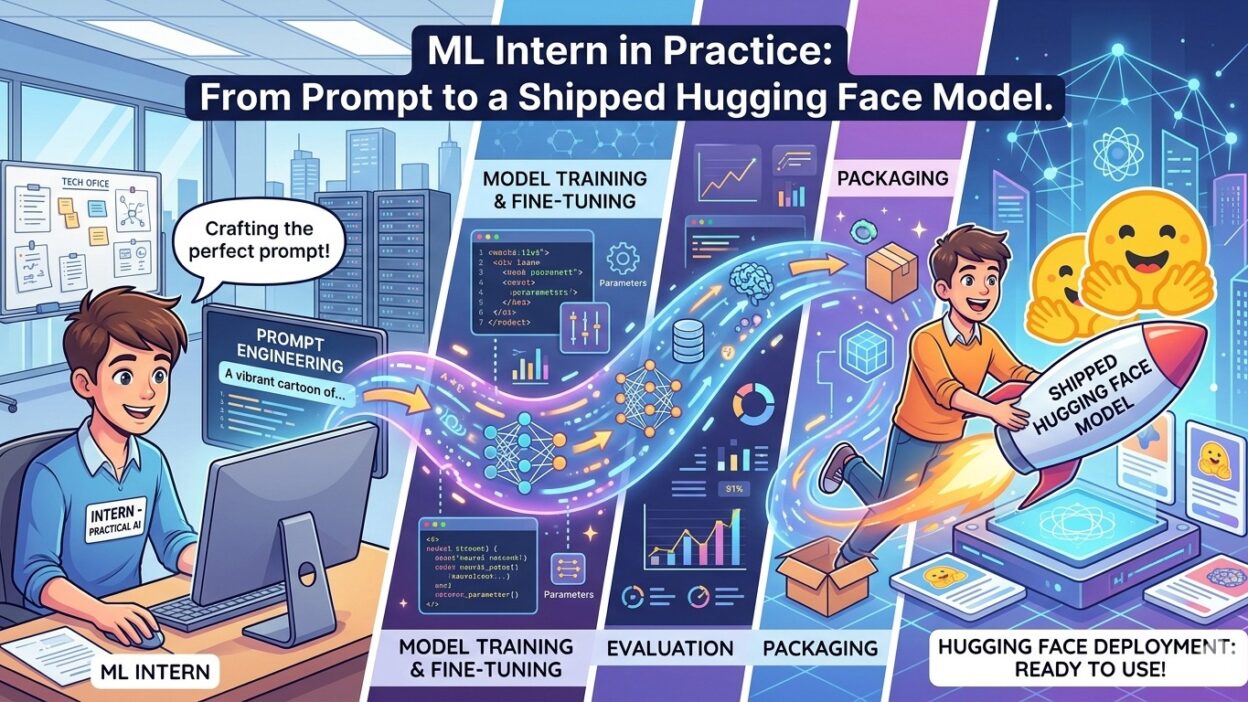
The path is clear. Pick a focused problem. Load data with Hugging Face tools. Fine-tune a pre-trained model. Evaluate it honestly. Push it to the Hub. Write a solid Model Card. Build a Gradio demo.
A public Hugging Face model proves you can go from idea to output. That is the skill companies pay for. That is the signal recruiters look for.
You started with a prompt and a blank terminal. You end with a deployed Hugging Face model the world can use. That gap is your growth. That gap is your story.