Introduction
TL;DR Your CRM holds your customer history. It tracks deals, emails, and next steps. A poor fit slows your sales team. A strong fit helps you close more deals with less effort.
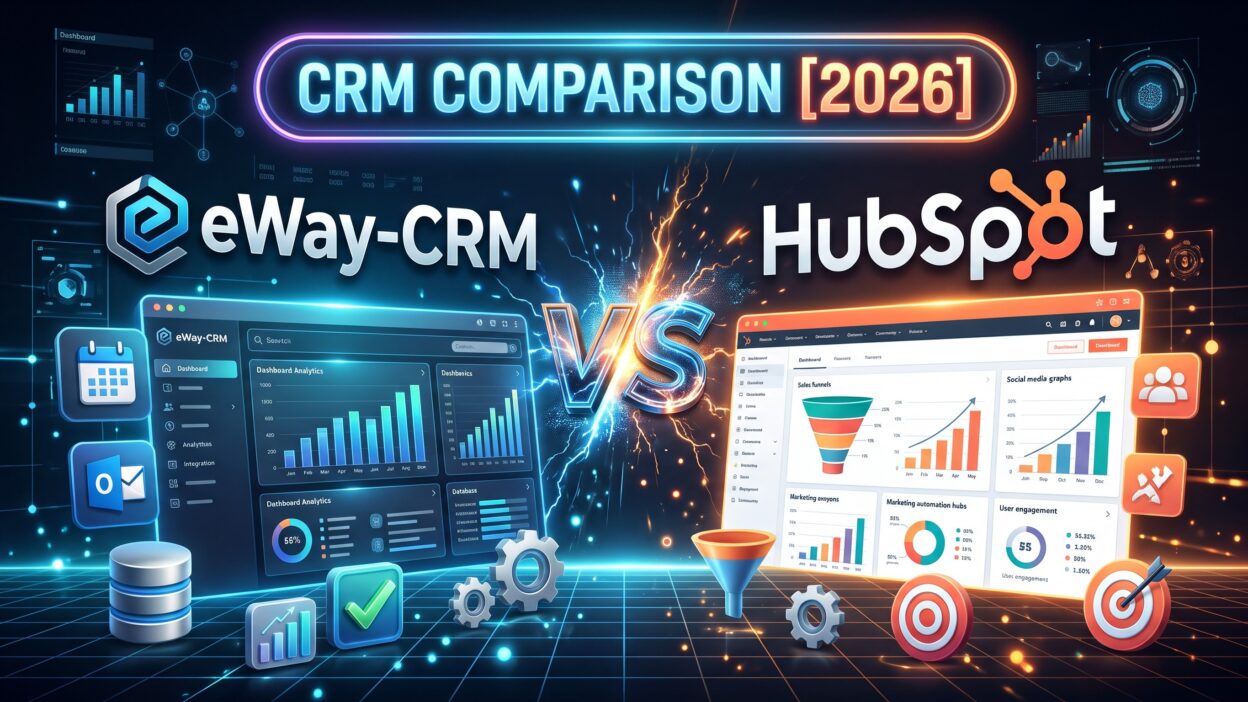
Many buyers face one tough question. Should the CRM live inside the tools you already use, or should it stand alone? eWay-CRM vs HubSpot puts that question front and center. Both tools manage contacts and deals. Both track your sales pipeline. Each takes a very different path.
Table of Contents
eWay-CRM vs HubSpot at a Glance
Here is the short version. eWay-CRM lives inside Microsoft Outlook. Your inbox becomes your CRM. Teams that work in email all day feel at home. Pricing stays modest.
HubSpot is a standalone platform. It offers a free CRM and paid tools for marketing, sales, and service. Teams get a wide toolkit in one place. Costs climb as you add features.
That split defines eWay-CRM vs HubSpot. One tool favors familiarity and focus. The other favors breadth and growth.
Your email habits matter. Your budget matters. Your marketing needs matter. Your team size matters. Rate yourself on each one before you read on. Your score will point to a likely winner.
What Is eWay-CRM?
eWay-CRM is a CRM built for Microsoft Outlook. It comes from a Czech software company. More than a thousand companies use it worldwide.
The tool embeds itself inside Outlook, so you open your inbox and the CRM is already there. Contacts sync with your Outlook address book. Emails link to deals with a click. The tool also connects with Teams, SharePoint, and Power BI.
Where eWay-CRM Shines
eWay-CRM shines for Outlook-first teams. Nobody needs to learn a new screen. A rep reads an email and saves it to a deal in seconds. Contacts, companies, projects, and documents sit in one place.
The tool also suits service firms. Construction, consulting, insurance, and manufacturing teams use it to track quotes and projects. Custom fields and workflows adapt to your process.
Where eWay-CRM Struggles
eWay-CRM leans on the Microsoft world. Teams that use Gmail or Mac-first tools find less value. Marketing tools stay light. You will not find a full email marketing suite or a huge app store. Large global teams may want more reporting depth.
What Is HubSpot?
HubSpot is a customer platform that began in marketing. The company launched in 2006. It now sells software for sales, marketing, service, content, and operations.
The free CRM draws millions of users. Paid Hubs add automation, reporting, and advanced tools. Most teams grow into the paid tiers over time.
Where HubSpot Shines
HubSpot shines at breadth. One login covers contacts, deals, email campaigns, forms, landing pages, and a help desk. Marketing and sales share one record. Reports show the full journey from first visit to closed deal.
The free tier helps startups. The interface feels modern. A huge app marketplace connects most business tools. Training content is plentiful.
Where HubSpot Struggles
HubSpot costs more as you grow. Seats, contacts, and Hubs add up quickly. Advanced features sit in higher tiers. Teams that live in Outlook may find the extra screen a burden. Some small teams pay for power they never use.
eWay-CRM vs HubSpot Features Compared
Feature depth decides many eWay-CRM vs HubSpot deals. Both tools handle core CRM work. Each one stores contacts, tracks deals, and reports on results. The gap shows up in where each tool works and how much it covers.
Contact and Company Management
eWay-CRM builds on your Outlook address book. Contacts sync in both directions. A new contact in Outlook appears in the CRM. Companies, relationships, and history link together.
HubSpot stores contacts in its own database. It enriches records with company data and tracks website visits. Timelines show every email, call, and meeting.
eWay-CRM wins for people who dislike double entry. HubSpot wins for teams that want rich profiles and web tracking.
Email and Outlook Integration
Email sits at the center of sales. eWay-CRM works inside Outlook. You save an email to a deal with one click. You send templates without leaving your inbox. Calendar items sync too.
HubSpot offers an Outlook add-in and a Gmail extension. You log email, track opens, and schedule messages. The experience works well. The CRM still lives in its own browser window.
Teams that spend ten hours a day in Outlook feel the difference. eWay-CRM removes a step. HubSpot adds a tab.
Sales Pipeline and Deal Tracking
Both tools offer visual pipelines. You drag deals across stages. You set values, dates, and owners. Reports show win rates and forecasts.
eWay-CRM lets you shape stages and workflows to match your process. Quotes and projects connect to deals. HubSpot offers sales sequences, task queues, and forecasting tools in paid tiers.
HubSpot gives you more sales automation. eWay-CRM gives you simpler daily work.
Marketing and Automation
HubSpot leads this category. Its marketing tools include email campaigns, forms, landing pages, and social posting. Workflows automate follow-up. Lead scoring ranks prospects.
eWay-CRM covers basic mass mailing and simple automation. It does not try to replace a marketing suite. Teams often pair it with a separate email tool.
If marketing drives your growth, HubSpot fits better. If your sales come from direct outreach and referrals, eWay-CRM may cover your needs.
Reporting and Customization
Both platforms offer dashboards and reports. HubSpot builds polished views with ease. Paid tiers unlock custom reports and attribution tools.
eWay-CRM offers flexible views, custom fields, and workflows. Power BI support helps teams with deeper analysis. Plan limits cap some features at lower tiers.
Ask one question. Who reads your reports? Executives who want marketing attribution favor HubSpot. Managers who want pipeline clarity do fine with eWay-CRM.
eWay-CRM vs HubSpot Pricing in 2026
Pricing drives many eWay-CRM vs HubSpot searches. Both vendors publish starting prices. Total cost depends on your team size and feature needs.
eWay-CRM Pricing
eWay-CRM prices per user each month. The Lite plan costs $20 per user monthly, and the Plus plan costs $40. A free trial is available. Higher plans add shared views, workflows, custom fields, and more calendar sync.
Annual billing lowers the rate. Add-ons may raise the bill. Count users carefully. Every seat adds cost.
Small teams often pay a fair price for what they get. The tool rewards Outlook users.
HubSpot Pricing
HubSpot pricing starts at zero for the free CRM. Third-party sites list paid entry prices near twenty dollars per user monthly. Check HubSpot’s own page for current numbers.
Costs rise with each tier. Professional and Enterprise plans cost far more. Marketing Hub adds a separate bill that grows with contact counts. Onboarding fees may apply to higher tiers.
The free tier gives startups a strong head start. A growing team often outgrows it.
Hidden Costs
The license is only part of the bill. Setup takes time. Data import takes care. Training takes hours. Add-ons may need extra fees.
Switching costs matter. Moving contacts, deals, and files takes weeks. Plan for that work before you start.
Build a twelve-month cost model for each tool. Count seats, add-ons, and growth. HubSpot may cost more at scale. eWay-CRM may cost less per seat. The cheaper sticker price does not always win. A tool that fits your habits saves money in lost time.
eWay-CRM vs HubSpot: Ease of Use and Setup
Setup speed is where eWay-CRM vs HubSpot differs in surprising ways. Your team will use the tool every day. Comfort matters.
Learning Curve
eWay-CRM feels familiar to Outlook users. The layout looks like Outlook. Reps learn it fast. Admins need some time to shape workflows.
HubSpot feels modern and friendly. Guided tours help new users. The free tier lets you learn at no cost. Paid features take more training.
Implementation Time
eWay-CRM installs as an Outlook add-in. Small teams launch in days. You import contacts, set up fields, and train your reps. A partner can help with larger rollouts.
HubSpot launches quickly in its free form. Full paid setups take weeks. Teams connect tools, build workflows, and train reps. Onboarding help is available at higher tiers.
Team Skills Needed
Both tools suit non-technical users. eWay-CRM needs a Microsoft-savvy admin. HubSpot needs a marketer or ops lead who enjoys building. Count your people before you choose. A great tool with no owner fails quickly.
Integrations, Support, and Community
Support quality shapes the eWay-CRM vs HubSpot choice more than buyers expect. You will need help during setup. You will need help when something breaks.
eWay-CRM connects to Microsoft 365, Teams, SharePoint, and Power BI. It also links to accounting and ERP tools through partners. Users rate its customer support highly. Local partners in Europe offer hands-on help.
HubSpot connects to thousands of apps. Salesforce, Slack, Zoom, Shopify, and many others link in. A large academy offers free courses. A big community answers questions fast. Support quality varies by tier.
Read recent reviews on Capterra and G2. Look for patterns in the last six months. Ask each vendor for two customer references near your size. Call them. Ask what went wrong in the first ninety days. Honest answers reveal more than any sales deck.
eWay-CRM vs HubSpot: Which CRM Fits Your Business?
Use this eWay-CRM vs HubSpot guide as a filter. Match your situation to the profile below.
Who Should Choose eWay-CRM
Choose eWay-CRM if your team lives in Outlook. Choose it if you run Microsoft 365. Choose it if you want a simple tool at a fair price. Choose it if you sell quotes, projects, or services.
Consultants, manufacturers, insurers, and construction firms fit well. They manage long deals with many emails. They want less admin work.
Plan for light marketing tools. If you need a full campaign suite, budget for a second product. Test the Outlook fit with your whole team before you commit.
Who Should Choose HubSpot
Choose HubSpot if marketing drives your growth. Choose it if your team uses many browsers and devices. Choose it if you want a free start. Choose it if you plan to add service and content tools.
Startups, online brands, and growth teams fit well. They want one platform that scales. They value reports that connect marketing to revenue.
Budget must stretch with growth. Paid tiers add real cost. Set a spending cap before you expand. Review your plan each quarter.
eWay-CRM vs HubSpot and Other Alternatives
Some buyers look past both tools. HubSpot alternatives and eWay-CRM alternatives exist at every price point. Pipedrive, Zoho CRM, Salesforce, Microsoft Dynamics 365, and Freshsales all compete here. Each one serves a slightly different buyer.
Pipedrive suits teams that want a simple pipeline. Zoho suits budget-minded teams. Salesforce suits large enterprises. Dynamics suits Microsoft-heavy companies that want deeper power.
Build a short list of three tools. Include eWay-CRM or HubSpot based on your habits. Add one outsider. Run the same test on all three. The outsider keeps both vendors honest on price and features.
How to Decide: A Simple Evaluation Plan
Run the same test on both tools. A fair eWay-CRM vs HubSpot trial needs one script. Write the script before you meet any vendor.
Start with your goals. Write down three outcomes. Maybe you want faster follow-up, cleaner data, or better forecasts. Rank them.
List your daily tools. Name your email, calendar, accounting, and marketing apps. Ask each vendor to connect real data in a demo. Skip the canned demo.
Build a scoring sheet. Rate each tool on ease of use, email fit, pipeline tools, marketing depth, support, and cost. Weight each row by importance. Let two reps and one manager score the tools. Their daily view matters most.
Run a pilot. Use each tool for two weeks with real deals. Measure time saved, data quality, and rep feedback.
Negotiate last. Ask for annual discounts. Ask for onboarding help. Ask for a clear exit clause. Vendors expect this. Use your leverage before you sign.
eWay-CRM vs HubSpot FAQs
Is eWay-CRM better than HubSpot?
Neither tool wins every case. eWay-CRM wins for Outlook-first teams that want simplicity and value. HubSpot wins for teams that want marketing tools and a free start. Your habits and goals decide the better fit.
What is the main difference in eWay-CRM vs HubSpot?
The main difference in eWay-CRM vs HubSpot is location. eWay-CRM lives inside Outlook. HubSpot lives in its own platform. The first removes extra steps for email-heavy teams. The second offers a wider toolkit.
Is eWay-CRM vs HubSpot pricing similar?
eWay-CRM vs HubSpot pricing looks similar at the entry level. Both list starting prices near twenty dollars per user monthly on some review sites. Costs diverge as you grow. HubSpot tiers climb faster. Compare full bundles before you decide.
Does eWay-CRM work without Outlook?
eWay-CRM is built around Outlook. Its value drops without it. Teams that use other email tools should test alternatives.
Does HubSpot have a free plan?
Yes. HubSpot offers a free CRM. It covers contacts, deals, and basic tools. Advanced features need paid plans.
Which CRM is better for a small business?
Both suit small businesses. Choose eWay-CRM if you use Outlook and want focus. Choose HubSpot if you want marketing tools and room to grow.
Can I switch CRMs later?
Yes. Export your contacts, deals, and notes. Plan the move for a slow season. Test the import on a small batch first.
Read More:-Constant Contact vs. Marketo: How Do They Compare in 2026?
Conclusion

Choosing between these two CRM tools comes down to fit. eWay-CRM vs HubSpot is not a contest with one clear winner. Each tool serves a different team.
eWay-CRM gives you focus and familiarity. You work inside Outlook. You skip double entry. You pay a fair price. Microsoft-centered teams get the most from it.
.