Introduction
TL;DR Enterprise development teams face a real decision right now. AI-powered IDEs are no longer experimental toys. They are production tools that shape how fast teams ship, how clean code stays, and how much technical debt accumulates.
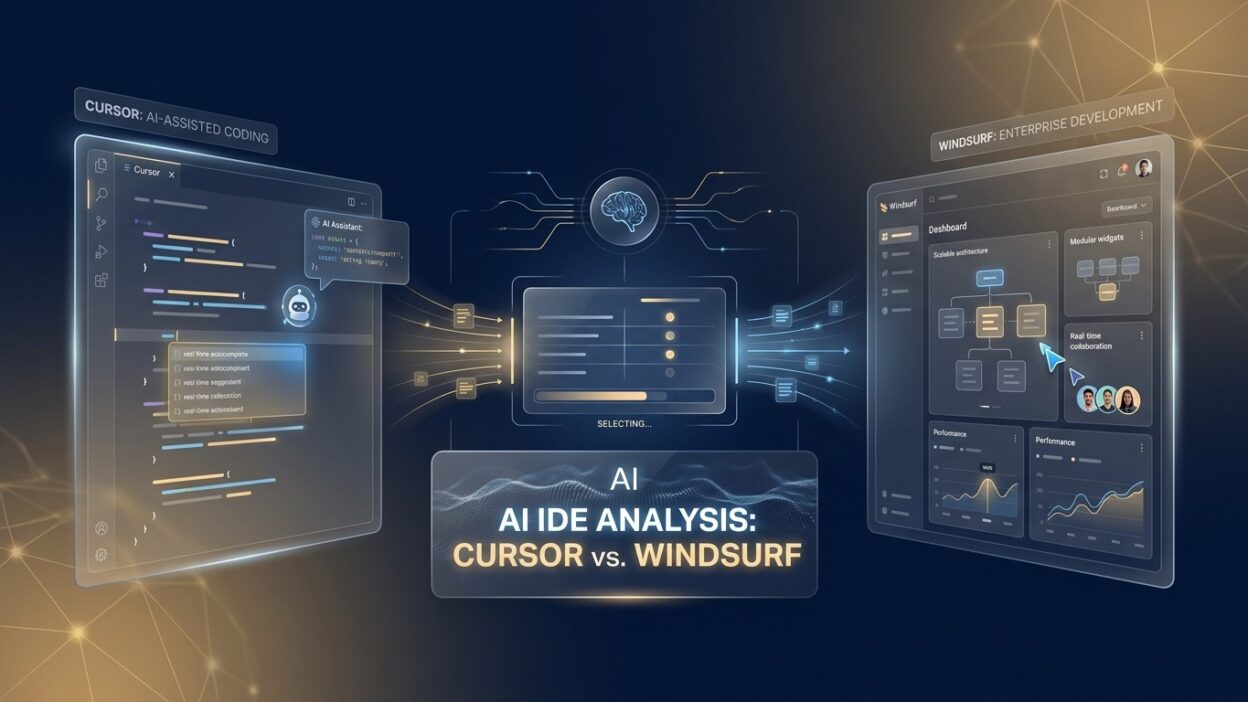
Two names dominate every serious conversation about AI development environments in 2026. Cursor vs Windsurf AI IDE is the comparison that engineering leads, CTOs, and senior developers keep coming back to. Both tools are genuinely excellent. Both have real strengths. The right choice depends on your team’s workflow, scale, and priorities.
This guide goes deep on both tools. It covers architecture, features, performance, security, pricing, and real enterprise use cases. By the end, you will know exactly which tool deserves a place in your development stack.
Table of Contents
The Rise of AI IDEs in Enterprise Software Development
Enterprise software development is under relentless pressure. Release cycles are shorter. Codebases are larger. Talent is expensive and scarce. Teams need tools that multiply their output without multiplying their headcount.
AI IDEs emerged as a direct response to this pressure. They embed large language model capabilities directly into the development environment. Developers write faster, debug smarter, and navigate unfamiliar code with confidence.
The Cursor vs Windsurf AI IDE debate sits at the center of this shift. These two tools represent the most mature, most capable AI IDE options available to enterprise teams today. Understanding their differences is not a matter of personal preference. It is a strategic decision with real business implications.
Enterprise teams that adopt the right AI IDE report measurable improvements in developer velocity. Code review cycles shorten. Onboarding time for new engineers drops. Junior developers produce output closer to senior quality. These gains compound over time and create durable competitive advantages.
The discussion around Cursor vs Windsurf AI IDE is not just about features. It is about fit. Which tool integrates with your existing CI/CD pipelines? Which one satisfies your security team? Which one your developers actually enjoy using every day? These questions matter as much as any benchmark comparison.
What Is Cursor? A Deep Dive Into the AI-First VS Code Fork
Core Architecture and Design Philosophy
Cursor is a fork of Visual Studio Code built by Anysphere. It preserves the entire VS Code interface while embedding deep AI capabilities at every layer. Developers who already use VS Code feel at home immediately. The learning curve is essentially zero for VS Code users.
The design philosophy behind Cursor is augmentation. It makes existing development workflows faster and smarter without forcing developers to change how they work. Extensions, keybindings, themes, and settings from VS Code carry over directly. Teams do not lose their muscle memory or their tooling investments.
Cursor’s AI capabilities run on a combination of proprietary infrastructure and selectable model backends. Developers can choose between GPT-4o, Claude Sonnet, and other models depending on the task. This flexibility is a significant differentiator in the Cursor vs Windsurf AI IDE comparison because it lets teams optimize model selection per use case.
Key Features for Enterprise Teams
Cursor’s most powerful enterprise feature is codebase-wide context. It indexes the entire repository and answers questions about any part of the code. Developers ask natural language questions about function behavior, data flow, and architectural patterns. Cursor pulls accurate answers from the full codebase context.
Composer mode enables multi-file editing. Engineers describe a desired change in plain language. Cursor plans the implementation, modifies relevant files, updates imports, and adjusts test files. A diff view shows every proposed change before anything gets applied.
The inline chat feature lets developers ask questions mid-code without leaving the file. They highlight a block of code, press a shortcut, and interact with the AI in context. This removes the context-switching cost that kills deep work sessions.
Privacy mode is available for teams with strict data governance requirements. With privacy mode enabled, code is not stored on Cursor’s servers. Enterprise teams in regulated industries use this setting to stay compliant while accessing full AI capabilities.
What Is Windsurf? A Deep Dive Into Codeium’s Agentic IDE
Core Architecture and Design Philosophy
Windsurf is a standalone AI IDE developed by Codeium. It is not a fork of an existing editor. The Codeium team built it from the ground up with agentic AI at its core. Every interface decision, every workflow, and every feature was designed around the assumption that AI is the primary co-developer.
The central innovation in Windsurf is Cascade. Cascade is an agentic engine that maintains awareness of the entire development session. It tracks what files were opened, what commands ran in the terminal, what errors appeared, and what context shaped each decision. This session memory enables multi-step autonomous action.
The Cursor vs Windsurf AI IDE debate often centers on this agentic distinction. Cursor augments human-driven workflows. Windsurf introduces workflows where the AI drives multi-step tasks autonomously. Both approaches have merit. The right choice depends on how much autonomy your team wants to delegate to AI.
Key Features for Enterprise Teams
Cascade’s agentic execution is Windsurf’s flagship enterprise capability. A developer describes a feature or a bug fix in natural language. Cascade reads relevant files, writes the implementation across multiple modules, runs the tests, reads the failure output, fixes the issues, and confirms the solution. It does all of this in sequence without prompting at each step.
Windsurf’s context management is exceptional for large codebases. Cascade maintains a graph of file relationships and dependencies. It uses this graph to identify which files are relevant to a given task before reading them. This targeted retrieval produces more accurate outputs than tools that blindly include everything in the context window.
The collaboration features in Windsurf are built natively into the interface. Teams share AI sessions, review Cascade’s reasoning, and comment on proposed changes inside the IDE. This makes it easier to build shared understanding around AI-assisted changes, which is critical for enterprise code review processes.
Security-conscious teams appreciate Windsurf’s enterprise deployment options. Codeium offers private cloud and on-premise deployment for organizations that cannot allow code to leave their infrastructure. This puts Windsurf on equal footing with Cursor in the Cursor vs Windsurf AI IDE security comparison.
Cursor vs Windsurf AI IDE: Feature-by-Feature Comparison
Code Completion and Inline Suggestions
Both tools deliver high-quality inline code completion. Cursor’s suggestions feel snappy and contextually aware. The autocomplete responds quickly and integrates well with the surrounding code block. Windsurf’s completions are slightly more deliberate. They tend to generate larger, architecturally coherent blocks rather than line-by-line suggestions.
For developers who prefer tight, incremental suggestions, Cursor’s completion behavior feels more natural. For developers who want the AI to write complete function bodies or component structures in a single suggestion, Windsurf’s approach delivers more output per interaction.
The Cursor vs Windsurf AI IDE comparison on completion quality depends on task type. Cursor wins on speed and familiarity. Windsurf wins on structural completeness for complex tasks.
Codebase Context and Repository Awareness
Codebase context is where both tools differentiate themselves from simpler AI coding tools. Cursor indexes the repository and answers questions about any part of the codebase. It retrieves relevant files based on semantic similarity to the query. The results are accurate and fast.
Windsurf’s Cascade goes further. It builds a relational graph of the codebase and tracks how files depend on each other. When given a task, Cascade identifies the precise set of files relevant to that task before acting. This targeted approach reduces irrelevant context and produces tighter, more accurate code changes.
For very large enterprise codebases with hundreds of microservices and thousands of files, Windsurf’s graph-based approach has a practical advantage. Cursor handles large codebases well, but Cascade’s dependency-aware retrieval produces fewer unintended side effects in complex systems.
Multi-File Editing and Agentic Task Execution
Cursor’s Composer mode handles multi-file editing through a collaborative interface. The developer describes the change. Cursor plans and proposes it. The developer reviews the diff and applies changes file by file or all at once. Control stays firmly with the human.
Windsurf’s Cascade executes multi-file tasks autonomously. It acts, observes results, and iterates. The developer monitors progress and can intervene at any point, but the agent drives the task forward independently. This is the most significant behavioral difference in the Cursor vs Windsurf AI IDE comparison.
Teams that value control prefer Cursor’s collaborative model. Teams that value throughput and want to delegate entire tasks to the AI prefer Cascade’s autonomous execution. Both models are valid. The right choice reflects your team’s working style and risk tolerance.
Terminal Integration and DevOps Support
Cursor provides terminal access alongside the code editor. It can suggest terminal commands in chat. Developers copy and execute those commands themselves. The terminal and the AI operate in adjacent spaces rather than as a unified system.
Windsurf’s Cascade integrates with the terminal directly. It runs commands, reads output, and adjusts its approach based on what it sees. A failed test run feeds directly into Cascade’s next action without developer intervention. This tight terminal integration makes Windsurf more capable for DevOps-adjacent tasks like build debugging and dependency resolution.
Model Selection and AI Backend Flexibility
Cursor supports multiple AI model backends. Developers choose between GPT-4o, Claude Sonnet 3.5, and other models depending on the task. This flexibility matters for enterprise teams that have negotiated API rate limits or have preferences based on model behavior across different task types.
Windsurf integrates primarily with Codeium’s proprietary models alongside third-party options. The tight integration with Codeium’s infrastructure delivers consistent performance without model selection overhead. Teams that want a curated, consistently performant experience prefer this approach.
In the Cursor vs Windsurf AI IDE model flexibility comparison, Cursor offers more choice. Windsurf offers more consistency. Both are valid enterprise priorities depending on the team’s technical maturity and experimentation appetite.
Security and Compliance: Enterprise-Grade Evaluation
Data Privacy and Code Security
Enterprise security teams scrutinize every tool that touches proprietary code. Both Cursor and Windsurf address this concern with documented privacy controls and enterprise deployment options.
Cursor’s privacy mode ensures that code is not retained on Anysphere’s servers. The AI inference happens without logging or storing the code context. Teams in healthcare, finance, and government use privacy mode to satisfy internal security requirements and external regulatory obligations.
Windsurf’s enterprise offering includes private cloud deployment and on-premise options through Codeium Enterprise. Code stays entirely within the organization’s infrastructure. No data leaves the corporate network. Security teams audit the deployment environment directly rather than relying on third-party assurances.
The Cursor vs Windsurf AI IDE security comparison comes down to deployment model preference. Cursor’s privacy mode is cloud-based with non-retention guarantees. Windsurf’s enterprise option puts infrastructure control entirely in the customer’s hands. Organizations with the most stringent security requirements often favor the on-premise model that Windsurf supports.
Access Controls and Audit Logging
Enterprise teams need granular access controls. Cursor’s business plans include organization-level settings that restrict which AI models developers can use and whether certain data types get excluded from AI context. Administrators manage these policies through a central dashboard.
Windsurf’s enterprise deployment supports role-based access controls, activity logging, and integration with enterprise identity providers through SSO. Audit logs capture every AI-assisted action for compliance review. This level of operational control satisfies the audit requirements of financial institutions and other heavily regulated sectors.
Both tools have invested meaningfully in enterprise security features. The Cursor vs Windsurf AI IDE security evaluation for most enterprise teams will hinge on deployment model, existing security infrastructure, and specific regulatory requirements rather than a categorical winner.
Performance and Developer Experience at Enterprise Scale
IDE Performance and Resource Usage
Performance matters enormously for developer experience. An IDE that lags, crashes, or consumes excessive memory creates friction that erodes the productivity gains AI features are supposed to deliver.
Cursor inherits VS Code’s performance characteristics. It is lean, starts quickly, and handles large files without noticeable degradation. The AI features add some overhead, but the base editor performance remains strong. Teams running older hardware or working through remote development environments appreciate Cursor’s efficiency.
Windsurf is purpose-built and optimized for its specific feature set. Its performance is strong on modern hardware. The Cascade engine adds background processing load during agentic task execution, which can be noticeable on machines with limited RAM. Enterprise-provisioned developer machines with 16GB or more RAM handle Windsurf comfortably.
Onboarding and Learning Curve
Onboarding time affects the real-world cost of adopting either tool. Cursor’s onboarding is nearly friction-free for VS Code users. Settings migrate. Extensions work. The development environment looks and behaves exactly as expected. AI features layer on top without disrupting established workflows.
Windsurf requires more initial adjustment. The interface is clean and well-designed, but it is unfamiliar. Developers spend time learning Cascade’s interaction model and understanding when to use agentic execution versus direct prompting. The investment pays back quickly in productivity gains, but teams should budget for a 1–2 week adjustment period.
In the Cursor vs Windsurf AI IDE onboarding comparison, Cursor wins for teams that want zero-disruption adoption. Windsurf wins for teams willing to invest in a steeper learning curve for higher long-term productivity ceiling.
Pricing and Total Cost of Ownership for Enterprise Teams
Cursor Pricing
Cursor offers three pricing tiers. The free tier provides limited AI usage. Cursor Pro at around $20 per month per user unlocks higher usage limits and access to premium models. Business and Enterprise plans offer centralized billing, SSO, privacy controls, and dedicated support.
Enterprise pricing for Cursor is negotiated based on team size. Organizations with 50 or more developers typically engage directly with Anysphere’s sales team for custom contracts. Volume discounts and multi-year agreements are available for large-scale deployments.
Windsurf Pricing
Windsurf’s pricing follows a similar structure. The free tier includes generous usage for individual developers. Pro plans unlock advanced Cascade usage and higher model call limits. Codeium Enterprise pricing covers the full Windsurf deployment alongside Codeium’s broader coding assistance suite.
For enterprises requiring on-premise deployment, Codeium Enterprise pricing reflects the additional infrastructure and support requirements. The total cost of ownership includes the licensing fee, internal infrastructure costs, and IT overhead for managing the deployment.
ROI Calculation for Enterprise Buyers
The Cursor vs Windsurf AI IDE pricing comparison is rarely the decisive factor for enterprise buyers. Developer time is the dominant cost in software organizations. If either tool saves each developer two hours per week, the ROI exceeds the licensing cost by a wide margin.
Enterprise buyers should calculate ROI based on their specific team size, average developer fully-loaded cost, and estimated productivity improvement from a pilot program. Run a structured 30-day pilot with 10 to 20 developers before committing to a full deployment.
Real Enterprise Use Cases: Cursor and Windsurf in Action
Legacy Code Modernization
Large enterprises carry years of legacy code written in older frameworks and languages. Modernizing this code is expensive, risky, and time-consuming. AI IDEs reduce that cost significantly.
Cursor excels at legacy code navigation. Engineers ask natural language questions about unfamiliar codebases. They understand how functions interact before touching them. Composer mode handles targeted refactoring tasks across multiple files. Teams migrating from Java to Kotlin or from jQuery to React use Cursor to accelerate the translation process.
Windsurf’s Cascade handles more aggressive modernization tasks. Give it a legacy module and a target framework. Cascade reads the existing code, understands the behavior, writes the modernized version, and runs tests to verify correctness. This agentic execution model compresses weeks of migration work into days.
Large-Scale Feature Development
Feature development across large enterprise codebases involves touching many interconnected modules. A single feature might require changes to the database layer, the API layer, the business logic layer, and the frontend components.
Windsurf’s dependency-aware context management gives it an advantage here. Cascade identifies every relevant file automatically. It makes coordinated changes across all layers without missing a dependency. The result is a more complete first draft that requires fewer correction cycles.
Cursor handles the same scenario effectively through Composer mode, but the developer must actively guide the multi-file scope. For senior engineers who want to maintain tight control over architectural decisions, this human-in-the-loop model is preferable. For teams optimizing for raw output speed, Cascade’s autonomous approach wins.
Code Review and Quality Assurance
Both tools improve code quality through AI-assisted review. Cursor’s inline chat lets reviewers ask questions about specific code blocks during review. It flags potential issues and suggests improvements without leaving the review interface.
Windsurf generates comprehensive documentation for AI-assisted changes through Cascade’s reasoning logs. Reviewers see not just what changed but why Cascade made each decision. This transparency builds confidence in AI-generated code and makes the review process faster and more thorough.
Integration with Enterprise Development Ecosystems
Version Control and CI/CD Integration
Enterprise development workflows depend on tight integration with version control and CI/CD systems. Both Cursor and Windsurf work with Git natively. They display diffs, support branch management, and integrate with GitHub, GitLab, and Bitbucket.
Cursor’s VS Code foundation means its Git tooling is mature and battle-tested. Extensions like GitLens work inside Cursor without modification. Teams already using VS Code Git workflows experience no disruption.
Windsurf’s Cascade integrates Git operations into its agentic workflow. When Cascade completes a task, it can stage changes and prepare a commit message that accurately describes what it did. This reduces the mental overhead of writing meaningful commit messages after AI-assisted development sessions.
Plugin and Extension Ecosystems
Cursor supports the full VS Code extension marketplace. Every extension that works in VS Code works in Cursor. Database tools, Docker integrations, language packs, linters, formatters, and testing frameworks all install and run without modification.
Windsurf supports a growing extension ecosystem built around its native architecture. Common extensions for popular languages and frameworks are available. The ecosystem is smaller than VS Code’s marketplace, but coverage of the most commonly used enterprise tools is solid and expanding rapidly.
The Cursor vs Windsurf AI IDE extension comparison clearly favors Cursor for teams with complex, multi-tool development environments. Windsurf’s extension support is sufficient for most use cases but may create gaps for teams with specialized tooling requirements.
FAQs: Cursor vs Windsurf AI IDE for Enterprise Development
What is the main difference between Cursor and Windsurf?
Cursor is a VS Code fork that augments human-driven workflows with deep AI capabilities. Windsurf is a purpose-built AI IDE with an agentic engine called Cascade that executes multi-step tasks autonomously. The Cursor vs Windsurf AI IDE distinction comes down to whether you want AI to assist your work or drive it. Cursor keeps developers in control. Windsurf delegates more execution to the AI.
Which is better for large enterprise codebases — Cursor or Windsurf?
Both handle large codebases effectively. Cursor excels at codebase-wide question answering and targeted multi-file edits. Windsurf’s Cascade builds a dependency graph that enables more accurate, coordinated changes across interconnected modules. For very large monorepos with complex dependencies, Windsurf’s graph-based context management often produces more accurate results with fewer unintended side effects.
Is Cursor or Windsurf more secure for enterprise use?
Both tools offer enterprise-grade security features. Cursor provides privacy mode that prevents code retention on its servers. Windsurf through Codeium Enterprise supports full on-premise deployment where no code leaves the organization’s infrastructure. Teams with the most stringent security requirements typically prefer Windsurf’s on-premise option. The Cursor vs Windsurf AI IDE security comparison favors Windsurf for organizations that need complete infrastructure control.
Can developers use both Cursor and Windsurf simultaneously?
Yes. Some enterprise teams use both tools strategically. Developers use Cursor for daily coding tasks and code exploration. They switch to Windsurf’s Cascade for complex, multi-file feature implementation or large-scale refactoring. The tools do not conflict. Each runs independently as a separate application.
How long does it take to onboard a team onto Cursor vs Windsurf?
Cursor onboarding is nearly instant for VS Code users. Most developers are productive within hours. Windsurf requires a longer adjustment period of one to two weeks to fully understand and leverage Cascade’s agentic capabilities. The productivity ceiling for Windsurf is higher once developers learn the tool, but the ramp-up investment is greater.
Does the Cursor vs Windsurf AI IDE choice affect code quality?
Both tools improve code quality meaningfully compared to developing without AI assistance. Cursor improves quality through better context awareness, faster debugging, and comprehensive documentation generation. Windsurf’s Cascade improves quality through autonomous test execution and iterative error correction. The net impact on code quality is comparable between the two tools, with individual differences depending on specific task types.
What programming languages do Cursor and Windsurf support?
Both tools support all mainstream programming languages. Python, JavaScript, TypeScript, Java, C++, Go, Rust, Ruby, and PHP all work well in both environments. Cursor’s VS Code foundation gives it slightly broader language support through the extension marketplace. Windsurf covers all languages commonly used in enterprise development without gaps for standard technology stacks.
The Enterprise Verdict: When to Choose Cursor and When to Choose Windsurf
Choose Cursor When…
Your team lives inside VS Code and values zero-disruption adoption. Cursor is the right choice when existing workflows, extensions, and tooling investments need to be preserved. Teams where individual developer autonomy is high and AI assistance should augment rather than drive development benefit most from Cursor.
Cursor also wins when model flexibility matters. Teams that want to experiment with different LLM backends for different task types appreciate Cursor’s multi-model support. Organizations with strong VS Code expertise on their platform team will find Cursor easier to support and customize.
The Cursor vs Windsurf AI IDE decision favors Cursor for organizations that want the fastest adoption path and the most familiar development experience with AI capabilities layered on top.
Choose Windsurf When…
Your team wants maximum autonomous task execution and is willing to invest in learning a new environment. Windsurf wins when the goal is delegating complex, multi-file development tasks entirely to the AI. Teams working on greenfield projects where the agent can shape architecture from the start gain the most from Windsurf.
Windsurf is the better choice when security requirements demand on-premise deployment. Organizations in highly regulated industries that cannot tolerate any external code transmission should evaluate Codeium Enterprise’s on-premise deployment option seriously.
The Cursor vs Windsurf AI IDE decision favors Windsurf for teams that optimize for throughput, embrace agentic AI workflows, and need the highest level of infrastructure control over their AI development tooling.
Read More:-LangChain vs. LlamaIndex: What Should You Use to Build Your Internal AI Agent?
Conclusion

The Cursor vs Windsurf AI IDE debate does not have a universal winner. Both tools represent the best that AI-powered development environments have to offer in 2026. The right answer depends entirely on your team, your codebase, your security requirements, and your philosophy around AI autonomy in the development process.
Cursor delivers a seamless experience for VS Code users. It augments developer workflows with powerful AI capabilities while preserving the tools and habits engineers already rely on. Its multi-model flexibility, codebase-wide context, and mature extension ecosystem make it a strong choice for most enterprise teams evaluating the Cursor vs Windsurf AI IDE question.
Windsurf pushes further into agentic territory. Its Cascade engine executes complex, multi-step development tasks autonomously. Its dependency-aware context management handles large, interconnected codebases with precision. Its on-premise deployment option satisfies the most demanding enterprise security requirements.
The most effective enterprise development stacks often use both. Cursor for daily workflows and code exploration. Windsurf for high-complexity tasks that benefit from autonomous execution. This complementary approach extracts maximum value from each tool’s distinct strengths.
Run a structured pilot with both tools before committing. Give your developers two weeks with each. Measure productivity, satisfaction, and output quality. Let the data guide your decision. The Cursor vs Windsurf AI IDE choice is important. Make it deliberately, not impulsively.