Introduction
TL;DR Bad data costs businesses millions every year. Reps waste hours chasing wrong phone numbers. Marketing teams send campaigns to dead email addresses. Sales managers make forecasts built on duplicate records.
CRM data quality is the foundation of every revenue-generating activity in your business. When your data is clean, your team moves faster. Campaigns perform better. Sales cycles shorten. Decisions are sharper.
Most companies know their CRM data has problems. Few do anything serious about it. They accept data decay as a fact of life. They clean up a handful of records when a rep complains. Then the problem returns within weeks.
This guide gives you a comprehensive framework for improving CRM data quality — permanently. It covers the root causes of bad data, the systems needed to prevent it, and the processes required to maintain it long term.
Whether you use Salesforce, HubSpot, Microsoft Dynamics, or any other platform, the principles here apply across all CRM systems. Read this guide, act on it, and your CRM will become a competitive asset rather than a liability.
Table of Contents
Why CRM Data Quality Matters More Than Ever
Your CRM holds the most valuable data in your business. It stores customer relationships, purchase history, communication logs, and pipeline activity. Every team — sales, marketing, customer success, and finance — depends on it.
Poor CRM data quality does not just create operational headaches. It creates strategic failures. A sales team working from outdated contact data loses deals to competitors who have accurate information. A marketing team sending emails to invalid addresses burns sender reputation and wastes budget.
Revenue forecasting breaks down when deal records are inaccurate. A VP of Sales looking at a pipeline full of duplicates and stale opportunities cannot trust the numbers. Hiring decisions, expansion plans, and budget allocations all suffer as a result.
Customer experience takes the biggest hit. Imagine calling a customer by the wrong name because a record got merged incorrectly. Or sending a renewal offer to a customer who churned six months ago. These errors damage trust — and trust is hard to rebuild.
The Financial Cost of Poor CRM Data Quality
Research from Gartner estimates that poor data quality costs organizations an average of $12.9 million per year. IBM places the annual cost of bad data in the US alone at $3.1 trillion. These numbers reflect wasted marketing spend, lost deals, failed upsells, and inflated operational costs.
For a mid-sized B2B company with a 500-person sales team, even a modest improvement in CRM data quality can translate to millions in recovered revenue. The math makes the case for investment clear.
Clean CRM data is not a nice-to-have. It is a revenue driver. Businesses that treat CRM data quality as a strategic priority consistently outperform those that do not.
The Root Causes of Poor CRM Data Quality
You cannot fix a problem you do not understand. Most CRM data quality issues trace back to a small set of recurring root causes. Identify these in your organization before building a solution.
Manual Data Entry Errors
Human beings make mistakes. A rep rushing to log a call after a busy day types the wrong company name or skips a required field entirely. Multiply this by thousands of interactions per month and the errors accumulate fast.
Manual entry is the single biggest source of dirty data in most CRMs. Typos, inconsistent formatting, incorrect field mapping, and missing information all originate here. The problem worsens when reps feel CRM entry is busywork rather than a valuable activity.
Data Decay Over Time
Contact data decays at roughly 22 to 30 percent per year. People change jobs. Companies merge. Phone numbers get reassigned. Email addresses get abandoned. A record that was accurate twelve months ago may now be completely wrong.
CRM data quality degrades passively. You do not have to do anything wrong for your data to become stale. Time alone causes decay. Without a proactive refresh strategy, every CRM becomes less accurate with each passing month.
Duplicate Records
Duplicates appear when the same contact or company enters the CRM multiple times. A new rep enters a lead without checking if it exists. An integration pulls in the same contact twice with slightly different formatting. A form submission creates a new record for an existing customer.
Duplicates inflate pipeline numbers, confuse reps, and create inconsistent customer experiences. Two reps may reach out to the same prospect simultaneously — an embarrassing situation that erodes trust.
Poor Data Governance
Without clear rules around who enters data, how it gets formatted, and what fields are required, every rep develops their own system. One person writes company names in all caps. Another uses abbreviations. A third leaves half the fields blank.
Inconsistency makes data unreliable and unsearchable. Reports produce conflicting results. Segmentation breaks. CRM data quality suffers organization-wide when governance is absent.
Broken Integrations
CRMs connect with dozens of tools — marketing automation, sales engagement, support platforms, billing systems, and data enrichment services. When these integrations malfunction, they push bad data into the CRM at scale.
A misconfigured integration can overwrite accurate records with stale data from a third-party source. Or create thousands of duplicate contacts overnight. Integration failures are silent killers of CRM data quality.
Building a CRM Data Quality Framework
Improving CRM data quality requires a framework, not a one-time cleanup. A framework defines the standards, processes, tools, and ownership structures needed to maintain high-quality data long term.
Define Your Data Standards
Start by defining exactly what good data looks like for your organization. Which fields are required for every record? What format should phone numbers follow? How should company names be written? What are the allowed values for industry or stage fields?
Document these standards in a CRM data dictionary. Share it with every team that touches the CRM. Make it the authoritative reference for data entry across the organization.
Standards without enforcement are just suggestions. Build required fields, validation rules, and picklists directly into your CRM configuration. Make it hard to enter bad data from the start.
Assign Data Ownership
Every data domain in your CRM needs an owner. Contacts, accounts, deals, and activities should each have a designated team or individual responsible for accuracy.
Without ownership, nobody feels responsible when data degrades. With clear ownership, there is accountability. The contact data owner runs monthly audits. The account owner flags duplicates. The deal owner keeps stage and close date updated.
CRM data quality improves dramatically when people know it is their job to maintain it — not just someone else’s problem to fix eventually.
Implement a Data Governance Policy
A data governance policy sets the rules for how data enters, gets updated, and gets removed from the CRM. It defines escalation paths for data disputes. It sets audit schedules. It establishes consequences for non-compliance.
The policy does not need to be long. A two-page document that every CRM user reads and acknowledges during onboarding is more effective than a fifty-page manual nobody opens.
Governance gives your CRM data quality program authority. It signals to the organization that data integrity is a business priority, not a suggestion.
How to Conduct a CRM Data Audit
Before improving your CRM data quality, you need to measure where you stand today. A data audit gives you a baseline. It shows you the scale of the problem and where to focus first.
What to Audit
Start with contact records. Check for missing email addresses, invalid phone numbers, blank job titles, and duplicate entries. Run a report on records created more than twelve months ago that have seen no activity. These are prime candidates for enrichment or deletion.
Move to account records. Look for duplicate company entries with slight name variations. Check that company size, industry, and revenue fields are populated. Verify that account ownership is assigned and current.
Review deal records next. Look for opportunities sitting in the same stage for longer than your average sales cycle. These are either stale deals or opportunities missing key information. Flag them for rep review.
How to Score Your Data Quality
Assign a score to your CRM data based on completeness, accuracy, uniqueness, and timeliness. Completeness measures what percentage of required fields are filled. Accuracy measures whether field values are correct. Uniqueness measures the duplicate rate. Timeliness measures how recently records were updated.
A simple scoring model gives each dimension a weight and produces an overall CRM data quality score. Track this score monthly. Use it to show progress and identify regressions.
An audit is not a one-time event. Schedule a full audit quarterly and a lighter spot-check monthly. Continuous measurement is the backbone of a sustainable CRM data quality program.
Strategies to Clean and Enrich CRM Data
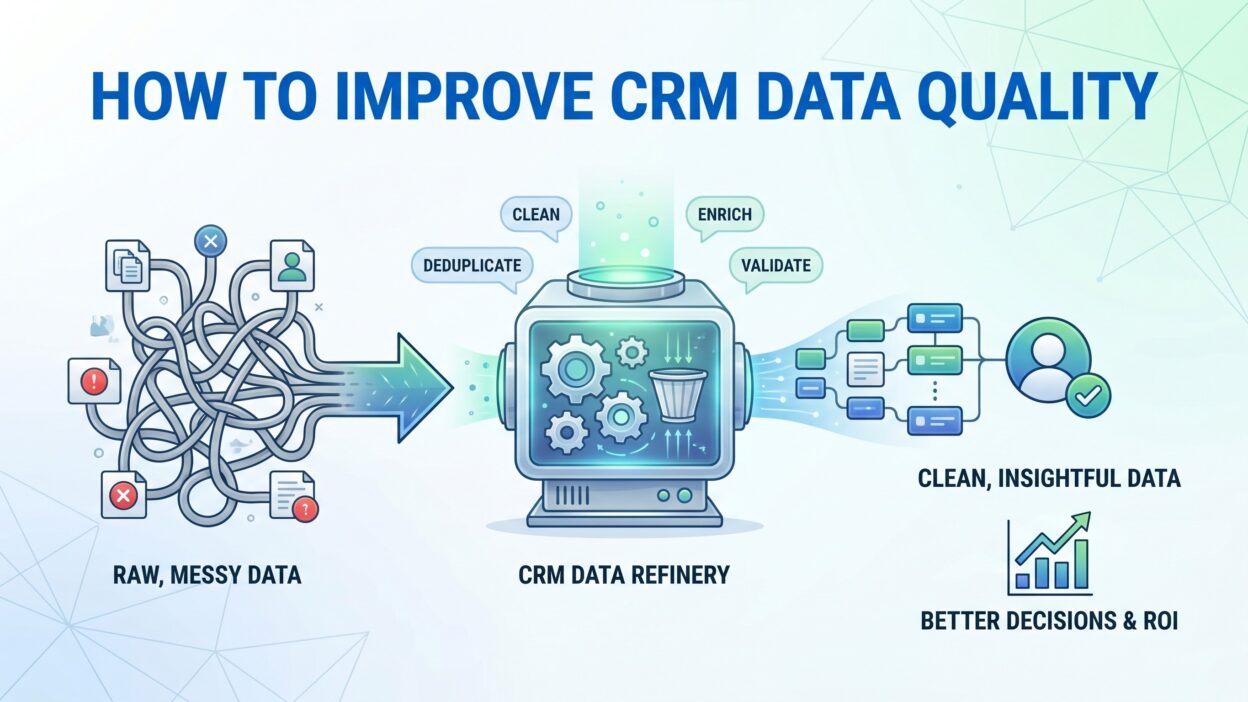
Once you know the state of your data, you can start cleaning it. Cleaning involves removing bad records, fixing errors, merging duplicates, and filling gaps. Enrichment involves adding new, verified data from external sources.
Deduplication
Deduplication is the process of identifying and merging duplicate records. Most CRM platforms include basic deduplication tools. For large datasets, dedicated deduplication software produces better results.
Set your deduplication logic carefully. Define what makes two records a match — identical email address, similar company name, same phone number. Run the tool in preview mode first. Review a sample of proposed merges before executing at scale.
After merging, set up ongoing duplicate prevention rules. Validate new records against existing ones at the point of entry. Stop duplicates from forming rather than cleaning them up after the fact.
Data Enrichment
Data enrichment fills gaps in your CRM with verified information from third-party sources. Tools like Clearbit, ZoomInfo, and Apollo.io pull company size, industry, revenue, technology stack, and contact details automatically.
Enrichment transforms incomplete records into full profiles. A contact record with just a name and email becomes a rich profile with job title, LinkedIn URL, company revenue, and phone number. That depth of information gives reps a real advantage in outreach.
Schedule enrichment runs regularly — at minimum quarterly. Data from enrichment providers also decays. A fresh enrichment pass every quarter keeps your CRM data quality at a consistently high level.
Standardization
Standardization ensures that similar data looks the same across every record. Phone numbers follow one format. Country names use the same spelling. Industry categories use the same taxonomy.
Run standardization scripts when data enters the CRM and during periodic cleanup runs. Most CRM platforms support workflow automation for this purpose. A simple rule that formats all phone numbers to E.164 standard on save prevents months of manual cleanup later.
Validation at the Point of Entry
The cheapest time to fix bad data is before it enters the CRM. Build validation rules into your web forms, import tools, and manual entry screens. Flag invalid email formats. Reject phone numbers with too few digits. Require a company name before saving a contact.
Front-end validation reduces the volume of bad data entering the system. It does not eliminate errors entirely, but it catches the most obvious ones automatically.
Tools That Support CRM Data Quality
The right tools make CRM data quality management far more efficient. No amount of manual effort can match the scale and speed of purpose-built software. Here are the categories of tools worth investing in.
Data Enrichment Platforms
ZoomInfo, Clearbit, Apollo.io, and Lusha enrich your CRM records with verified contact and company data. They integrate directly with Salesforce, HubSpot, and other major CRMs. Records update automatically when the enrichment provider detects a change.
Choose a provider whose database covers your target market well. A US-focused enrichment provider may have thin coverage for European or Asian markets. Verify coverage before signing a contract.
Deduplication and Data Management Tools
Dedupely, DemandTools, and RingLead specialize in finding and merging duplicate CRM records. They handle more complex matching logic than the native deduplication tools inside most CRM platforms.
These tools also support mass updates, field normalization, and record suppression. For companies with large, messy CRM databases, they are essential infrastructure for a CRM data quality program.
CRM Data Observability Platforms
Newer tools like Syncari and Revefi focus on CRM data observability. They monitor data health across your entire tech stack, flag anomalies, and alert you when CRM data quality degrades.
Observability tools give you continuous visibility rather than periodic snapshots. They catch problems before they scale. For enterprise teams managing millions of records, this category of tooling is increasingly important.
CRM-Native Features
Do not overlook what your CRM already offers. Salesforce has Duplicate Rules, Matching Rules, and Data Quality Analysis. HubSpot has duplicate management tools, required fields, and property validation. Use these native features before adding external tools.
Training Your Team to Maintain CRM Data Quality
Tools and processes only work when people use them correctly. CRM data quality is a team sport. Every person who enters, updates, or exports data from your CRM affects its integrity.
Train new hires on CRM data standards during onboarding. Do not wait until they have already created hundreds of bad records. Cover required fields, formatting standards, duplicate checking steps, and escalation procedures in the first week.
Run refresher training quarterly. Data standards evolve. New fields get added. Integrations change. A quarterly session keeps the entire team aligned on current expectations.
Make CRM data quality a performance metric for relevant roles. If a sales rep’s data completeness score appears on their performance review, they will take it seriously. If it never gets measured, it never gets prioritized.
Recognize good behavior publicly. Highlight reps who keep their records clean. Share examples of how accurate data led to a better customer interaction or a faster deal close. Culture shifts when you reward the right behaviors consistently.
Preventing Data Decay: Long-Term Maintenance Strategies
Cleaning data is a short-term fix. Preventing decay is the long-term solution. The best CRM data quality programs combine regular maintenance with structural prevention strategies.
Set Up Automated Data Refresh Schedules
Connect your enrichment tools to run automatic updates on a schedule. Monthly or quarterly refresh cycles catch job changes, company rebrands, and contact detail updates before your team notices the problem.
Prioritize enrichment for high-value accounts and active pipeline records. These are the records where stale data causes the most damage. Make sure they stay current even if lower-priority records get refreshed less frequently.
Monitor Engagement Signals
Email bounces, undelivered SMS messages, and unsubscribe events are data quality signals. Every hard bounce tells you an email address is invalid. Every returned piece of mail tells you a physical address is wrong.
Build workflows that flag bounced contacts for review. Automatically remove invalid email addresses from active campaign lists. Use engagement data as a real-time indicator of CRM data quality issues.
Create a Data Stewardship Program
A data stewardship program assigns responsibility for CRM data quality to specific individuals across the organization. Each steward owns a segment of the CRM — a region, a product line, or a customer tier.
Stewards run monthly audits on their segment. They escalate issues to IT or CRM administrators. They act as the first line of defense against data decay in their area.
Stewardship distributes responsibility without fragmenting standards. Every steward follows the same governance policy. They just apply it to different slices of the database.
CRM Data Quality Across Sales, Marketing, and Customer Success
CRM data quality affects every revenue team differently. Understanding the specific impact on each function helps you build the right arguments for investment and prioritize improvements.
Sales teams suffer when contact data is stale. A rep who dials a disconnected number loses confidence in the CRM. Over time, reps stop logging activity because they do not trust the system. CRM adoption drops. Data quality worsens further. The cycle feeds itself.
Marketing teams suffer when segmentation breaks down. A list built on inaccurate industry or company size data targets the wrong audience. Campaign performance falls. Cost per lead rises. Attribution reporting becomes unreliable.
Customer success teams suffer when account history is incomplete or inaccurate. A CSM who cannot see the full history of a customer’s interactions cannot give personalized support. Renewal conversations start from zero instead of building on established context.
When CRM data quality improves, all three functions benefit simultaneously. Sales reps trust the system and use it more. Marketing campaigns hit the right audience. Customer success teams deliver more personalized service. Revenue follows naturally.
Measuring CRM Data Quality: The Metrics That Matter
You need numbers to manage CRM data quality effectively. Gut feeling is not enough. Track these metrics on a monthly basis and report them to leadership regularly.
Record completeness rate measures the percentage of records with all required fields populated. A completeness rate below 80 percent signals a serious gap in data entry discipline or form design.
Duplicate rate measures what percentage of your contact or account records are duplicates. A rate above 5 percent is a red flag. The best-managed CRMs keep duplicates below 2 percent.
Data decay rate tracks how quickly your records become outdated. Compare the percentage of records flagged as inaccurate this month versus last month. Rising decay rates signal that enrichment schedules need adjustment.
Email deliverability rate connects CRM data quality directly to marketing outcomes. A deliverability rate below 95 percent indicates a significant volume of invalid or stale email addresses in your database.
CRM adoption rate tells you how actively your team uses the system. Low adoption often correlates with poor CRM data quality. When reps do not trust the data, they stop entering it. Adoption and quality reinforce each other in both directions.
Frequently Asked Questions About CRM Data Quality
What is CRM data quality and why does it matter?
CRM data quality refers to the accuracy, completeness, consistency, and timeliness of the records stored in your CRM system. It matters because every sales, marketing, and customer success activity depends on that data. Poor quality data leads to failed campaigns, lost deals, and damaged customer relationships.
How often should I clean my CRM data?
Spot-check your CRM data monthly and conduct a full audit quarterly. High-value accounts and active pipeline records deserve more frequent attention. Set up automated enrichment runs monthly or quarterly to refresh contact and company information at scale without manual effort.
What is the main cause of poor CRM data quality?
Manual data entry errors cause the most damage to CRM data quality in most organizations. Human mistakes during record creation, combined with passive data decay over time, create the majority of accuracy problems. Inconsistent data entry standards and missing governance policies amplify both issues.
What tools help improve CRM data quality?
ZoomInfo, Clearbit, and Apollo.io enrich your records with verified data. Dedupely and DemandTools handle deduplication at scale. Syncari monitors data health across your tech stack. Your CRM’s native features — required fields, duplicate rules, and validation — are also powerful starting points before adding external tools.
How do I get my sales team to maintain CRM data quality?
Make CRM data quality a measurable performance metric. Train reps on standards during onboarding and run quarterly refreshers. Build validation rules into the CRM so bad data is hard to enter. Recognize and reward reps who keep their records clean. Culture shifts when leadership treats data integrity as a business priority.
What is a good CRM data quality score?
A strong CRM data quality score reflects above 90 percent record completeness, below 2 percent duplicate rate, and above 95 percent email deliverability. These benchmarks vary by industry and company size. The most important thing is to establish a baseline and improve consistently quarter over quarter.
Read More:-What Is a Buyer Persona? A B2B Guide to Data-Driven Personas
Conclusion

CRM data quality is not a technical problem. It is a business problem. Dirty data blocks revenue. It wastes your team’s time. It erodes customer trust. It makes every strategic decision harder.
The good news is that improvement is achievable. You do not need a massive budget or a team of data scientists. You need a clear framework, the right tools, consistent governance, and a culture that takes data seriously.
Start with an audit. Understand the current state of your CRM data quality before committing to a cleanup strategy. Then define your standards, assign ownership, and build the processes that prevent bad data from entering the system in the first place.
Use enrichment tools to fill gaps and keep records fresh. Run deduplication regularly. Train your team. Measure progress monthly. Report results to leadership so the program maintains organizational support over time.
The companies that win in sales, marketing, and customer success share one common advantage. They trust their data. They make decisions with confidence. Their teams work from a single source of truth.
Commit to CRM data quality today. The investment in clean, accurate, complete data pays back in faster deals, better campaigns, and stronger customer relationships — every single quarter.