Introduction
TL;DR Businesses today generate massive volumes of visual content. Videos, screenshots, product photos, charts, infographics — all of it piles up fast. Yet most automation tools still rely on text alone. That gap is exactly where multi-modal AI workflows using video and images step in. They let machines see, interpret, and act on visual data. No human has to review every frame or image. The workflow does the heavy lifting.
This blog breaks down what multi-modal AI really means. It explains how you can apply it to real business operations. It covers tools, use cases, best practices, and answers the questions people ask most often. Read this fully before your competitors do.
What Is Multi-Modal AI?
Multi-modal AI refers to artificial intelligence that processes more than one type of data at the same time. Traditional AI models read text. Multi-modal models go further. They read text, analyze images, watch video, and even interpret audio — all in a single unified system.
Think of a customer service bot that reads a complaint, looks at an attached screenshot, watches a short clip of the bug, and then generates a precise solution. That is multi-modal AI at work. It mirrors how humans naturally consume information — through multiple senses combined.
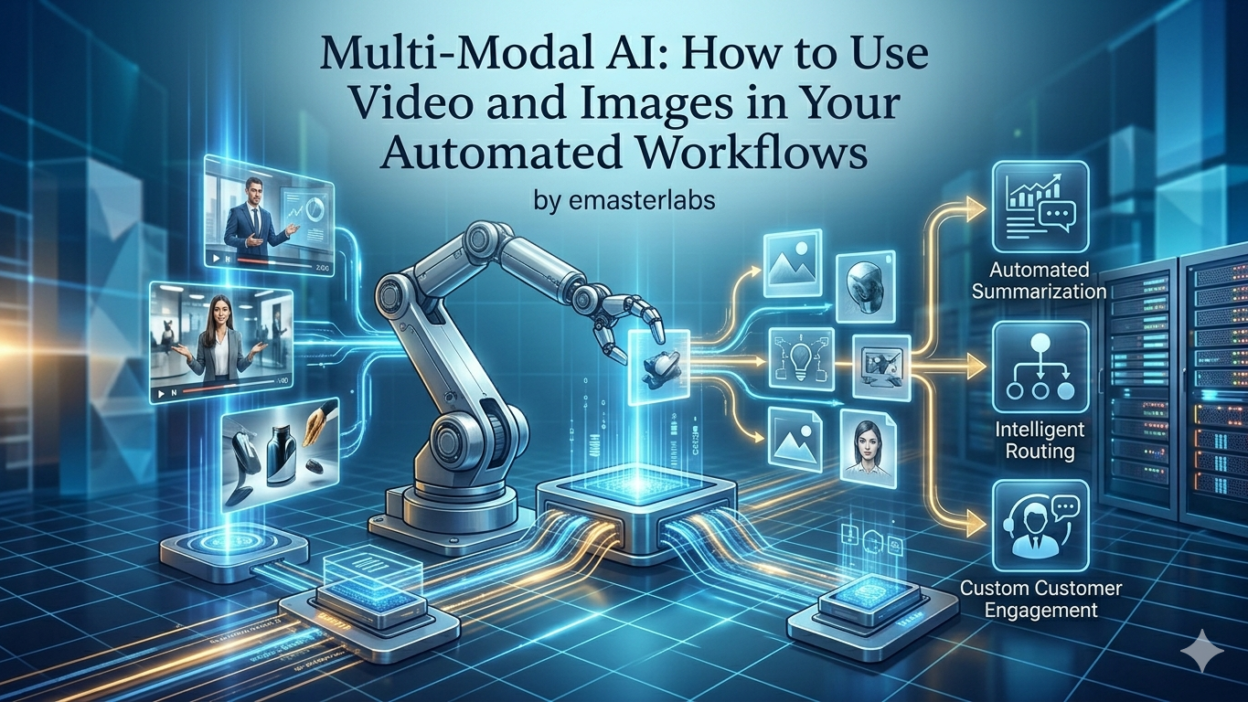
Multi-modal AI workflows using video and images bring this capability into automated pipelines. A pipeline receives an image or video as input. It runs it through a vision model. It extracts meaning, labels, emotions, or data. Then it passes the output to the next step in your workflow — all without human hands.
Core Components of a Multi-Modal AI System
Every multi-modal system shares a few key building blocks. First, there is a vision encoder. This component converts images or video frames into numerical representations the model can understand. Second, there is a language model layer. It maps visual data to words and logic. Third, there is an integration layer. This connects the AI output to your existing tools — your CRM, your project management software, your content platform.
Models like GPT-4o, Gemini 1.5 Pro, Claude 3 Opus, and LLaVA handle this kind of multi-modal reasoning. They accept image and video inputs alongside text prompts. They return structured, actionable outputs.
Why Multi-Modal AI Workflows Using Video and Images Matter Now
Visual content now dominates every digital channel. Instagram, YouTube, TikTok, LinkedIn — they are all image and video first. At the same time, enterprise software still runs on text-based data entry. This mismatch creates bottlenecks everywhere.
Marketing teams manually caption hundreds of product images. QA teams scrub hours of recorded sessions for bugs. HR departments review video interviews one by one. Every one of these tasks is time-consuming. All of them are ripe for automation.
Multi-modal AI workflows using video and images eliminate these bottlenecks. They turn hours of manual review into seconds of automated processing. They scale without adding headcount. They also reduce human error in repetitive visual tasks.
According to McKinsey, organizations that automate visual data tasks reduce processing time by 60–80% and dramatically cut error rates in content-heavy operations.
The Business Case for Visual Automation
Cost reduction is the first obvious benefit. When a model processes 10,000 product images overnight, you eliminate days of human labor. Speed is the second. A video review that takes a human four hours takes a model four minutes. Consistency is the third. A trained model applies the same standards every single time. Humans get tired. Models do not.
Competitive advantage follows naturally. Brands that automate visual workflows ship faster, respond quicker, and scale more easily. Multi-modal AI workflows using video and images are no longer optional for growth-focused organizations. They are becoming standard.
Key Use Cases for Multi-Modal AI Workflows Using Video and Images
1. Automated Product Image Tagging and Categorization
E-commerce teams deal with thousands of product images every week. Each image needs tags — color, shape, material, style, category. Manual tagging is slow and inconsistent. Multi-modal AI workflows using video and images solve this completely.
You upload a product image to the pipeline. The AI model identifies the product type, dominant colors, texture, and use case. It auto-fills metadata fields in your content management system. It even generates SEO-optimized alt text. Your team never opens a single image manually.
Platforms like Zapier, Make (formerly Integromat), and n8n can orchestrate these pipelines. They send images to a vision API, receive structured JSON output, and push that data into Shopify, WooCommerce, or your PIM system automatically.
2. Video Content Moderation at Scale
User-generated content platforms receive enormous volumes of video every hour. Reviewing each clip manually is impossible. Multi-modal AI workflows using video and images make moderation scalable.
The pipeline samples video frames at regular intervals. The vision model checks each frame for policy violations — nudity, violence, hate symbols, spam text. Flagged videos go to a human review queue. Clean videos pass through to publication. This hybrid model balances speed with accuracy.
YouTube, Facebook, and TikTok already use similar systems at massive scale. Smaller platforms can now access the same capability through APIs like Google Vision AI, AWS Rekognition, and Azure Computer Vision.
3. Medical Image Analysis Pipelines
Healthcare is one of the highest-value areas for multi-modal AI. Radiology teams read hundreds of scans daily. AI can pre-screen X-rays, MRIs, and CT scans for anomalies. It flags abnormal findings for physician review. It does not replace doctors — it helps them prioritize.
Multi-modal AI workflows using video and images in healthcare reduce diagnostic delays. They help catch early-stage conditions that might be missed in high-volume environments. Compliance and audit trails are built into modern medical AI platforms to meet HIPAA and GDPR requirements.
4. Real Estate and Property Inspection Automation
Property management companies process hundreds of inspection videos every month. Multi-modal AI workflows using video and images can analyze those videos automatically. The model flags cracks in walls, water damage, broken fixtures, and wear patterns. It generates a structured condition report with timestamps.
Landlords get faster turnaround on property assessments. Insurance companies reduce manual claim inspection costs. Property buyers get transparent condition reports. All of this runs without a human watching every second of footage.
5. Marketing Creative Analysis and Optimization
Marketing teams A/B test ad creatives constantly. Multi-modal AI workflows using video and images can analyze which visual elements drive engagement. The model reviews ad images or video thumbnails and identifies patterns — face placement, color contrast, text overlay size, emotional tone.
It connects visual features to performance data. High-performing creatives share common patterns. The AI surfaces those patterns. Your creative team designs better ads based on data, not gut feel.
6. Manufacturing Quality Control
Factory floors run cameras over product lines 24/7. Multi-modal AI workflows using video and images apply computer vision to those camera feeds in real time. The model detects surface defects, misalignments, label errors, and packaging faults instantly. It triggers an alert or stops the line before defective products ship.
Traditional manual inspection catches perhaps 80% of defects. Trained vision models catch 97% or more. The ROI on quality control automation is immediate and measurable.
Tools and Platforms for Building These Workflows
Choosing the right tool stack matters. Several platforms make multi-modal AI workflows using video and images accessible without deep engineering expertise.
Vision AI APIs
Google Cloud Vision AI analyzes images for labels, faces, text, objects, and explicit content. AWS Rekognition handles image and video analysis including celebrity recognition, activity detection, and content moderation. Azure Computer Vision offers OCR, image captioning, spatial analysis, and custom model training. OpenAI’s GPT-4o and Anthropic’s Claude accept image inputs directly in API calls.
Workflow Automation Platforms
Zapier connects vision AI APIs to thousands of business apps without code. Make (formerly Integromat) supports complex multi-step visual pipelines with conditional logic. n8n is the open-source alternative for teams that want full control. These platforms handle the orchestration — receiving inputs, calling APIs, routing outputs, and triggering actions.
Vector Databases for Visual Search
Pinecone, Weaviate, and Qdrant store image embeddings for semantic visual search. You convert an image to a vector. You query the database for similar images. This powers reverse image search, duplicate detection, and recommendation systems inside your workflow.
Video Processing Infrastructure
FFmpeg handles video frame extraction and format conversion. AWS Elemental MediaConvert and Google Cloud Video Intelligence handle large-scale video analysis. For real-time video streams, OpenCV and DeepStream provide low-latency processing at the edge.
How to Design a Multi-Modal AI Workflow from Scratch
Define the Visual Input
Start with the input format. Are you processing static images, short video clips, or live streams? Identify the resolution, file format, and volume. A pipeline for 100 images per day looks very different from one processing 10,000 per hour. Clarify input expectations before writing a single line of code.
Choose the Right Vision Model
Match the model to the task. GPT-4o and Claude excel at open-ended visual reasoning and description. Google Vision AI is strong for label detection and object recognition. AWS Rekognition is purpose-built for content moderation and facial analysis. Custom models fine-tuned on your domain data outperform general models for specialized tasks.
Define the Output Schema
Tell the model what you want back. Use structured prompts that request JSON output. Specify fields — category, confidence score, detected objects, text content, flags. Structured output integrates cleanly into downstream systems without parsing ambiguity.
Build the Orchestration Layer
Use a workflow tool like Make or n8n to stitch together the pipeline. Define triggers — a new file in an S3 bucket, a form submission with an image, a scheduled video batch job. Route the model output to your destination — a database, a Slack message, a CRM record, a content platform.
Validate and Monitor
Run your pipeline on a test dataset first. Measure accuracy, latency, and cost. Set up logging and alerting for failures. Monitor model drift over time — visual data distributions change, and models need periodic retraining or prompt tuning to stay accurate. Multi-modal AI workflows using video and images require ongoing maintenance, not a one-time setup.
Best Practices for Multi-Modal AI Workflows
Always Pre-Process Your Visual Data
Raw images and videos often contain noise — motion blur, poor lighting, inconsistent resolution. Pre-process inputs before sending them to the model. Resize images to optimal dimensions. Extract clean key frames from videos. Normalize brightness and contrast. Clean inputs produce better model outputs.
Use Confidence Thresholds
Vision models return confidence scores with their predictions. Low-confidence outputs should route to a human review queue, not an automated action. Set thresholds based on the stakes of the task. A moderation decision needs a higher confidence bar than a product tag suggestion.
Batch Requests for Efficiency
Sending images one at a time is slow and expensive. Batch API calls wherever the provider allows it. Process images in parallel using async operations. This dramatically reduces latency and cost in high-volume multi-modal AI workflows using video and images.
Document Your Prompts
Prompts are the interface between your pipeline and the model. Treat them like code. Version-control your prompts. Document what each prompt is designed to extract and why. When model behavior changes after an API update, you need to trace the issue back to the prompt quickly.
Respect Privacy and Compliance
Images and videos often contain personally identifiable information — faces, license plates, medical conditions. Ensure your pipeline complies with GDPR, CCPA, HIPAA, or any regional regulation applicable to your industry. Anonymize or blur sensitive elements before processing. Store outputs securely and purge inputs after processing where required.
Common Mistakes to Avoid
Many teams make the same errors when building multi-modal AI workflows using video and images for the first time.
The first mistake is skipping data validation. Teams send corrupted or malformed files to the model and get garbage output. Always validate inputs at the pipeline entry point.
The second mistake is over-automating. Not every visual decision should be fully automated. Keep humans in the loop for high-stakes decisions. Design escalation paths for low-confidence model outputs.
The third mistake is ignoring cost modeling. Vision API calls add up fast at scale. Estimate your per-image and per-minute-of-video costs before building a production pipeline. Set budget alerts. Optimize model calls to avoid redundant processing.
The fourth mistake is neglecting model versioning. AI providers update models regularly. A model update can change output behavior. Pin your API calls to specific model versions and test before upgrading.
Multi-Modal AI Workflows Using Video and Images
What is the difference between computer vision and multi-modal AI?
Computer vision focuses specifically on interpreting visual data — images and video. Multi-modal AI goes broader. It combines vision with language, audio, and other data types in a single model. A computer vision model tells you what is in an image. A multi-modal AI model tells you what is in an image and explains it in natural language, answers questions about it, and connects it to other data.
Do I need coding skills to build these workflows?
Not necessarily. Platforms like Zapier and Make let you connect vision APIs to business apps with drag-and-drop interfaces. For more complex pipelines — custom models, real-time video, or high-volume batch processing — basic Python skills are helpful. The barrier to entry for multi-modal AI workflows using video and images has dropped significantly in the past two years.
How accurate are vision AI models?
Accuracy varies by task and model. General object recognition models from Google, AWS, and Azure regularly achieve 90–97% accuracy on standard benchmarks. Specialized tasks — medical imaging, industrial defect detection — require fine-tuned models and carefully labeled training data to reach clinically or commercially useful accuracy levels. Always validate on your specific data before deploying in production.
What video formats do these APIs support?
Most major vision APIs support MP4, MOV, AVI, and MKV. Frame-by-frame image APIs accept JPEG, PNG, WEBP, and GIF. Check your specific provider documentation for resolution limits, file size caps, and encoding requirements. Pre-converting your media to a standard format saves debugging time later.
How much does it cost to run a visual AI pipeline?
Costs vary widely. Google Vision AI charges roughly $1.50 per 1,000 images for label detection. AWS Rekognition charges $0.001 per image for object detection. GPT-4o image processing costs depend on image size and token usage. Video analysis is typically more expensive than image analysis due to the volume of frames processed. Always model costs at your expected volume before committing to a provider.
Can multi-modal AI workflows handle real-time video?
Yes, with the right infrastructure. Real-time pipelines use edge processing, optimized models like YOLO for object detection, and streaming data platforms like Apache Kafka. Cloud providers also offer managed real-time video analysis services. Latency requirements determine the architecture — high-latency tolerance allows simpler setups, while low-latency use cases like security surveillance require purpose-built infrastructure.
How do I handle data privacy when processing images?
Anonymize sensitive visual data before it enters the pipeline. Blur faces and license plates. Strip EXIF metadata from images. Use secure, encrypted data transfer. Choose providers that offer data residency guarantees and do not use your data for model training. Consult legal counsel on compliance requirements specific to your industry and geography.
The Future of Multi-Modal AI in Automation
Multi-modal AI is moving fast. Models are getting cheaper, faster, and more accurate every month. Video understanding is improving dramatically — systems can now follow complex narratives across minutes of footage, not just analyze single frames. Real-time multi-modal reasoning is becoming accessible beyond the largest enterprises.
The next frontier is agentic multi-modal workflows. AI agents that can see a screen, read its content, make decisions, and take actions — all without human instruction. Tools like Claude’s computer use capability and OpenAI’s operator features point directly in this direction.
Organizations that build competency in multi-modal AI workflows using video and images now will have a significant head start. Visual data is everywhere. The automation gap is closing fast. The window to lead is open, but it will not stay open indefinitely.
Read More:-The 2026 CIO Guide: Balancing AI Innovation with Data Governance
Conclusion

Visual data is the fastest-growing category of business information. Yet most organizations still process it manually. Multi-modal AI workflows using video and images change that equation completely. They turn image and video inputs into structured, actionable outputs. They scale without adding headcount. They deliver consistent results that humans cannot match at volume.
The tools are mature. The APIs are affordable. The use cases are proven across e-commerce, healthcare, manufacturing, marketing, and beyond. The barrier to getting started has never been lower.
Start with a single high-volume visual task in your organization. Pick one where manual processing slows your team down daily. Build a simple pipeline. Validate the output. Measure the time saved. Then scale from there.
Multi-modal AI workflows using video and images are not a future technology. They are a current competitive advantage. The organizations winning with visual automation today are not waiting for the technology to mature further. They are building with what exists now and improving as the models improve.