Introduction
TL;DR Deals die when your best contact leaves. A champion takes a new job. Your pipeline goes quiet. Your rep learns the news three weeks late. The budget disappears.
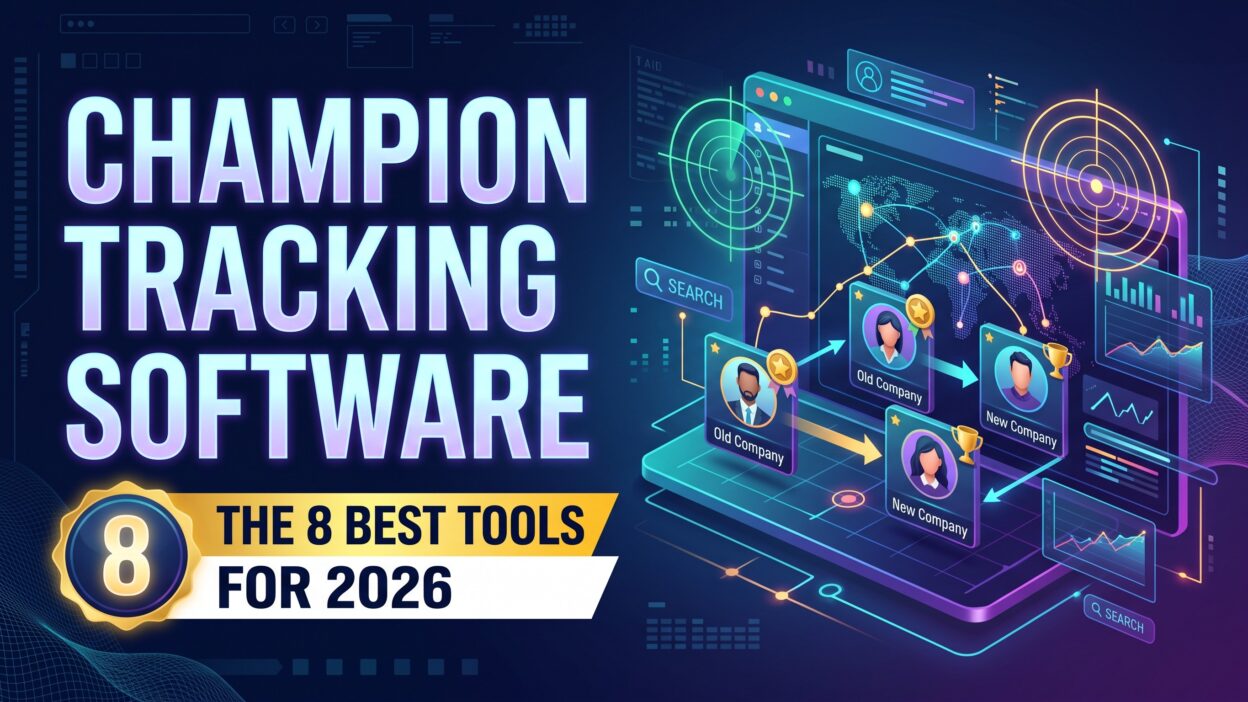
Champion tracking software fixes that gap. It watches your past buyers, users, and advocates. It alerts your team when one of them lands at a new company. You get a warm lead at a fresh account.
Table of Contents
What Is Champion Tracking Software?
Champion tracking software monitors the people who love your product. These people are champions. A champion is a buyer, user, or executive who pushes your solution inside a company. They fight for budget. They answer internal questions. They defend you in meetings.
The tool follows each champion over time. It watches job changes, promotions, and company moves. It pulls data from professional networks, public sources, and your CRM. When a champion starts a new role, the tool sends an alert. Your team gets the name, the new company, and the history of the old deal.
The idea is simple. A champion who trusts you will likely buy again. They know the product. They know the results. They do not need a long education cycle. Your rep skips the cold outreach and opens with a warm message.
Teams use several names for this work. Some say job change tracking. Some say champion alerts. The names differ. The goal stays the same. You find your advocates and follow them.
Champions vs. Other Contacts
Not every contact is a champion. A champion has influence and a personal stake in your success. An economic buyer signs the contract. A user logs in daily. A blocker slows the deal. Your tool should tell these roles apart.
Good setups tag champions inside the CRM. Reps mark them during the sales cycle. Customer success managers add new ones after onboarding. Clean tags make alerts useful. Messy tags flood your reps with noise.
Why Champion Tracking Matters
Warm leads convert better than cold ones. A former champion already knows your value. The conversation starts at trust, not at zero. Reps close deals faster from that starting point.
Job changes happen all the time. People move for raises, new titles, and fresh challenges. Each move creates a chance. Most teams miss those chances because nobody watches. Champion tracking software turns that blind spot into a steady lead source.
The tool protects retention. A departing champion puts the current account at risk. The replacement may not know your product. An alert warns your customer success team early. They reach out to the new contact and rebuild the relationship before renewal.
Revenue leaders like the math. The cost to find a warm lead drops. The sales cycle shortens. Win rates rise. Pipeline from this source can carry strong deal sizes. The program also gives marketing and sales a shared list of people worth nurturing.
How Champion Tracking Software Works
The workflow has three parts. Each part affects the quality of your alerts.
Data Collection
The platform gathers data from public profiles, company websites, news, and partner databases. Some vendors keep their own contact databases and refresh them often. Others pull data from professional networks. Accuracy depends on the source and the refresh rate. Ask each vendor how fresh the data stays. A stale record sends your rep to the wrong person.
Matching and Alerts
The tool matches your contact list against its data. It spots a change in title or company. It checks whether the person is a tagged champion in your CRM. When the match holds, it fires an alert. Good tools add context. They show the old deal, the contract value, and the last contact date.
Routing and Action
Alerts reach reps through email, team chat, or the CRM. Smart tools route each alert to the right owner. A new-account alert goes to the rep who owns the territory. A risk alert goes to the customer success manager. Some tools create tasks and draft outreach messages. The best ones show the champion’s past use of your product so the first message feels personal.
Key Features to Look For in Champion Tracking Software
Platforms differ. Focus on the features that move results.
Accurate Job Change Detection
Accuracy matters most. A wrong alert wastes a rep’s time. Ask for sample alerts built from your own contacts. Compare them with what you know. Check how fast the tool detects a move. Days matter. Weeks hurt. Ask what share of your contacts the vendor can track at all. Coverage gaps hide opportunities.
CRM Integration
The tool should sync with your CRM in both directions. It should read your closed-won deals and contacts. It should write new leads and tasks back. Salesforce and HubSpot are the most common systems. Confirm that your CRM sits on the supported list. Ask how the tool handles custom fields and duplicate records.
Champion Identification
Some tools find champions for you. They scan past deals and flag the most engaged contacts. They look at email activity, meeting attendance, and product usage. Others rely on manual tags. Automatic discovery saves hours. Manual tags add the human view. The best setups use both.
Workflow Automation
Look for rules you can set yourself. Route alerts by region, deal size, or product line. Trigger a sequence when a champion joins a target account. Pause outreach when the champion lands at a current customer. Automation keeps speed high and errors low.
Reporting
Reports show which alerts turned into meetings and revenue. Dashboards help you prove value to leadership. Strong reporting separates serious champion tracking software from a simple alert feed. Ask to see sample reports before you sign anything.
How We Picked the Tools
We judged five things: data accuracy, ease of setup, CRM fit, workflow depth, and value for the price. We also looked at the kind of team each tool serves. A solo rep and a global sales organization need different products.
This list draws on vendor descriptions and common buyer feedback. Features and pricing change fast. Confirm every detail with each vendor before you buy. Run a pilot with your own data. Your contacts will tell you more than any review can.
The 8 Best Champion Tracking Software Tools for 2026
Here are eight tools worth a close look. Some focus only on champions. Others offer champion alerts as one feature inside a larger platform.
1. UserGems
UserGems built its name on job change tracking. It follows your past champions, users, and buyers. It alerts you when they move to a new company. It pairs each alert with deal history and outreach ideas. It connects to major CRMs and sales engagement tools.
Revenue teams at mid-size and enterprise firms use it often. The product fits teams that want a focused solution with strong job change coverage. It handles both new pipeline and customer risk. Pricing runs on custom quotes, so expect a sales call.
2. Champify
Champify makes champion tracking software for B2B sales teams. It scans closed-won deals and highlights likely advocates. It sends alerts when those people change roles. It syncs with your CRM and creates tasks for reps.
The product stays lean. Setup moves quickly, and the interface keeps the focus on the champion and the next action. Growing teams that want a dedicated tool without a heavy platform will like it. Larger teams should check how deep the workflow rules go. Ask about pricing early, since quotes vary by volume.
3. Common Room
Common Room gathers signals from many places. It reads product usage, community activity, social posts, and job changes. It scores people and accounts. A champion who moves to a new company shows up as one signal beside other activity.
The platform fits product-led growth teams. They want one view of intent across channels. A champion who joins a new company and also visits your docs becomes a hot lead in seconds. Expect more setup than a single-purpose tool. The payoff is a wider view of buyer behavior.
4. ZoomInfo
ZoomInfo offers one of the largest contact databases in sales. It includes job change alerts inside its broader platform. Reps can track contacts, build lists, and reach decision makers with email and phone data. Intent data and company news add context.
The tool suits large teams that want data, intent, and alerts in one place. Budget matters here. Contracts often run higher than point tools. Check how much of the platform you will use. A team that only needs champion alerts may overpay.
5. LinkedIn Sales Navigator
Sales Navigator gives reps alerts on saved leads. It shows job changes, posts, and company news. Reps build lead lists and watch them inside the network where people update their own profiles. Setup is simple.
Automation is limited. Teams add contacts by hand or through a CRM sync. Reports on champion-driven revenue take extra work. The tool fits small teams and solo reps who want a low-effort start. Many larger teams keep it in the stack for research even after they adopt a dedicated product.
6. Clay
Clay is a data and workflow builder. It pulls information from many providers and lets you design your own flows. Teams build custom champion tracking workflows with job change data, enrichment, and generated outreach drafts.
The tool rewards technical users. It gives you control and flexibility. You decide which data sources to use, which signals matter, and where alerts go. It asks for more setup time than a ready-made product. Revenue operations teams that love to build will enjoy it. Teams that want a plug-and-play tool should look elsewhere.
7. Gainsight
Gainsight serves customer success teams. It offers tools to map stakeholders and watch account relationships. When a key contact leaves, the platform can warn the account owner. Customer success leaders use it to protect renewals and see who holds influence inside each customer.
The product fits companies that put retention first. It gives champion insight inside existing accounts. It does less for finding champions at new companies. Pair it with a sales-focused tool when you want both sides of the story. Plan for a longer rollout than a lightweight alert product.
8. Apollo.io
Apollo.io combines a contact database, email sequences, and a dialer. It offers job change signals that help reps spot moves among saved contacts. Pricing starts low and includes a free tier. Small teams like the value.
Reps can find the champion’s new details, add them to a sequence, and send a message in one place. Data depth varies by region and industry. Test it on your own contacts before you commit. The tool suits startups and lean sales teams that want prospecting and alerts under one roof.
Which Tool Fits Which Team
Match the tool to your situation. A small team with a tight budget should start with Sales Navigator or Apollo. Both give job change signals at a low cost. A growing B2B team that wants a focused product should demo UserGems and Champify side by side.
A product-led company with a community and a free tier should look at Common Room. It blends job changes with product and community signals. A large enterprise with deep data needs should review ZoomInfo. A team with strong operations skills should try Clay and build a custom flow.
A company that lives on renewals should add Gainsight. It protects the base. Many teams combine two tools. One finds champions at new companies. The other guards the accounts you already own.
How to Choose Champion Tracking Software
Start with your goal. Do you want new pipeline from job changes? Do you want to protect renewals? Do you want both? Write the goal in one sentence. The goal narrows the field fast.
Check your CRM. Champion tracking software works best when it fits your system. Confirm the integration depth. Ask whether the tool reads custom fields and writes tasks back.
Count your champions. A team with 50 closed-won deals needs a lighter tool than a team with 5,000. Small lists work with a simple alert tool. Large lists need automation.
Test data accuracy. Ask vendors to run a pilot on your own contacts. Compare results across two tools. The best data wins.
Review the workflow. Reps ignore tools that add clicks. Look for alerts that land in the apps they already use.
Ask about support. Good vendors help with setup, tagging rules, and training. Read recent customer reviews and talk to a reference customer of similar size.
Pricing Considerations
Most vendors sell custom quotes. Price depends on seats, contacts tracked, and feature level. Point tools often cost less than full platforms. Large databases cost more. Ask what happens when your list grows. Ask about contract length and renewal terms.
Budget time for setup. Tagging champions and writing playbooks takes a few weeks. Use a trial or pilot to prove value before you sign a long contract. Champion tracking software should pay for itself with a handful of closed deals. Track that math from day one.
How to Roll Out Champion Tracking Software
A clean launch drives adoption. Teams that treat champion tracking software as a process, not just a feed, see better results. Follow a short plan.
Build Your Champion List
Pull a list of closed-won accounts from the last three years. Ask reps and customer success managers to name the champions. Tag them in the CRM. Add power users who love the product. Remove duplicates and old email addresses. A clean list of 100 real champions beats a messy list of 1,000 names.
Set Alert Rules
Decide who gets each alert. Route new-account alerts to sales. Route risk alerts to customer success. Set a response time goal of 48 hours. Give each alert type a clear owner. Add a rule for champions who land at accounts that already have an open deal. The rep on that deal needs the news immediately.
Write Simple Playbooks
Write a short message for each case. A champion at a new target account gets a warm note that mentions past wins. A champion at an existing customer gets a congratulations message and an offer to help. A champion who leaves a current customer triggers a call to the replacement.
Keep messages short and personal. Mention a result the champion achieved. Offer one clear next step. Train reps with real examples. Role-play the first call in a team meeting. Confidence grows fast when reps practice.
Metrics to Track
Measure the program every month. Track alerts received, alerts acted on, and meetings booked. Track pipeline and closed revenue from champion moves. Compare win rate and sales cycle length against cold leads.
Track retention in accounts where a champion left. Count how many renewals your team saved with early outreach. Share wins with the whole company. Stories help. A rep who tells the room how a former champion opened a six-figure deal does more for adoption than any slide.
Common Mistakes to Avoid
Tagging too few champions starves the tool. Tagging too many creates noise. Pick people with real influence and real results.
Stale data weakens alerts. Clean your CRM before launch and every quarter after that. Generic outreach wastes the warm lead. A copy-and-paste message tells the champion you did not remember them. Write a short note that shows you did.
Slow response lets the champion settle in. Rivals call new hires too. Reach out within two days.
Ignoring customer success leaves renewal risk blind. The same alert that creates a new deal can warn you about a lost sponsor. Share alerts across teams.
Many teams buy champion tracking software and expect magic. The tool finds the moves. Your people build the relationship. Plan for both
A Real-World Example
Picture a mid-size software company with 800 customers. The sales team spent most of its time on cold outreach. Reps closed few deals from it. Leaders adopted a champion alert tool. The operations manager tagged 300 champions from past deals. Alerts started within a week.
In the first quarter, 40 champions changed jobs. Reps contacted all of them within two days. Twelve took meetings. Five became deals. Those deals closed in half the usual time. One champion joined a large company that had ignored the team for years. She brought the product with her and drove a big expansion.
Customer success used the same alerts to flag three accounts at risk. They called the replacements early and saved two renewals. Leaders expanded the program to every region. The lesson is clear. A small, clean list of champions can beat a large pile of cold leads.
Frequently Asked Questions
What is champion tracking software?
It is a tool that follows your past buyers and advocates. It alerts you when they change jobs. You get a warm lead at a new company. The tool also helps customer success teams spot risk when a key contact leaves. Most products sync with your CRM and send alerts to reps through email or chat.
How does the tool find champions?
Some tools scan closed-won deals and engagement data. They flag people who attended meetings, used the product, or pushed the deal internally. Others rely on tags from your team. Manual input often gives the best accuracy. Combine both methods for the strongest list.
How accurate are job change alerts?
Accuracy varies by vendor and region. Public profile data lags when people forget to update their pages. Ask for a pilot. Check alerts against what you know. Pick the tool that matches reality most often.
Is champion tracking software worth it for small teams?
Yes, when you have a solid customer list. A small team can start with Sales Navigator or Apollo. Upgrade when alert volume grows. Even ten warm leads a year can matter when your average deal size is high. Test the value with a free tier or trial before you commit.
Is tracking job changes legal?
Tools use public information. Privacy laws such as GDPR and CCPA still apply. Ask vendors how they collect and store data. Respect opt-out requests. Talk to your legal team about outreach rules in your region. Ethical outreach protects your brand and builds trust with the champion.
How fast should reps respond to an alert?
Respond within 48 hours. Speed matters. New hires often review tools and vendors in their first months. A quick, personal message puts you in the conversation before rivals arrive.
Read More:-AI Call Briefings: How to Generate Briefs From Call and Deal Data
Conclusion

Champions drive deals. When they move, your best leads move with them. Champion tracking software makes sure you see the move first.
You have eight tools to compare. UserGems and Champify focus on champions. Common Room, ZoomInfo, Apollo, and Sales Navigator add signals to broader platforms. Clay gives builders full control. Gainsight protects accounts after the sale.
Start with your goal. Tag your champions. Run a pilot on your own data. Write simple playbooks. Respond within two days. Measure results every month.