Introduction
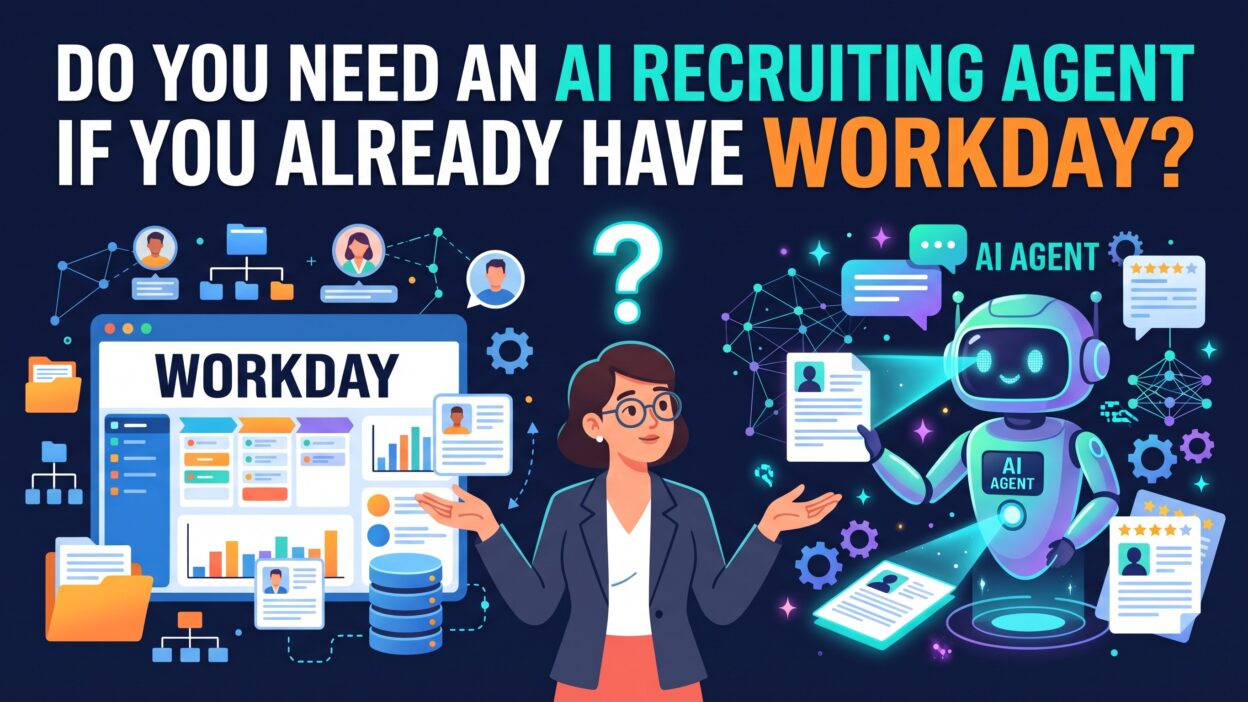
TL;DR You run Workday. Your HR team trusts it. Payroll works. Employee records stay clean. Then a vendor emails you. A colleague mentions a new tool. Someone asks a fair question. Do you need an AI recruiting agent when Workday already sits at the center of your HR tech stack?
The answer depends on your hiring volume, your team size, and your goals. Some companies gain a lot from adding one. Others do fine without it. This guide helps you decide. You will see what Workday does well and where hiring teams still struggle. You will learn how an agent works, what it costs you in effort, and how to measure results. Read on and you will leave with a clear answer for your own company.
Table of Contents
What Workday Does Well
Workday earned its place in large companies for good reasons. It handles human resources, finance, and planning in one platform. Leaders like the single source of truth. Auditors like the clean trail. Employees like one login.
Workday Recruiting as a System of Record
Workday Recruiting works as a strong applicant tracking system. It stores requisitions, candidate profiles, interview feedback, and offers. It connects each hire to the employee record on day one. That link saves time and prevents data errors.
Your recruiters can post jobs, move candidates through stages, and route approvals. Hiring managers can review candidates in a familiar screen. Compliance teams can pull reports for audits. These strengths matter in regulated industries. A bank, a hospital, or a government contractor needs this level of control.
Where HR Teams Get the Most Value
HR leaders love Workday for process control. Every step follows a rule. Every approval leaves a record. Pay bands, job architecture, and headcount plans all live in one place. That structure keeps hiring consistent across regions.
Workday also keeps adding AI features. The vendor has invested in matching and conversational tools. Check the current product roadmap before you buy anything new. Your existing contract may already cover part of what you need.
Where Workday Recruiting Leaves Gaps
A system of record excels at storing and routing. It does less well at doing the work for your recruiters. Many teams feel that gap daily. They own a clean database. They still spend long hours on manual tasks.
Candidate Sourcing Beyond Your Database
Workday Recruiting works best with people who already applied. Your database holds past applicants, referrals, and current employees. That pool is valuable. It is also limited. Great candidates often sit outside your system. They work at other companies. They never saw your posting.
Candidate sourcing takes real effort. A recruiter searches professional networks, reads profiles, and writes personal messages. One search can eat an entire afternoon. Hard roles take weeks. Your recruiters know this pain well.
Manual Screening at Scale
Picture a single job posting that draws 800 applications. A recruiter opens each resume. She scans for skills, titles, and years of experience. She makes a quick call on each one. Fatigue sets in around resume 150. Quality drops. Good candidates slip past.
Keyword filters inside an applicant tracking system help a little. They also miss strong people who describe their skills in different words. A pastry chef might write “baker.” A data analyst might write “business intelligence specialist.” Rigid filters cannot read that nuance.
Candidate Communication and Scheduling
Candidates expect fast replies. They compare your response time against every other offer. Silence costs you talent. Yet recruiters juggle dozens of open roles. They cannot answer every question within minutes.
Scheduling creates another drag. A recruiter emails a candidate. The candidate replies hours later. The hiring manager changes the time. Three people trade eight messages to book one thirty-minute call. Multiply that by hundreds of interviews. The hours add up fast.
What Is an AI Recruiting Agent?
An AI recruiting agent is software that performs recruiting tasks on its own. It reads job requirements. It searches for candidates. It screens resumes, answers questions, and books interviews. A human recruiter sets the goals and approves key decisions. The agent handles the repetitive work.
Think of it as a tireless junior teammate. It never sleeps. It never loses focus on resume 800. It follows your rules and works through the queue. Your recruiters then spend their time on the human parts of hiring. They build relationships, sell the role, and advise hiring managers.
How an AI Recruiting Agent Works
An AI recruiting agent starts with your job description and hiring criteria. It reads those inputs and builds a profile of the ideal candidate. It then searches your database and external sources. It ranks people by fit.
Next comes outreach. The agent writes personalized messages and sends them. When a candidate replies, the agent answers basic questions about pay, location, and duties. It collects availability and schedules the interview. It logs each step. Your recruiter sees a ranked shortlist with notes.
Modern agents use language models and machine learning. They understand that “baker” and “pastry chef” overlap. They learn from your recruiters’ choices. Over time they match your preferences more closely.
AI Agent vs Chatbot vs ATS
People mix up these three tools. Each one does a different job.
An applicant tracking system stores records and routes workflow. Workday Recruiting fits here. It waits for people to enter data and click buttons.
A chatbot answers set questions. It follows a script. A candidate asks about benefits and the bot returns a canned reply. It rarely acts beyond the conversation.
An agent takes action toward a goal. You tell it to fill a role. It plans the steps, runs them, and reports back. That autonomy sets it apart. You supervise it rather than operate it.
Workday vs AI Recruiting Software: A Direct Comparison
Compare the two on the tasks that fill a recruiter’s week.
Workday wins on record keeping. It owns approvals, compliance, reporting, and the link to employee data. No agent replaces that foundation.
An agent wins on speed and reach. It searches outside your database. It screens hundreds of resumes in minutes. It follows up with every candidate. It schedules interviews without email chains.
Workday gives you control and consistency. An agent gives you capacity. The two tools solve different problems. Most companies that add an agent keep Workday as the core system. They treat the agent as a layer on top.
This view clears up the original question. You rarely choose one or the other. You decide whether your recruiters need extra capacity that your system of record does not provide.
How an AI Recruiting Agent Fits Inside Your Workday Setup
Fear of disruption stops many HR leaders. They worry that a new tool will break their clean data. Good vendors design for this concern. An AI recruiting agent can plug into Workday and respect its structure.
Integration Basics
Most agents connect through APIs. Workday offers open interfaces for this purpose. The agent reads requisitions from Workday. It pulls job details, hiring criteria, and approved headcount. It writes candidate data and status updates back into Workday. Your recruiters keep working in the screens they know.
Ask each vendor for proof of a live Workday integration. A demo means little. A reference customer who runs Workday means a lot. Request a call with one. Ask how long setup took and what broke along the way.
Your IT team should join early. Security reviews take time. Single sign-on, data mapping, and access rules all need attention. Plan for weeks, not days.
Data, Privacy, and Compliance
Hiring data carries legal weight. Candidates trust you with personal details. Laws in many regions regulate automated hiring tools. Some require bias audits. Some require notice to candidates. Your legal team must review any vendor before launch.
Ask the vendor where it stores data. Ask how long it keeps candidate records. Ask how it deletes data on request. Confirm that the agent logs every decision. Auditors will want those logs.
Keep Workday as the official record. The agent should write final data back to it. That rule keeps your reports accurate and your audits simple.
Benefits of Adding an Agent to Your Hiring Process
Teams that add an agent report gains in three areas. Results vary by company, so treat these as likely outcomes rather than promises.
Faster Time to Hire
Speed matters in a tight labor market. Strong candidates accept offers within days. A slow process loses them. An agent shortens the early stages. It screens overnight. It contacts candidates within minutes. It books interviews without delay.
Time to hire often drops when these early steps speed up. Your hiring managers see qualified candidates sooner. They decide faster. Offers go out while candidates still feel excited.
A Better Candidate Experience
Candidates remember how you treat them. A quick reply feels respectful. A clear update reduces anxiety. An agent answers questions at midnight. It tells candidates where they stand. It never ghosts anyone.
Good experience protects your employer brand. Rejected candidates still talk about you. They might become customers. They might apply again next year. Fair, fast treatment pays off long after the role closes.
Less Recruiter Burnout
Recruiting wears people down. Repetitive tasks drain energy. Recruiters want to talk with people. They do not want to scan resumes for six hours.
An agent removes the grind. Recruiters spend more time on interviews, negotiations, and manager coaching. Job satisfaction rises. Turnover on your own talent team may fall. That result carries real cost savings.
Risks and Limits You Should Know
No tool fits every situation. An honest evaluation looks at downsides.
Bias and Fairness
Agents learn from data. Biased data produces biased results. If your past hires skew toward one group, a careless model may repeat that pattern. This risk is real and well documented.
Demand bias testing from every vendor. Ask for audit results. Ask how the model handles protected traits. Keep humans in charge of final decisions. Review outcomes by group on a regular schedule. Fix problems fast.
Data Quality
An agent works only as well as its inputs. Vague job descriptions produce vague matches. Outdated candidate records waste outreach. Messy Workday data confuses the agent.
Clean your house before you launch. Rewrite job descriptions with clear skills. Archive stale profiles. Define what “qualified” means for each role. This prep work takes effort. It also improves your hiring even without an agent.
When You Do Not Need an Agent
Some companies should skip this purchase. Be honest about your situation.
You may hire fewer than fifty people a year. Your recruiters can handle that volume by hand. The cost of a new tool may exceed the benefit.
Your roles may depend on deep personal judgment. Executive search works this way. Relationships matter more than speed. An agent adds little there.
Your Workday team may already use new native AI features. Those features might cover your needs. Test them first. A free upgrade beats a new contract.
Your data may be a mess. Fix that problem before you buy anything. A powerful agent on bad data creates faster mistakes.
If none of these cases fit, you likely have a real opportunity. High volume, hard-to-fill roles, and slow time to hire all point toward adding an AI recruiting agent to your stack.
How to Choose the Right AI Recruiting Software
The market has many vendors. Their claims sound similar. A clear process helps you cut through the noise.
Start with your problem. Write it in one sentence. Maybe your time to hire runs too long. Maybe your sourcing misses diverse talent. A clear goal guides every later choice.
Test the Workday integration. Ask for a sandbox trial. Watch how data flows in both directions. Look for errors and delays.
Check transparency. You should see why the agent ranked each candidate. Black-box scores create legal and trust problems. Good tools explain their reasoning in plain language.
Review security and compliance. Ask for certifications. Ask for bias audit reports. Ask your legal team to read the contract.
Run a pilot. Pick one team and a few roles. Set success metrics before you begin. Compare results against a control group. A pilot costs less than a full rollout and teaches you more.
Talk to references. Choose customers with similar size and similar Workday setup. Ask what surprised them. Ask what they would change.
Finally, plan for change management. Recruiters may fear replacement. Explain that the agent removes grunt work. Train people early. Invite their feedback. Adoption depends on trust.
How to Measure Return on Investment
Numbers justify the spend. Track a few clear metrics before and after launch.
Time to hire shows how fast you fill roles. Measure days from requisition to accepted offer. Time to first contact shows how quickly candidates hear from you. Recruiter hours per hire reveal your efficiency gain. Candidate satisfaction scores show experience quality. Offer acceptance rate reveals whether your process still lands good people.
Add cost to the picture. Compare agency fees before and after. A strong agent may reduce your reliance on outside recruiters. Add the tool’s license cost. Subtract the savings. The net number tells your story.
Give the pilot enough time. Hiring cycles run long. Three to six months usually gives a fair read. Report results to leadership in plain terms. Skip jargon. Show before and after charts.
An AI recruiting agent earns its place only if the numbers improve. Hold every vendor to that standard.
Frequently Asked Questions
Does Workday have its own AI for recruiting?
Workday offers AI features for matching and candidate engagement. The vendor adds new capabilities often. Review the current product details with your account team. Compare them against your needs before you buy a separate tool.
Will an agent replace my recruiters?
No. An agent handles repetitive tasks. Recruiters still lead relationships, assess culture fit, negotiate offers, and advise managers. Teams that adopt agents usually shift recruiter time toward higher-value work.
Can an agent work with Workday Recruiting?
Yes. Many tools connect through Workday’s APIs. They read requisitions and write candidate updates back. Always confirm the integration with a live reference customer.
Is AI recruiting software legal to use?
It depends on your location. Some regions require bias audits and candidate notice. Others have no specific rules yet. Ask your legal team to review the tool and the local laws before launch.
How long does setup take?
Simple integrations can finish in a few weeks. Complex Workday environments take longer. Security reviews, data mapping, and training all add time. Plan for one to three months from contract to launch.
How much does it cost?
Pricing varies widely. Vendors charge by seat, by hire, or by volume. Request quotes from several providers. Compare them against your current cost per hire.
Does an agent reduce bias in hiring?
It can help or hurt. A well-tested tool applies the same criteria to every candidate. A poorly tested tool can repeat past bias. Audit results regularly and keep humans in the loop.
What data does the agent need from Workday?
It needs requisition details, job criteria, candidate records, and stage statuses. Your IT and privacy teams should define exact access limits.
Read More:-Who Run The World?: Women in B2B Sales
Conclusion

Workday gives you a strong foundation. It stores records, enforces process, and keeps your data clean. It does not do all the work of hiring for you. Recruiters still spend long hours on sourcing, screening, and scheduling.
An AI recruiting agent fills that gap. It adds capacity without replacing your system of record. It searches wider, responds faster, and frees your team for human work. The gains show up in time to hire, candidate experience, and recruiter morale.
Not every company needs one. Low hiring volume, clean native tools, or messy data may argue for waiting. Look at your numbers. Name your biggest hiring pain. Test the idea with a small pilot.